
iOS 27 Just Landed — But You’ll Have to Wait for These Two Features
Toggle Dark Mode
While anyone willing to jump into the public beta has been able to run iOS 27 for a few weeks now, the public release just landed today, as expected, which means it’s coming soon to an iPhone near you.
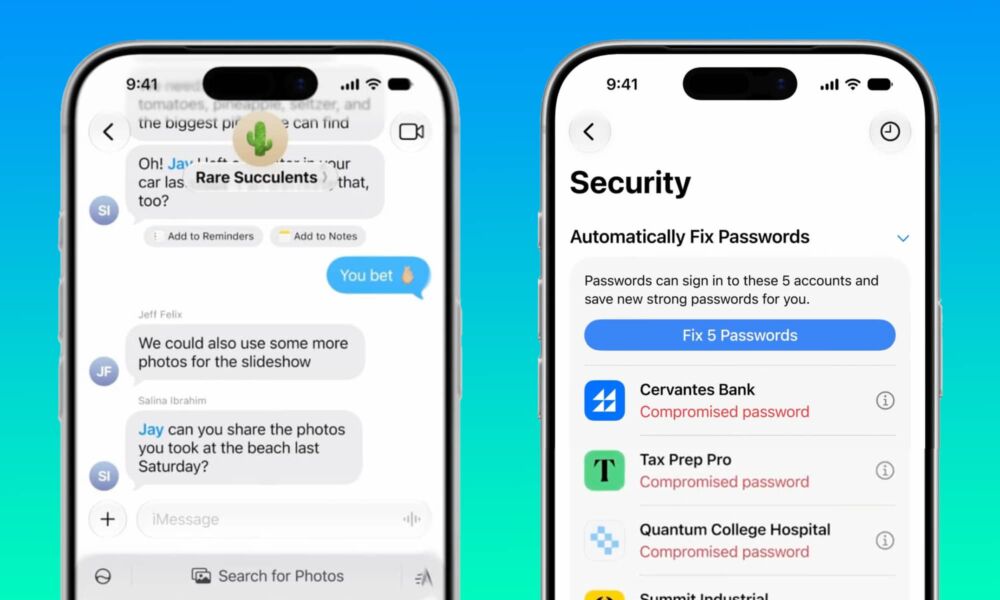
As usual, there’s a ton of new stuff in this year’s major iPhone software release, but there are also two features we were expecting to see that will apparently need a little more time in the oven. Last week, Apple quietly updated its iOS 27 page to note that Suggestions in Messages and AI-based password fixes will be “Coming in a future software update.” We’re hoping that means iOS 27.1, but there’s no way of knowing for sure.

Apple showed off both these features during its Worldwide Developers Conference (WWDC) in June. Suggestions in Messages, which provides contextual buttons for quick actions like adding calendar events or searching for photos, was present in the developer and public betas until just before Apple dropped the Release Candidate (RC) last week, but Apple clearly decided it wasn’t ready for prime time.
By contrast, the agentic AI feature to automatically fix passwords always felt like more of a long-shot for iOS 27.0. The feature was designed to help you not only detect weak passwords, but use Apple Intelligence to take action to fix them on your behalf, signing in and replacing them with stronger passwords and saving the results in your Passwords app. It wasn’t clear how this would work under the hood, but we never saw it go live during the beta cycle.
What’s Available in iOS 27 Today
Still, those are pretty small features compared to everything else there is to enjoy in iOS 27.
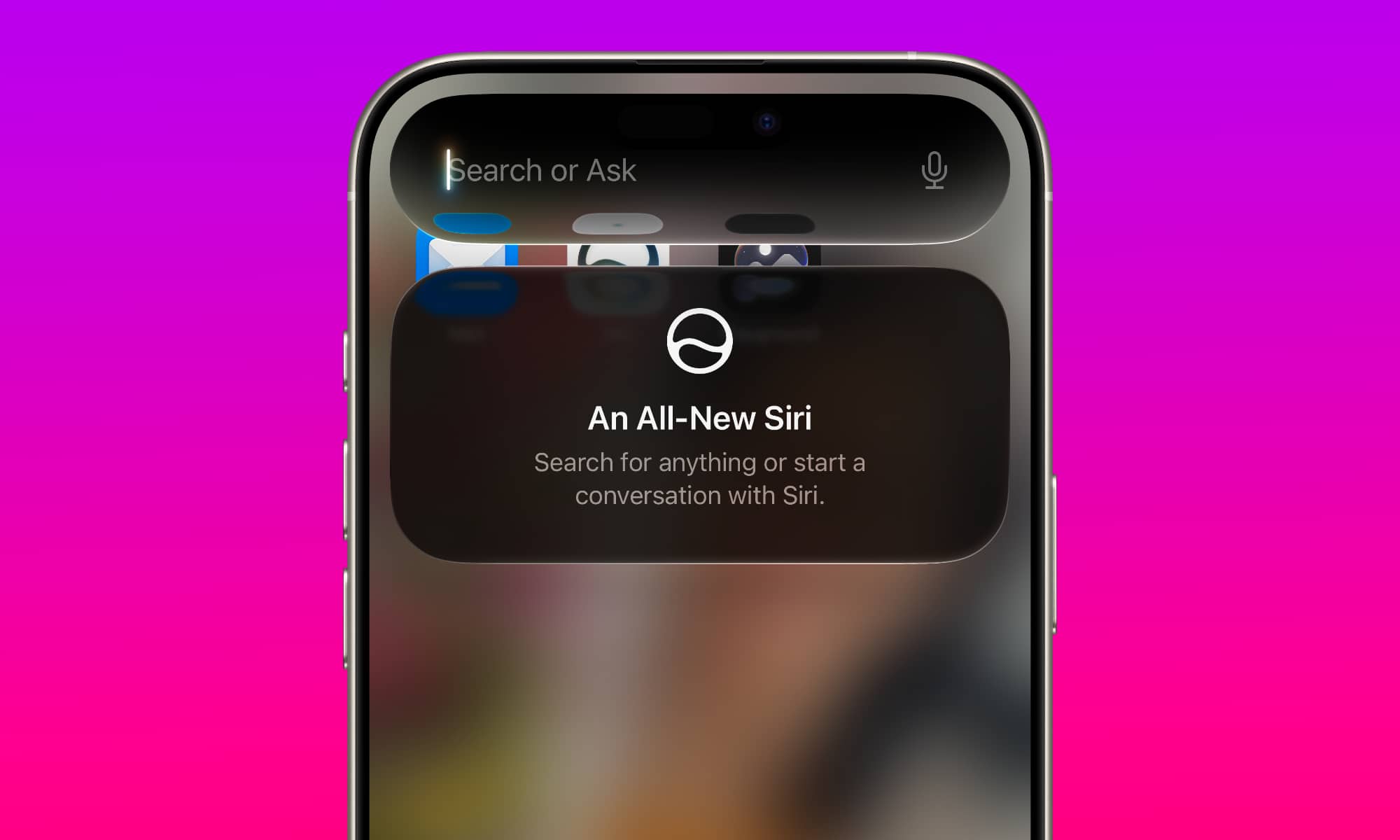
Perhaps the biggest of all is Siri AI. Apple’s voice assistant finally grows up into an actual assistant that can more than just setting timers and reminders. After 15 years, our long Siri nightmare is finally over.
Sadly, that does come with a small caveat: You’ll need an Apple Intelligence-capable iPhone to take advantage of the improvements. That’s an iPhone 15 Pro model or anything released after that, including the entire iPhone 16 family, iPhone 17 family, iPhone Air, and, of course, the new iPhone 18 Pro models and theiPhone Duo when it ships next month.
Although you’ll still be able to install iOS 27 on any iPhone that’s capable of running iOS 26 — the 2019 iPhone 11 and later models — you’ll still be using the “old” Siri if you’re on an iPhone 15, iPhone 15 Plus, or anything else released before those. That’s not a matter of Apple deliberately leaving those older devices out in the cold; iOS 27 will actually improve performance on older iPhones, but there’s only so much they can do.
The real catch is that Siri AI runs almost entirely on your device. That’s a huge bonus from a speed and privacy perspective, but it also leaves older devices out as they don’t have fast enough chips or sufficient RAM to load the necessary AI large language models (LLMs) that power Siri AI and Apple Intelligence. In fact, some of the most advanced features will be limited to the iPhone 17 Pro, iPhone Air, and later models, as they’re the only ones with the necessary 12 GB of RAM to load Apple’s most powerful LLMs. This includes expressive voices for Siri and more advanced dictation.
Along with Siri AI comes a plethora of other Apple Intelligence features:
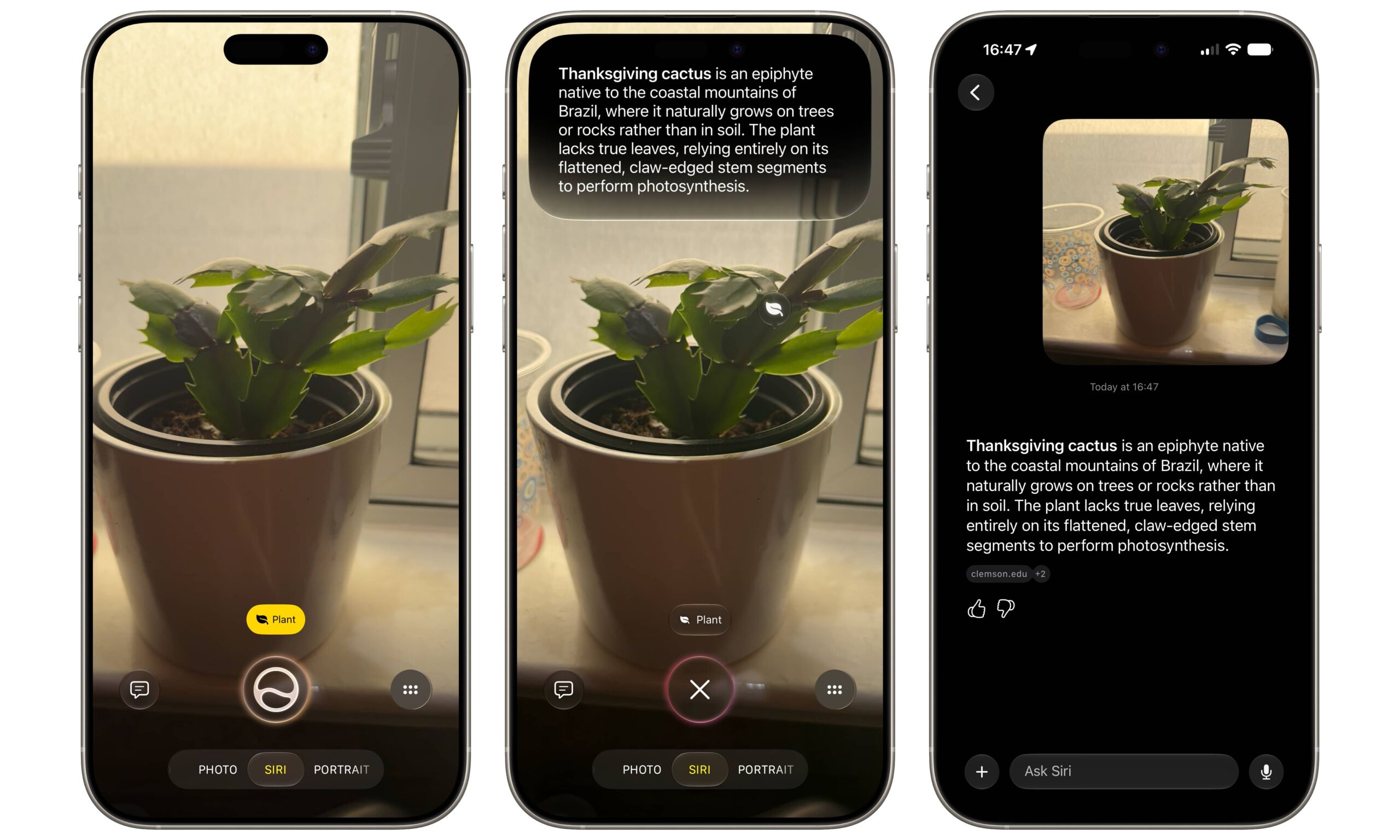
- Siri is now baked into the Camera app, making Visual Intelligence more readily available at your fingertips, and tying it directly into Siri AI, rather than relying on ChatGPT or Google Lens.
- Image Playground lets you generate much more sophisticated images — including photorealistic ones.
- Three new AI-powered editing tools are available in the Photos app: A much better version of the Clean Up tool for removing unwanted objects from photos, an Extend tool for expanding an image around the edges to give it more breathing room, and the almost mind-bending Spatial Reframe tool that lets you shift the perspective on a photo.
- Safari gets Automatic Tab Organization, a Notify Me feature to monitor webpages for changes, plus Describe an Extension to create your own simple browser extensions using natural language.
- Calendar finally supports natural language processing, so you can simply type in an event name, time, location, and attendees, and let your iPhone figure it out for you.
- Mail gets better suggestions and improved search.
- The Phone app will show relevant information when you’re on a call.
- HomeKit Secure Video cameras can now provide AI descriptions to summarize and track what’s happening on your front porch or in your backyard.
Of course, as Apple Intelligence and AI features, those will all be limited to newer iPhone models, but there’s still some fun stuff for those using an iPhone 14 or older models. In addition to what promise to be some nice performance gains, Apple Music is getting some UI improvements, including a new landscape mode, larger widgets, and better AutoMix, and Weather and Find My also get landscape view and some new tools. The Camera app now offers customizable controls, and FaceTime supports a new dual capture mode. Plus, you can finally create custom passes in Apple Wallet.
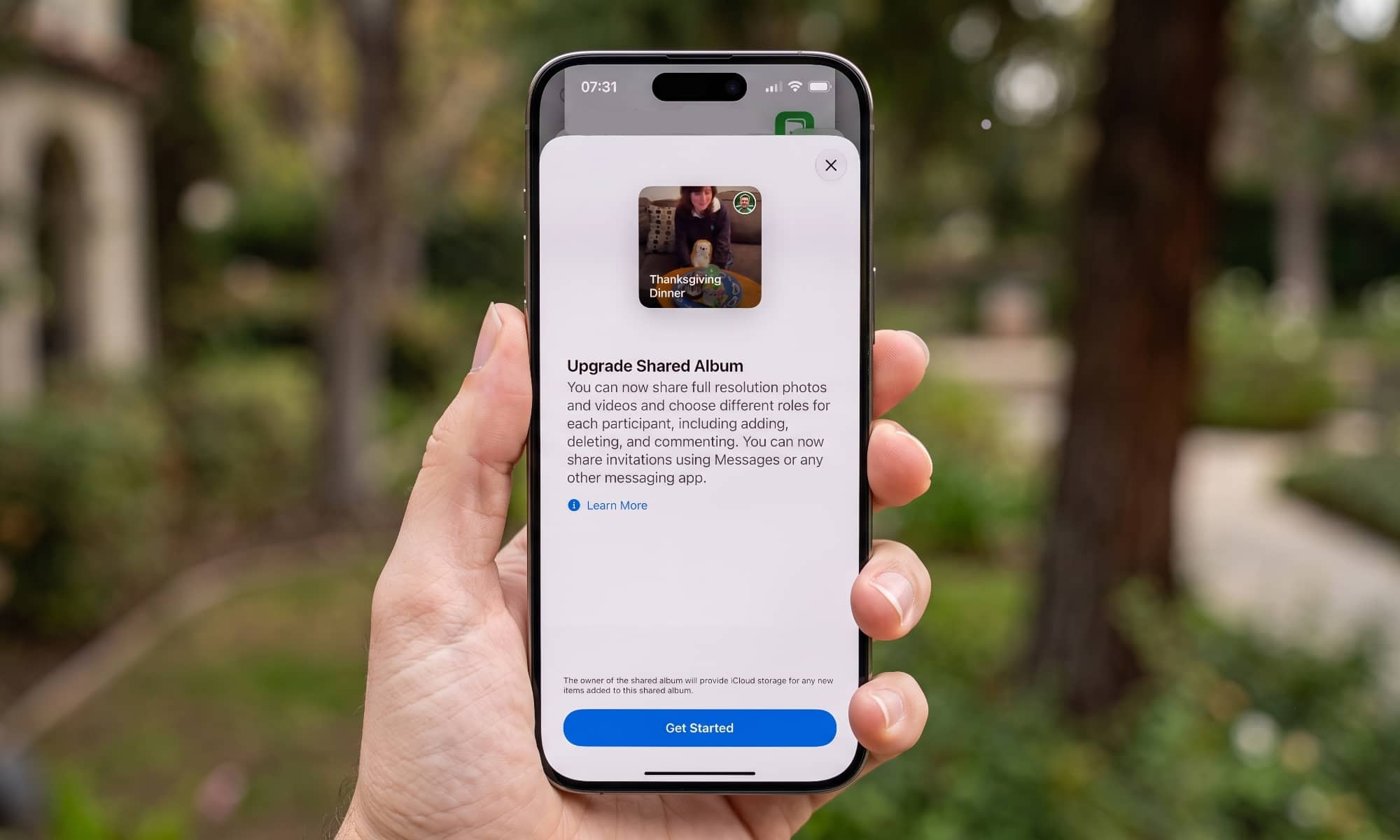
Apple has also improved Shared Albums across the board. You’ll now be able to share them with anyone — not just other Apple users — through web links that will allow invited Android and Windows users to contribute to the albums. Plus, they finally store full-resolution photos and videos, although that comes at the price of counting against your iCloud storage.
Unless you’ve turned off automatic updates, iOS 27 will likely install on your iPhone automatically at some point down the road, but that could take several weeks as Apple doesn’t like to be too assertive when pushing out major software updates automatically. If you don’t want to wait, you can find it yourself now in the usual spot: Open the Settings app and go to General > Software Update.






