
AI for All: How iOS 27 Will Make Your Apps Smarter
Toggle Dark Mode
There’s more Apple Intelligence coming to iOS 27 than just a Siri chatbot. While “New Siri” was the biggest focus of the keynote at Monday’s Worldwide Developers Conference (WWDC), Apple’s executives showed off quite a few smaller quality-of-life features that will also be powered by Apple Intelligence to help you out in all the right places.
Following the big reveal of Siri AI, which seems to have consolidated Visual Intelligence and Writing Tools (now “Write with Siri”) under its banner, Apple’s senior manager of Safari engineering, Beth Dakin, took the virtual stage to share not only what’s coming in Safari, but how Apple Intelligence is going to be baked into the user experiences in several other key apps.
Safari: Grouped Tabs and ‘Notify Me’
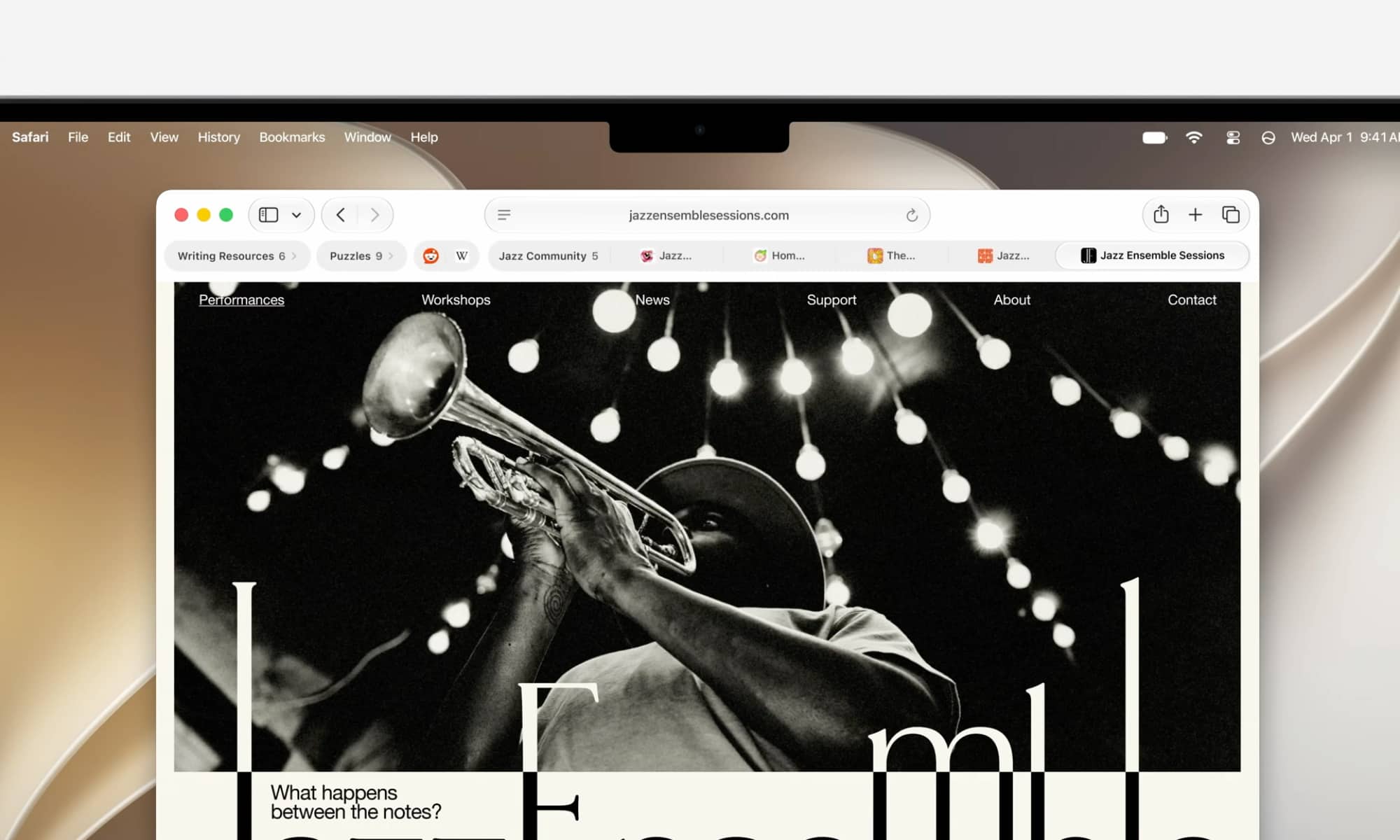
Dakin led with Safari, since that’s obviously her core portfolio, sharing how Apple Intelligence will help users clear the clutter by organizing tabs into topics.
While this was primarily shown on the Mac and iPad, the feature is also available in iOS 27 on the iPhone. It differs entirely from Tab Groups, which still need to be created manually, although a set of automatically organized tabs can also be turned into a Tab Group with a couple of taps or clicks.
It’s best to think of these organized tabs as sub-groups. Apple Intelligence will analyze the page content and group them into topics, but they remain within the Tab Group where they were first opened. New tabs that match an existing topic will automatically be grouped with their related tabs as you browse, and can be regrouped on the fly if you surf to a page that matches a different topic.
The feature is entirely optional, but it’s a helpful way to help folks who like to keep dozens of tabs open at a time from getting overwhelmed, and it’s already working surprisingly well in the first developer beta.
Apple is also dipping its toes into agentic AI with “Notify Me,” a feature that will monitor a webpage on your behalf and alert you to key changes, like a price drop or concert tickets going on sale. This is still a baby-step compared to what OpenAI and Google are doing in their browsers, but we suspect many will prefer not letting Apple Intelligence take the wheel.

Calendar: Add Events Using Natural Language
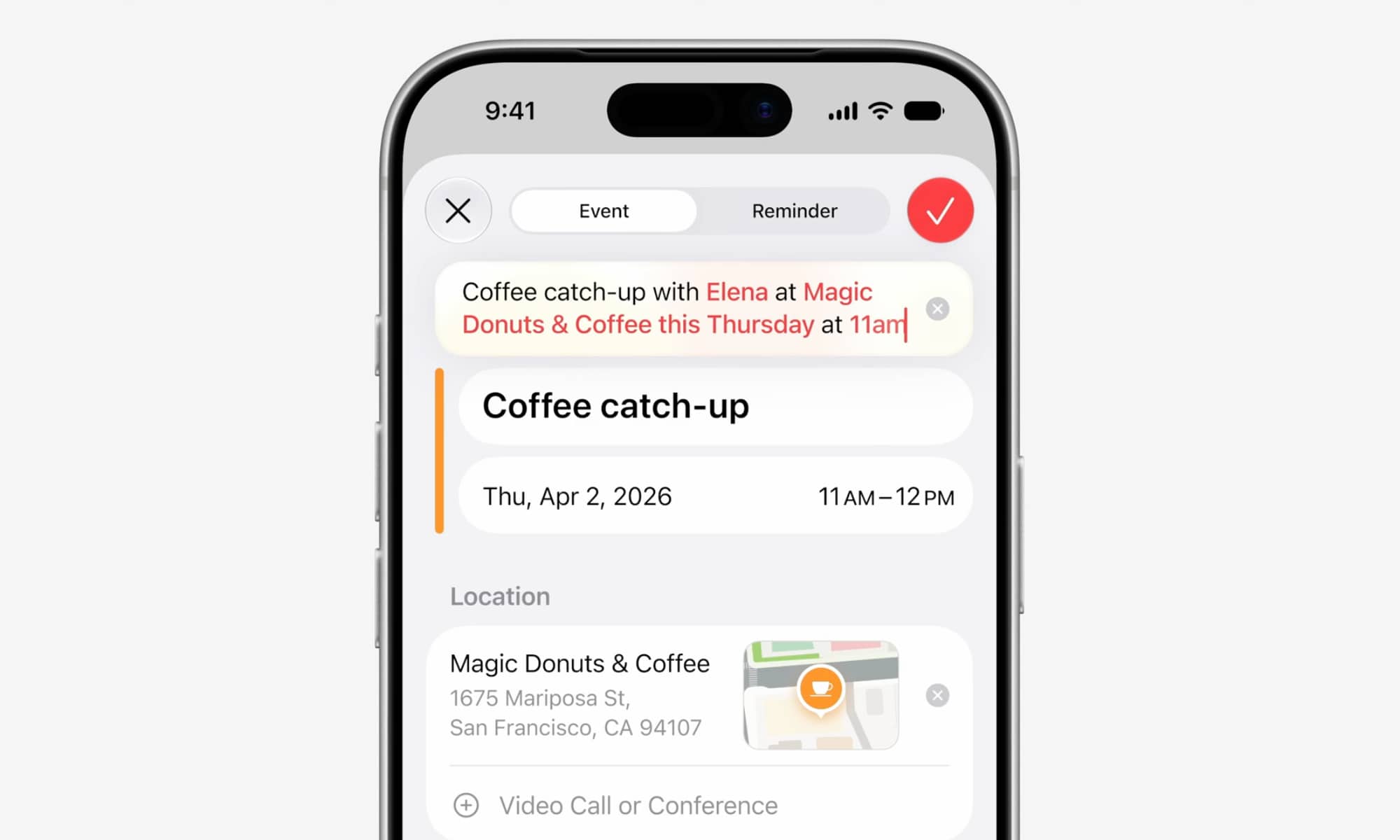
When Dakin outlined how Calendar will add support for natural language entry, it sounded promising, but it’s unclear whether the reality will be the same as what was shown on-screen.
Calendar now uses Apple Intelligence to let you add events to your schedule just by describing them in natural language. As you type, Calendar identifies Elena as someone in your contacts, puts Magic Donuts in the location, and adds a title.
Beth Dakin
As of the first iOS 27 developer beta, this doesn’t work quite as seamlessly as the presentation implies. Instead, each highlighted element — the name, location, and dates/times — presents a suggestion that has to be tapped on for confirmation. In that sense, it’s a bit more like the natural language entry that’s already been part of Apple’s Reminders app for the past few years.
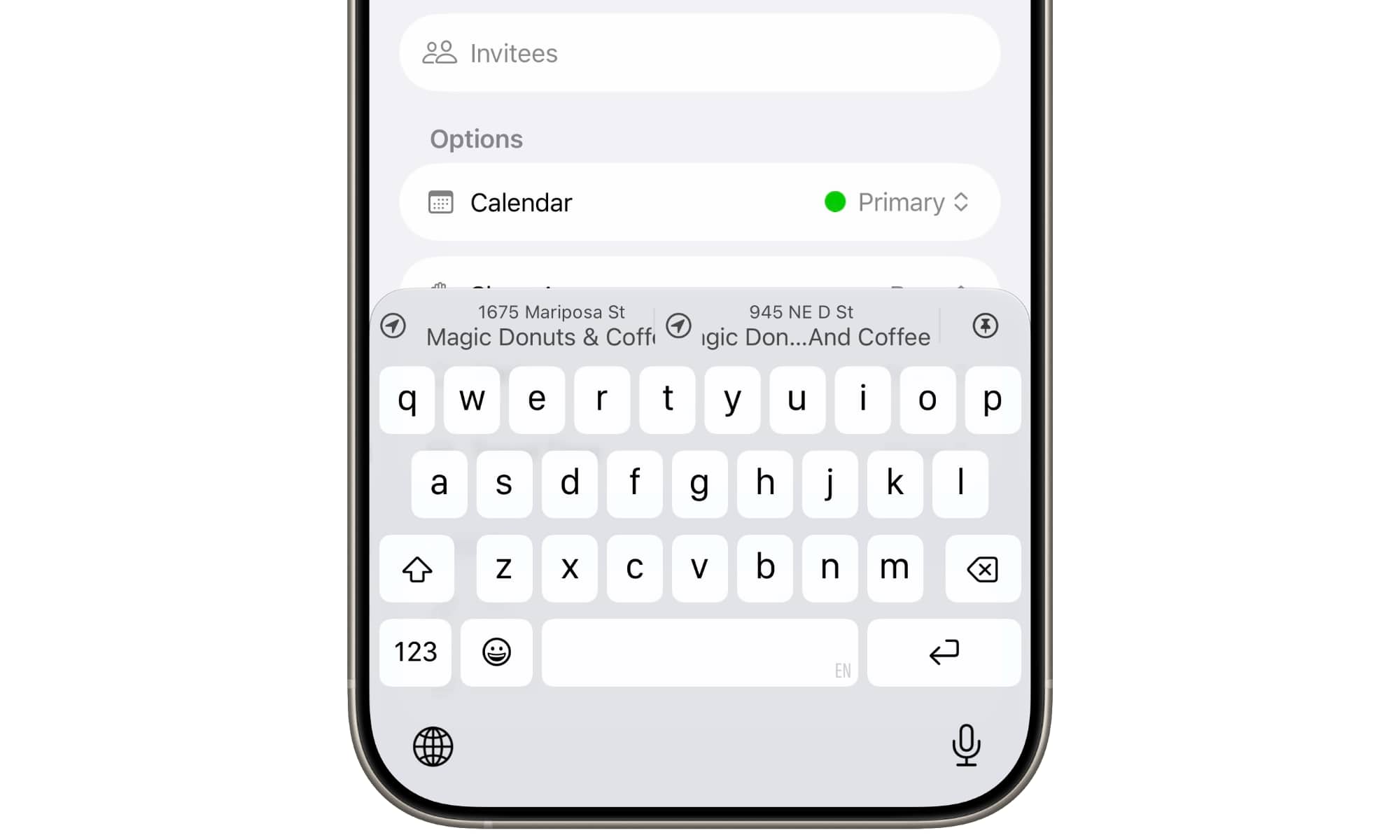
Of course, you can do that with muscle memory once you get used to it, especially since the suggestions are the only things that appear above the keyboard, making for much more accessible tap targets. The WWDC video clip of this in action only showed the top half of the screen, so that’s precisely what the “person” typing may have been doing.
To be clear, we don’t necessarily consider this a bad thing. Having used natural language processing in other apps like Fantastical and Todoist, it’s arguably more annoying to have something mis-interpreted than to have to manually tap on a suggestion for confirmation. For example, typing “Prepare Presentation for Monday” in these other apps will almost always schedule the actual event for that day. Calendar in iOS 27 will ignore words like these unless you confirm them from the suggestion bar.
Mail: Better Suggestions and Improved Search
Apple is leaning heavily into semantic indexing in iOS 27 and the gang, as it’s essential for the new Siri AI to be able to find anything. Earlier in the presentation, Stacey Ford, Apple’s VP of OS Program Management, explained how the company’s engineers have rearchitected the entire indexing system to make it more stable and more efficient — and it shows, considering that my iPhone 17 Pro Max has shown “Indexing in Progress” for nearly 72 hours.
However, there’s more to this than just Siri. Powerful new indexes are allowing Apple to level up its search tools in a whole new way, and this will be especially useful in Apple Mail, which has always been a bit hit-and-miss when it comes to search results.
In iOS 27 and its sibling updates, a new ranking system in Apple Mail will use these new search indexes and Apple Intelligence to properly prioritize what you’re looking for, placing it at the top of the search results — no matter how deeply it’s buried in your inbox or other folders.
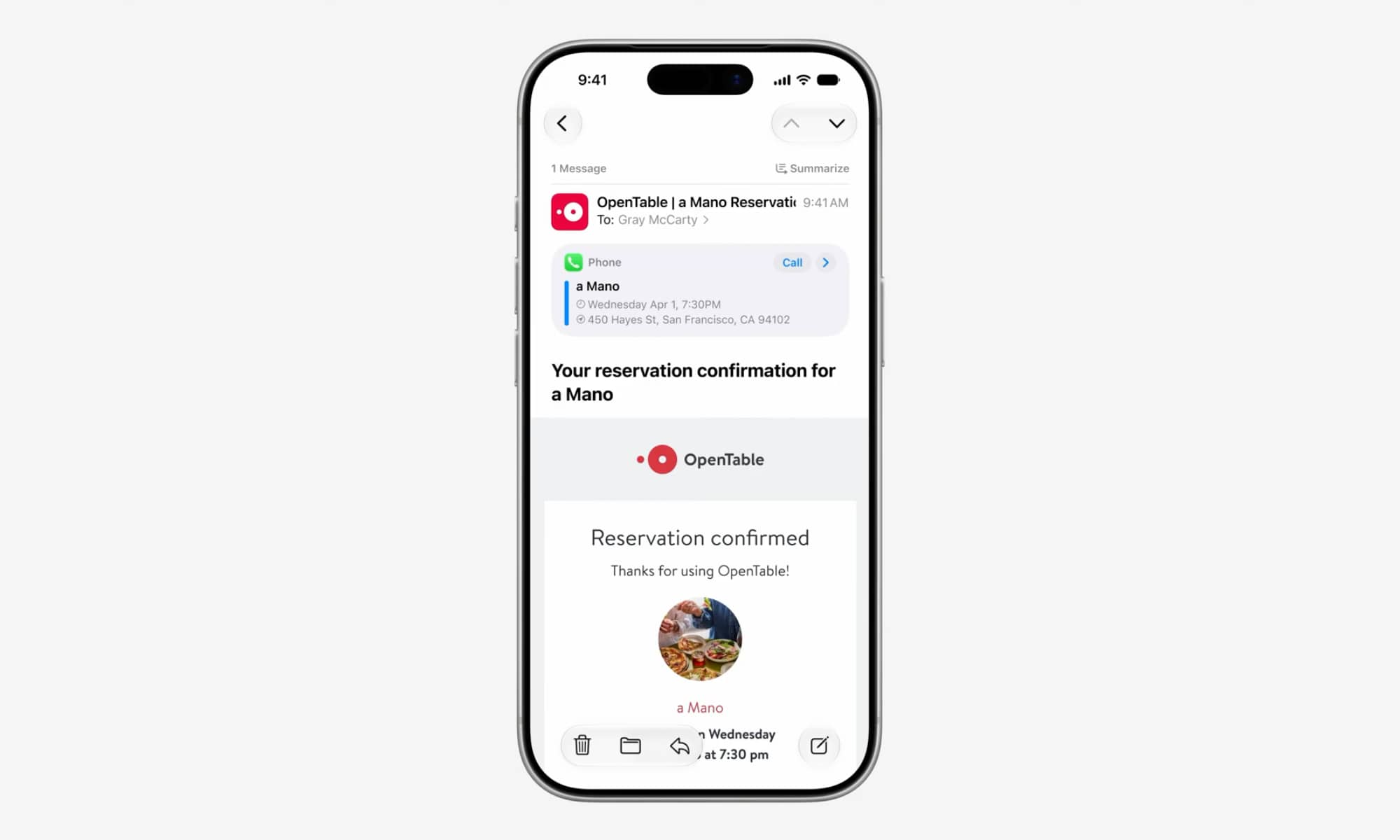
Suggestions in Mail are also being taken up a notch, providing richer cards that feel like they’re borrowing a page from Gmail, better highlighting calendar appointments, links to place calls and set reminders, and pulling in other relevant information so you can see it at a glance.
Messages: One-Tap Contextual Suggestions
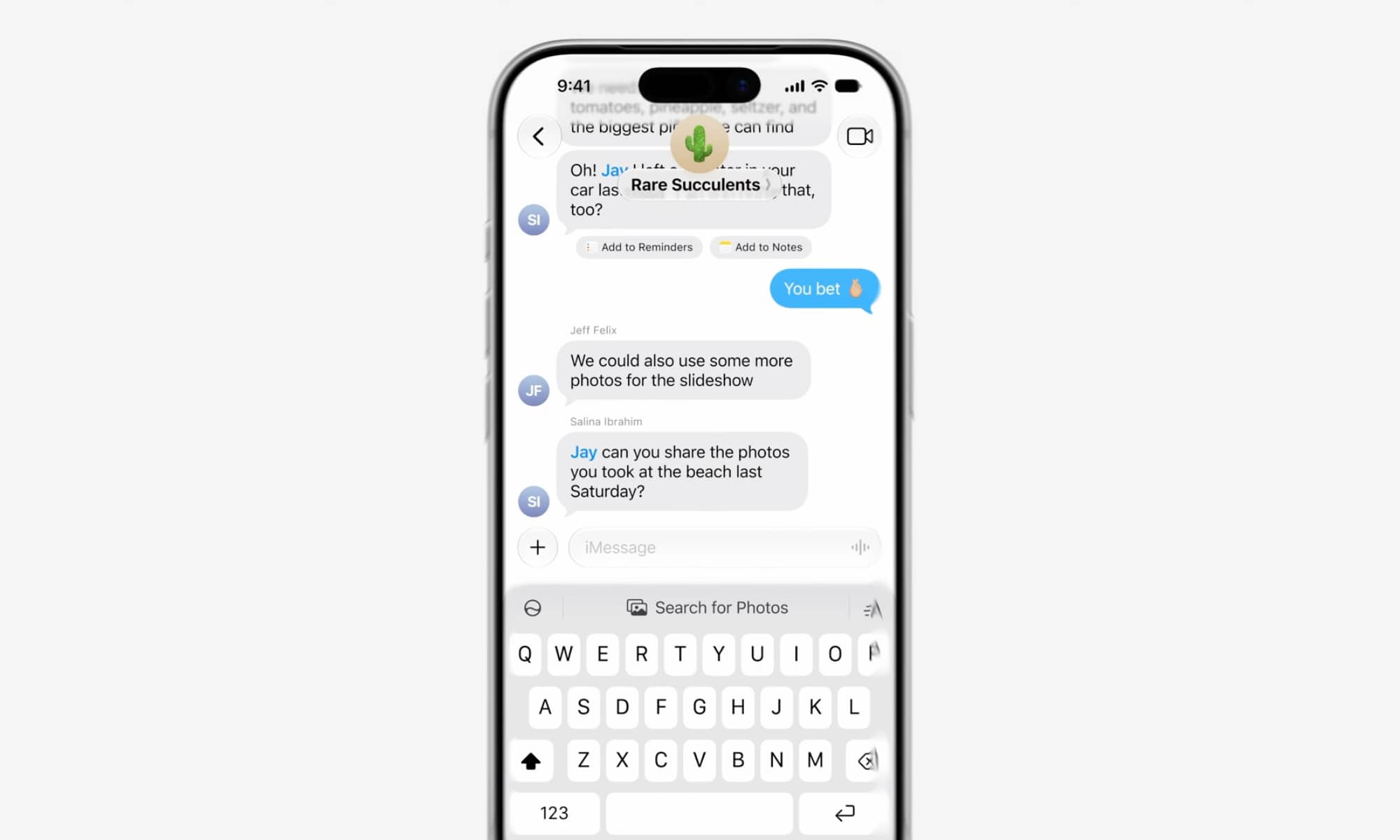
Apple Intelligence will also analyze your conversations in Messages to add one-tap suggestions for things you might want to do, like creating a reminder or calendar event, making a note, or even searching through your photos.
When searching, Apple Intelligence can also automatically pull context from the current chat. In the example Apple showed, a message asking to “Share the photos you took at the beach last Saturday.” Tapping the “Search for Photos” button automatically used that context to provide a list of suggested photos, saving the trouble of having to dig through them manually or retype something into a search box.
Phone: Showing Relevant Info on a Call
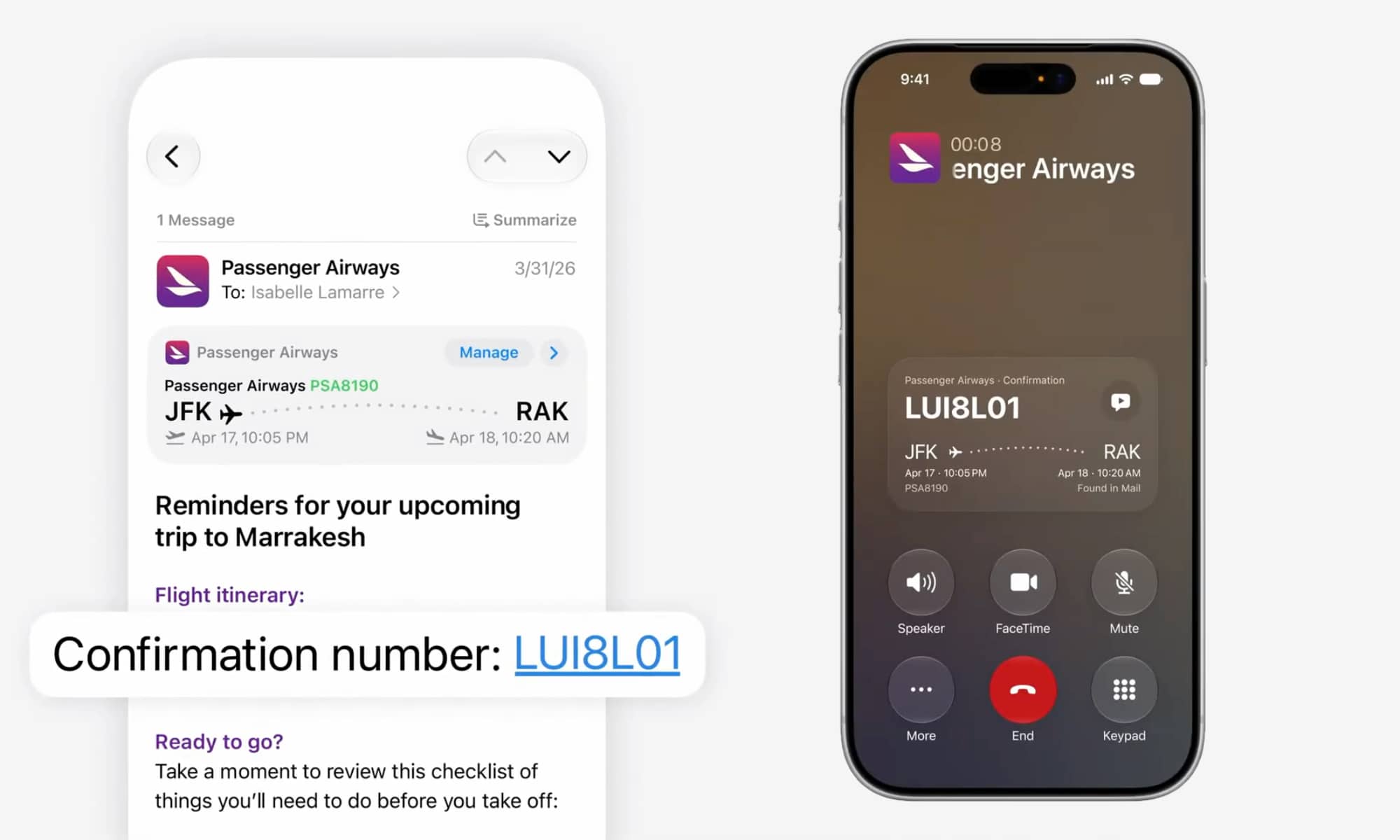
A new “Call Context” feature will automatically surface relevant information in apps like Mail and Messages (and supported third-party apps) whenever you call a business — and show it right on the call screen for easy reference.
This is based solely on who you’re calling, not what you’re saying, which is likely why Apple has only implemented this for business calls. If you’re calling your mobile provider, you’ll likely appreciate having your most recent bill or text chat close at hand, but that’s far less useful when you’re just calling a friend to catch up.
The example shown by Apple was calling an airline to change a flight reservation, with the confirmation code automatically pulled from Mail and shown on the call screen.
Passwords: Agentic AI to Secure Your Digital Life
One area in which Apple seems to be less hesitant about agentic AI is a new feature in Passwords that will help change weak or compromised passwords on your behalf — all with a single tap.
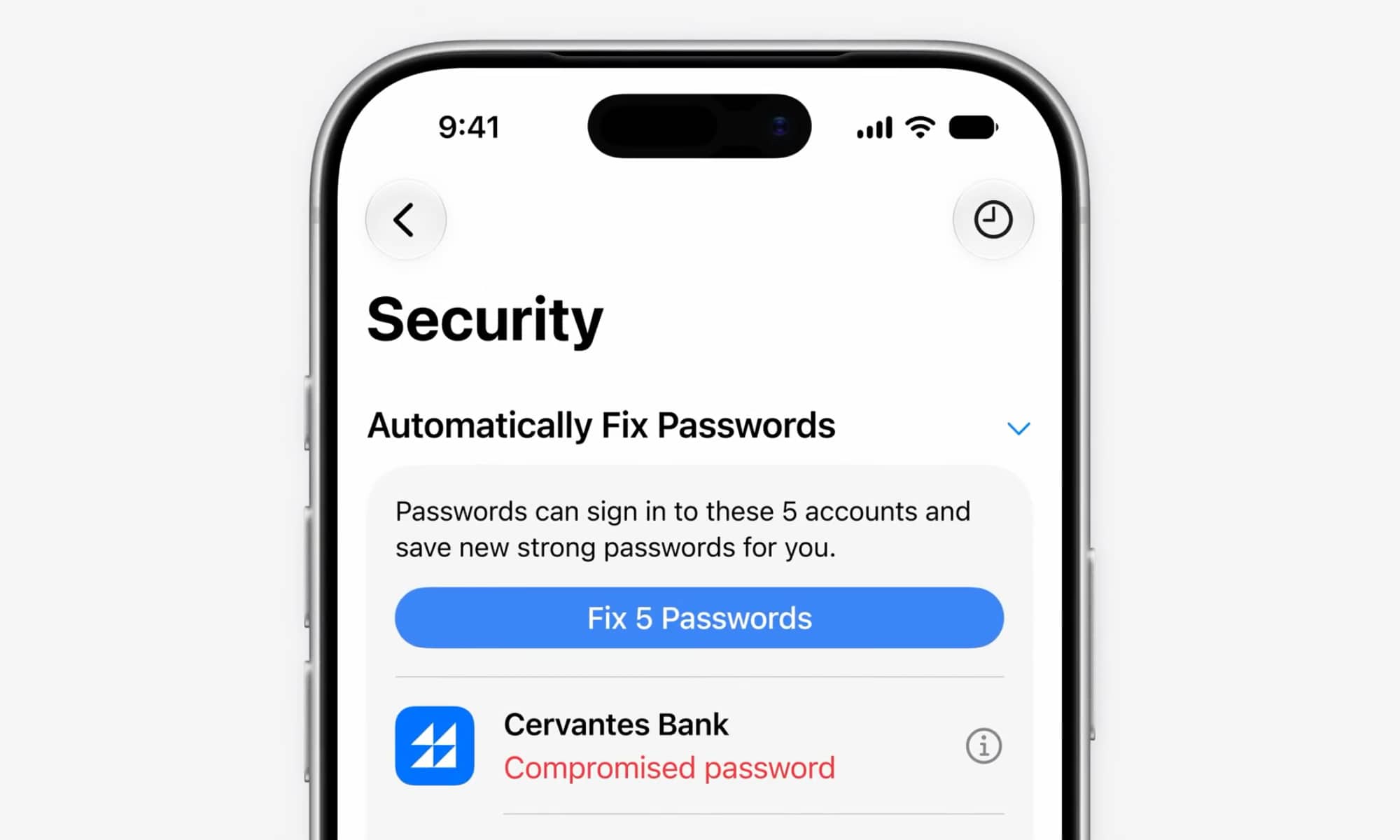
Behind the scenes, Passwords uses Apple Intelligence and Safari to agentically take action on your behalf, securely navigating through each website to sign in and fix your passwords.
Beth Dakin
This builds on the feature in Passwords that already identifies at-risk passwords and helps you change them manually. The main difference is that iOS 27 will offer a button to “fix” your passwords. You’ll still have to trigger it manually, and so far it only works for “eligible accounts, although It’s unclear whether that means Apple is using a special API with certain online providers or if it’s just a matter of websites that follow a certain format.
When Is This All Coming?
Unlike the long, drawn-out rollout of Apple Intelligence two years ago, all of these new AI features are already up and running in the first iOS 27 developer beta — although some need the new indexes to be fully built before they’ll work properly, and Apple will undoubtedly be polishing them up over the next few weeks.
Still, this means we can safely expect them to launch on time with iOS 27.0 this fall, and best of all, it doesn’t look like Apple plans to gate these behind a waitlist like it’s doing with “New Siri.” These are considered separate Apple Intelligence features, and even Image Playground is already available sans waitlist, so there’s no reason to believe any of these will be any further behind.






