
Siri Finally Grows Up: Hands On With Apple’s New Siri AI
Toggle Dark Mode
This week’s Worldwide Developers Conference (WWDC) was a surprising mix of fundamental changes and small enhancements. While Apple didn’t unveil the usual laundry list of new features for its operating systems, it did announce a watershed moment in the company’s history: the maturing of its 15-year-old Siri voice assistant into a full-fledged AI chatbot.
Siri AI was arguably the biggest news during the WWDC keynote, although its significance was undoubtedly magnified by the fact that we’ve also been waiting almost two years for this to actually arrive. After years of disappointments, Apple’s promise of a newer and smarter Siri at WWDC24 got people’s hopes up in a big way — and then dashed them when it was revealed to be borderline vaporware the following spring.
Undaunted by its very public failure to deliver on its Siri promises, Apple doubled-down in a really big way, to the point of making a tectonic shift in its organizational structure and quietly showing the door to its senior vice president of AI — an incredibly rare shift in Apple’s upper echelons that makes it clear just how serious the company was about righting the ship.

Still, as Gemini and ChatGPT surged ahead in capabilities, many were despairing of Apple ever getting its act together with Siri. Even after it signed a landmark partnership with Google, we remained only cautiously optimistic that groundbreaking improvements were coming. An improved Siri? Sure, that had to happen sooner or later. But a fully capable chatbot? That seemed too good to be true and we didn’t want to get our hopes up too quickly. Sure, Apple might get there eventually, but how soon?
Well, this week gave us the answer to that, and proved our optimism wasn’t entirely misplaced. Apple has not only delivered on its promised 2024 Siri improvements, but Siri AI has taken the voice assistant to the next level — and it’s done so in all the right ways.
From ‘Vaporware’ to the Fall Roadmap
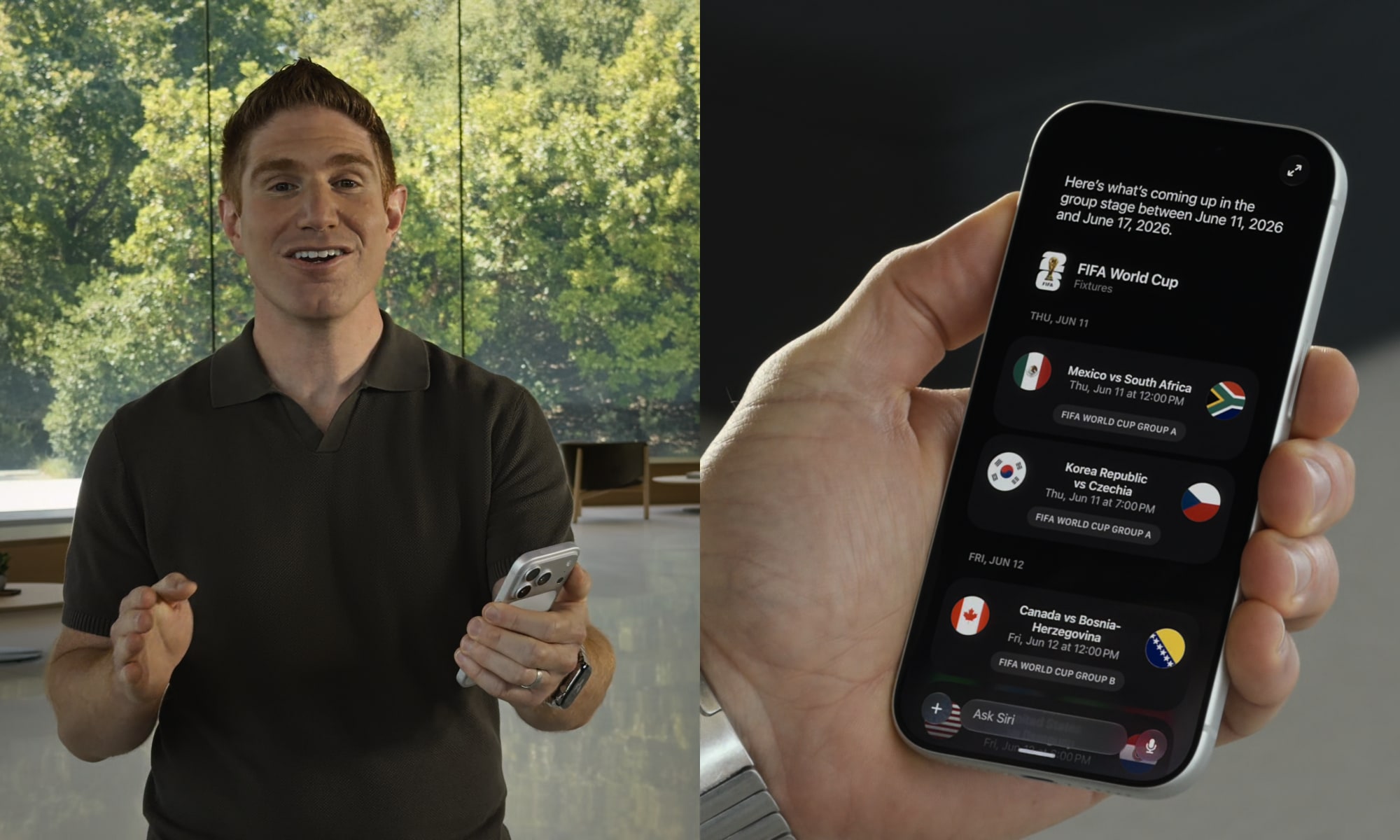
The most delightfully surprising part of all this is that Siri AI isn’t some far-off feature like it was presented two years ago. Back then, the most basic Apple Intelligence features didn’t even show up until iOS 18.1, and nobody expected the Siri improvements to come until iOS 18.4.
However, determined to avoid even the appearance of hesitancy, Apple has gone into Siri AI this year with all cylinders firing at max. The promised Siri improvements are not only coming in iOS 27.0 this fall; Siri AI is already live in the very first developer beta.
Apple has placed these behind a waitlist, presumably so it can let people in slowly and avoid overwhelming its Private Cloud Compute servers, but perhaps also because Siri relies heavily on a whole new semantic indexing system in iOS 27, which means some of its features won’t work until those indexes are at least partially complete. However, that waitlist isn’t indefinite; Apple promised on Monday that “New Siri AI features are available for developer testing starting today,” and many who jumped into developer beta 1 have begun passing the velvet rope.
Experiencing Siri AI
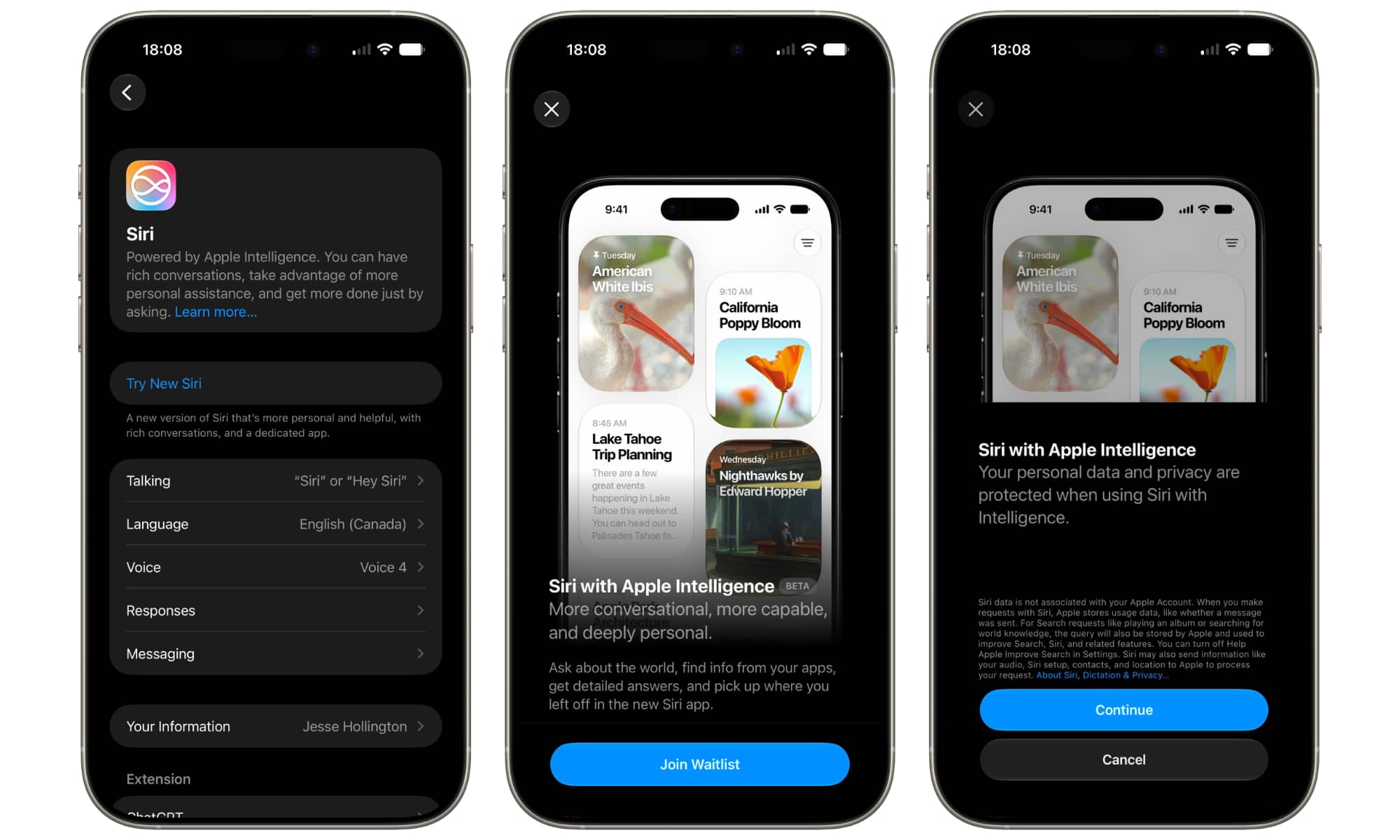
If you’re like me, the first thing you’ll likely do after installing iOS 27 is call for Siri, only to be confused when it looks and acts exactly like it did in iOS 26. Instead of the new Dynamic Island user interface that Apple showed off, Siri still responds with a glowing, colorful ring. That’s because until you opt into “New Siri” and pass the waitlist, you’re still using “Siri Classic.”
For the first developer beta, you’ll have to join the waitlist manually by taking a trip into Settings > Siri. While we suspect this will remain opt-in even in the final release, it’s likely Apple will prompt users to do so during the setup assistant that typically runs after any major iOS update. By all accounts, the waitlist will likely remain in place, however.
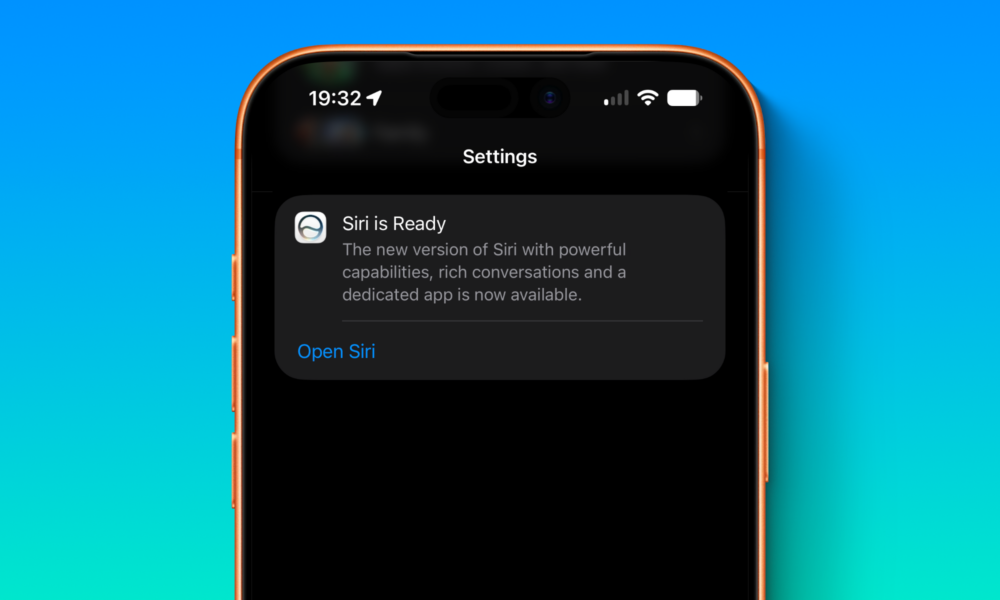
Once you’re on the waitlist, you’ll get a notification when Siri AI is ready, but even if you miss that, the transition should be obvious. Mine did so last night when I was out shopping, and my first indication was when I swiped down on the screen to bring up the Spotlight search field (which I often do simply to load less-frequently used apps by typing their names), only to discover the Dynamic Island Siri interface popping up.
Needless to say, I took Siri AI for a spin as soon as I got home — and the results are, to put it mildly, very impressive for a developer beta 1 implementation.
Putting Siri AI to the Test
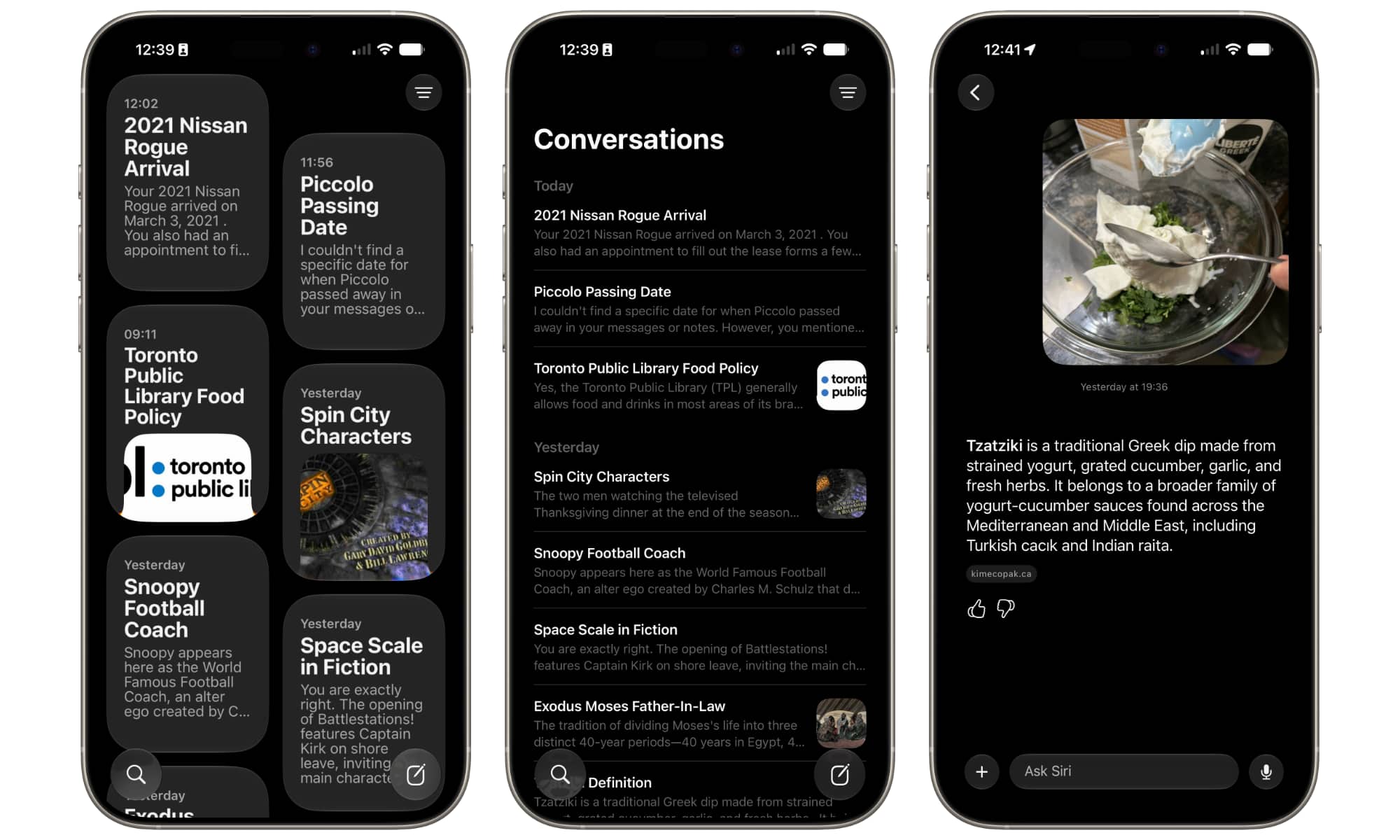
There’s not much to say about how the Siri AI interface works. There’s a new Siri app with a design that will be instantly familiar to anyone who has ever used ChatGPT, Gemini, or even a traditional messaging app. You type or speak something in, and Siri responds.
What’s clever about the implementation in iOS 27 is that this is also baked in at the operating system level. As noted earlier, Siri now lives in the Dynamic Island. It will respond there when called up by voice, but it’s also merged into the traditional Spotlight search; swiping down to bring that up actually brings up a combo text entry field that can be used to either perform a traditional search or “Ask Siri” a question (in this sense, the new iOS 27 Spotlight search gets much closer to how it has worked on macOS for years).
However, the notable thing about Siri AI isn’t how it works on a technical level. There’s no real magic there. What’s impressive is how well it can actually respond to questions, both in terms of its ability to gather information and the way it comports itself.
I began by lobbing Siri AI a few softballs. I took some questions I’d already fed into Google’s Gemini over the past few days — ones that involve fairly broad knowledge rather than esoteric topics — and it nailed the answers in a way that I’ve never seen Siri do in my 15 years of using it.
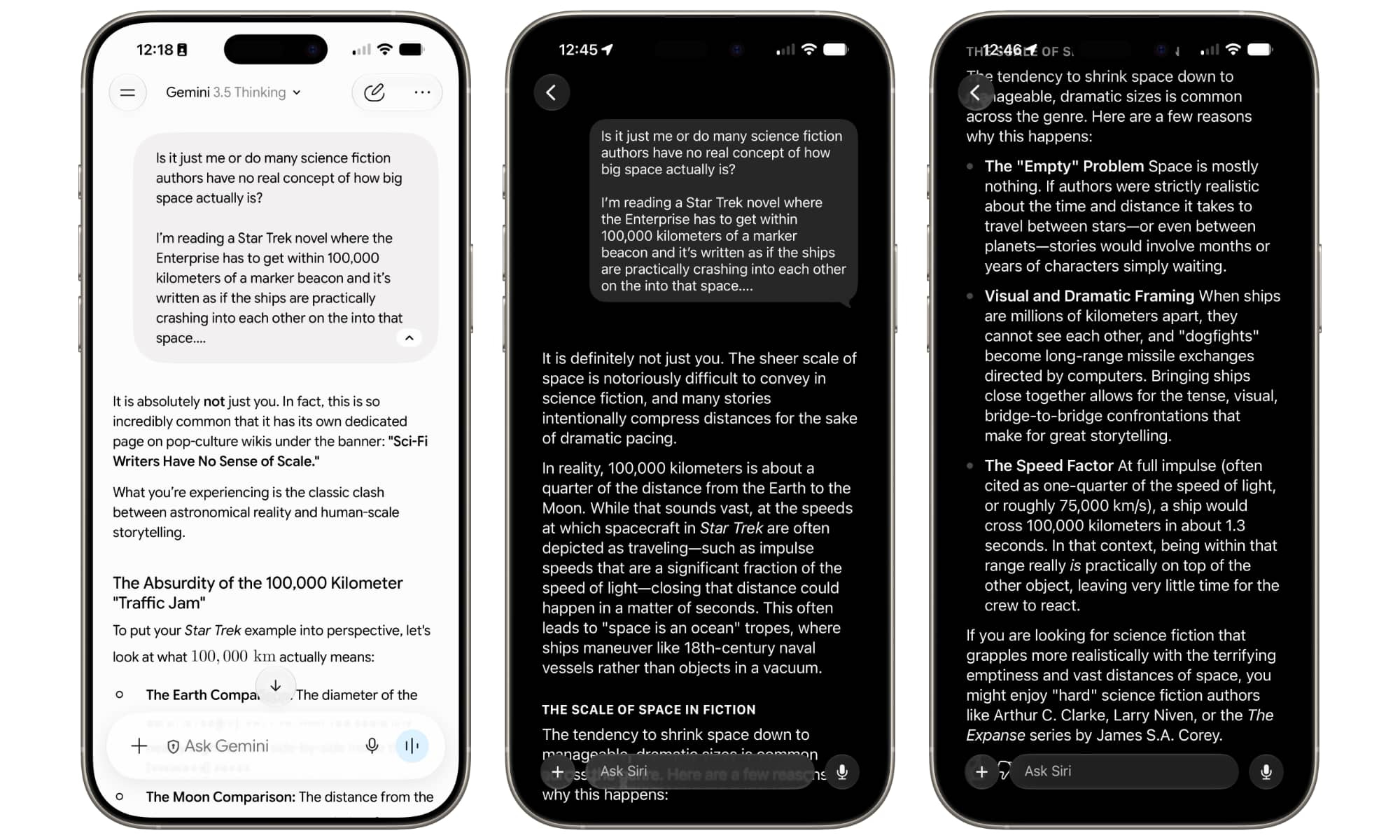
To be fair, these weren’t questions on niche topics. They covered areas where a wealth of historical information would be available online, from biblical and other literary references to general accounting principles and cameos in 1990s sitcoms. Still, the information Siri provided was factually accurate and complete with source links to let me click through and check out.
Most importantly, Siri’s responses were also concise. As my colleague Chris reported earlier this morning, Apple isn’t interested in making Siri a sycophantic AI companion — and it shows. While Gemini likes to blow sunshine at me, with ego-stroking responses that usually just make me roll my eyes, Siri focuses on providing the facts while remaining conversational enough to sound like a professional assistant rather than a toady one.
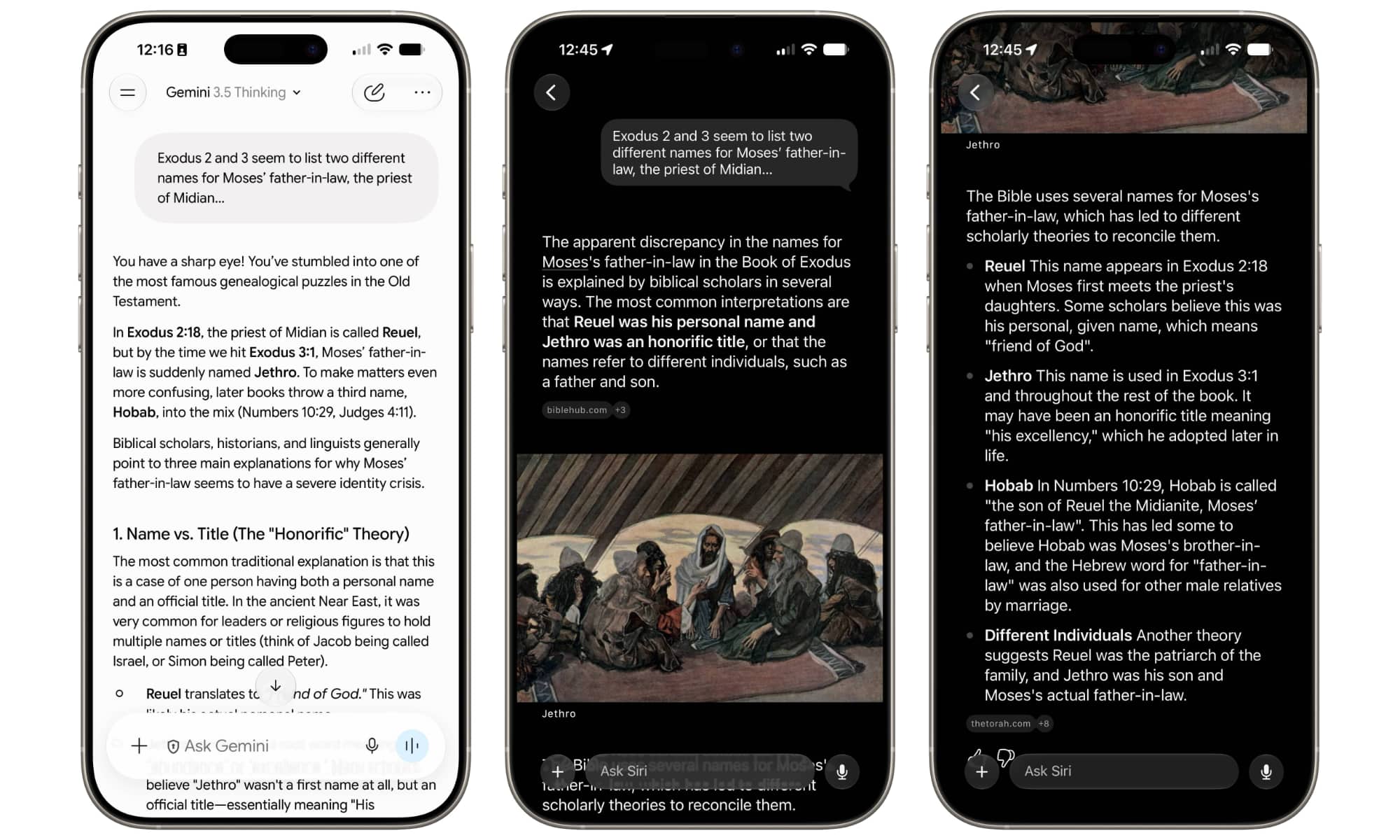
Siri AI doesn’t provide the same deep dives that Gemini does, but that can be good or bad depending on what you’re looking for. Those looking to explore topics more fully will still be better with Gemini or ChatGPT, but if you just want quick answers without a lot of extra fluff, Siri easily comes out on top.
The ‘Beta 1’ Reality Check
That’s not to say that Siri gets everything right (but then again, neither do the others). When my daughter asked me this morning whether she could bring food to the library to study, I asked both Siri AI and Gemini what the Toronto Public Library’s rules were for food and drink. Gemini nailed it, citing the exact rule and providing a link to the TPL website. On the other hand, Siri seemingly only got it right by coincidence, as the rules it cited were for nearby university libraries, not the TPL.
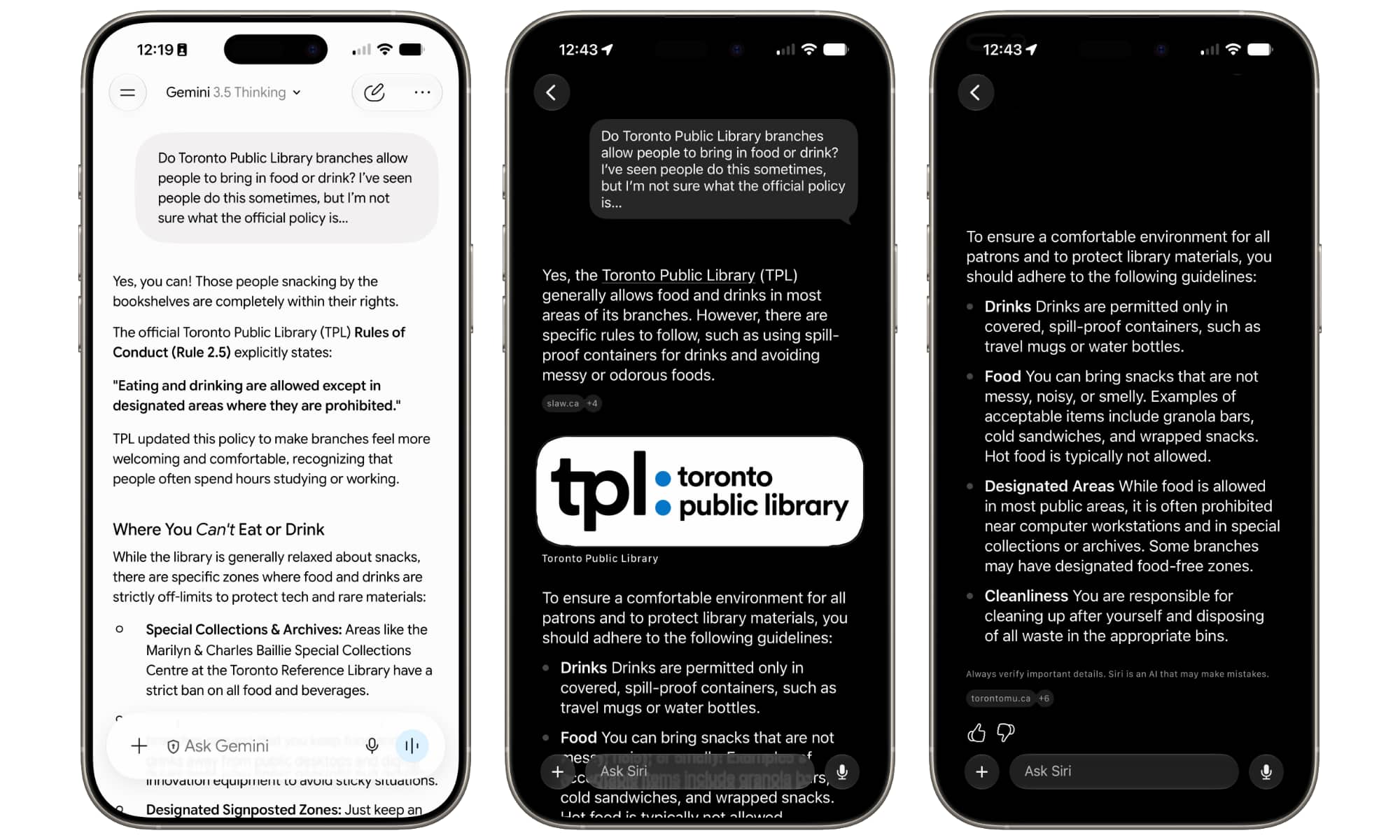
Thankfully, Siri provided source links beneath each paragraph that gave me a hint, but had I not been thinking critically, I might have run with information that applied to Toronto Metropolitan University, rather than the Toronto Public Library.
However, I also can’t emphasize enough that this is developer beta 1. The fact that Siri is working as well as it is at this stage is genuinely mind-blowing. I’d expected more growing pains, but at this point it feels like we’re at the stage where Apple merely has some polishing and refinements to do.
Nevertheless, the real object lesson here is not blindly trusting answers from any AI chatbot. While Gemini and ChatGPT have gotten much better, they’re also still wrong from time to time — and sometimes astonishingly so. I’ve had to create a “Gem” for Google Gemini just to stop it from constantly “correcting” me when I mention iOS 26 to tell me that I’m off by six years as “iOS 19” is the current version.
Personal Context over Conversation History
This is another area in which Siri AI will be more limited than the bigger players. There’s no personalization here at all — and likely won’t be. Siri understands personal context — it knows stuff about you by virtue of what’s in the apps on your iPhone — but it won’t remember previous conversations, nor can you create custom prompt templates like Gemini’s Gems. This is by design; as Apple’s executives recently stated, they’re not trying to create a chatbot that requires you to be an expert in crafting prompts or special instructions, nor do they want it to be your buddy.
For me, the fact that each conversation starts fresh, with no memory, is more of a feature than a limitation. I use the Google Workspace edition of Gemini, which is designed the same way for compliance reasons — no memory, no personalization other than Gems — and it’s refreshing to know a new chat won’t be cluttered by potential hallucinations from every prior one.
On the flip side, Siri’s ability to dig into the data stored on their iPhones will give many folks all the personalization they need — and that can go pretty deep. For example, I asked Siri AI when my feline companion passed away. It made a decent guess based on recent Messages conversations, while also adding that it could dig a bit deeper for “specific emails from a veterinary clinic that might have the exact date.” While the guess was off by a few years — Piccolo went to cat heaven in 2015 — it’s so long ago that I wasn’t too surprised. Leaving aside that this is still very much in beta, my devices haven’t finished indexing everything, so Siri AI may simply not have access to the full history.
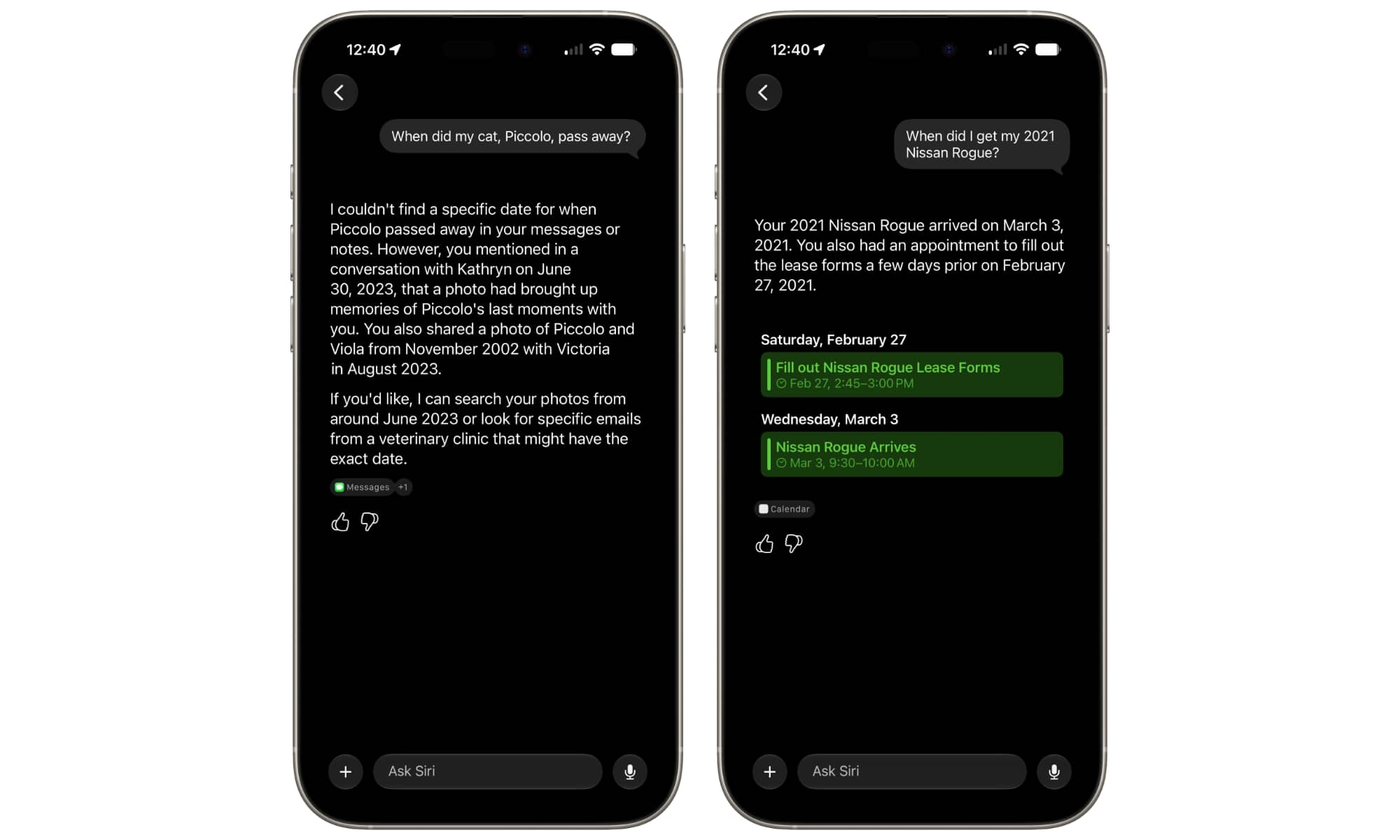
Answers to other queries were a bit more obvious once Siri provided the results. For example, a question about the exact date I got my current car simply surfaced a calendar appointment that I’d created on that date. However, the key win here is that I didn’t have to think about where to search for this information: I merely posed Siri the question and it figured out the answer based on the data it had available.
In that sense, Apple has succeeded in fulfilling its 2024 promise of turning Siri into a full-fledged personal assistant, as these are precisely the kind of questions you’d ask a human assistant, leaving them to figure out where and how to find the answers — and that’s probably the best way to think of Siri AI. It’s not a “chatbot” in the way that Gemini and ChatGPT have conditioned us to think of one, but rather a helper that can answer questions about your life and the world around you, all while keeping it real.






