
Apple Weather Gets a Major Layout Tune-Up in iOS 27
Toggle Dark Mode
Most of the hype around iOS 27 is understandably the maturing of Siri into a full-fledged AI assistant, but as is always the case with Apple’s major iPhone updates, there’s a lot more here than just powerful new AI features. In fact, many of Apple’s first-party apps have gotten some nice tweaks, including one that regularly sees minor but useful updates each year: Weather.
While there’s sadly no evidence of the rumored satellite weather features yet, Apple has made its first-party Weather app more useful in several ways that could be enough to warrant another look for folks who have been relying on third-party alternatives. Here’s what’s new.
Landscape Orientation
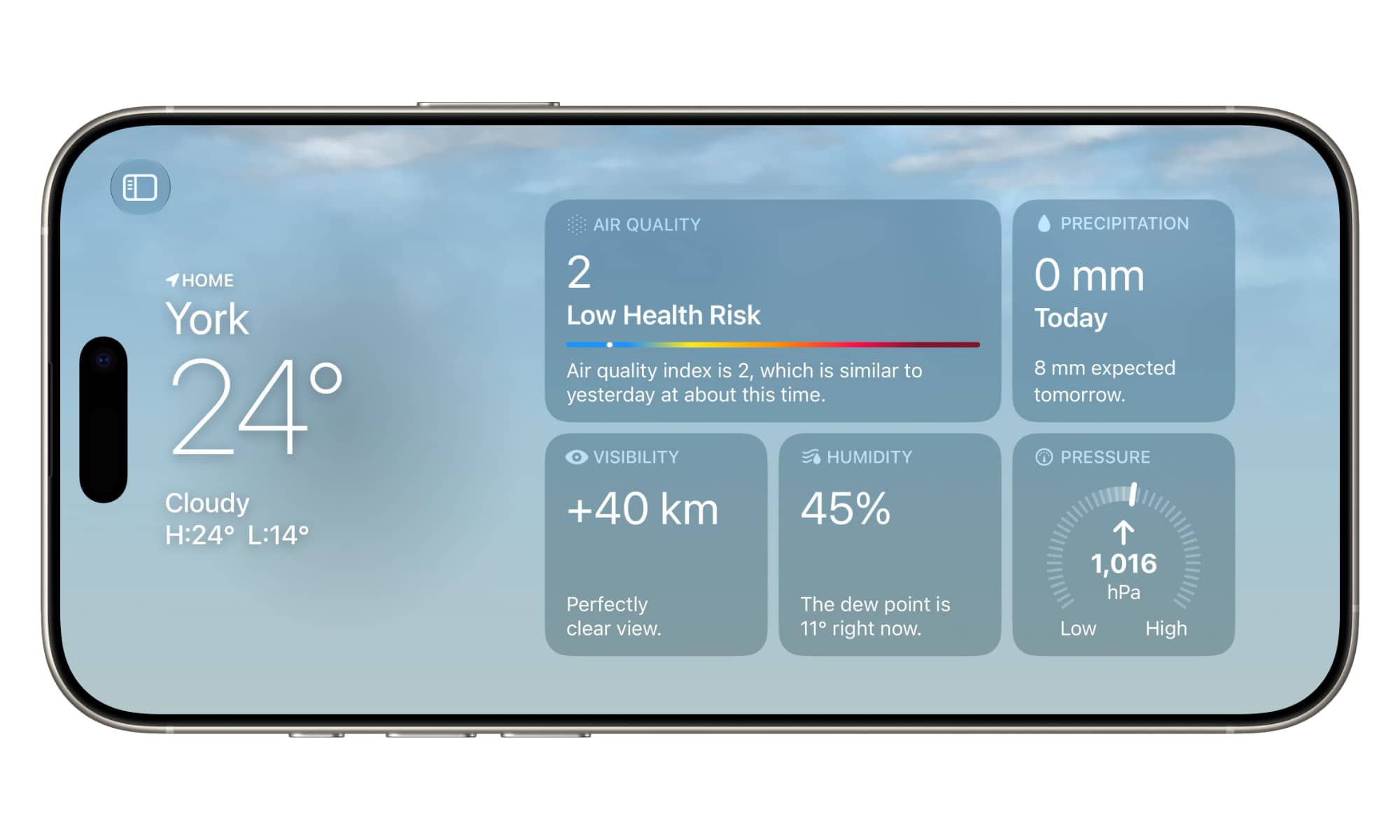
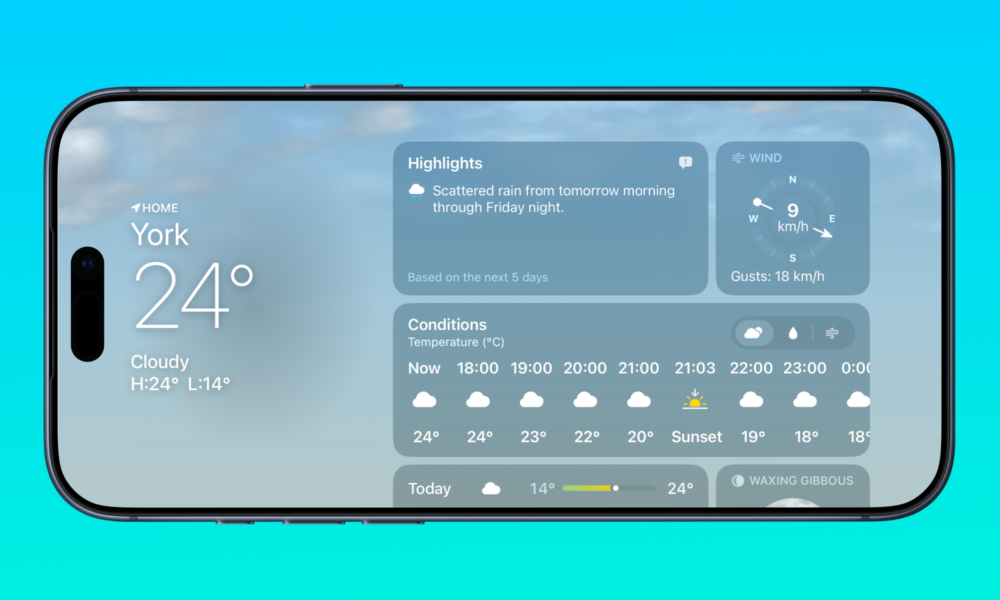
In a change that’s almost certainly laying the groundwork for Apple’s upcoming foldable iPhone, many apps in iOS 27 now reorient themselves when you turn your iPhone sideways. And that includes the Weather app.
It may seem like a small thing, but it’s actually a game-changer for anyone who spends time in the various charts and graphs — not to mention the weather map.
Even the main view makes better use of the screen in landscape mode, tucking the current conditions overview on the left side and leaving much more room to view the various information cards. As with apps like Mail, a button in the top-left corner lets you slide out a list of locations from the left-hand side.
Opening a temperature or precipitation screen will also naturally show the graph in a more expansive view, with the extra width providing more granular details on the changing conditions.
See Highlights at a Glance
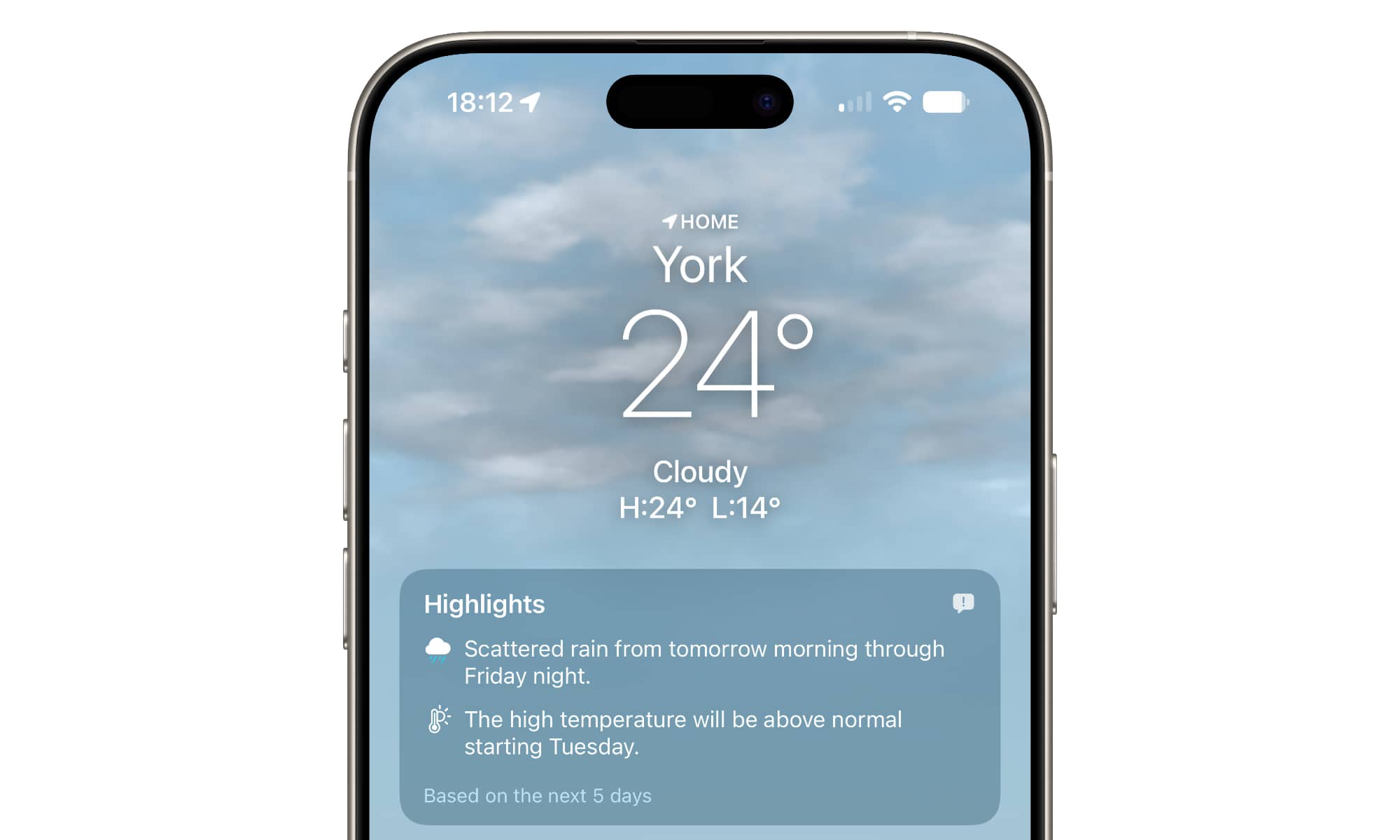
A new Highlights card has been added at the top that gives you a quick overview of everything you need to know about the weather over the next five days, such as upcoming precipitation or upcoming temperature swings.
While the Highlights card itself doesn’t expand into anything, you can tap on individual entries to go to an appropriate detail screen for things like precipitation and conditions.
There’s not much information on how this works, but a “Feedback” button in the top-right corner hints that Apple might be using AI to generate the highlights that appear here. The more natural and descriptive information in this box compared to the summaries from iOS 26 makes that seem likely.
Condition Views
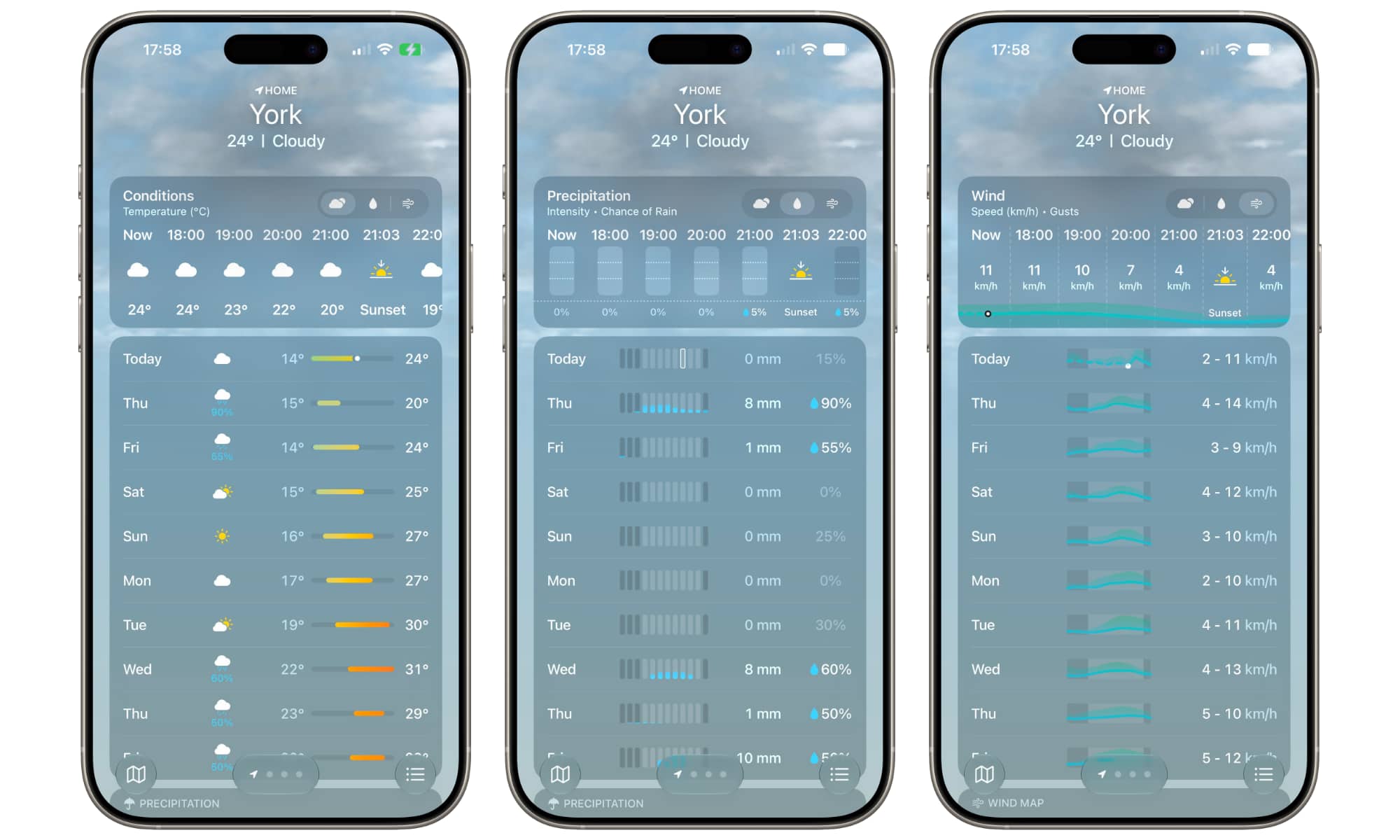
Speaking of conditions, one of the first things I noticed when I opened the Weather app in iOS 27 is how it now shows mini-charts right on the main screen showing hourly precipitation and wind conditions.
The Weather app seems to switch these views by default depending on the actual conditions — the precipitation charts come up when it’s raining, for example — but you can also toggle them using the three selection buttons in the top-right corner of the “Conditions” card.
This not only adjusts the view for that card, but also the ten-day forecast and the mini-map view below. It’s a much more useful way to visualize what to expect compared to the simple icons, which can often lead you to pack an umbrella even though the rain is only in the very early morning or late evening (as you can see for Friday in the image above).
A Massive Widget
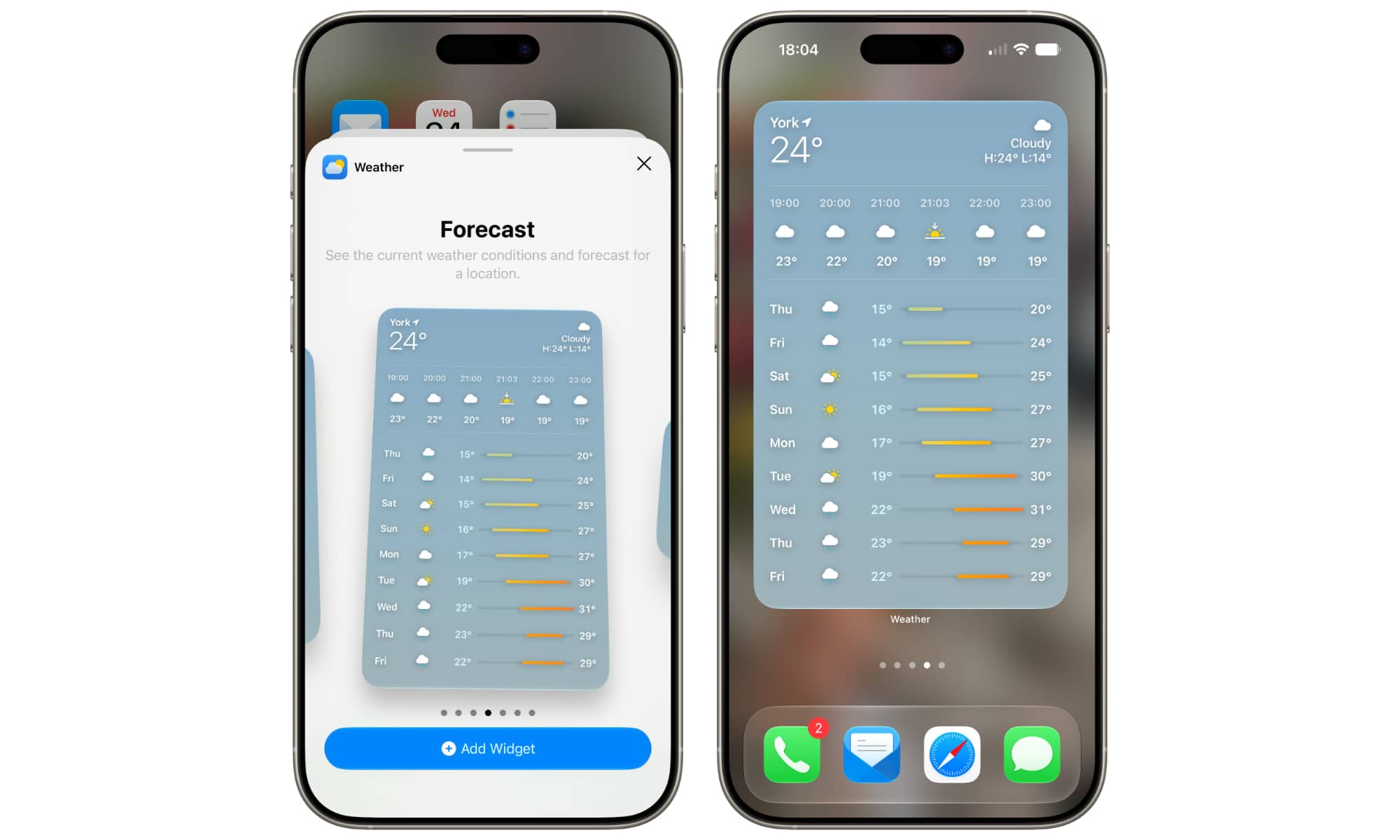
For those times when the large widget just isn’t enough, Apple now has an extra-large widget that effectively turns a whole Home Screen page into a giant forecast view.
Sadly, it’s no more customizable than the other widgets; you can set a location for the forecast, but that’s about it. There’s no option to see the hourly precipitation or wind charts here, although it’s possible that could change by the time iOS 27 is released to the public this fall.
The extra-large widget doesn’t leave room for any icons beyond the four in the Dock, but it can also be added to the Today View to the left of your Home Screen, where you can slot it into a convenient spot between your other widgets and scroll up and down through them. Still, this seems like another one of those changes that’s designed to accommodate a foldable iPhone with its additional screen real estate.






