
Apple Unveils New Child Safety Features in iOS 27
Toggle Dark Mode
Apple Intelligence and the new Siri AI were by far the highlights of today’s Worldwide Developers Conference (WWDC) keynote, but Apple also took the time to share at least one big non-AI-related initiative: expanded and redesigned child safety features for the iPhone, iPad, and Mac.
Unlike previous events, where Apple gave us a play-by-play through the changes and new features in iOS, iPadOS, macOS, and its other operating systems, this year’s keynote was more broadly topical, which makes sense as most of what Apple had to show us today applies to its entire ecosystem.

Such is the case with new child safety and parental controls, which were interestingly announced by Apple’s VP of Health, Dr. Sumbul Desai, who has traditionally only appeared during Apple events to talk about more straightforward health features — the sort of things we typically see in Apple’s Health app. Dr. Desai’s presence for this segment emphasized how seriously Apple takes child safety, effectively presenting these as the health concerns that they truly are.
Dr. Desai explained how Apple has built its child safety features through research and consultation with safety experts “to balance learning, creativity, and connection with establishing boundaries around technology use.” She cited several organizations, while adding that Apple is actively engaging with the American Academy of Pediatrics to adapt its Family Media Plan into its OS 27 platforms, noting that “every child is unique and parents are in the best position to decide what works for their family.”
Streamlining Screen Time
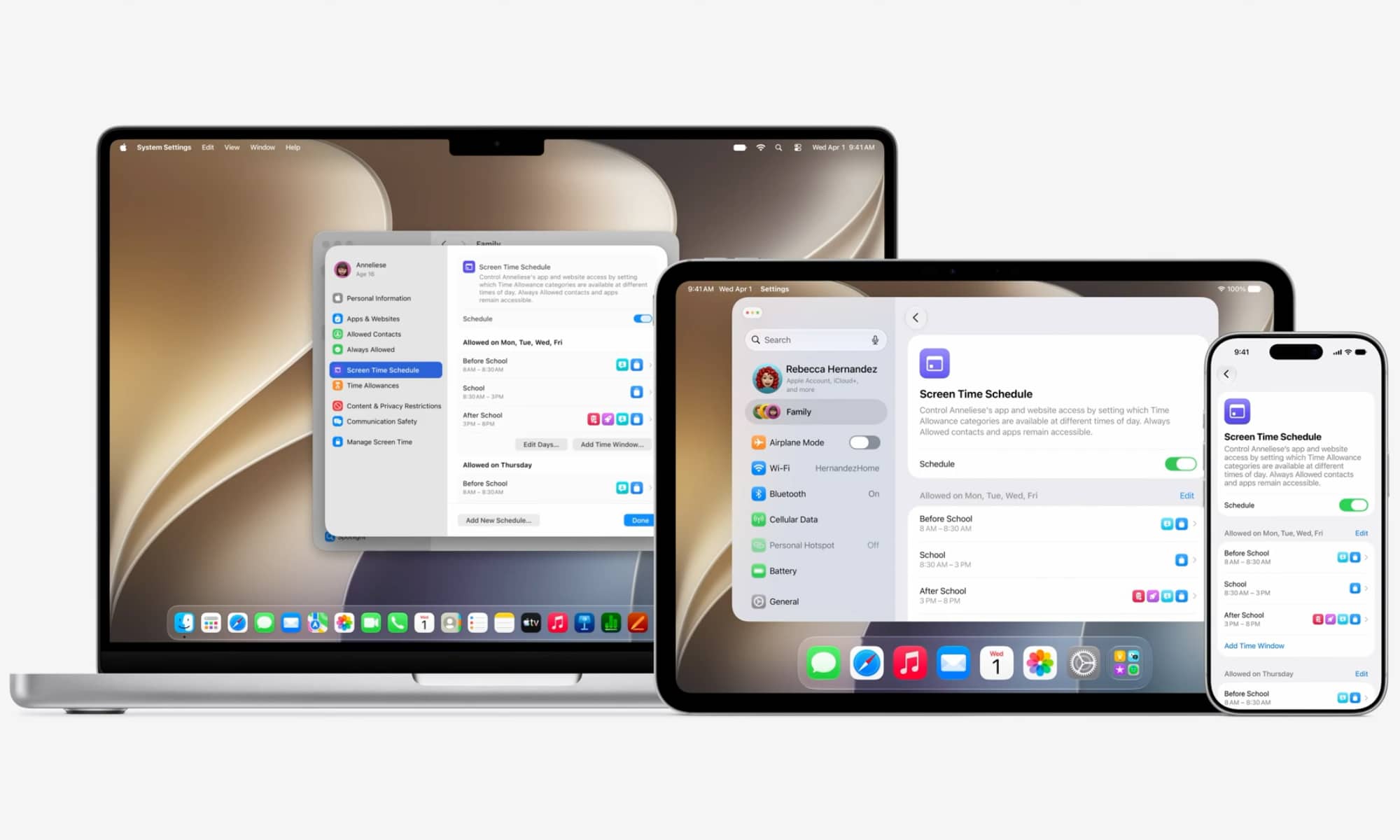
Following the introductory remarks, Dr. Desai handed the virtual stage to Raja Bose, Apple’s Director of Trust, Safety, and Values Product Marketing, and Ann Thai, Senior Director of Marketplace Platforms and Technologies. While much of what Bose and Thai shared was a recap of existing Screen Time and other parental control features, they highlighted how Apple has completely redesigned the Screen Time user interface to make it far easier for parents to navigate the settings and set up proper guardrails for their kids.
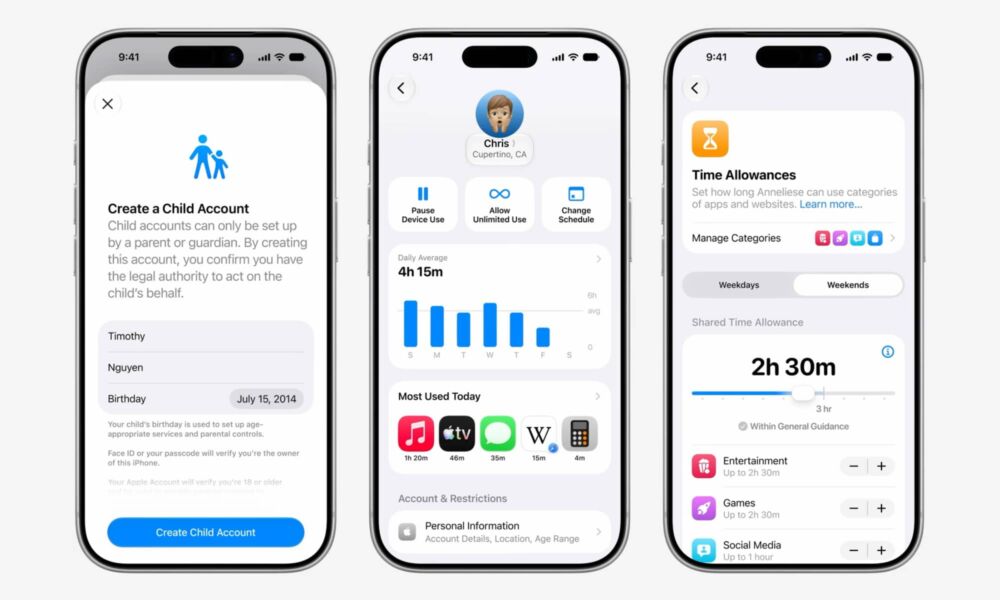
For example, the new Screen Time features in iOS 27 and its sibling updates provide a cleaner and more intuitive interface, with streamlined features for scheduling usage restrictions at different times of the day, such as during school hours, plus more useful exceptions — now called Time Allowances — that provide guidance for parents and allow monitoring and control over common categories like Social Media and Entertainment.
Apple is also adding a simplified dashboard-style view that lets parents see how their kids have been using their devices at a glance, without having to drill down into multiple sub-categories, along with buttons for accessing common actions like pausing device use or changing schedules.
Lastly, while Apple didn’t mention it during the keynote, a newsroom announcement following the event adds that parents will also now be notified when the Screen Time passcode is entered on their child’s device. This will discourage kids from trying to guess or shoulder-surf the PIN, as their parents will find out.
Ask to Browse
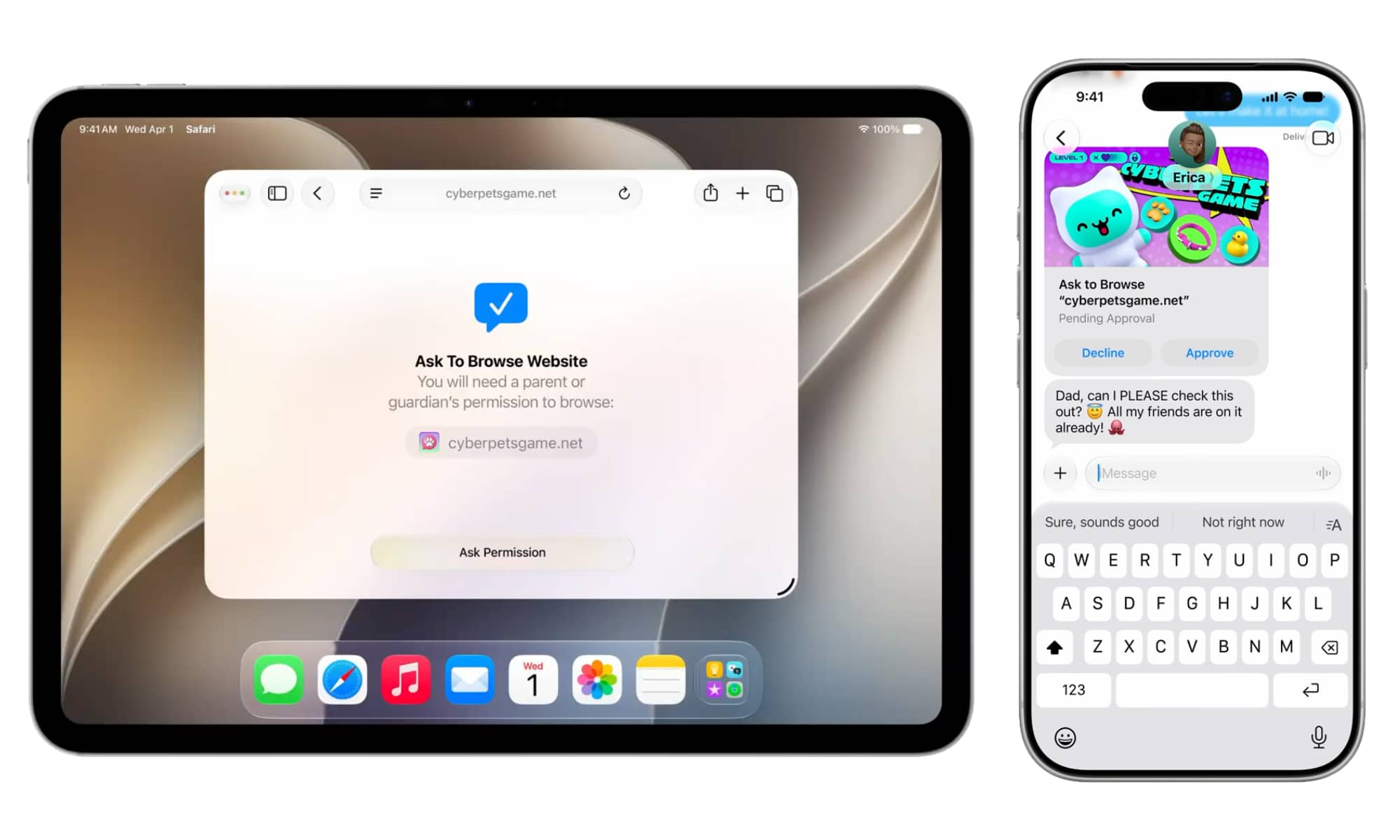
Apple is building on its long-standing “Ask to Buy” feature, which requires kids to get parental approval before downloading new apps, with “Ask to Browse,” which does the same for websites.
While Apple’s Screen Time has offered website filtering controls for years, they’ve always been a hassle to set up for parents who would rather block everything by default. In the current design, kids who want to access a new website have to get their parent to dig into screen time and approve the URL manually — and that can be tricky as sometimes sites direct users to secondary URLs that would also have to be cleared.
As the name suggests, Ask to Browse will handle this automatically. When kids visit a new website, the parent will get a notification where they can approve the request with a single tap.
Like Ask to Buy, this will be on by default for kids under 13, and can be optionally toggled on for teens who are part of a Family Sharing group.
Blocking Gore and Violent Content
In the summer of 2021, Apple announced Communication Safety in Messages, a new feature designed to protect kids from sending and receiving nude photos. While that plan initially faced some opposition — likely due to being announced alongside a more controversial CSAM scanning initiative that was ultimately abandoned — an only slightly modified version rolled out in iOS 15.2 later that year.
Communication Safety in Messages is a child safety feature that uses machine learning to detect anything that looks like a nude photo and blur it out. This detection is done entirely on-device. Kids can still view these photos, but not without acknowledging some warnings about their appropriateness with links on where to get help if they feel unsafe. The original implementation would have notified parents if kids under 13 chose to view blurred photos, but that was removed before the feature went live due to concerns that it might trigger harmful responses from abusive caregivers. Instead, kids were advised to talk with a “trusted adult.”
Apple effectively expanded this feature to all users with Sensitive Content Warnings in iOS 17, although Communication Safety remains a distinct setting under the Screen Time parental controls.
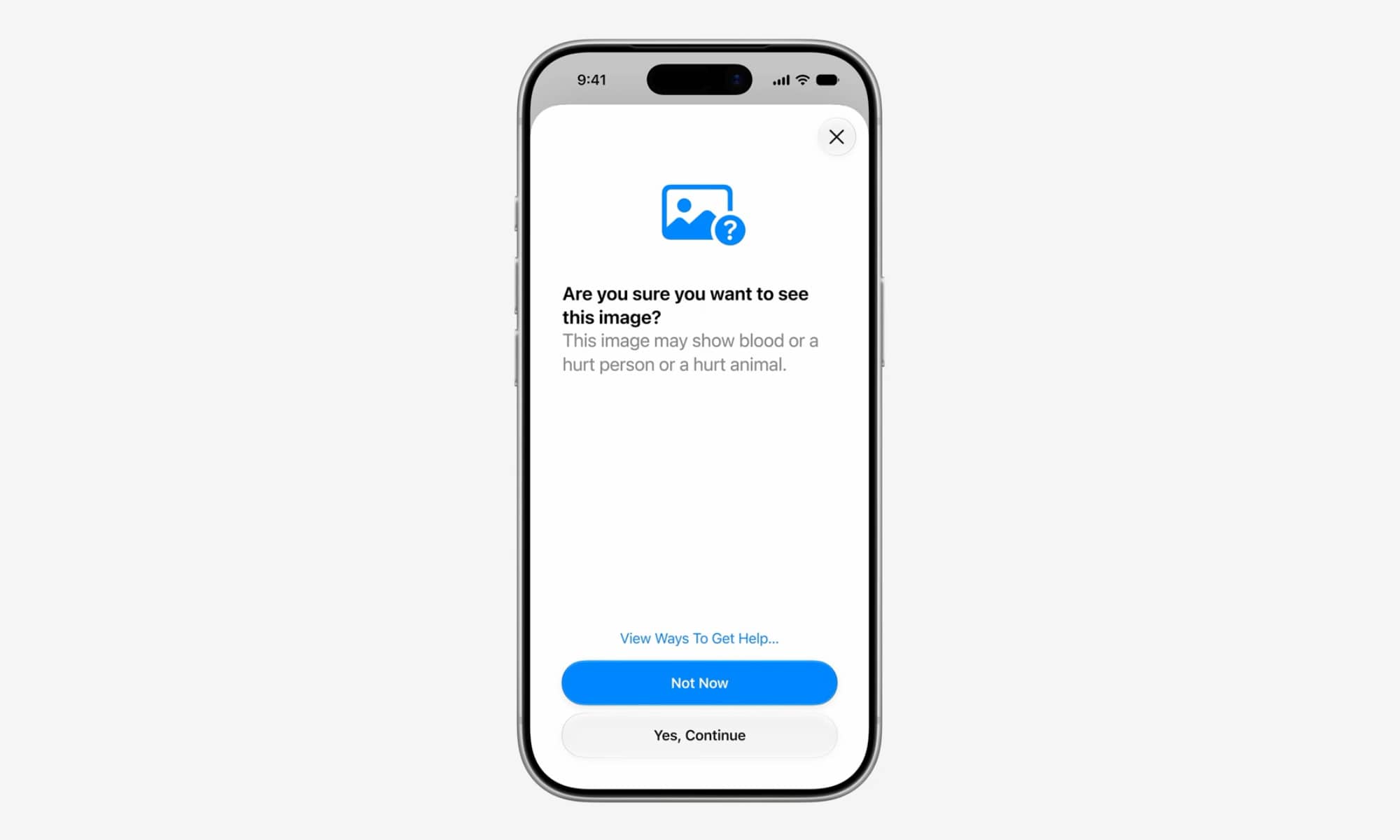
While the nature of the feature doesn’t appear to be changing, iOS 27 will begin looking for a new category of content: gore and violence. When a child attempts to view a blurred photo that contains this type of content, they’ll see a distinct warning advising them that the photo may show blood or a hurt person or animal. Other than that, the same rules seem to apply as they do for nude content: links are available on where the child can get help if they need it, but nobody will be notified if they choose to proceed to view the photo.
Embracing Third-Party Apps
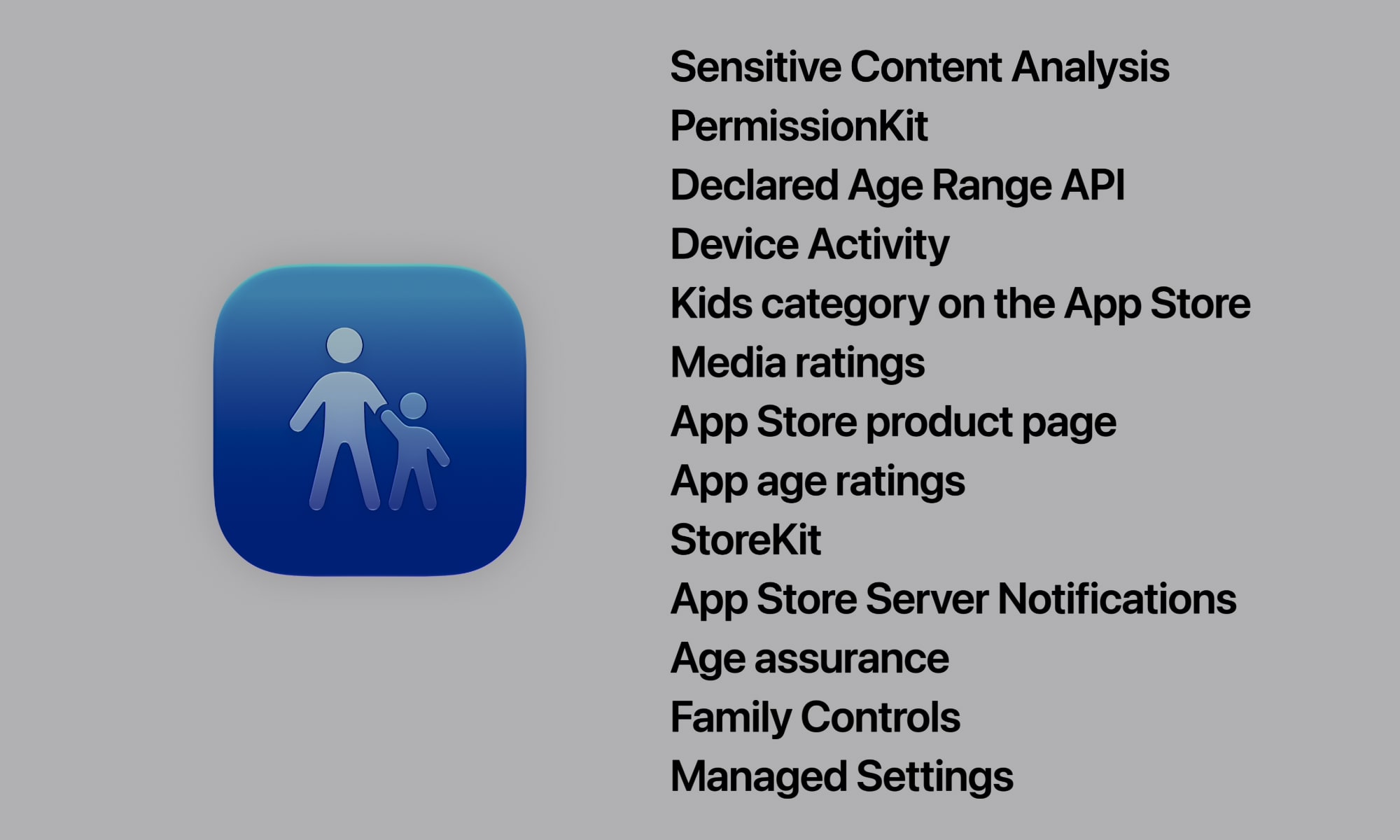
One of the biggest challenges of Apple’s parental controls is that many of them only applied to its own apps. For example, it’s long been possible to block who your kids can communicate with in the Messages, FaceTime, or Phone apps, but all bets were off if you let them install WhatsApp or Messenger.
While it will still be up to developers to get on board, Apple is providing even more APIs that third-party apps can tie into to adopt the overall iOS 27 parental controls. For example, developers will now be able to use Apple’s PermissionKit — an API previously limited to iMessage — to require parents to approve new contacts in their third-party messaging apps.
Again, this will only work if the developer takes advantage of this API, so parents will still need to be wary about which third-party chat apps they approve for their kids. Apple hasn’t said whether it plans to label these apps on the App Store somehow, but such a move would certainly be helpful in letting parents know which apps offer proper child safety protocols and which remain in the digital Wild West.






