
Meet Siri AI: Apple’s Voice Assistant Finally Goes to Grad School
Toggle Dark Mode
As expected, today’s Worldwide Developers Conference (WWDC) keynote unveiled a wealth of new Apple Intelligence improvements, including long-awaited smarts for Siri. However, it turned out to be even more focused on AI than we’d initially expected.
In an unusual twist, Apple didn’t do anything that even vaguely resembled a play-by-play through its OS updates this year. There was no formal unveiling of iOS 27 or iPadOS 27, and the closest thing we got to an explicit focus on macOS 27 was a bit during Craig Federighi’s intro where the marketing team cruised by in a VW bus to drop the new name (“Golden Gate” in case you haven’t heard yet — contrary to the alleged “Big Bear” leak last week).

Instead, Apple chose to emphasize how much the iPhone, iPad, Mac, Vision Pro, and Apple Watch are one unified platform. That presumably also includes the Apple TV, although the device barely got a mention beyond the initial slide listing the six operating systems, all of which now bear the number 27.
This resulted in a unique format where Apple chose to run through “platform features,” from new child safety controls to the star of the show: Siri.
Enter ‘Siri AI’

While there was some speculation that Siri had gained a bad enough reputation that Apple might consider abandoning the name, nobody ever really took that notion seriously. Still, Apple needed to do something to distinguish the “new” Siri from the rather brain-dead version we’ve been living with for the past 15 years. It seems it’s done so simply by tagging the letters “AI” onto the end.
Apple’s new VP of Siri Engineering Mike Rockwell (who you may remember as the executive who led the Vision Pro project for its WWDC 2023 reveal), didn’t elaborate on whether the “AI” means “Apple Intelligence” or simply the more generic artificial intelligence, but either way, the long-promised Siri improvements are finally ready for prime time.
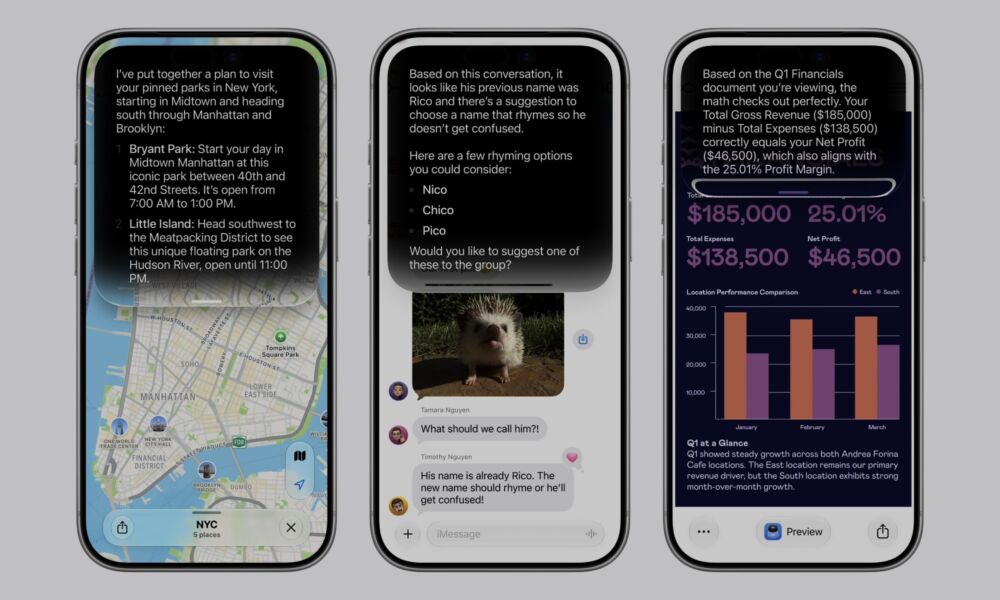
There weren’t too many surprises here for anyone who has been following the rumor mill. Rockwell described the new Siri as more capable and more conversational, while also announcing a dedicated Siri app, improved Visual Intelligence (which has seemingly graduated into an official title-cased feature name), and advanced Writing Tools that are now dubbed “Write with Siri,” bringing them into the AI assistant’s purview.
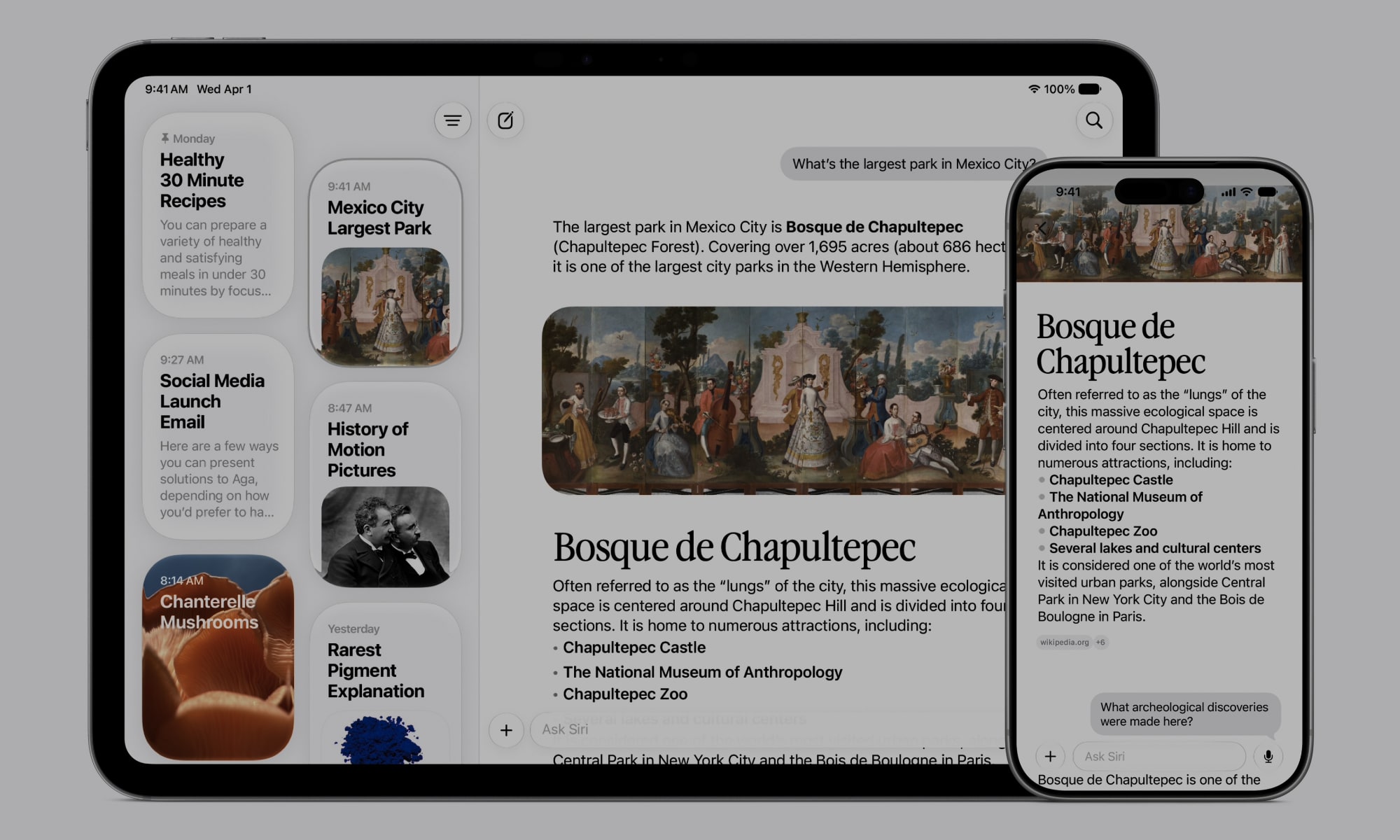
The dedicated Siri app appears to be as the rumors described (we can only assume Apple isn’t too happy with Mark Gurman right now). Anyone who has used ChatGPT or Gemini will get the basic idea, although the Siri AI app stands out for its tighter integration into iOS 27 and the gang.
While it appears you’ll be able to launch the Siri app from an icon on your Home Screen, it’s also tied in at a deeper level. Voice-based Siri requests will now open in the Dynamic Island, and users can swipe down to show the complete app-based chat and then move into the standalone app from there. An “Ask Siri” text-based prompt will also be available in the traditional Spotlight search on iOS 27, iPadOS 27, and macOS 27, which is also effectively just a front-end user interface for the full app.
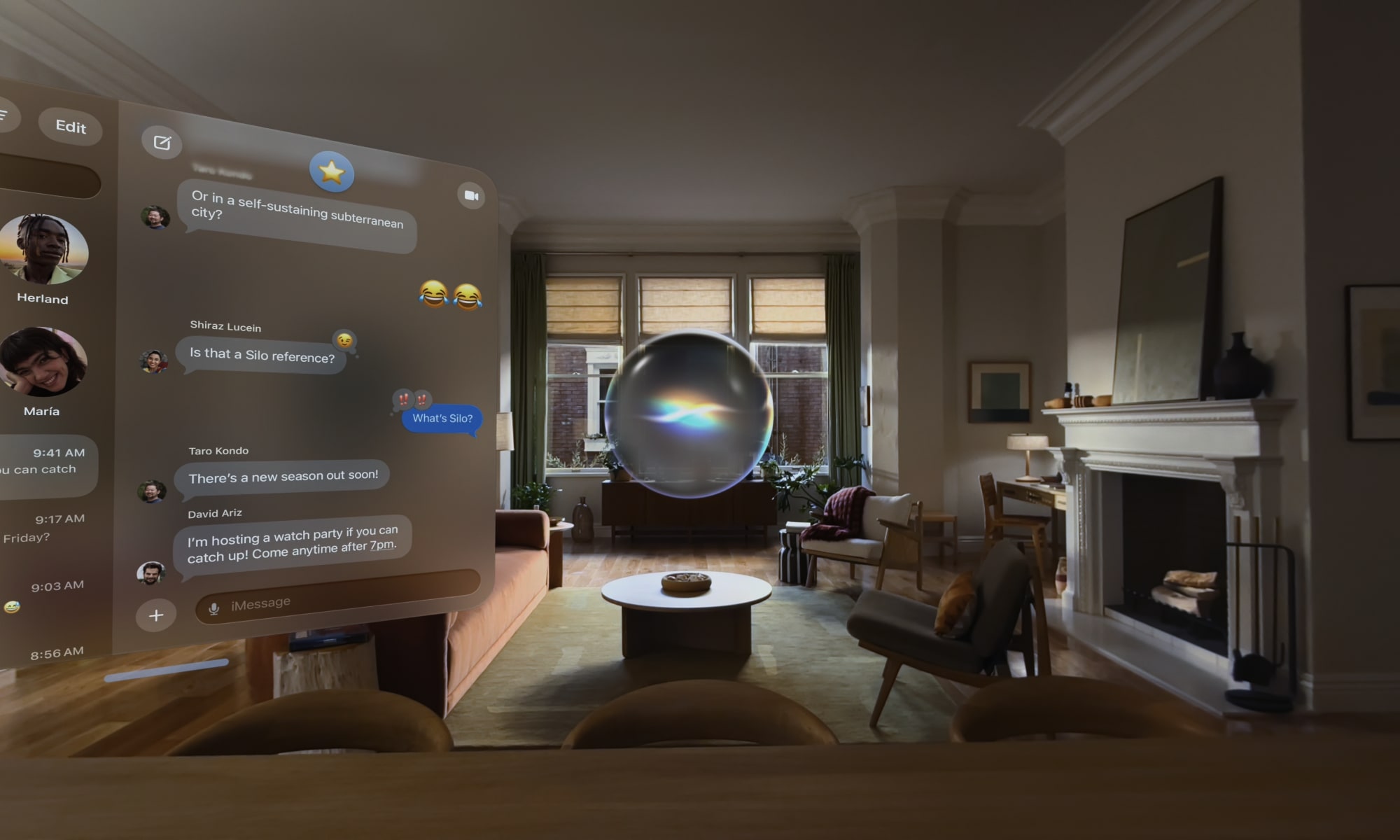
Siri AI is also coming to the Apple Watch and Vision Pro. Users will be able to call up the new Siri by voice in watchOS 27 or trigger it from a new app grid. On visionOS 27, a floating 3D Siri bubble will appear that wearers can simply look at and start speaking to address the voice assistant.
The new Siri will also not just be more conversational, but also more expressive. Fortunately, those who find overly chatty chatbots to be a bit annoying will be able to tone Siri AI down and even slow it down or speed it up via a new settings panel that provides sliders for “expressivity” and “pace.”
What Can We Expect from Siri AI?
Rockwell showed a live demo of Siri AI that echoed what we saw at WWDC 2024 two years ago. However, this one appeared to be far more interactive, involving more steps and showing Siri actively responding throughout, rather than just showing more static results.
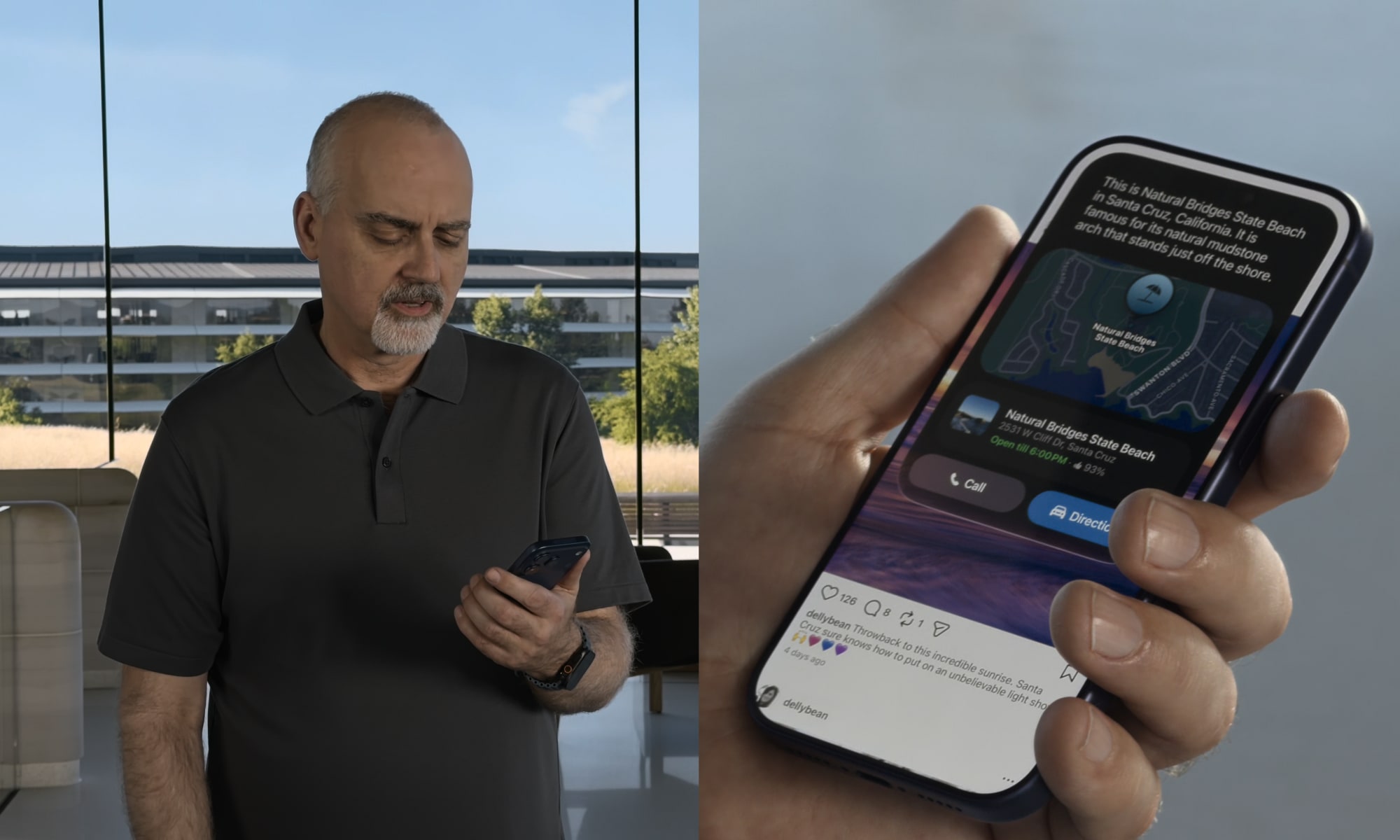
In the first scenario, Rockwell asked Siri to find a concert, following up with a question on how to buy tickets. After finding out there’d be a lottery for tickets, he then asked Siri to set a reminder for when to buy them, and then play the artist’s latest single from Apple Music. This was all done in a single conversation thread. Rockwell pressed the side button in between requests, likely because he was also addressing the audience, but it would presumably be possible to carry on the dialog entirely by voice if you wanted to.
The demo continued with Rockwell requesting the concert venue’s location, and realizing it’s near where his friend “Jeff” lives. So, he asked Siri to find “Jeff’s new place,” noting that he doesn’t have that in his address book yet — just a random message that Jeff sent somewhere along the way. Siri was able to ferret that out of the Messages or Mail app, after which Rockwell asked for directions to the venue “with a stop at Jeff’s place.”
Rockwell then showed how Siri can search the Photos app using a natural language query by voice, and was able to follow that up with a request to add the photos of specific people — by name — to a shared album.
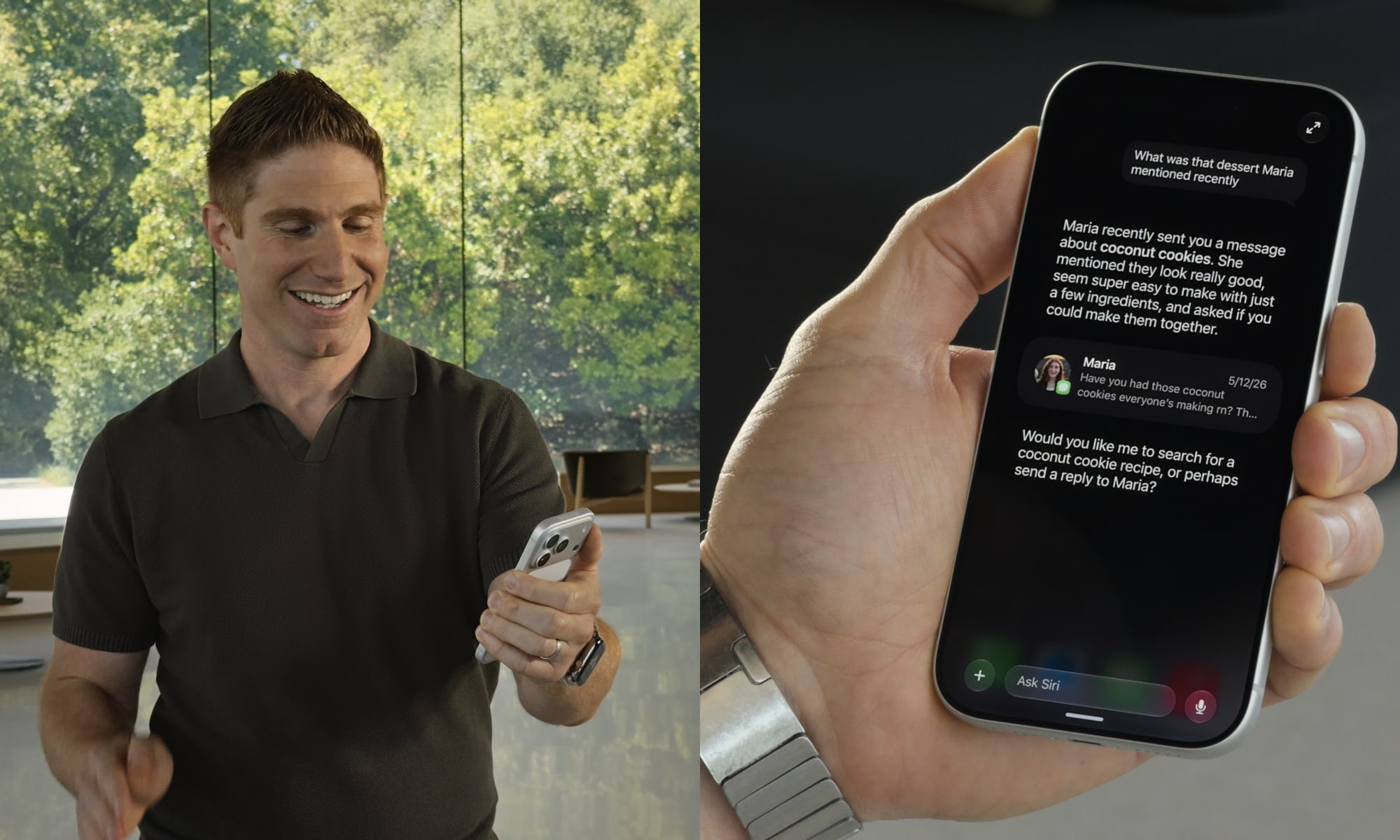
In a later demo, Justin Titi, Apple’s Senior Director of Intelligent System Experience Engineering, showed how Siri AI could find the World Cup schedule and arrange a watch party with appropriate recipes, including finding a recipe his daughter suggested in an email or message, putting together a menu, and sending a message to some friends in a group chat to invite them to the party — with the menu attached. This was all done using very natural requests, and Titi didn’t have to spell anything out at any point.
Titi also showed how Siri AI will work on macOS 27 Golden Gate, where it will be built into the Spotlight search and show up as a new “Ask Siri” option on context menus. Users can type a query straight into Spotlight, which will pop out into an expanded chat window to continue the thread, or select some files from the Finder, right-click, and “Ask Siri” to type a question about the selected files, such as comparing quotes or analyzing the data in a report.
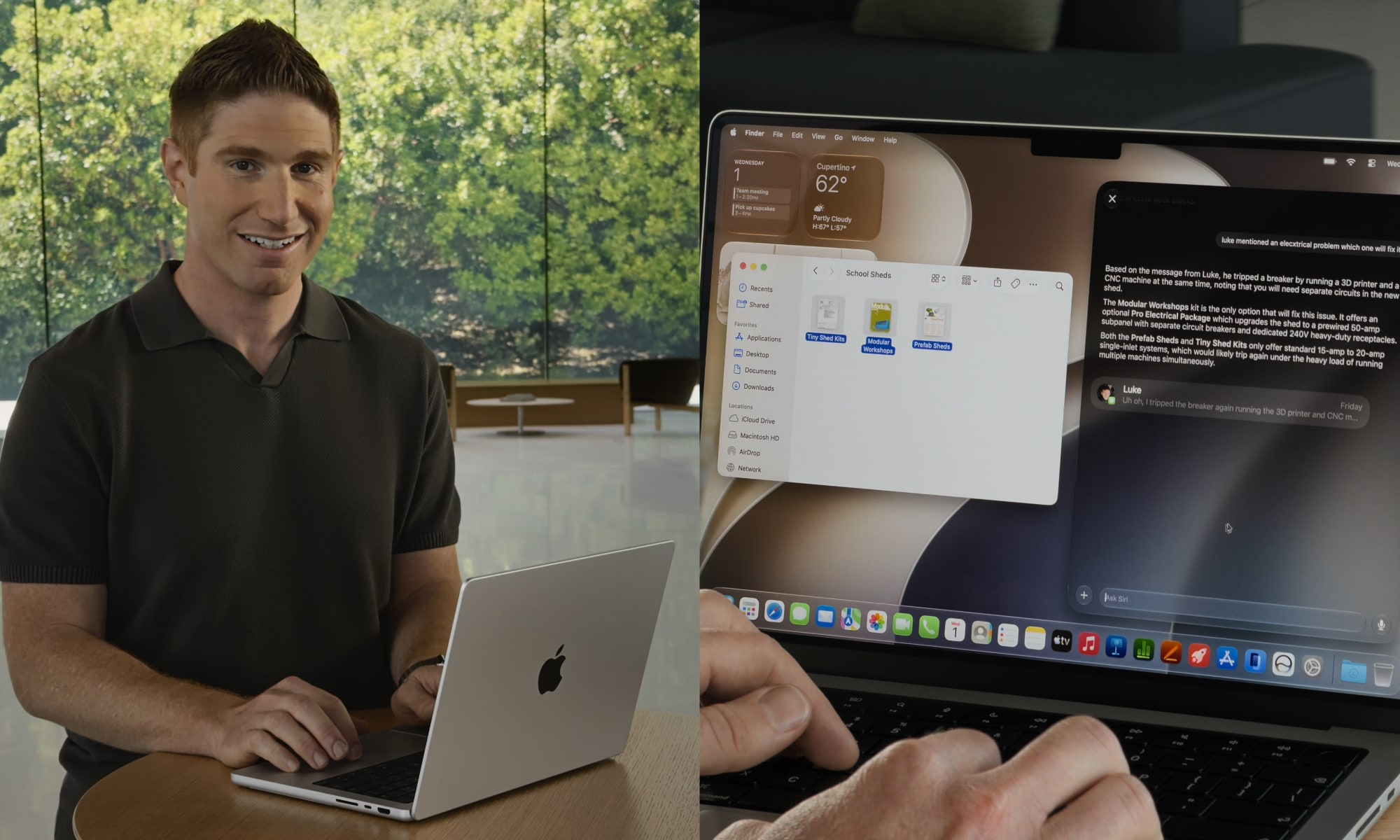
As with the iPhone version, personal context will allow users to naturally loop in other data; Titi showed one example where he asked Siri to compare three shed quotes and then added “Luke mentioned a problem with an electrical system” and Siri AI was able to dig up Luke’s comment and apply that context to the three quoted sheds.
Naturally, Siri handled all this without skipping a beat, as it usually does in demos. We’ll have to wait and see how this plays out once it’s in the real world. Apple says it’s available for testing in the first developer beta released today, so we’ll report back once we’ve had a chance to put it through its paces — although we’re also keeping in mind that this is the very first developer beta, so we’re not expecting perfection at this early stage.






