
iOS 27 Beta 4 is Here: Siri Gets More Voices and the TV App Gets Smarter
Toggle Dark Mode
Following last week’s release of the first public beta of iOS 27, Apple has now seeded the fourth developer beta of this year’s big iPhone software update. While that may seem a bit quick, it’s actually on track, as it comes exactly two weeks after the third developer betas arrived on July 6.
As usual, the public beta of iOS 27 was effectively the same build as that earlier developer beta, so there haven’t been any additions or changes over the past two weeks; just a wider distribution of the same release to a broader audience. It’s unclear when the public beta will arrive, but if Apple follows its usual schedule, it could show up later this week.

Apple rolled out nearly all of the significant iOS 27 features in the first developer beta, so the releases we’ve been seeing since then are mostly about polishing and tweaks. Still, that doesn’t mean we don’t get some interesting changes in the mix, and there are still a couple of things that Apple hasn’t fully turned on.
For example, we didn’t get Siri on the Apple Watch until the third developer beta of watchOS 27 two weeks ago, and Apple has also been unlocking its expressive Siri voices in stages. The first beta had none, the second beta offered two static voices with no customization, and the third beta finally unlocked the Pace and Expressivity sliders for those two.
Perhaps unsurprisingly, that leads us to the biggest change in iOS 27 DB4: a more complete complement of Siri’s expressive voices.
Siri Voices: Now in Six Dialects
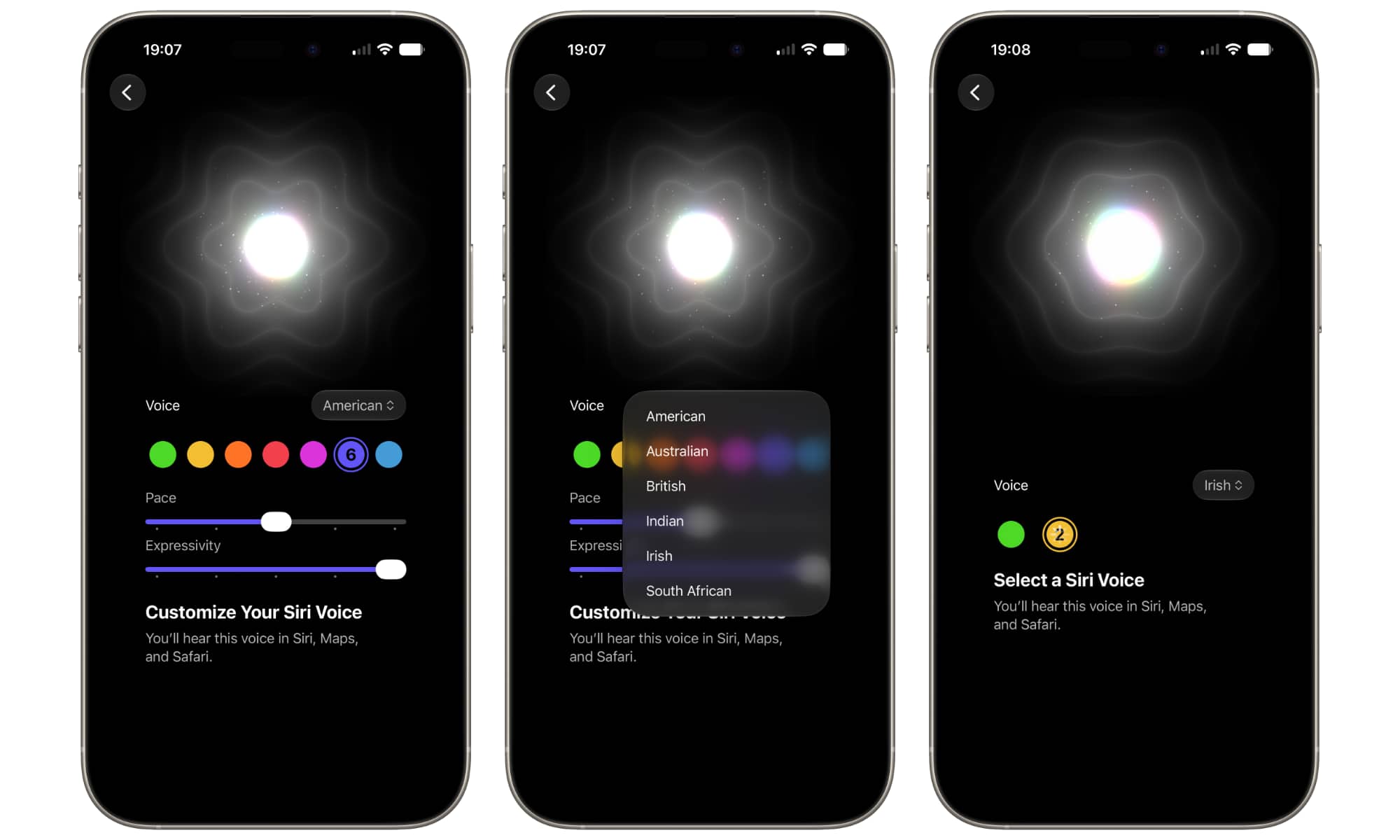
With developer beta 4, a trip into Settings > Siri > Voice on an iPhone 17 Pro or iPhone Air model will now show a selection of seven American voices, distinguished by color.
Interestingly, the only two voices from the earlier betas, which were designated with green and yellow dots, have been shifted to the far right of the scale, positioning them as numbers 6 and 7 in purple and blue.
These also remain the only two voices that can be customized right now; selecting any of the other five will lock the “Pace” and “Expressivity” sliders with a “Coming Soon” tag, and will play a much shorter sample: “The colors of the sky fade with the setting sun as the stars begin to shine through the clear night,” as opposed to the much more rambling and wordy version used for the customizable voices.
The language drop-down is also active in developer beta 4, allowing Australian, British, Indian, Irish, and South African voices to be selected. As it stands, there are four each for Australian and British, while Indian, Irish, and South African provide two each. None of these are yet customizable, but this will all undoubtedly change in future betas.
Other Changes in iOS 27 DB4
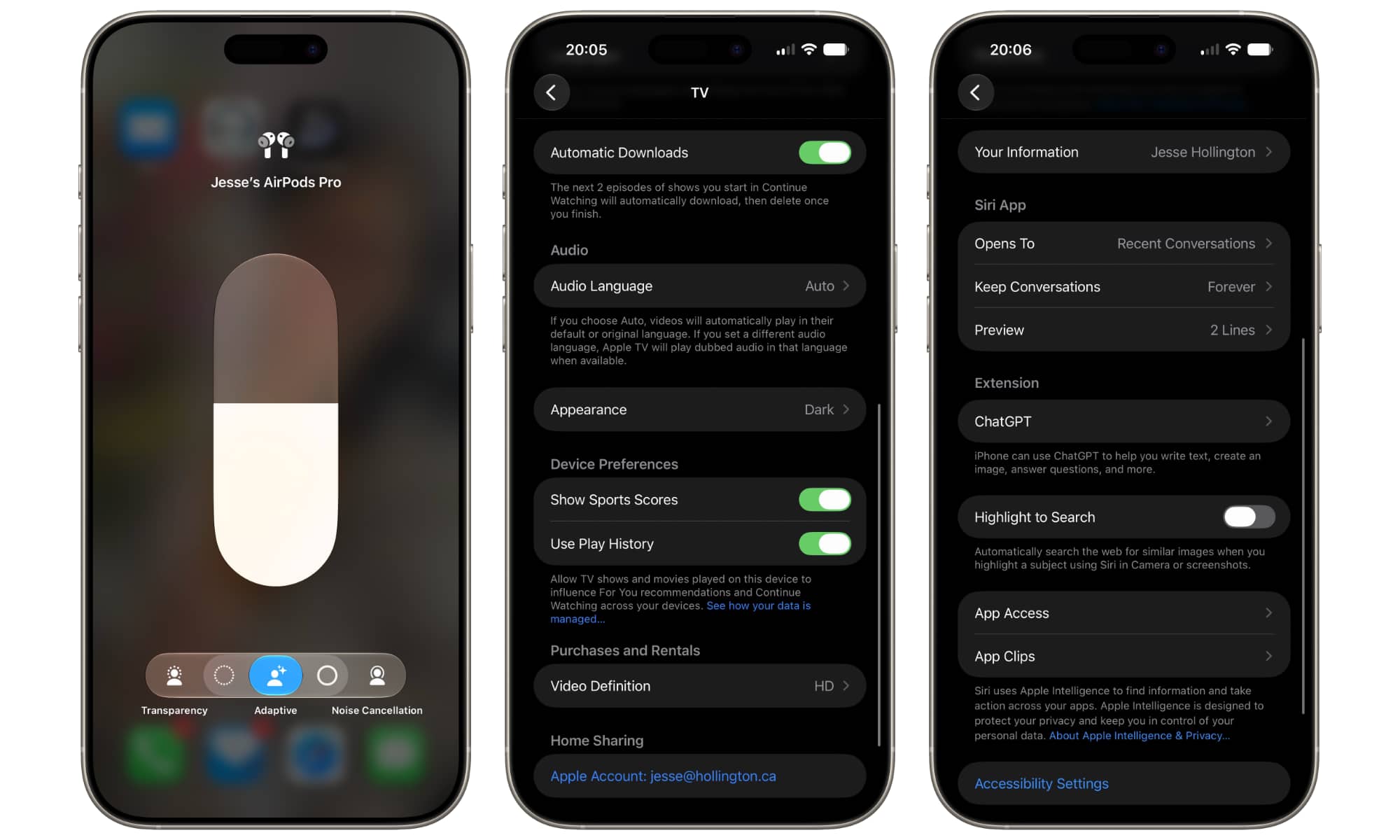
The other changes we’ve found in the fourth developer beta so far are relatively minor:
- The Siri Settings now include a Preview option to choose how many lines you want to see for each chat in the Siri app when viewing a list of conversations, much like the equivalent option for the Mail app. Note that this setting has no effect when viewing your chats in Grid view.
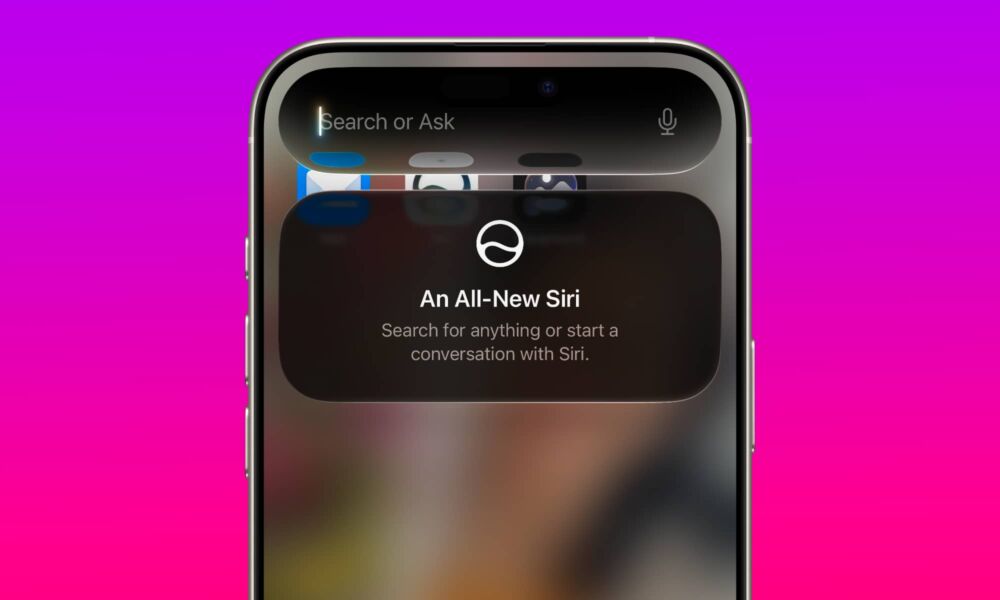
- A card now appears to explain the “All-New Siri” the first time you pull down to access the new Siri Search or Ask interface.
- The TV app includes an arguably long-overdue Automatic Downloads option to let you auto-download the next episodes of shows on your Continue Watching list. There are no customization options here; it simply grabs the next two episodes of whatever shows you’re watching in a continuous cycle, deleting the ones you’ve finished.
- A new Use Cellular Data with Wi-Fi toggle can now be found in each configured Wi-Fi network, letting you choose whether you want to fall back on cellular data if that particular Wi-Fi connection is spotty. This appears to be a more granular version of the Wi-Fi Assist feature that’s been around for over a decade.
- The AirPods options in the Control Center inherit the updated Adaptive Audio slider that was introduced to the Settings app in iOS 27 beta 3.
There are a few other smaller changes here also, such as a new “Zoom Photos to Fill” toggle in the Photos settings that says it will “Slightly zoom photos that nearly match the screen’s aspect ratio,” and a new ProRes Log format selection in the Camera Settings that allows pros to choose between Log and Log 2.






