
5 Awesome Apple Music Upgrades Arriving in iOS 27
Toggle Dark Mode
There’s so much new stuff coming in iOS 27 that it can be hard to keep track of it all, and that makes it even more challenging to sort out the smaller enhancements from groundbreaking features like Siri AI and Visual Intelligence.
We’ve already covered quite a few of those little things, like a better way of selecting cards in Apple Pay, Find My improvements, new features for Apple’s AirPods, Liquid Glass enhancements, and smarter built-in apps, and even tiny lock screen changes that are becoming a fan favorite.
There are also new AI photo editing tools like Reframe, more powerful Shared Albums that let Android and Windows users join in on the fun, a Weather UI tuneup, and subtle upgrades to FaceTime, Maps, and Messages.
But of course, that’s not all. Apple Music isn’t being left out of the iOS 27 party. The iPhone Music app gets some love in the new version as well, including one feature that some of us have spent years waiting for.

Landscape Mode
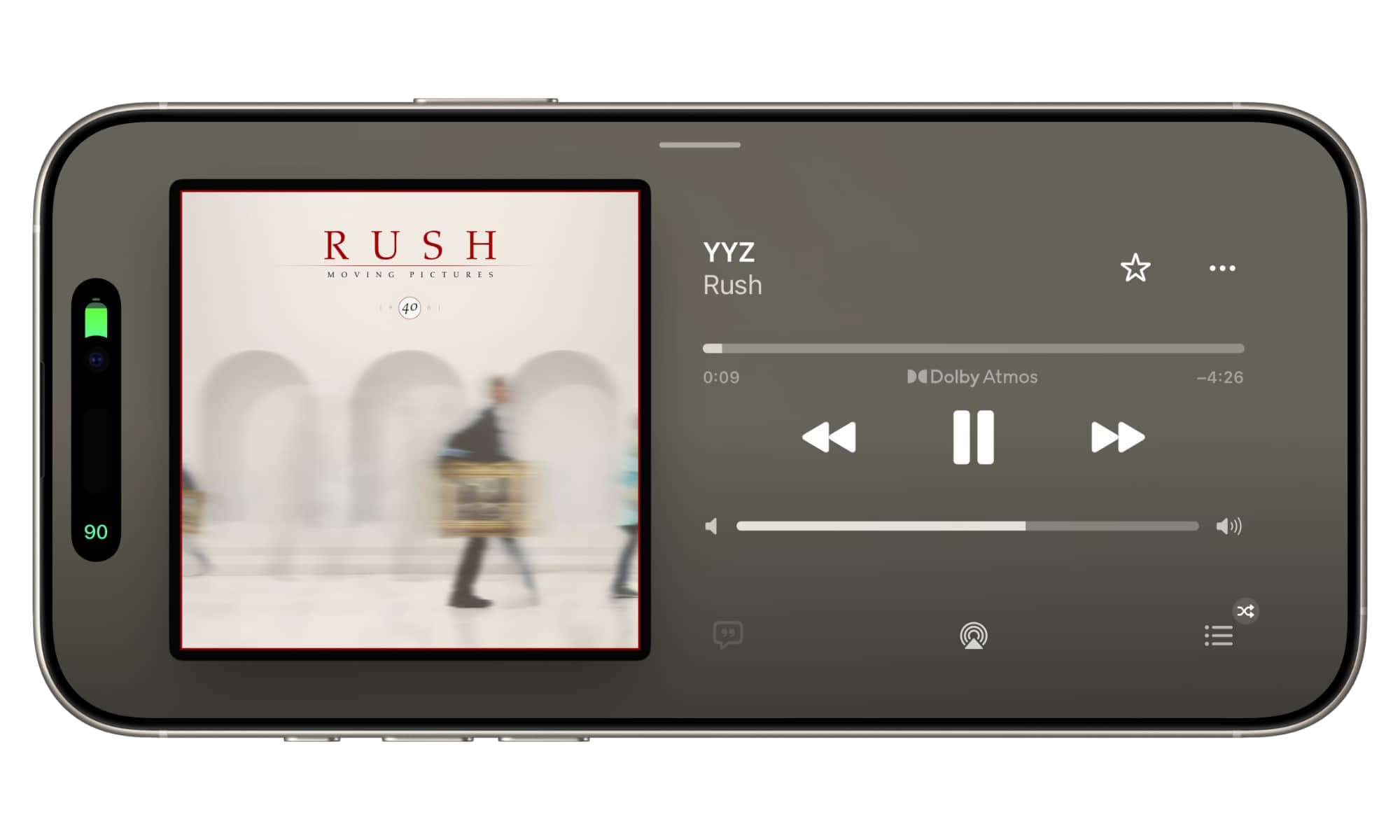
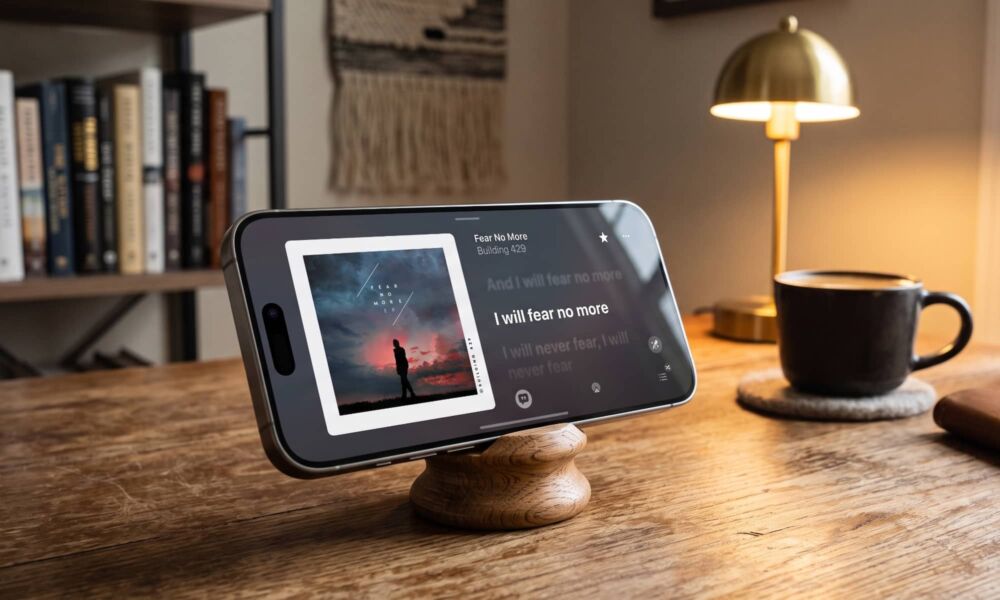
We’ve already noted how Apple Weather and Find My now operate in landscape mode on the iPhone, but perhaps the most useful of all is that the Apple Music Now Playing screen also flips into a nice-looking landscape view.
Sadly, this doesn’t yet work when navigating other parts of the Apple Music app, but the Now Playing screen is still where it’s arguably the most useful.
First is the fact that most iPhone models project a small stereo soundstage when held sideways, using the bottom speaker and the earpiece speaker in tandem. If you’ve never tried this, you really should; it works quite well, especially on larger models like an iPhone Pro Max. This is where the iPhone Air falls behind, though, as it lacks the bottom speaker.
While you can obviously hold the iPhone sideways to listen to music whether the app flips into landscape or not, it’s nice when everything lines up properly. Apple added a landscape Music player interface with StandBy mode in iOS 17, but that only works when your iPhone is propped up and charging. You also have to let your iPhone drop into StandBy mode while a song is playing, and then tap the indicator at the top to bring up the Music screen.
By contrast, Apple Music in iOS 27 will show the Now Playing screen in landscape orientation as soon as you open it, and it works even when the iPhone is lying flat, whether it’s charging or not.
Apple also makes pretty good use of the screen real estate here, letting you view lyrics or upcoming tracks alongside full-sized album artwork. Granted, you won’t be able to see as much on a single screen, but it’s usually more than enough to follow along.
Widgets Go Big
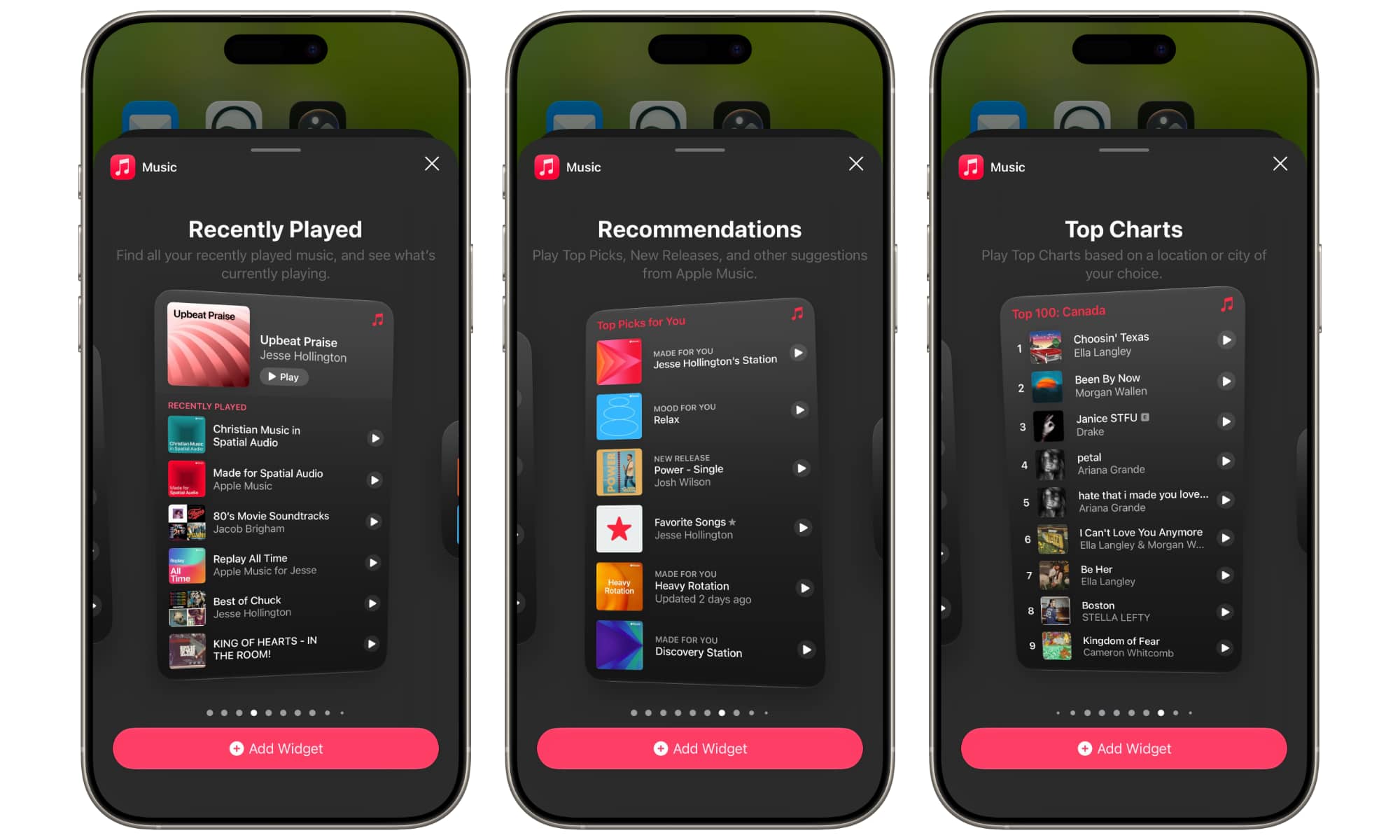
This is more of a system-wide improvement, but Apple Music is ready to take advantage of it. iOS 27 adds a fourth widget size that effectively lets you turn an entire Home Screen page into one big widget.
Apple Music offers three widgets in this new size: Recently Played, Recommendations, and Top Charts. The widgets themselves aren’t new, but the ability to make them even bigger lets you put more information on the screen. For example, Top Charts will hold nine entries instead of five, and Recently Played goes from three albums or playlists to six.
AutoMix Improves and Expands
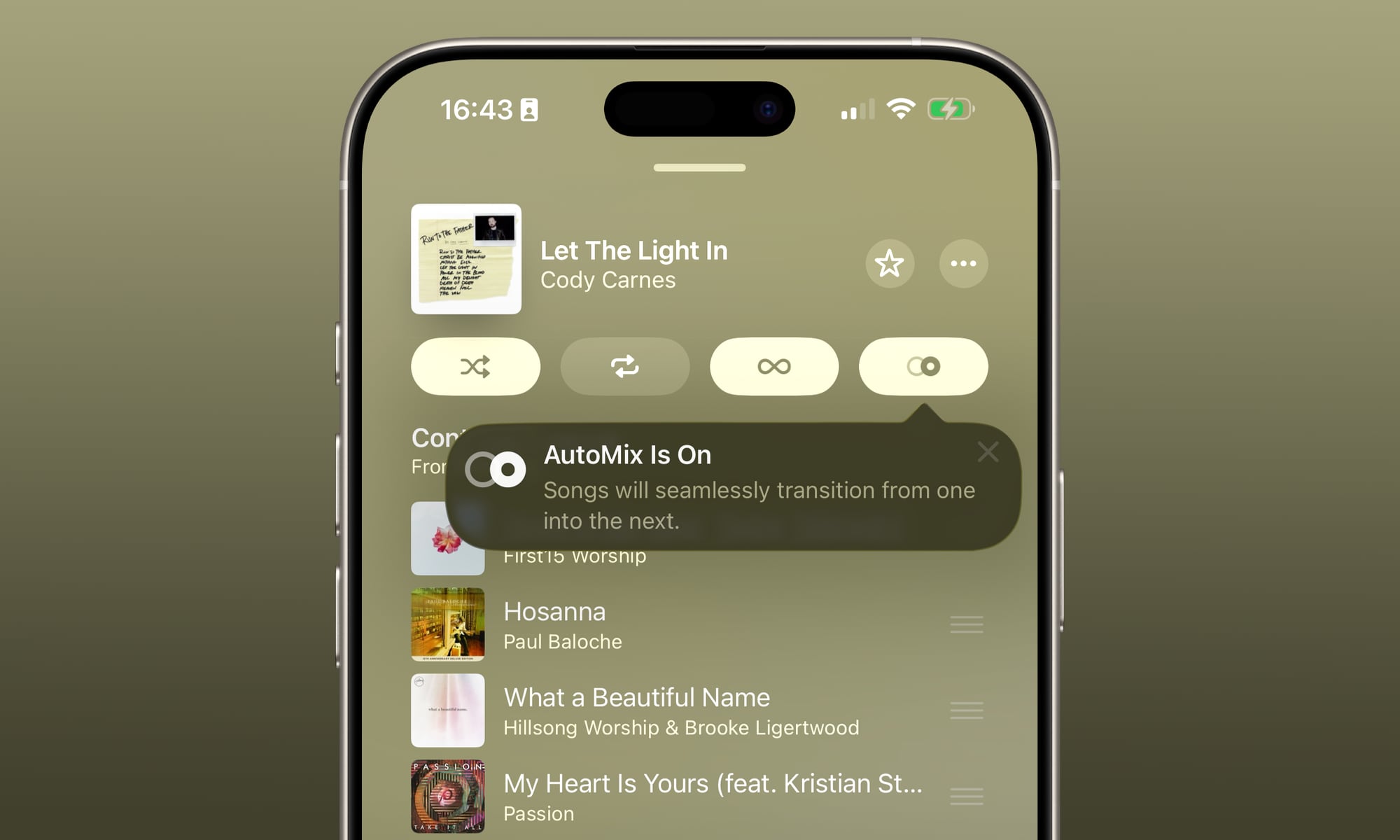
This may seem like a more subtle update, but Apple has made some noticeable improvements to AutoMix, as it promised in a June announcement.
AutoMix has added a whole new layer of energy and excitement to the experience with even better transitions that feel more immersive and engaging for listeners.
As before, AutoMix works directly from the iPhone and via CarPlay, and tvOS 27 and HomePod Software 27 will bring it to Apple Music on the Apple TV and HomePod. The Apple TV is also getting access to Hi-Res Lossless Audio.
Refreshed Artist and Album Pages
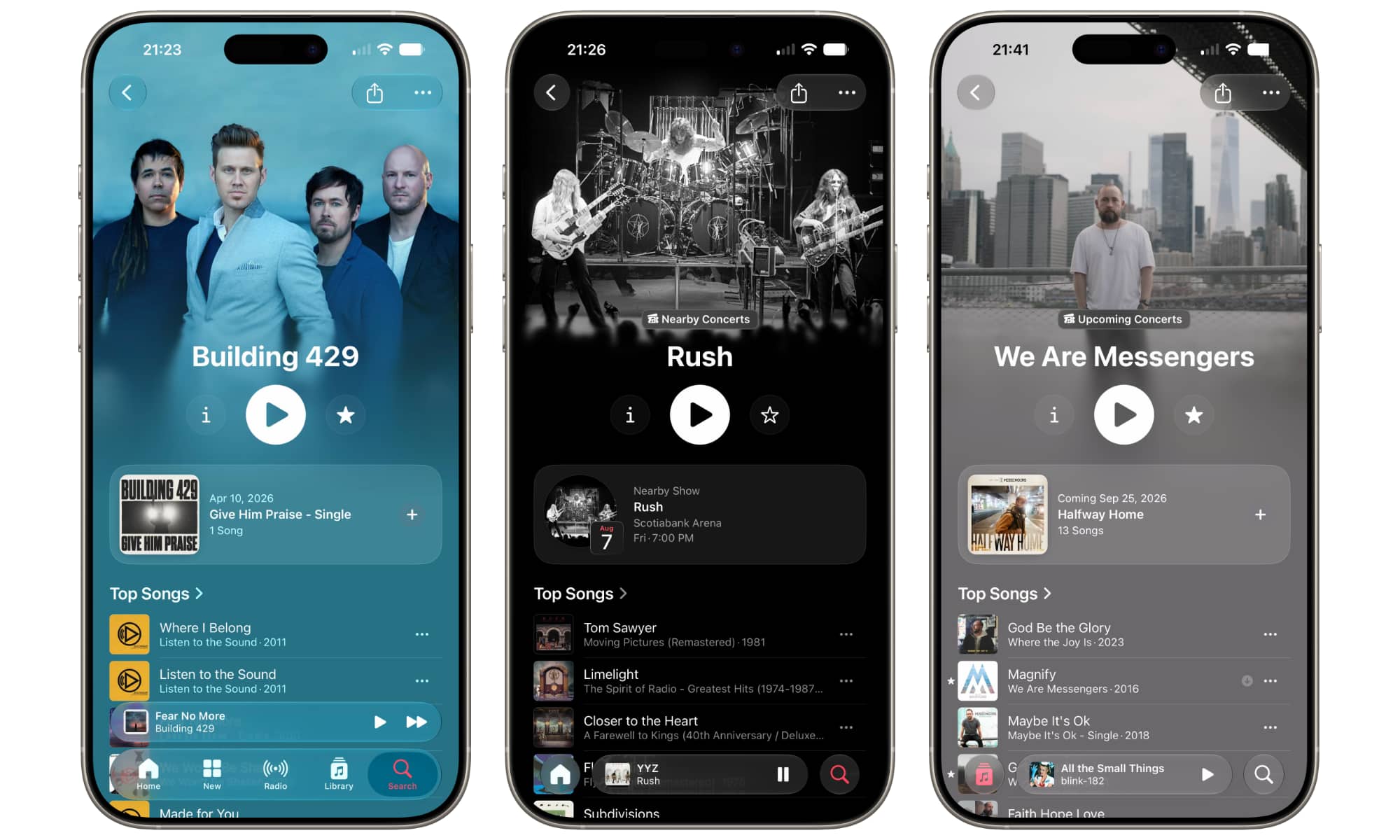
Apple has redesigned the pages for albums and artists in iOS 27, with the album page changes already being heralded by iOS 26.4 earlier this year.
Artist pages now show full-screen background images that blend into the overall screen, with prominent buttons for pulling up more info, playing their music, or favoriting them, plus a card for recent releases or upcoming concerts.
Discover Music with a Little Help from Your Friends
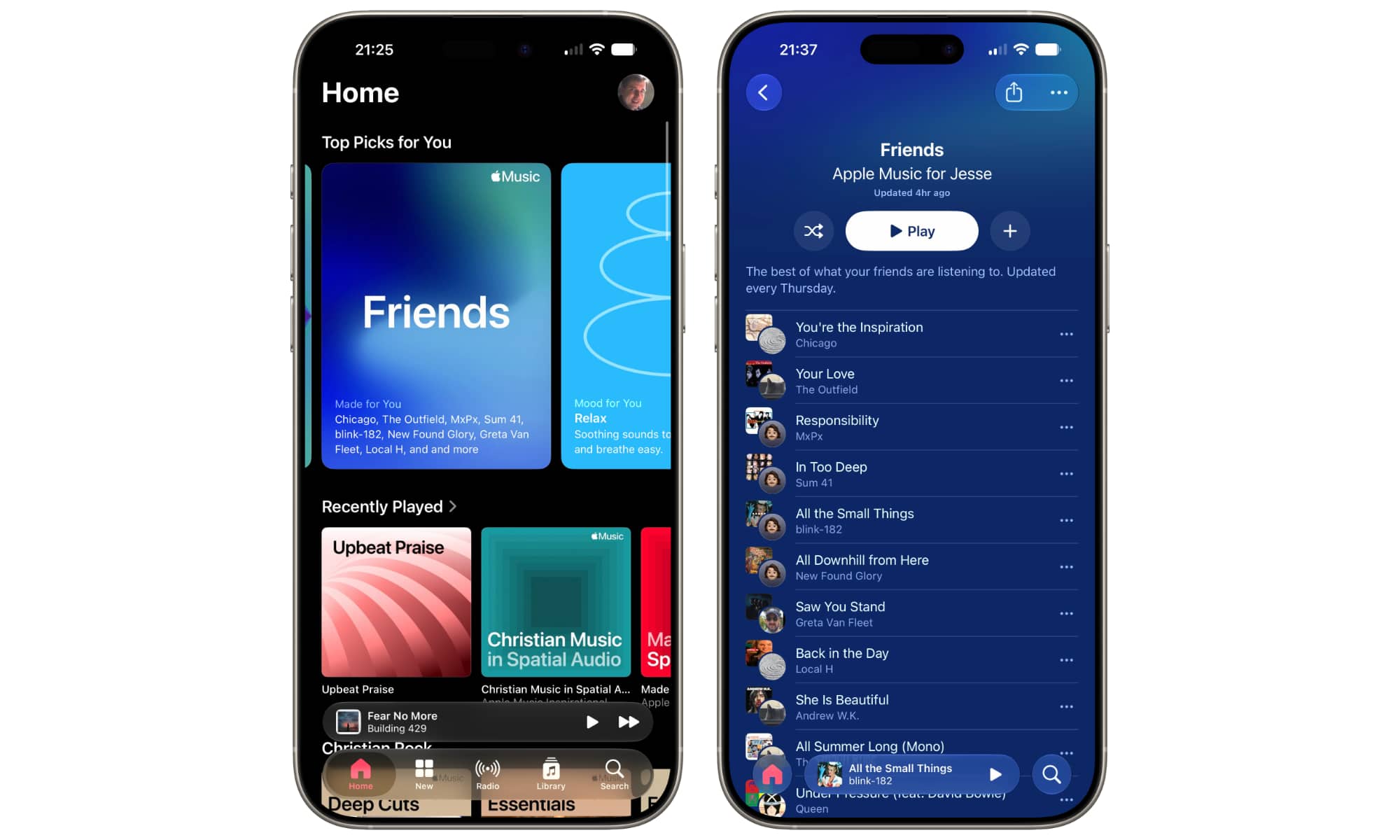
Finally, Apple is adding a new Friends playlist that automatically updates every Thursday to give you an amalgam of whatever your friends are listening to — that is, the people you’re following in your Apple Music profile.
Going into the Friends playlist will even show you an avatar over the album artwork for each track so you can see which friend the song comes from.






