
How iOS 27 Will Transform Your AirPods Listening Experience

Toggle Dark Mode
Apple had little to say about hardware during this week’s Worldwide Developers Conference (WWDC) keynote, and that relative silence extended to software enhancements coming to devices like the AirPods, HomePod, and Apple TV set-top box.
Of course, that doesn’t mean improvements aren’t coming. There’s only so much Apple can fit into a 75-minute presentation, and there were arguably far more important things to talk about, from improved child safety features to Siri AI and Apple Intelligence enhancements.
Apple used the word “AirPods” only twice during the entire keynote, although it did very briefly mention one important new feature during the “Platform Improvements” segment:
On AirPods, we’re delivering custom EQ so you can further personalize how your AirPods sound.
Stacey Ford, Apple VP of OS Program Management
The only other mention of the AirPods was a more blanket statement that simply noted that the new Siri AI features would extend to CarPlay and AirPods. That sort of goes without saying, but it’s nice to have the confirmation.
While the custom EQ is probably the biggest and most exciting iOS 27 change for the AirPods, it’s also not the only thing coming. With the first developer beta out, we’ve taken a closer look at what’s new for the AirPods, from the custom EQ to a completely redesigned settings interface.

AirPods Settings Get Organized
Last month, Bloomberg’s Mark Gurman leaked some insider info on Apple’s plans to redesign the AirPods Settings screen to better organize the controls, and while Gurman didn’t get everything right, it appears his sources were right on the money here.
Anyone who has used Apple’s latest AirPods Pro models can probably relate to how cluttered the iPhone configuration screen for them is. As the AirPods gained new features each year, Apple crammed the additions into a single settings screen a bit haphazardly, and now that we’re dealing with everything from Active Noise Cancellation and Conversation Awareness to Live Translation and Heart Rate Detection, it’s gotten a bit overwhelming.
The good news is that Apple has taken the time to reorganize this in iOS 27, at least for the more complex AirPods Pro. It’s unclear where it’s drawing the line, or if things will change in a future beta, but the configuration screens remain essentially unchanged for older models like the AirPods Max, possibly because they have fewer settings for users to wrestle with.
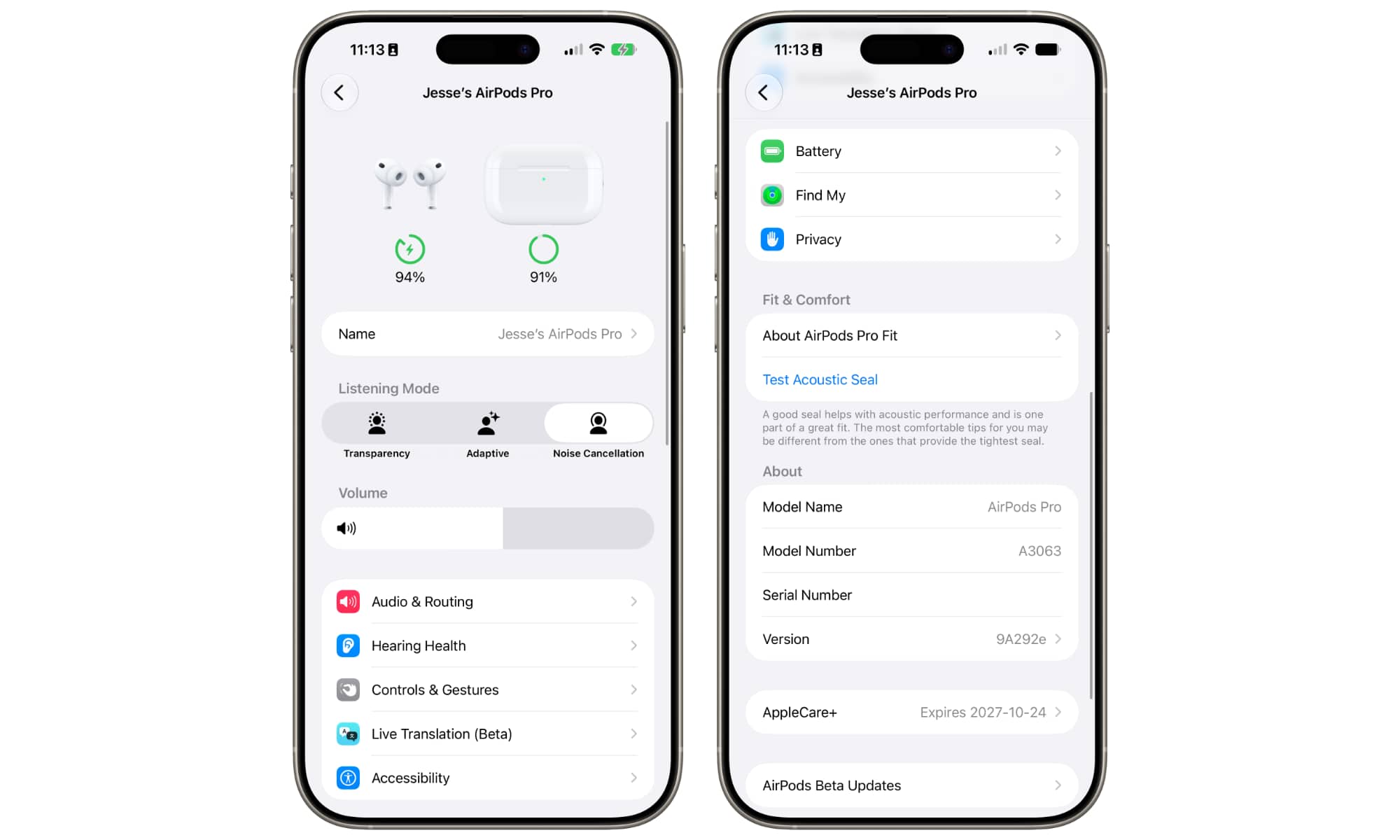
For the AirPods Pro 3, however, it’s a whole new ballgame. Apple has adopted a two-tier configuration screen where options are grouped into sub-menus by function: Audio & Routing, Hearing Health, Controls & Gestures, Live Translation (Beta), and Accessibility.
These appear in a single group beneath a prominent volume slider, followed by a separate group for Battery, Find My, and Privacy. The “Fit & Comfort” section remains on the main screen, followed by the same “About” section as before to list the specs and any AppleCare+ coverage.
An icon appears beside each high-level menu to provide a visual representation, but except for the new Custom EQ feature, which we’ll talk about in a moment, Apple hasn’t otherwise changed any of the individual settings. It’s merely placed them into logical sub-groups (well, mostly logical; the Heart Rate Detection setting is listed under “Privacy,” which makes sense when you think about it, but isn’t necessarily where many would go looking for it).
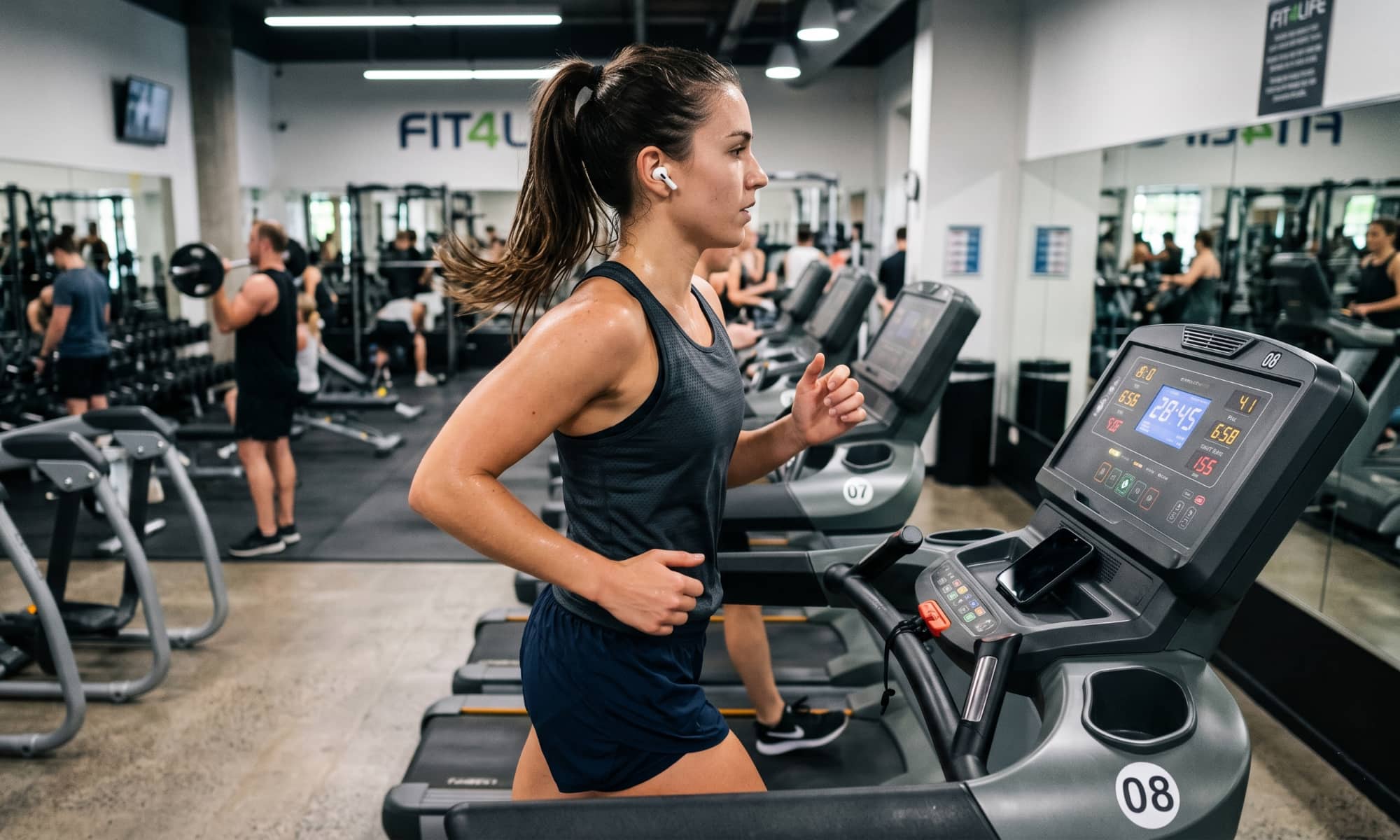
Speaking of Heart Rate Detection, Apple also quietly announced that the AirPods Pro 3 are joining the GymKit framework, allowing fitness enthusiasts to sync their heart rate to compatible gym equipment during workouts without relying on an Apple Watch.
The Equalizer
While the new settings layout is a function of iOS 27 and will appear whether your AirPods Pro are running the latest firmware or not, the primary new feature coming to Apple’s AirPods this year — a custom equalizer — will require a firmware update before it shows up.
Apple hasn’t said much about this beyond the brief keynote mention and a one-sentence note on its OS preview page:
You can further personalize how your AirPods sound by adjusting the lows, mids, and highs in AirPods settings.
In the new settings layout, the custom EQ lives under Audio & Routing > Equalizer. However, that won’t show up until your AirPods have the necessary beta firmware, which doesn’t happen by default. You’ll need to make sure that’s toggled on under AirPods Beta Updates at the bottom of the AirPods settings on your iPhone. Once you’ve done that, you’ll need to play the waiting game, as the AirPods firmware will be downloaded when your iPhone and AirPods are good and ready; there’s still no way to force the update.
Unfortunately for those who were hoping for a bit more, this is a very basic three-band equalizer. Apple’s description of the feature above is as literal as it sounds: you can adjust the lows, mids, and highs — and that’s it. It’s not much, but we’ll give it a baseline pass for being better than nothing — even if it’s taken years to arrive.
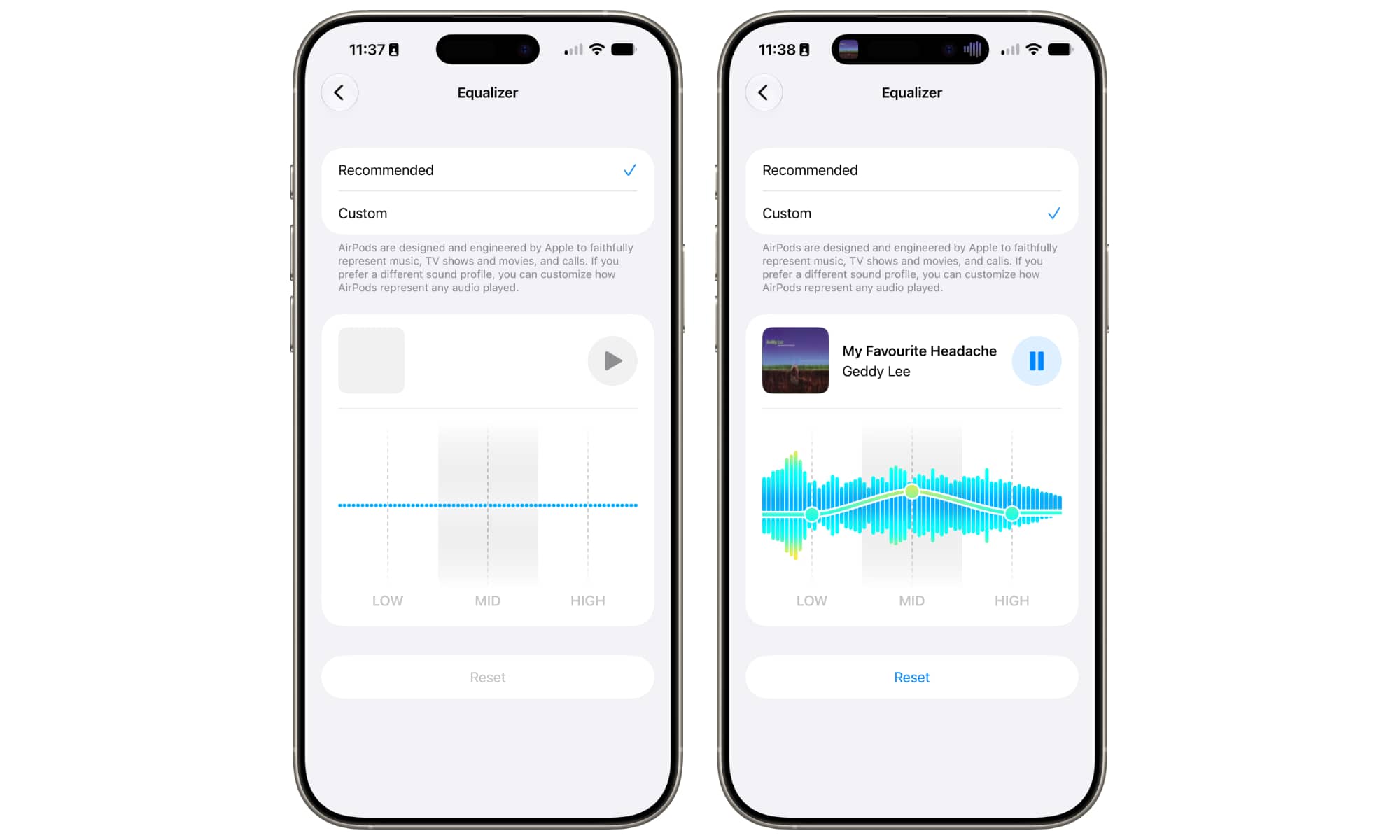
A “Recommended” option at the top lets you effectively disable the custom EQ and go with Apple’s Adaptive EQ, which isn’t new (but might have been improved in iOS 27 — we’ll have to wait and see).
Selecting “Custom” unlocks the graphic equalizer where you can drag the three frequency settings up and down. If you already have something playing in Apple Music or another audio app, it will also appear in the custom EQ section with a play button to let you listen to it and visualize the frequency distribution with a virtual waveform as you adjust the settings.
While Apple didn’t publicly state which models of AirPods will be getting the custom EQ, it’s a safe bet this is one of those things that will require the company’s H2 chip, which it effectively confirmed in post-keynote briefings by listing the AirPods Max 2, AirPods Pro 3, and AirPods 4.
Apple conspicuously failed to mention the AirPods Pro 2, the model that first introduced the new H2 chip four years ago. Fortunately for AirPods Pro 2 owners, these aren’t being left out; Apple presumably just failed to mention them because they’re no longer a current product, having been superseded by the AirPods Pro 3 last fall. However, both the official iOS 27 developer beta firmware for the AirPods Pro 2 and our own testing has confirmed that the custom EQ is up and running on the H2-powered AirPods Pro 2.






