An Intimate FaceTime Call Was Frozen by an iPhone Nudity Warning — Here’s Why
Toggle Dark Mode
A 25-year-old Australian woman, known only as “Frankie,” says an intimate FaceTime session with her boyfriend was interrupted by a “possible nudity” warning after she flashed him on camera during his lunch break. The woman, whose real name was changed to protect her privacy, is questioning just how much an iPhone can detect following the incident.
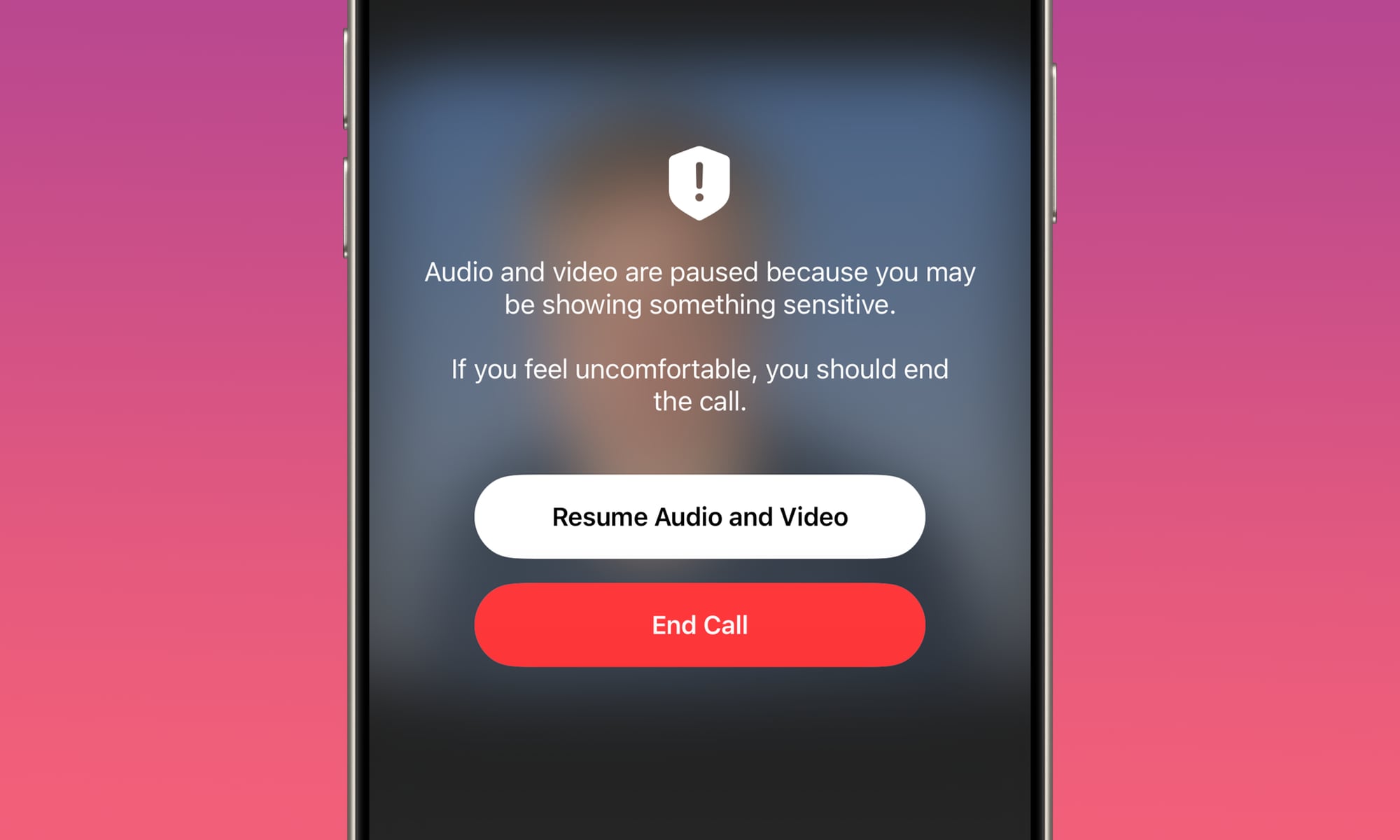
After, um, “exposing the goods,” as they say, the call appeared to freeze, with both parties unable to speak to the other, until a message appeared on her boyfriend’s iPhone, asking, “Are you sure you want to stay on this call?”

The warning explained that the video might contain nudity and offered him the option to continue the call or leave. Frankie said the interruption caught the duo completely off guard. She is now questioning how much access Apple has to such intimate footage, as well as how the software in question decides what is nudity and what is not. She also worries that such an interruption could occur during other FaceTime conversations.
Looks like it’s time for a refresher on how Apple’s Sensitive Content Warning feature, which was likely the cause of the interruption, actually works.
How Apple’s Sensitive Content Warning System Works
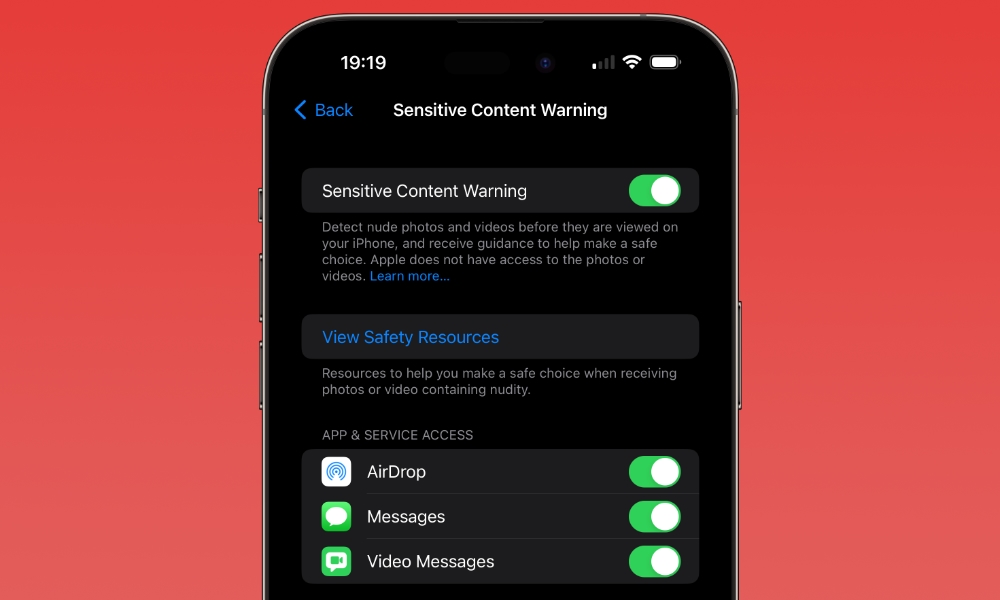
Apple’s Sensitive Content Warning feature — which first debuted alongside iOS 17 back in 2023 and gained live FaceTime call-freezing capabilities in iOS 26 — uses on-device machine learning to identify potentially sensitive images and videos containing nudity, plus gore and violence starting in iOS 27. The feature works across supported Apple services, including FaceTime calls on iPhone and iPad.
The feature is designed to keep users, particularly underage users, safe while texting with other people or receiving files via AirDrop. The feature is also present in FaceTime and does its best to detect nudity during video calls.
Instead of seeing the photo when you open your chat, you’ll see a blurred image with a Show button so you can opt whether or not to see the image. During video calls, the system operates just as “Frankie” described, offering options to end the interaction or continue after acknowledging the warning.
As for how much access Apple has to the materials in question, the Cupertino firm says the system uses “on-device machine learning” to analyze the photos and videos. Apple says it does not receive a notice when sensitive content is detected and it does not get access to the analyzed material at any time during the detection process itself.
Apple never receives an automatic copy of the flagged content or a notification that the warning was triggered. The company only ever sees user communications if a recipient explicitly submits a formal abuse or spam report to Apple for review.
Adult users can turn off sensitive content warnings by going to the Settings app, tapping Privacy & Security and Sensitive Content Warning.
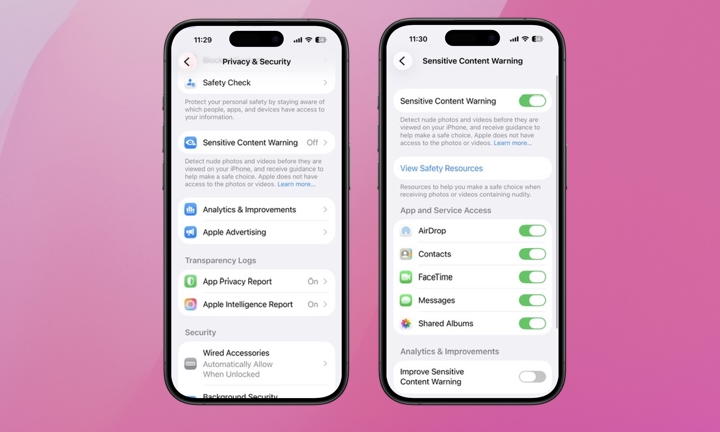
When enabled, it’s active for all supported apps by default, although users can manage access for specific apps. When Sensitive Content Warning is enabled on your iPhone, it’s also turned on for your paired Apple Watch.
A separate system called Communication Safety also exists to offer similar protections for children’s accounts. This debuted in iOS 15.2 and can be controlled by parents and guardians through Apple’s Screen Time features.
While these systems are similar, they serve different purposes, as Sensitive Content Warning allows adults to decide whether the protection should be enabled, while Communication Safety is intended to help protect children from viewing or sharing potentially sensitive material.
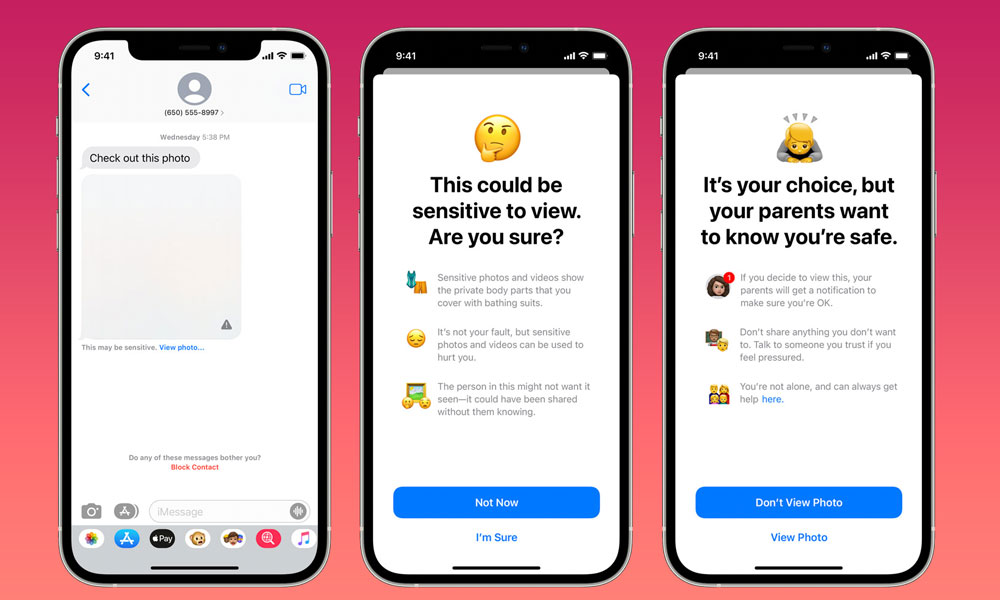
Communication Safety also allows children to report unsolicited nudes in an iMessage or FaceTime video call to Apple for review. This is entirely optional, but the company may forward any submitted reports to the proper authorities or “take appropriate action” on the sender’s Apple Account.
Where Does Apple Draw the Line?
Frankie also expressed concerns over how Apple’s technology could recognize nudity so quickly and whether its interpretation might be affected by the system’s assumptions as to what a body looks like.
“You don’t even know what Apple have, what they don’t, or what they see,” she told a reporter.
“What if you’re away and having phone sex or something?” she continued. “I went down a whole spiral thinking, what if it doesn’t recognize your body because of what their algorithm thinks nudity ‘should’ look like? What is their standard of what it’s supposed to look like?”
It’s a valid concern, as many wonder how reliable automated content filters are and what happens if the software makes an error.
It should be noted that Apple’s own documentation about the system says it identifies material that might contain sensitive content, rather than saying that all detections are definitive. The warning is just a precaution, not proof of any wrongdoing.
Frankie says this incident will not stop her from sharing the occasional “flash” with her partner. Instead, she said she simply asked him to switch off the setting on his iPhone to avoid any such interruptions in the future.