
iOS 27 Will Let You Quietly Slip Off the Find My Grid
Toggle Dark Mode
There’s a lot of stuff coming in iOS 27, including an enhancement to the Find My app that will be particularly useful for those who like the idea of sharing their whereabouts with friends and family but don’t want to do it all the time.
Apple has offered built-in location sharing to iPhone users for nearly 15 years, starting with “Find My Friends,” a standalone app that debuted on the App Store in October 2011, the same day Apple unveiled the iPhone 4S and (somewhat ironically) Siri. It graduated to a built-in app with the release of iOS 9 in 2015 before merging with Find My iPhone in 2019 to become the single “Find My” app that we know today — at least on the iPhone.

While Apple maintained three separate built-in apps on the Apple Watch: Find Devices, Find People, and Find Items (the latter arriving with the debut of AirTags in 2021), it’s also finally closing the loop to merge those into a single Find My app in watchOS 27. That’s a smaller, non-AI feature that the Apple Watch Series 8 will miss out on, but it’s largely a change in how things are laid out.
Still, the new Find My app in iOS 27 — and the unified one in watchOS 27 — is getting a bit more than just a cosmetic update. Apple is also adding two options for temporary location sharing: more granular control of how long you want to share your location with someone, plus the ability to temporarily drop off the grid whenever you need to hide from someone.
These two subtle but useful enhancements will give you more options for sharing your location without resorting to more excessive or conspicuous methods. Currently, if you’re sharing your location with someone, the only way to hide yourself is to either turn off Location Services entirely in some way or explicitly stop sharing your location with that one person. The first method is a blunt instrument, as it effectively disables your location for everyone (and possibly all your other apps if you’re not careful), while the second will notify the person that you’ve gone into hiding with a message that you’ve stopped sharing your location with them.
Neither option is ideal for those times when you’d simply rather one person not know where you are. Leaving aside the fact that adults, at least, have every right to decide who they share their location with, there are plenty of positive reasons why you may want to occasionally go into stealth mode, such as planning a surprise that you don’t want to risk ruining.
iOS 27’s New Stealth Mode
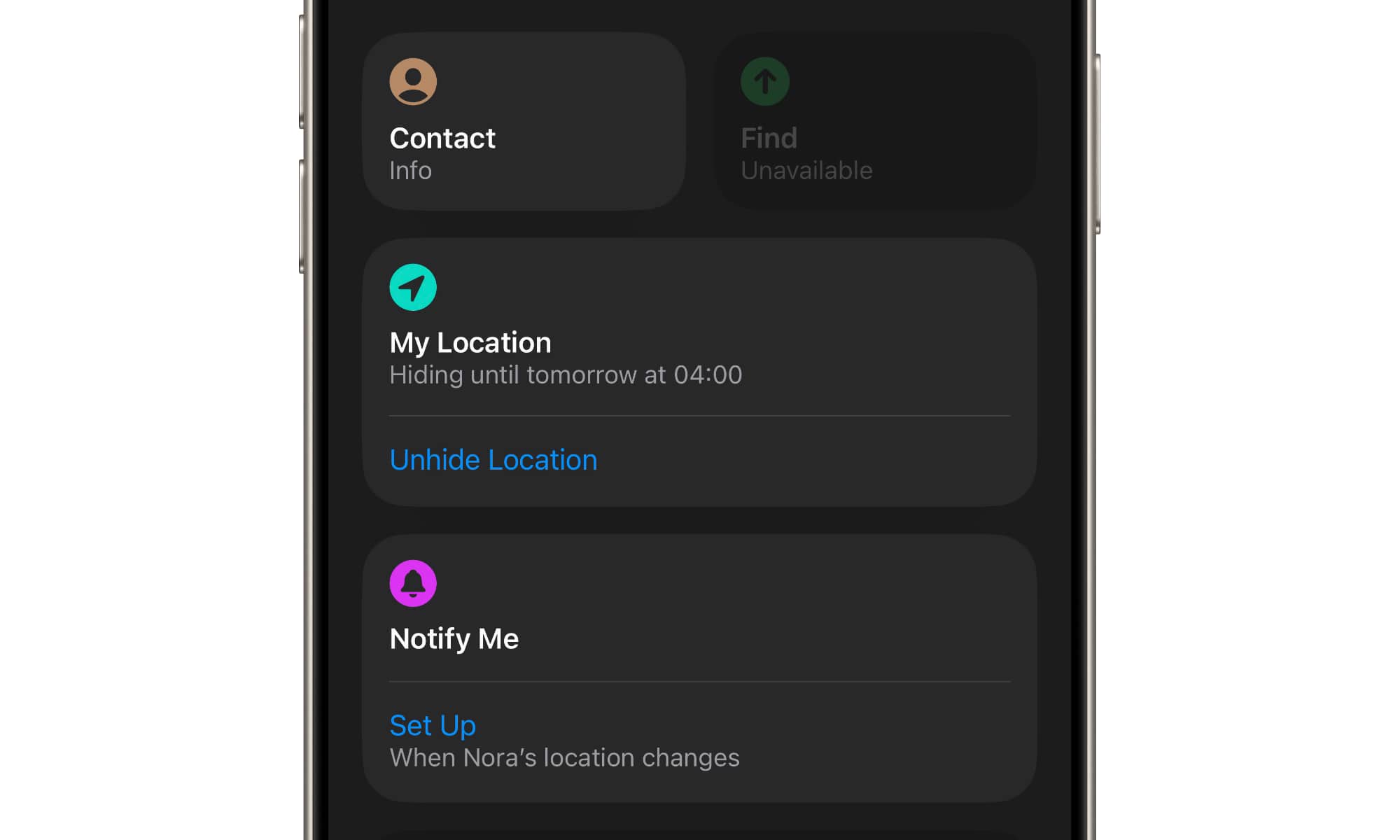
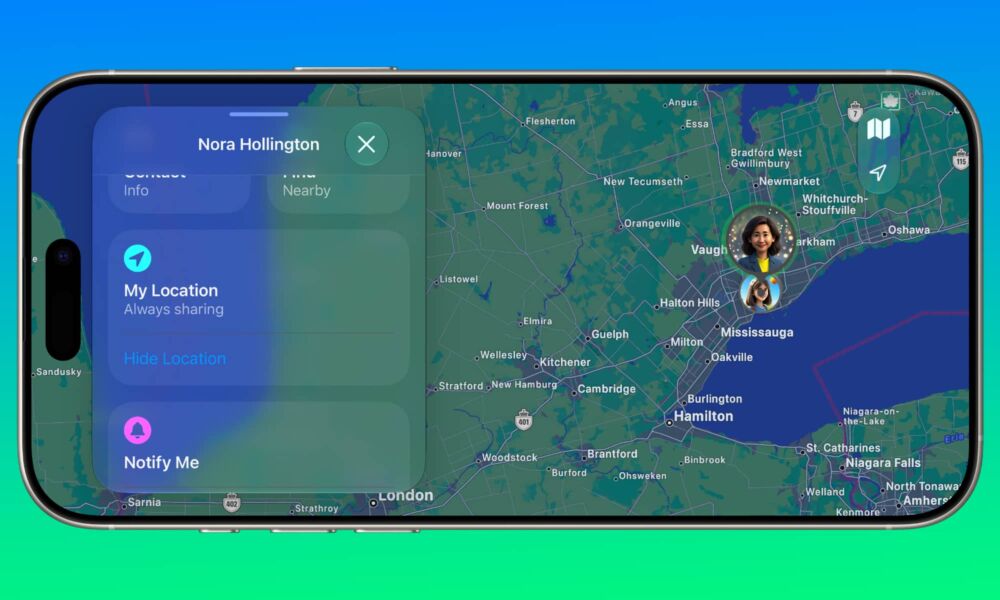
Thankfully, iOS 27 promises to fix that with a very straightforward new “Hide Location” option in the Find My app that will hide your location from someone until 4:00 a.m. the next day — without notifying them in any way.
This option appears on each contact card, so you can apply it to a specific person without affecting your location sharing with anyone else. The first time you tap it, you’ll get a notification explaining what it does and how it works, but once you’ve acknowledged that, the button functions as a one-tap toggle you can use to hide or unhide your location as often as you like.
In addition to the lack of notifications, the Hide Location feature also has the advantage of automatically turning itself back on the next day, so you won’t forget to start sharing your location again (or turn Location Services back on if you’ve opted for the more brute force approach).
Of course, the other person may know something is up, since if they go looking for you in their Find My app, they’ll see “No Location Found,” but that could mean a lot of things, including simply being out of network coverage or having a dead battery.
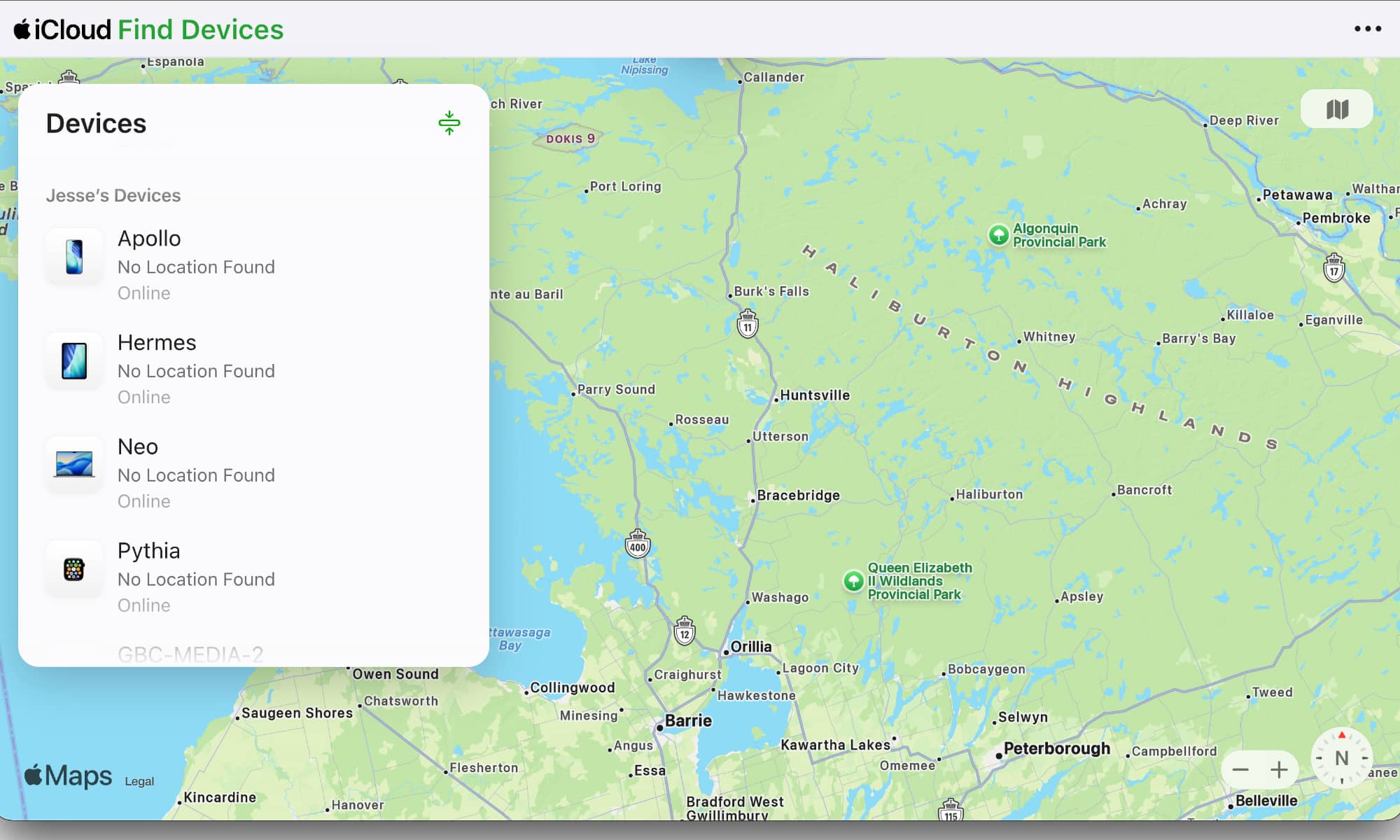
Notably, this even works within Family Sharing groups, where other family members may be able to see the locations of all your individual devices — not just the one you’re sharing from. When your location is hidden, it’s hidden from all your devices. They’ll still show as “Online,” report battery status, and can be remotely wiped or put into Lost Mode, but none of their locations will be available.
Sharing for a Time
The other notable change is something that’s actually a regression to 2011: you can now limit how long you want to share your location with someone right down to the minute.
Temporary sharing isn’t new — it’s been there since Find My Friends was released 15 years ago — but it’s gone through a few changes over the years. The original standalone app offered a dedicated “Temporary” tab that let you set up a group of friends you wanted to share with and even give it a name, based on the assumption that you might do this for a specific occasion. It was designed more like an event, and as a result you could specify both a date and a specific time when you wanted to stop sharing, which could be minutes, hours, or even days in the future.
Sadly, that feature went away along with the app’s skeuomorphic rich Corinthian leather when Find My Friends 3.0 was released alongside iOS 7 in late 2013. By the time Apple brought temporary location sharing natively into the Messages app in iOS 8, it had dumbed it down to the same three presets we see in iOS 26: Share for One Hour, Share Until End of Day, and Share Indefinitely.
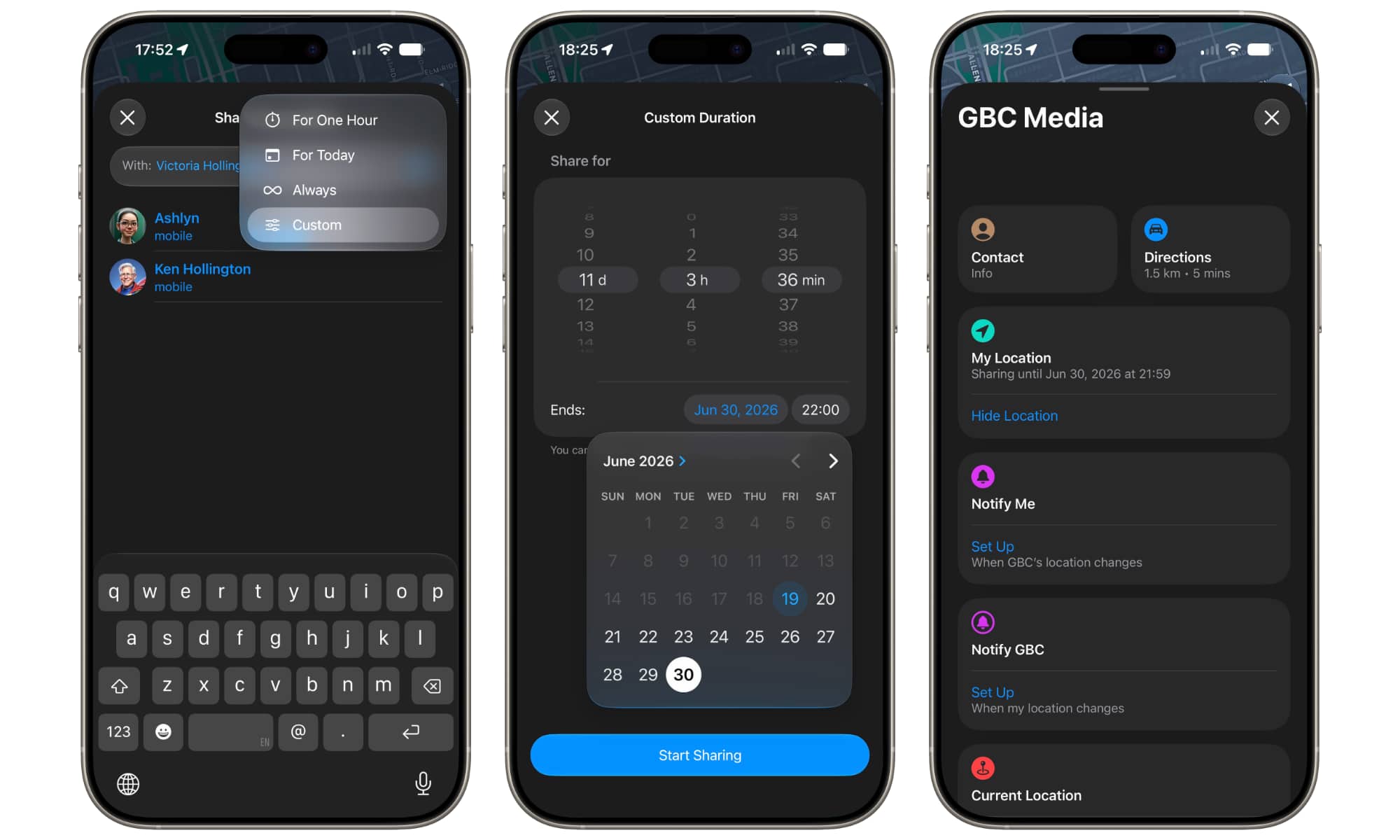
It feels a bit ironic that the iOS update that finally brings Siri into the 21st century is also bringing back a feature that was there when Siri first debuted. When sharing your location with a contact in iOS 27, a fourth “Custom” option now appears that lets you choose a sharing window between 15 minutes and 30 days into the future.
You can specify this either in days, hours, and minutes using the three picker wheels, or tap on the Ends fields to set a specific date and time. Once you confirm, your location will be shared with that person in the same way as before, but your device will automatically stop the sharing at the appointed time.






