
Accessibility Features Will Gain Apple Intelligence in iOS 27
Toggle Dark Mode
While Apple won’t officially unveil iOS 27 until next month’s Worldwide Developers Conference (WWDC), it’s giving us another early sneak peek this year, thanks to Global Accessibility Awareness Day (GAAD).
Apple has been highlighting the accessibility features it’s working on to mark this occasion since 2021 when the GAAD Foundation was formed. That first year saw AssistiveTouch come to the Apple Watch and AI-based VoiceOver descriptions arrive in iOS 14. It followed that up in 2022 with Door Detection and Apple Watch Mirroring, then Point and Speak, Live Speech, and Personal Voice during its 2023 announcement, over a dozen new accessibility features in iOS 18 in 2024 — including Eye Tracking, Vehicle Motion Cues, Music Haptics, and Vocal Shortcuts — and seven more in what ultimately became iOS 26.

Now, it’s shared this year’s list for iOS 27. To be clear, Apple doesn’t mention the software version by name, but it’s a pretty safe bet that these will form part of the next major software release. Whether they make it into iOS 27.0 or come later is an open question, though. Here’s what we can expect.
VoiceOver and Magnifier get Apple Intelligence
Apple’s VoiceOver was one of the very first accessibility features the company offered on the iPhone. It’s been around since before the iPhone’s operating system was even called “iOS,” debuting in “iPhone Software 3.0” at WWDC 2009. It’s worked well enough over the years that it arguably hasn’t needed any significant updates — just a bit of polish here and there to make it work more effectively. The same also holds true for Magnifier, which arrived in iOS 10 in 2016.
Both features are designed to help those who are blind or have low vision, with VoiceOver describing content on the iPhone’s screen while Magnifier helps discern real-world objects. This year, Apple is giving these two features a significant upgrade by tying them into Apple Intelligence with capabilities similar to the visual intelligence capabilities that arrived in iOS 18.2.
In fact, Apple’s description makes this sound almost exactly like an extended version of visual intelligence. The absence of the term in Apple’s announcement could be another hint of Apple’s plans to rebrand this as part of Siri, or even just a feature that’s so tightly baked into the user experience it no longer gets its own identity.
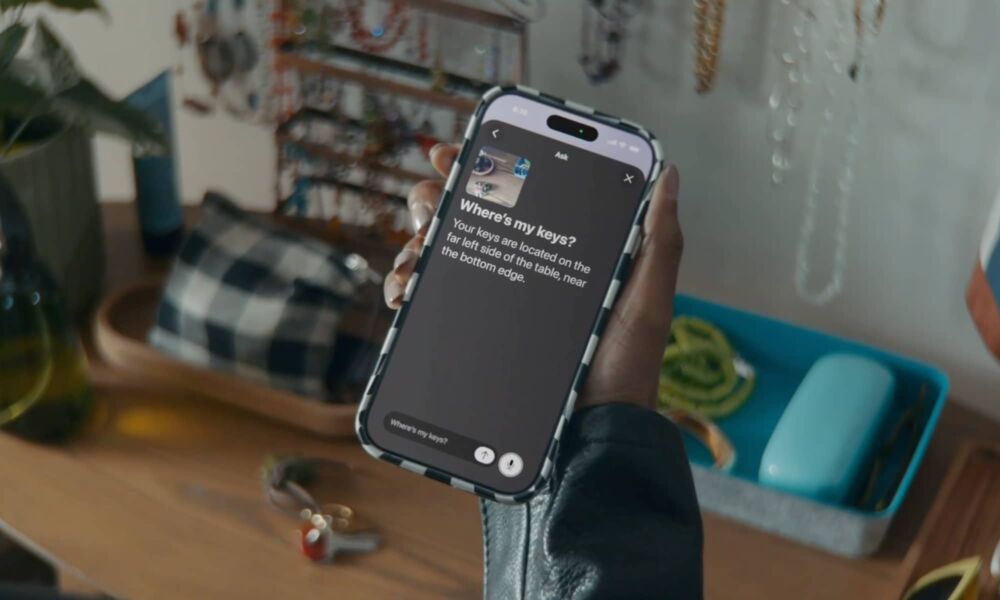
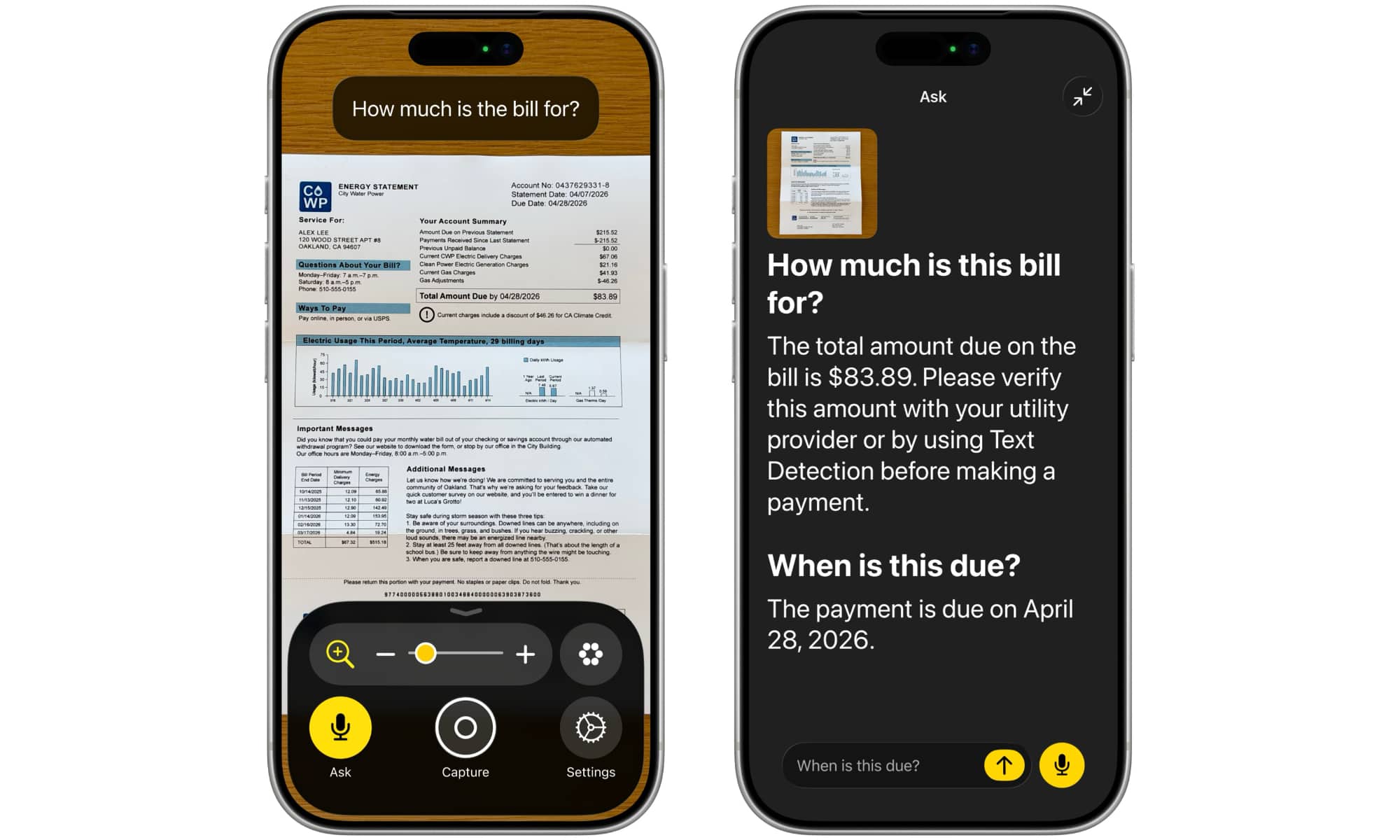
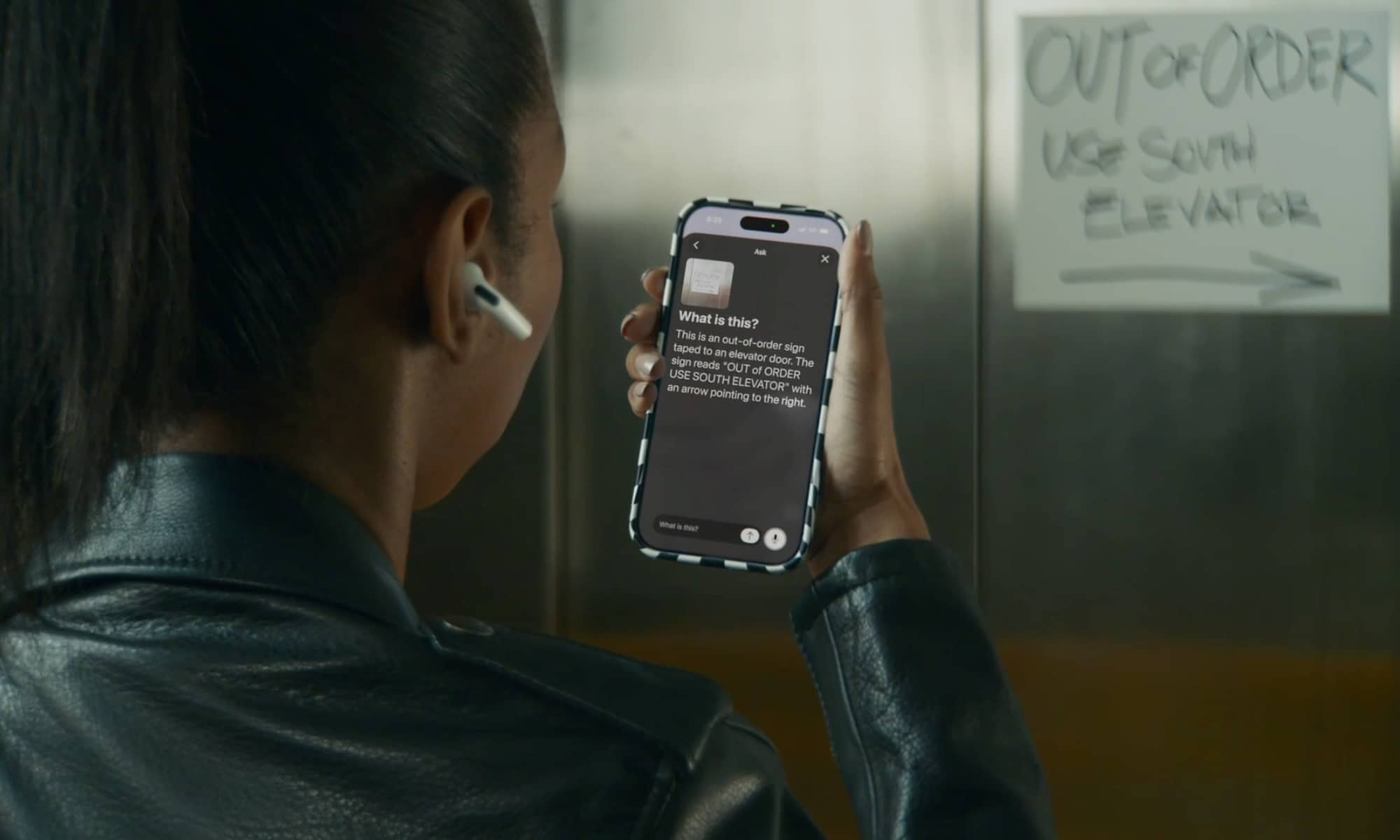
The Image Explorer in VoiceOver uses Apple Intelligence to give more detailed descriptions of images systemwide, including what’s in photographs, scanned bills, personal records, and other visual content. With updates to Live Recognition, VoiceOver users can press the Action button on iPhone to quickly ask a question about what’s in the camera viewfinder and get a detailed response. Users can also ask follow-up questions in their own words to get more visual information.
Apple
Apple says Magnifier can also be tied to the Action button in much the same way, allowing users to point their iPhone camera at a real-world object to ask questions and get answers. Again, this is essentially what visual intelligence already does, so these new accommodations are more about making the experience more accessible, descriptive, and conversational. Along the same lines, Apple notes that users will be able to control Magnifier with spoken requests, such as “zoom in” or “turn on flashlight.”
Natural Language in Voice Control
That last part for controlling Magnifier already sounds like it’s going to be tied to Apple’s expected Siri improvements, but there’s more. Apple’s Voice Control will no longer require you to remember specific commands to interact with your iPhone by voice, or even call out buttons or icons by specific names. Instead, you’ll be able to control your iPhone simply by telling it what you want it to do.
With a new flexible input, users can describe onscreen buttons and controls with natural language instead of memorizing exact labels or numbers. The option to “say what you see” is great for navigating any app, including those with visual layouts such as Apple Maps or Files, using intuitive language like “tap the guide about best restaurants” or “tap the purple folder.”
Apple
It’s a move that makes complete sense with Siri expected to become a full-fledged chatbot, similar to ChatGPT or Gemini. However, it’s also a great example of how Siri has a home-field advantage by being baked right into the operating system.
Accessibility Reader
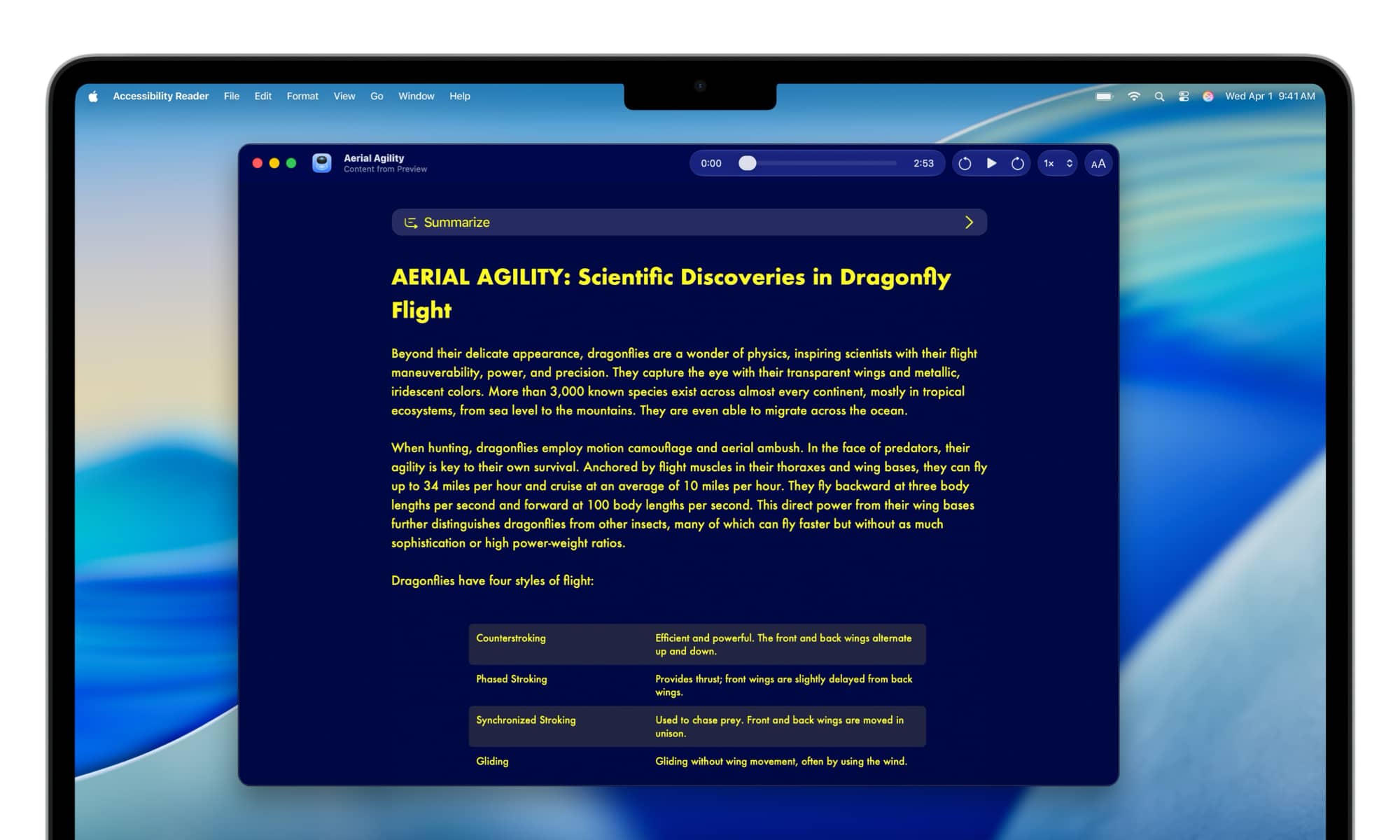
Apple introduced Accessibility Reader last year in iOS 26 as an enhancement to Magnifier and a system-wide service that lets any physical or electronic document be transformed into a more readable and customizable format, suitable for users with disabilities such as dyslexia or low vision.
It worked reasonably well as long as you fed it straight text, but could sometimes get befuddled by more complex formats like magazines, newspapers, and scientific articles. The good news is that Apple is improving that in iOS 27 by using AI to analyze text and better handle things like multiple columns, images, and tables.
Accessibility Reader will also be able to take advantage of the summarization features of Apple Intelligence to allow users to get an overview of an article they’re reading, plus built-in translation to alter the text into their own language — while retaining any custom formatting, fonts, and colors.
AI-Generated Subtitles

Apple added Live Captions for real-time content two years ago in iOS 16, helping translate spoken audio from phone calls and FaceTime calls into readable text for users who are deaf or hard of hearing. Now it’s extended this to provide AI-generated subtitles for any video you happen to be watching on your iPhone.
With new generated subtitles, videos can display transcriptions of spoken audio automatically when captions or subtitles are not already provided, including in clips recorded on iPhone, received from friends and family, or streamed online.
Apple
The system will still defer to using embedded subtitles for videos that include them, so you likely won’t see this in action when watching Apple TV or other streaming services, but it can be very helpful for personal video clips or even those on social media services that don’t otherwise offer their own captioning.
Control a Wheelchair with Vision Pro
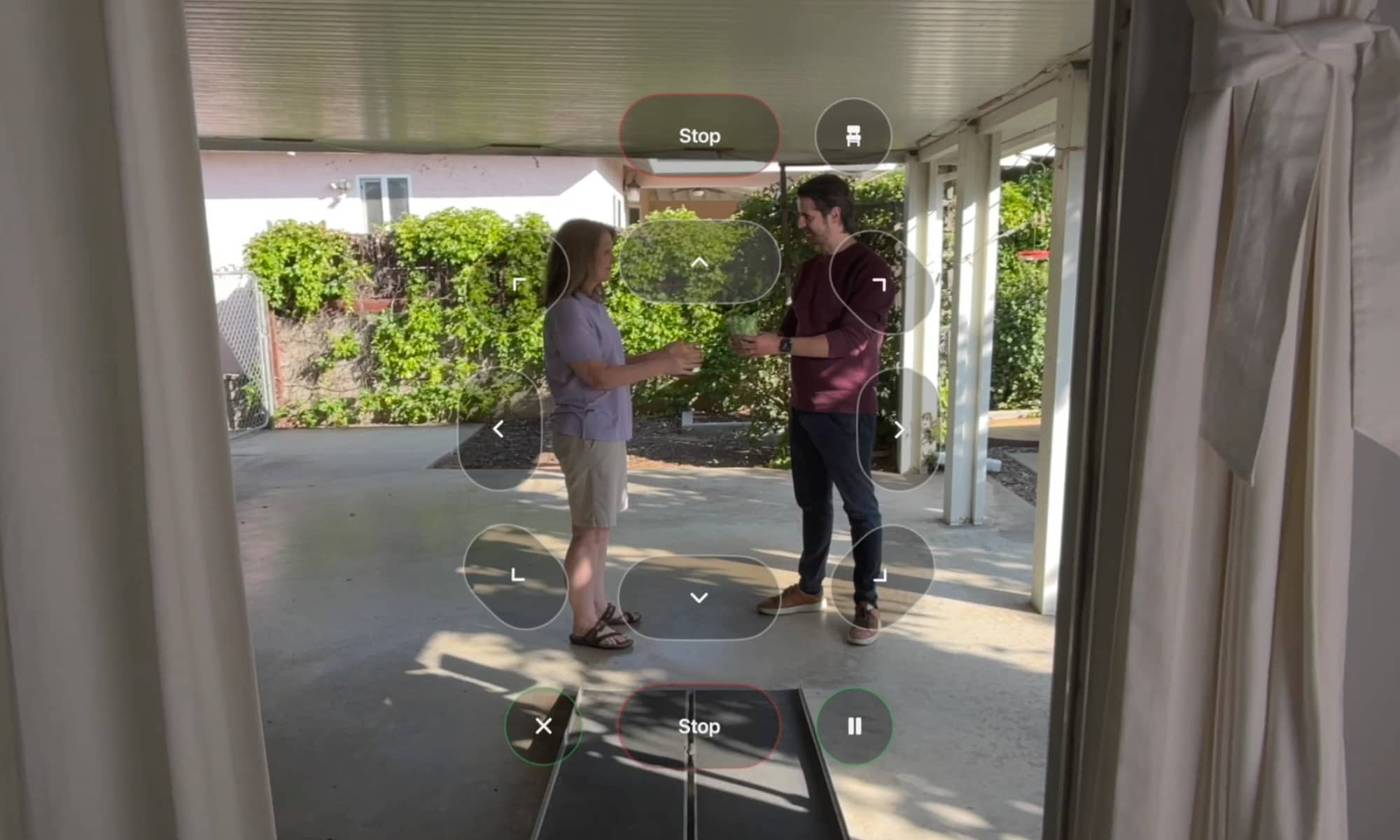
Apple is adding a new feature in visionOS 27 that will allow Vision Pro users to control a wheelchair by effectively looking at where they want to go, using the precision-eye tracking system on Apple’s headset.
Like the Vision Pro itself, this may be somewhat niche, but it could also be reason for some wheelchair users to start using Apple’s headset. Apple says it’s specifically designed for people who use power wheelchairs where driving with a joystick isn’t an option. It ties into alternative drive control systems by Tolt and LUCI in the United States, and Apple plans to expand it to wheelchair drive systems in the future.
“The option to control my power wheelchair on my own is gold to me,” said Pat Dolan, founder of GeoALS and a member of Team Gleason’s patient advisory board, who has lived with ALS for 10 years. “With this new feature, Apple is developing life-enhancing technology for the people who need it most.”
Apple is also adding Vehicle Motion Cues to visionOS to help those who use the Vision Pro as a passenger to avoid motion sickness, plus new face gestures for performing taps and system actions — something that feels like it may have stemmed from Apple’s recent acquisition of Q.ai — and a new way to select elements with Dwell Control.
Other changes announced today include more language support for Name Recognition, which can notify users when it hears someone saying their name, a new API for sign language interpretation apps to tie into FaceTime, larger text support for tvOS, improvements to the pairing and handoff process for Made for iPhone hearing aids, and game controller support for the Sony Access controller.






