
You Can Now Limit Location Tracking on More Carriers — With the Right iPhone

Toggle Dark Mode
Apple rolled out a new feature in iOS 26.3 a few months ago that took a big step toward helping iPhone users protect their privacy by letting them reduce the precision of location data available to cellular networks. While that first implementation was limited to only select iPhone models and a short list of mobile service providers, Apple has just expanded the latter with this week’s release of iOS 26.5.
While end-to-end RCS encryption is the big news in iOS 26.5, it’s not the only privacy improvement the latest release offers. However, it’s also fair to say carrier location privacy suffers from even more limited availability.

After all, while RCS encryption isn’t universal quite yet, it does work on any iPhone that can run iOS 26.5 and is still supported on 35 carriers in North America alone. On the flip side, the Limit Precise Location feature is only available on iPhones that use Apple’s own C-series 5G modem chips: the iPhone Air, iPhone 16e, and iPhone 17e, although the cellular version of the M5 iPad Pro also qualifies.
This is undoubtedly due to specific features of Apple’s own modem silicon that simply aren’t available in Qualcomm’s chips. However, even if you owned one of these iPhone models, until now you also had to be one of only six carriers worldwide: Boost Mobile in the United States, EE and BT in the UK, Telekom Germany, and AIS and True in Thailand.
Although this year’s iPhone 18 Pro models are widely expected to feature an even newer “C2” modem, there’s not much Apple can do about the chip requirements for now. However, it does appear a few more carriers have jumped on board, including Sky in Ireland and the UK, YouSee in Denmark, and A1 in Australia.
Although that doesn’t sound like much, as those additional four simply brings the total list to 10, Apple also quietly added near-universal compatibility for iPhone users in Europe in an update to its support document on Monday:
With a SIM (physical or eSIM) from a carrier in the European Union or United Kingdom, you can turn this feature on.
In the article, Apple notes that while the ten listed carriers have Limit Precise Location enabled by default, users with a SIM from any European Union or UK carrier should also now see the option. Apple doesn’t specify a version number beyond “the latest version of iOS,” but the timing of the update suggests this likely requires at least iOS 26.5.
What Does Limit Precise Location Do?
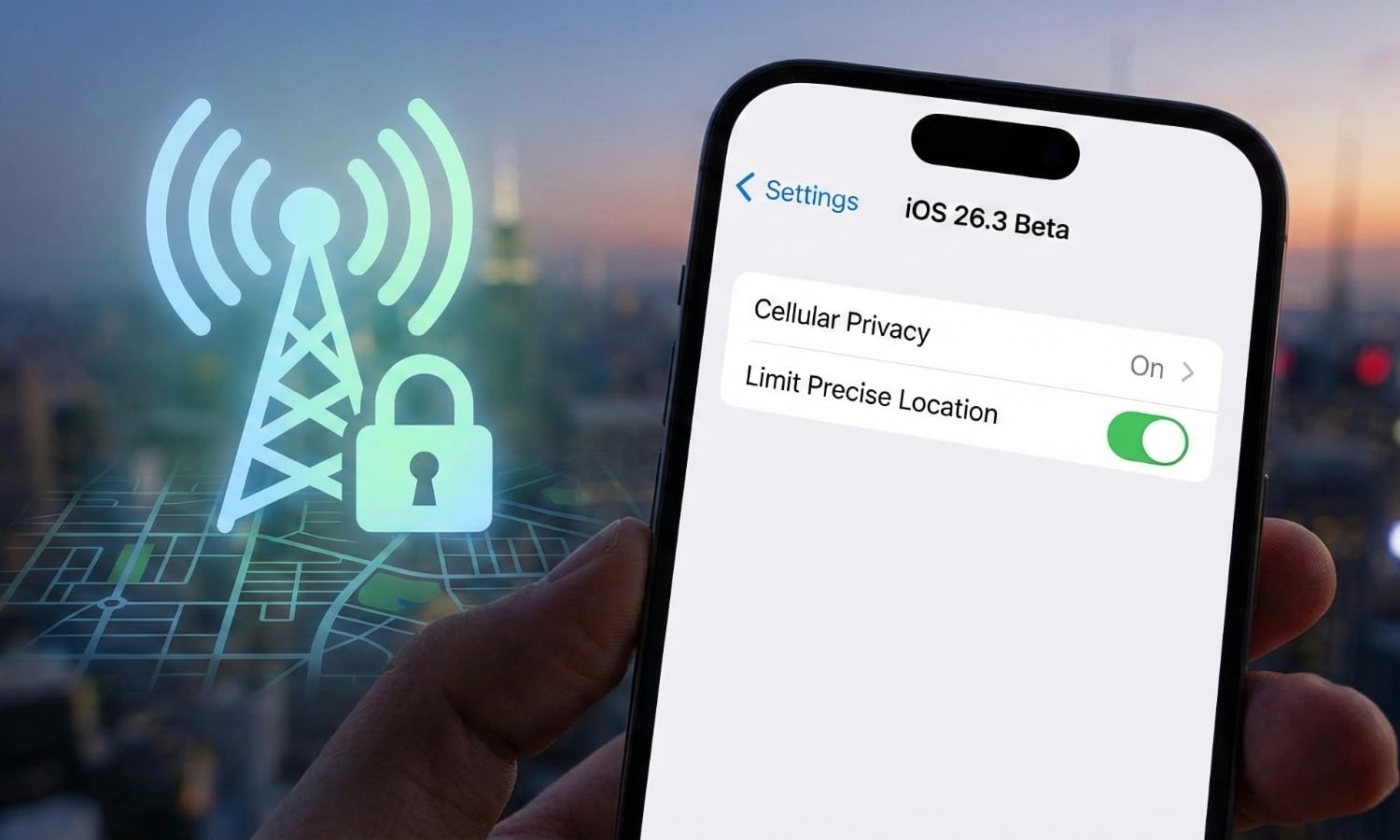
As the name suggests, the Limit Precise Location feature is very similar to the Precise Location setting in Location Services in that it reduces your reported location to a much broader radius that makes it nearly impossible to pinpoint you to anything smaller than a neighbourhood.
However, the standard Precise Location toggle, which is available on any iPhone running iOS 14 or newer, only works with app-based Location Services. It can’t do anything about your carrier tracking your precise location via the cellular towers that your iPhone communicates with. This kind of location tracking isn’t even iPhone-specific, and carriers have been doing this kind of thing since long before the iPhone was even a gleam in Steve Jobs’ eye.
That’s where Apple’s C-series modem chips come in. Apple hasn’t provided any specifics out how this works — the feature hasn’t even made it into the company’s Platform Security documentation — but it’s a safe guess that it’s doing something unique with the C1 and C1X chips to control how much data gets sent out to the cellular network, which is why it only works on devices that are using Apple’s own modem chips. Apple emphasizes that this doesn’t affect signal quality or the user experience, nor does it prevent precise location data from being shared with emergency responders when you call 911.
With this setting turned on, some information made available to cellular networks is limited. As a result, they might be able to determine only a less precise location — for example, the neighborhood where your device is located, rather than a more precise location (such as a street address). The setting doesn’t impact signal quality or user experience.
Apple
It’s also strictly a feature for limiting the precision of the kind of location tracking done by cellular towers. You’ll still need to manage your location and other privacy settings to prevent other forms of location tracking, such as those done by the apps installed on your iPhone.
If you’re fortunate enough to have a compatible iPhone model and carrier, you can find the Limit Precise Location option under Settings > Cellular > Cellular Data Options.






