
Siri AI, Dashboard Video, and More: Everything Coming to CarPlay in iOS 27
Toggle Dark Mode
Although Apple spent most of Monday’s WWDC 2026 keynote address promoting its (finally) improved and more personal Siri AI, the company’s execs also mentioned several other improvements we can expect in iOS 27. That includes a handful of new and updated features that are coming to CarPlay, Apple’s iOS software that allows you to access your iPhone apps, music, maps, messages, and more on your compatible vehicle’s built-in infotainment display.
Let’s dive in.
What’s Coming to CarPlay in iOS 27
Siri AI
Let’s face it, the headlining feature in iOS 27 is the much-improved Siri AI personal assistant. Happily, CarPlay gets a piece of that action, as the iPhone’s new Siri AI capabilities are also available in CarPlay.
When you summon Siri AI on CarPlay, you’ll see that it appears as a glowing orb at the bottom-center of your vehicle’s screen. You may notice the orb resembles Siri’s pre-iOS 18 design, albeit a bit less colorful.
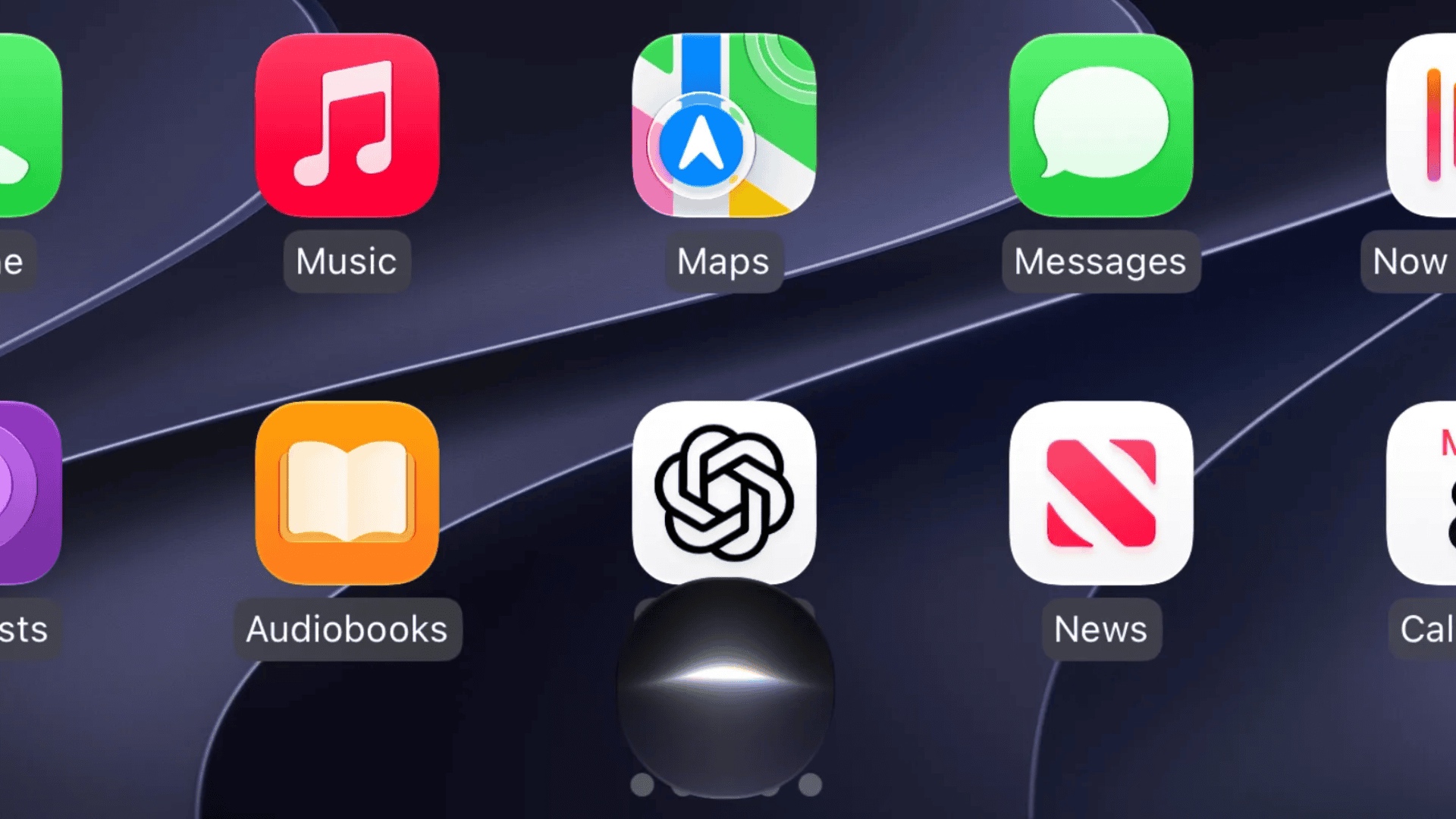
Siri in CarPlay will be much better at answering your questions, offering performance similar to other AI assistants, such as Google Gemini and ChatGPT. It will also be able to retain the context of your ongoing conversation much better than it has in the past.
Plus, all the conversations you conduct with Siri in CarPlay are automatically synced to the new Siri app on your iPhone, allowing you to browse the full Siri conversation history in the app. A handy car icon marks the conversations you had with Siri via CarPlay.
The feature requires an iPhone 15 Pro or newer. At launch, you’ll also need to join a waitlist for “New Siri,” so don’t be surprised if you’re still stuck with “Siri Classic” after installing iOS 27.
Video Apps
While Apple added in-vehicle video playback in last year’s iOS 26 update, the feature was limited to AirPlay streaming. Now, as shown in a WWDC video, iOS 27 allows developers to create dedicated video apps for CarPlay so users can browse videos directly on their vehicle’s CarPlay display.
We saw hints of this in February, when code in the iOS 26.4 betas revealed Apple working to bring its own TV app to the dashboard, but now the company is making it official — and explaining how it will work. In a video shared with WWDC attendees, Apple says that as long as a developer’s app already supports AirPlay video streaming, they don’t need to make any changes to beam that video to the dashboard.
On supported vehicles, iOS 26 already lets users select the car’s infotainment display as an AirPlay destination when playing video on their iPhone — as long as they’re not driving (safety first). This underlying technology isn’t changing, but Apple is providing a new user interface for it.
In iOS 27, developers will now be able to extend their video apps onto the CarPlay dashboard to let users browse and play their favorite videos without reaching for their iPhones.
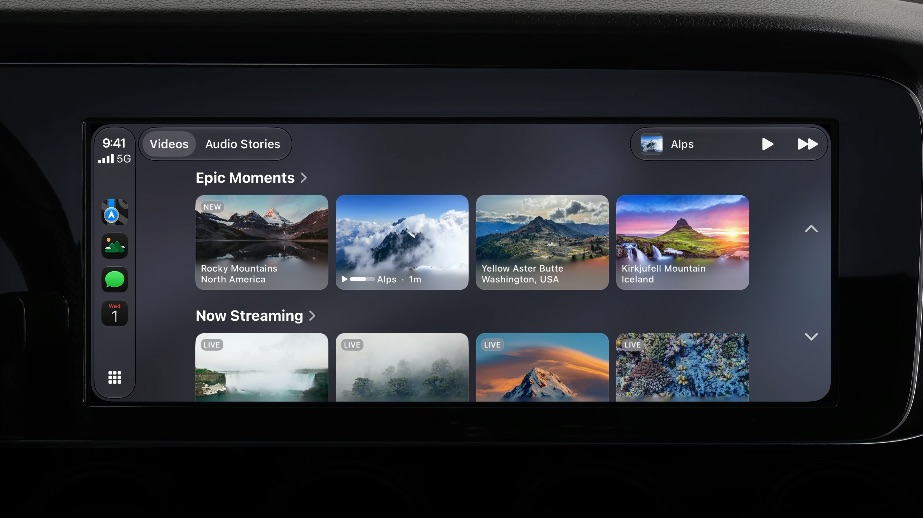
One caveat: as we’ve suspected since “Video in the car” first showed up last year, this still isn’t a direct video connection from the iPhone to the dashboard. It runs over the same AirPlay protocol used by TVs and other streaming devices, which means automakers will not only need to explicitly add support in their vehicles, but it will also require a Wi-Fi connection, just like wireless CarPlay, so expect it to be limited to higher-end trims when it does arrive.
New Audio Features
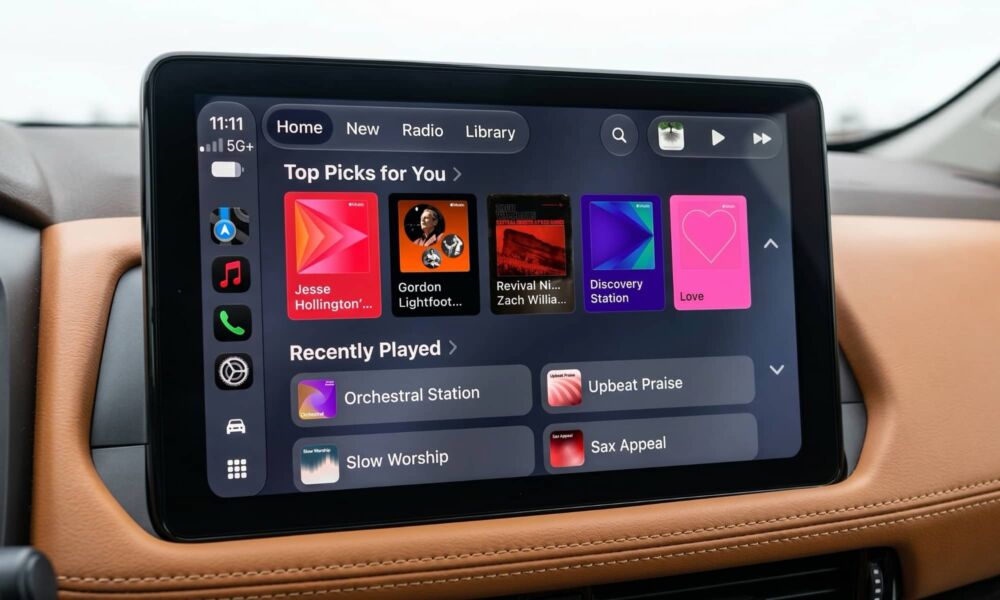
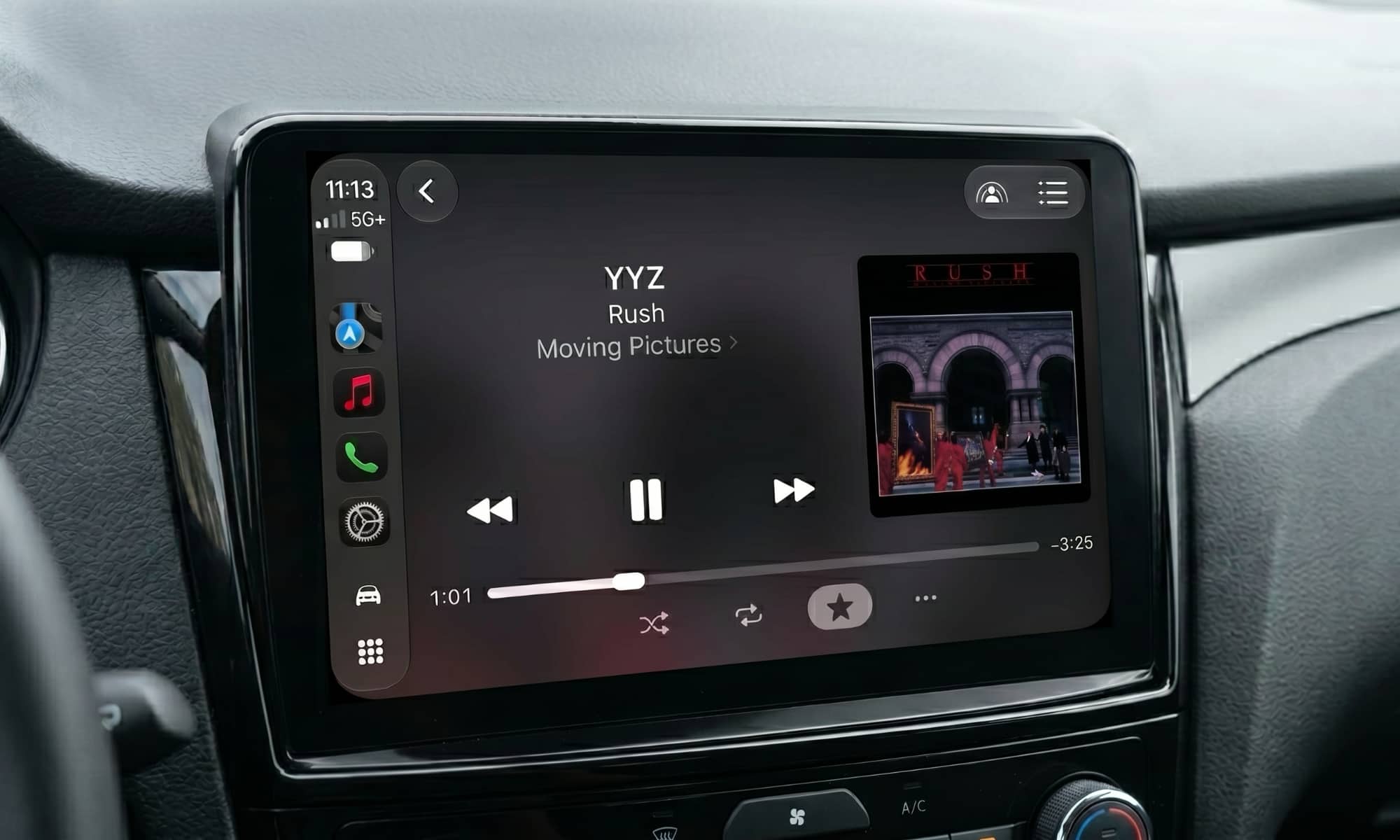
iOS 27 brings several new audio features to CarPlay. The “Now Playing” interface now includes a scrubber in the progress bar, allowing users to jump to a specific spot in podcast or in a song.
Further, Apple’s first-party apps, such as Music, Podcasts, and News, now sport an audio mini-player in the top-right corner that keeps media controls accessible while users are navigating in those apps.
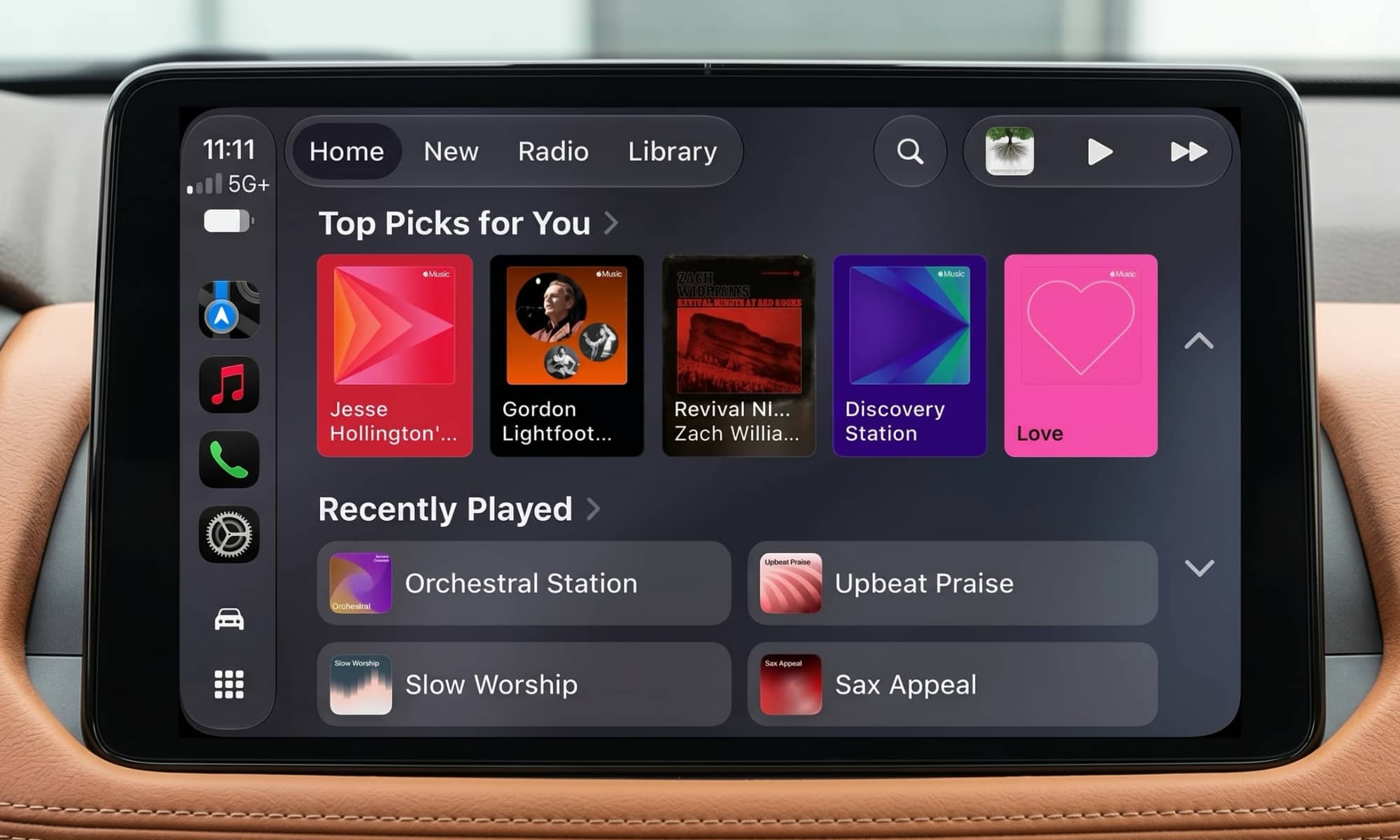
While the scrubber appears to be a system-wide feature of the CarPlay audio player, the mini-player is specific to Apple’s own apps, and only shows the content that was last playing within each app (e.g., the mini-player in the Podcasts app will show the last podcast you were listening to even while playing a song in Apple Music or listening to an audio article in Apple News).
New Wallpapers
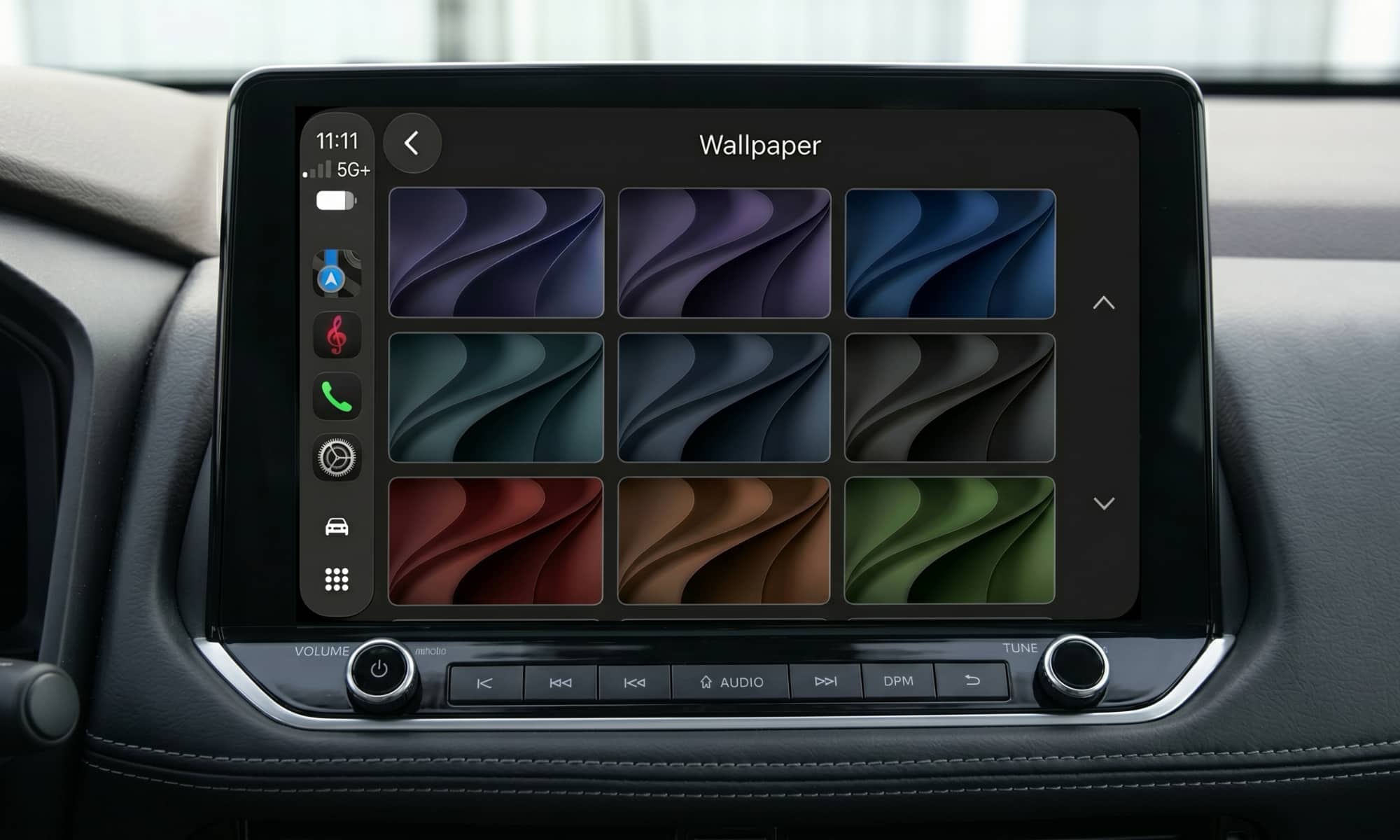
What’s an iOS update without a selection of new wallpapers, right? CarPlay isn’t left out of the action in this category, as it gains a whole new selection of wallpapers, which are available in multiple colors, and of course in both light and dark variants that you can select according to the time of day or your mental state, um, mood. The new wallpaper designs are based on the default wallpapers available in macOS 27 and iOS 27.
Improved Features
As usual, only time will tell whether or not these features are actually improved, but Apple says wireless CarPlay connections are now more reliable, and GPS location accuracy is improved, as is the navigation heading detection. We’ll see.
The new CarPlay features will arrive alongside iOS 27 when it is released to the general public, likely in September. Currently, the first developer beta is now available, with a public beta being made available in July.
CarPlay works with more than 800 vehicle models available from a wide selection of car makers. Or, if your vehicle doesn’t include CarPlay, aftermarket solutions are available.






