
Use Spotlight as Your Main Search Tool
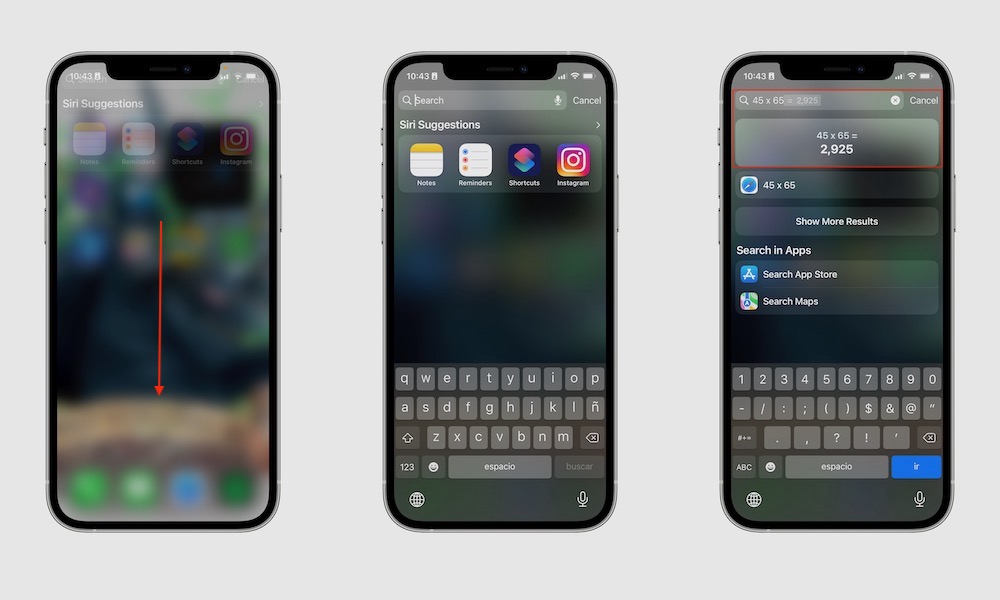
More than a tip, this is a bit of advice. A lot of people still treat Spotlight as a backup feature when they can’t find an app. Some of us tend to use the App Library to find everything manually.
But besides finding your apps, there’s much more you can do. Spotlight can find apps, contacts, messages, files, settings, and even content inside apps. You can even write the name of a place or person, and your iPhone will show you the pictures you have of them.
If you’re used to swiping through multiple Home Screen pages looking for something, Spotlight is almost always quicker. Once you build the habit of pulling down and typing instead of hunting visually, you’ll find what you’re looking for more easily.
To use Spotlight, simply swipe down on your Home Screen, type what you’re looking for, and see the results you get.