
Let Your iPhone Create a Fake Email Account for You
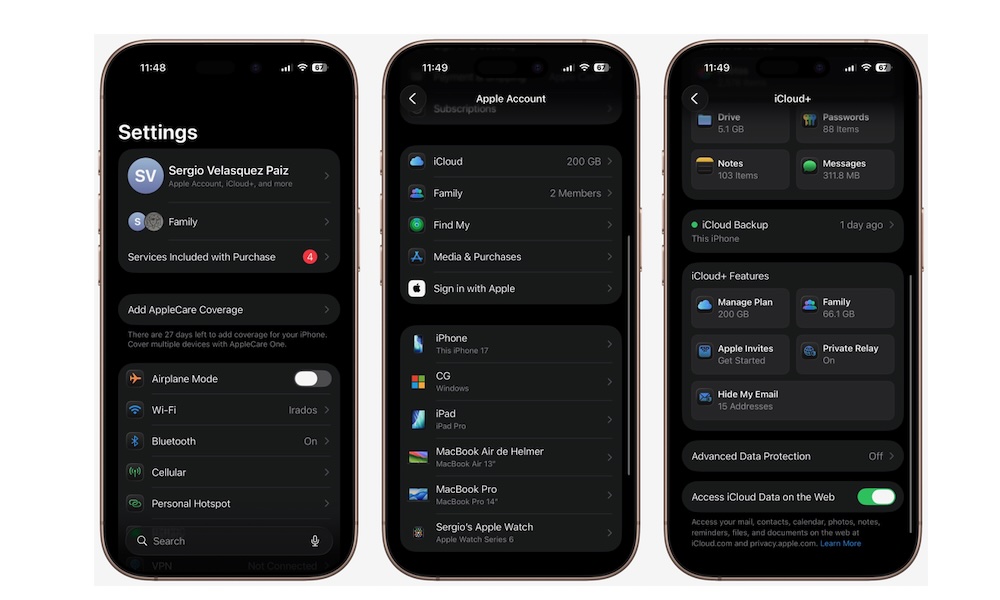
If you have iCloud+, Hide My Email is one of the best privacy tools Apple offers. As you can probably guess from the name, it creates random email addresses that forward to your real inbox without having to actually share your real address every time.
A lot of apps and websites abuse your email address and turn their messages into spam later, and some services don’t really need direct access to your real email in the first place. Hide My Email gives you a cleaner way to protect your inbox and makes it much easier to cut off a service later if it gets too noisy.
Unfortunately, this doesn’t work on every website or app. The platform will need to support Sign In With Apple. But if it does support it, your iPhone will immediately ask you if you want to hide your email when you’re creating an account.
All the email addresses your iPhone creates are unique to you, and they will automatically forward all your mail to your actual address, so you won’t miss a thing.
What’s best, you can manage your fake addresses if you want, too. Simply go to Settings > Apple Account > iCloud > Hide My Email. In there, you’ll find all the addresses you’ve created, and you’ll also be able to change the address where you’d like the messages to be forwarded to.