
Disable Auto-Playing Video Previews in the App Store
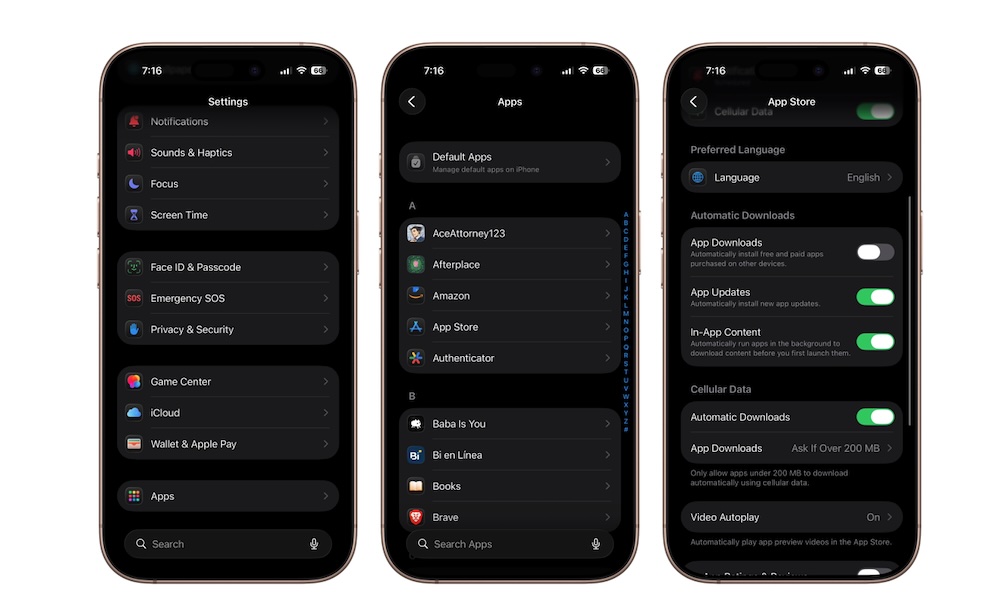
The App Store automatically plays preview videos while browsing apps and games. While some people like seeing previews instantly, others find the autoplay behavior distracting and unnecessary.
Video previews can also use additional battery life and mobile data, which sucks if you have a limited data plan. Fortunately, Apple lets you completely disable autoplay or limit it to Wi-Fi only. This is how:
- Open the Settings app.
- Scroll down to the bottom and tap on Apps.
- Go to the App Store.
- Scroll down and tap Video Autoplay.
- Choose Wi-Fi Only or Off.