
Turn Off Scheduled Notification Summaries if You Don’t Use Them
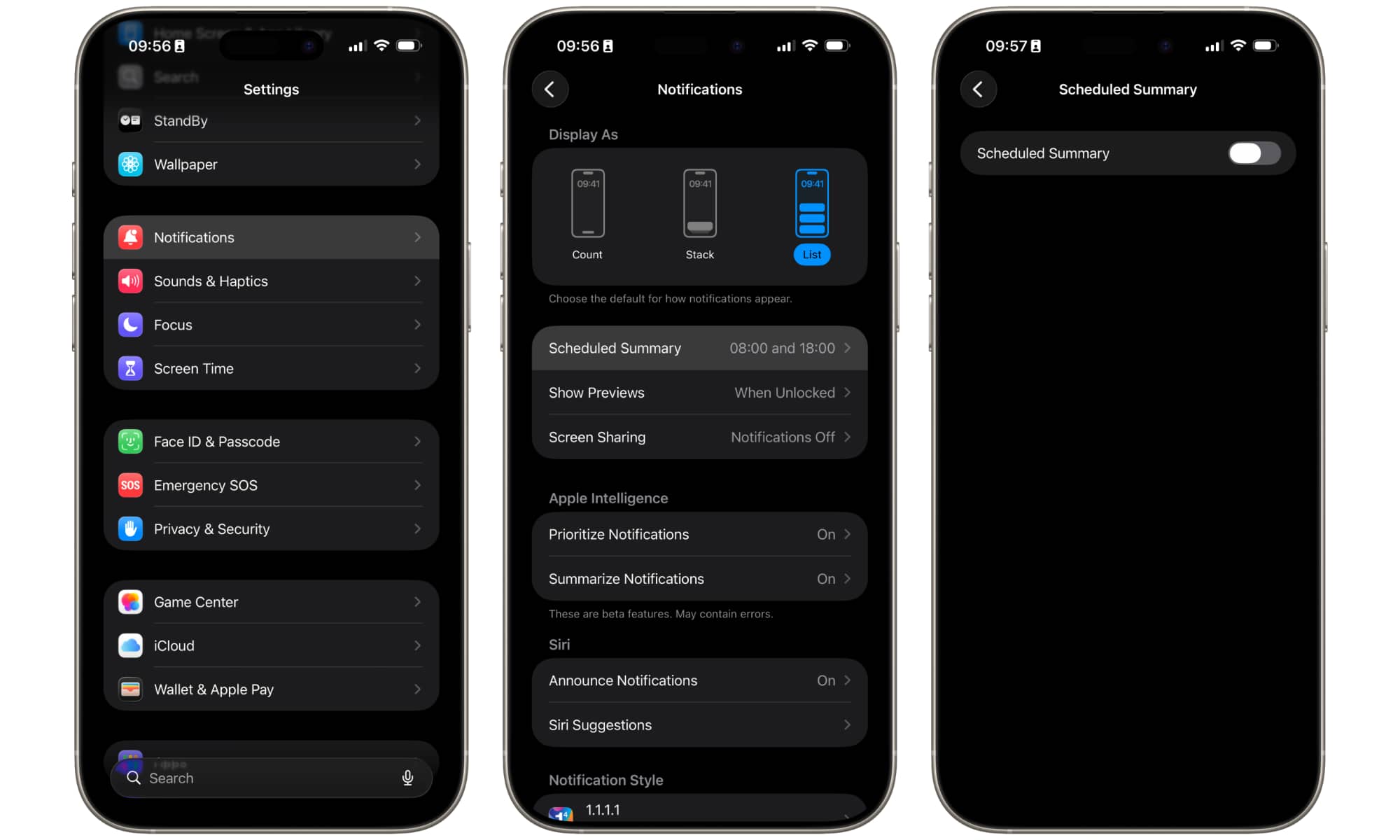
Scheduled Summaries can group your notifications together and deliver them at scheduled times. The idea is to reduce interruptions by bundling less important alerts into organized summaries, so you can check them when you’re not working or doing something important.
In reality, many users find summaries unreliable or confusing. Important alerts sometimes appear too late, while less important notifications occasionally get prioritized instead. Some people simply prefer seeing notifications normally instead of trusting summaries to organize them correctly.
This feature hasn’t really improved that much since its inception, so it might be a good idea to disable it and avoid awkward messages from your iPhone. Here’s how:
- Open the Settings app.
- Scroll down and tap on Notifications.
- Select Scheduled Summary.
- Turn the feature off.
You can also select individual apps to get summaries for certain notifications if you still want to use them for some apps, but not all.