
This Critical Mistake Makes Your Stolen iPhone Valuable to Thieves
Toggle Dark Mode
There’s not much doubt that smartphone theft is becoming a bigger problem than ever. In fact, it’s been spiralling out of control in some places, with snatch-and-grabs so common on the streets of London that Apple is reportedly building an auto-lockout feature to hamper crooks and protect users’ personal data in the event that their iPhone gets grabbed right out of their hand while unlocked.
Still, as much as Apple does to discourage iPhone thefts, the sad truth is the iPhone is still a high-profile target. Switching to Android might be a good theft deterrent, but who really wants to do that? Besides, Apple still does a better job of protecting your data in the event that your iPhone is stolen — and it offers more ways to track down your device, or at least ensure it’s useless to any thieves that do get their hands on it.

For starters, there’s Activation Lock, which has been a core feature of every iPhone since iOS 7 was released in 2013. By requiring the original owner’s Apple Account and password to activate an iPhone — even if it was forcibly wiped — Activation Lock promised to turn stolen iPhones into bricks.
This actually resulted in a significant reduction in iPhone thefts, at least until crooks figured out ways to game the system, using phishing and other social engineering tactics to try and get the original owner to remove the Activation Lock. Expensive iPhone repairs also resulted in a surge in “chop shop” style thefts where stolen iPhones could be mined for parts to be sold to repair shops on the black market. That led to Apple upping its game with Activation Lock for iPhone parts to ensure that displays, batteries, and cameras from a stolen iPhone couldn’t be swapped into a new one without the original owner’s credentials.
Unfortunately, despite all these deterrents, iPhones are still being stolen at an alarming rate. It’s a volume business for organized crime rings, and as we reported last month, there’s a whole underground market of hacking and phishing tools that try to turn $50 bricks into $800 cash cows. Thieves still end up with a lot of useless iPhones stolen from folks who are savvy enough to ignore phishing attempts and accept the fact that their lost iPhone isn’t magically turning up again. Unfortunately, these crime rings still manage to trick just enough people to make the entire operation profitable.
How to Keep Your Stolen iPhone a Total Brick
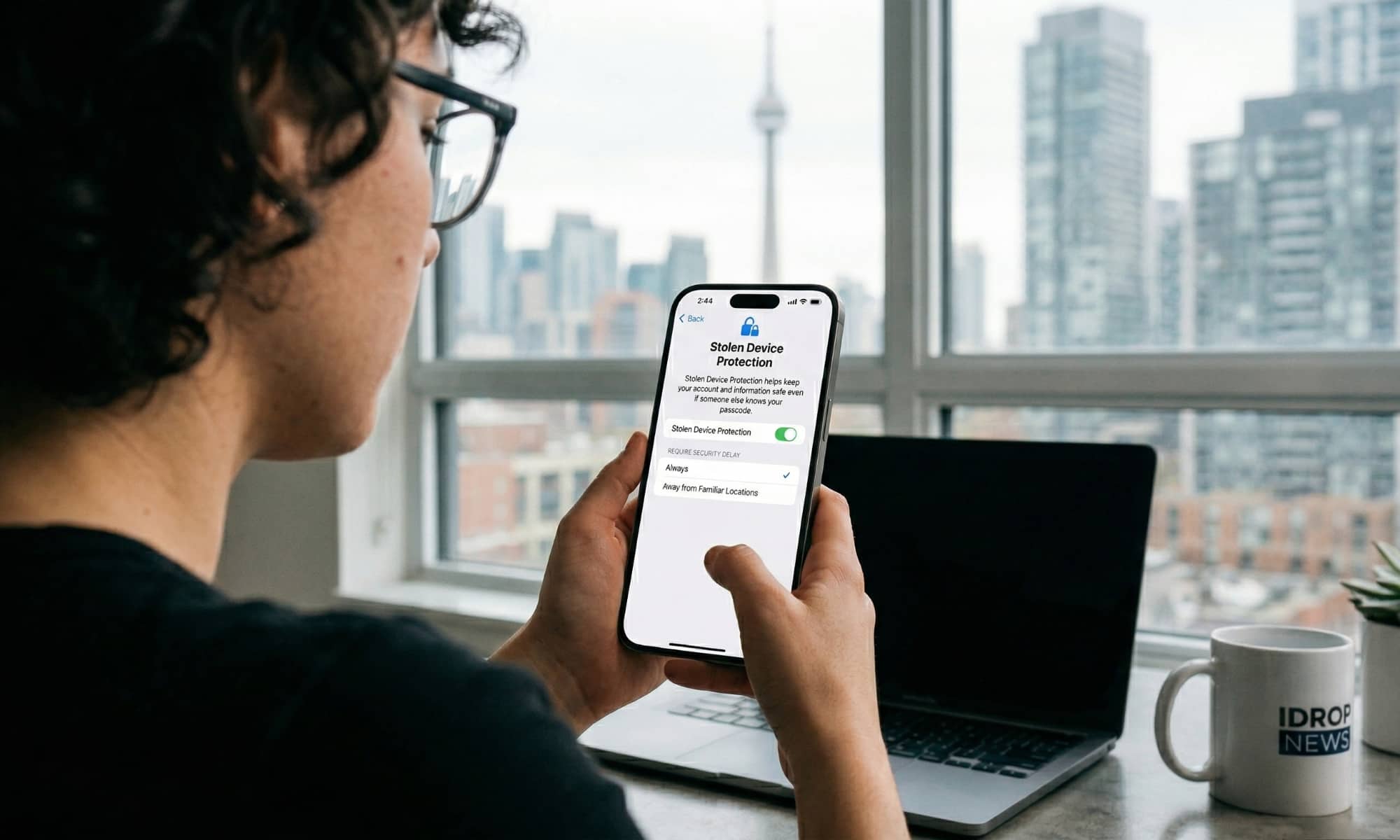
If you’ve set up your iPhone properly — turned on Find My and enabled Stolen Device Protection — and it’s stolen while the screen is locked, the thief is essentially getting a brick. If it’s an iPhone 15 or later, it can’t even be sold for marketable parts. A would-be thief is getting a virtually worthless hunk of glass and metal that’s worth little more than the value of the raw materials it’s made from.
That’s why thieves have long tried to use social engineering tactics to get users to remove the Activation Lock — either by providing their Apple Account name and password or simply removing the iPhone from the Find My portal. It’s also why crooks are even resorting to snatching unlocked iPhones out of people’s hands.
Unfortunately, if your iPhone has been stolen, the chances of getting it back are minimal, if not outright zero. You might have some hope if it was simply grabbed by an opportunistic amateur thief, but if it’s part of a professional crime ring, your device is as good as gone.
As someone who has been through this more than once over the years, I can say from experience that the first line of defense is really as simple as accepting that. Once you realize that your iPhone isn’t going to magically turn up somewhere, you’ll be far less tempted to respond to the attempts scammers will use to try and get you to hand over control — and you’re almost guaranteed to start receiving those.
Apple has a helpful support document on what to do if your iPhone or iPad has been stolen. Many of these tips may be things you already know, such as using Find My to track your device and mark it as lost, but Apple has recently updated it with some additional details on what to do after that — some of which are a bit surprising:
- Don’t include your contact information if your device was stolen. While you might see an option to enter a phone number or message about how to contact you, this information is helpful if you’ve lost your device and want to make it easier for someone who finds your device to get it back to you. If your device was stolen, the thief might use your contact information for social engineering schemes.
- Don’t remove the device from Find My. Removing the device from your Find My list removes Activation Lock, which will make it easier for the thief to erase and resell your device.
- Mark as Lost, even with Stolen Device Protection. Stolen Device Protection’s additional safeguards last only for a period of time. The best way to protect your iPhone and Apple Account is to quickly mark the stolen device as lost.
Apple’s point about avoiding the temptation to add contact information for a stolen device when putting it in Lost Mode is absolutely correct, but it’s also important to think about other areas where thieves can easily glean this information. When my daughter’s iPhone 15 Pro was stolen last year, the crooks initially surprised me by sending phishing texts to her mother and me using her full name.
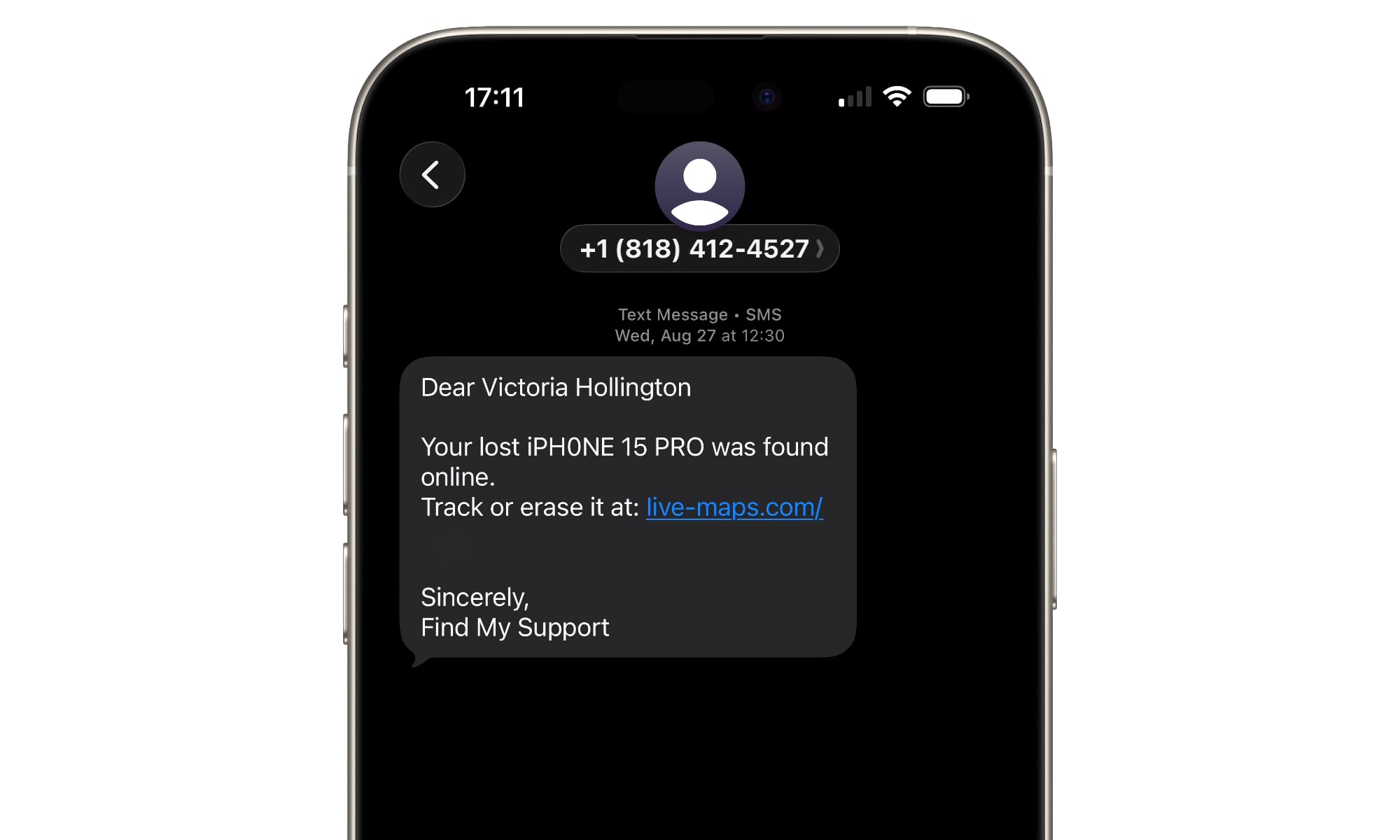
After scratching my head on how they got this information from an iPhone that had not only been locked when it was stolen, but forcibly wiped by the thieves months earlier, it occurred to me that we’d entered this information in her iPhone’s Medical ID section and set it to be available even when the iPhone was locked. While it’s possible to change that, the downside is that critical information may not be available to first responders if you’re found unconscious after an accident. So, it’s a tradeoff; if you choose to leave this available from your Lock Screen for safety reasons, just be aware that thieves will be able to use it to annoy you should your iPhone ever be stolen.
One of the more interesting points in the recent support document update is Apple’s comment that “Stolen Device Protection’s additional safeguards last only for a period of time.” The company doesn’t elaborate on what this means, and it’s fair to say that marking the device as lost still provides an extra layer of protection.
Lastly, Apple adds something that we can’t emphasize enough:
Apple will never contact you to say that your iPhone or iPad has been found. Never share your device passcode or other account information (such as passwords or verification codes) with anyone else. Stay vigilant to avoid social engineering schemes, including phishing messages, phony support calls, and other scams.
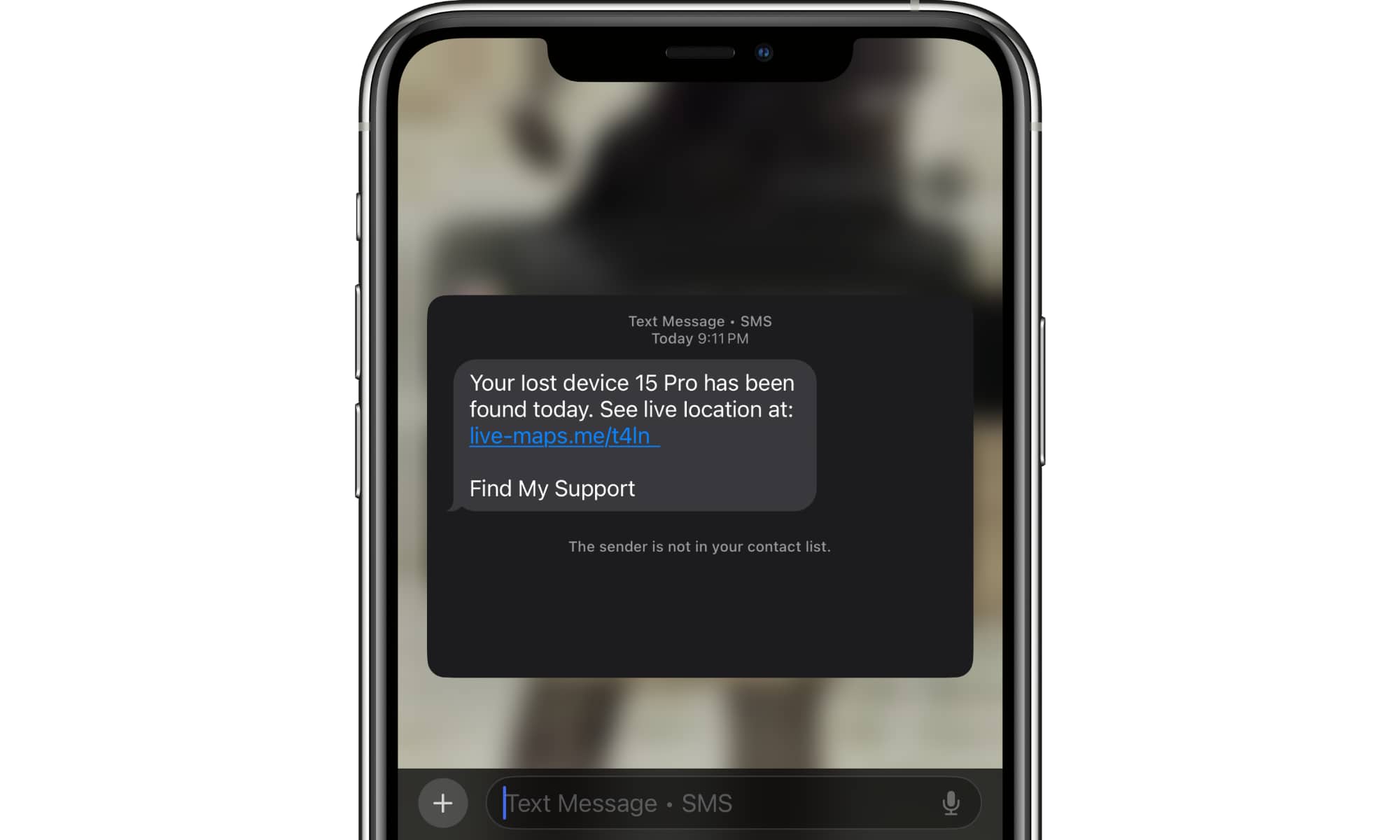
If you’ve suffered the misfortune of having your iPhone stolen, you’ll almost certainly start getting random texts telling you that your iPhone has been found. Some of these will claim to be from Apple, while others may claim to be from a kindly stranger who happened across your iPhone. Don’t believe any of them.
More insidious versions of these even go so far as to try to convince you that your personal data is at risk and you should remove your iPhone from the Find My portal to protect yourself. Of course, that’s a social engineering tactic, since as Apple points out, doing so removes the Activation Lock and hands the thief a fully re-sellable iPhone.
At the end of the day, you’re very unlikely to ever get your stolen iPhone back, but Apple’s security features mean you can at least know that the thieves have a brick on their hands — and if it’s a recent iPhone model, that’s a brick made up of even smaller bricks, since even the parts have no resale value. Let’s all hope for the day when enough people become wise to these social engineering tactics that thieves will no longer want to bet on turning stolen iPhones into cash.






