
Apple Releases watchOS 27.2 with a Smarter, Faster Siri AI for Your Wrist
Toggle Dark Mode
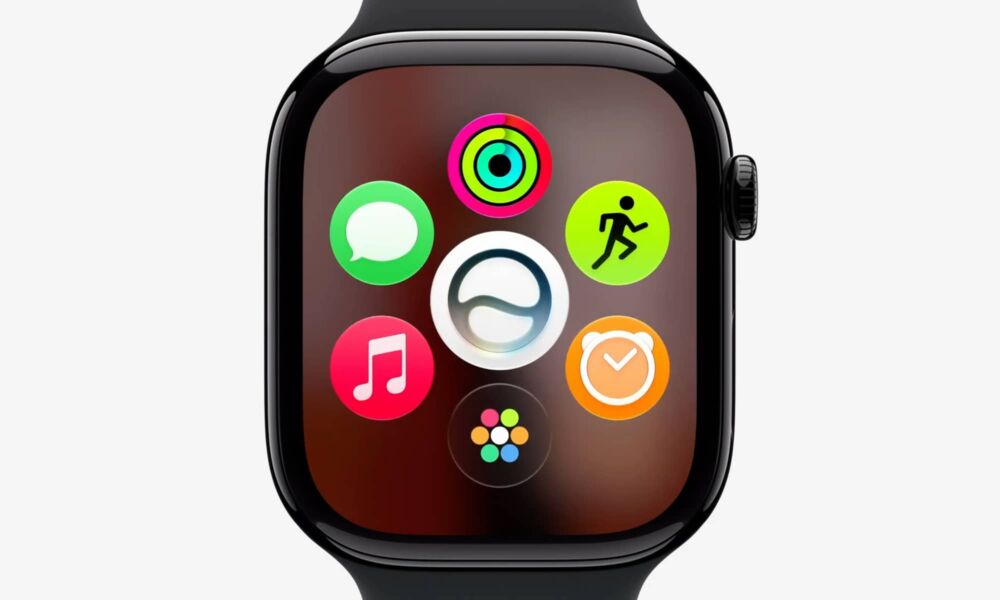
Apple has just pushed out a full set of OS 27.2 updates, including iOS 27.2 and watchOS 27.2 — the latter of which offers some useful Siri AI improvements for your wrist.
While Apple Watch Series 12 and Ultra 4 owners are still waiting for the promised Audio Intelligence features — Siri Recap and Live Rewind — Apple is bolstering Siri AI in the latest update to improve continuity over the course of multiple interactions, and tie it into more personal context sources so that it works more like it does on the iPhone.
Last week’s release candidate for iOS 27.2 already gave us a look at what’s coming to the iPhone with this release, but in terms of Siri AI, the big news there is support for five new languages — French, Japanese, Korean, Portuguese, and Spanish — although it’s still not coming to the EU or China for the foreseeable future, so this update is for other countries where those languages are spoken.

Those languages are also naturally coming to the Apple Watch version of Siri AI, but it’s becoming more capable in several other ways, as per Apple’s release notes:
This update provides enhancements to Siri AI, including the ability to retain useful context from previous Siri interactions, draw from a wider range of personal context, and deliver faster responses on your watch. This update also includes other features, bug fixes, and security updates for your Apple Watch.
- Siri AI can recall your past conversations, so you can ask Siri about something it told you before, like the restaurants it recommended last week
- Siri AI can draw from more sources to give you a great answer, including photos attached in Messages, Calendar event attendees, your voicemails, and better results from Safari history and Reading List from your phone
- Excluded Apps lets you choose which apps Siri, Search, and suggestions can access, all from one setting on your phone
- Siri AI now provides faster responses on Apple Watch
- Siri AI is available in more languages, with support for French, Japanese, Korean, Portuguese, and Spanish. Siri AI is not available in the EU or mainland China
The delayed improvements to Siri AI in watchOS echo what we saw during the OS 27 beta cycle, suggesting that Apple is lagging slightly behind on that front. While Siri AI was ready to go on the iPhone from the first developer beta in June, it didn’t land on the Apple Watch until watchOS 27 beta 3 nearly a month later.
While Siri AI is the most notable improvement in watchOS 27.2, it also brings the new black-and-white Apple Music icon, plus a few more monochromatic and bluish design updates inside the Music app itself. (Sadly, today’s updates quash the faint hope that last week’s official Apple Music rebrand may have hinted at a new icon unveil this week.)
How to Update to watchOS 27.2
The latest watchOS 27.2 update is available for the Apple Watch Series 9, Ultra 2, and later models, including the Apple Watch SE 3 — basically any Apple Watch released in 2023 or later.
Here’s how to update to watchOS 27.2:
- Ensure your Apple Watch is on the charger, charged to at least 50%, and connected to Wi-Fi.
- Open the Settings app on your Apple Watch or the Watch app on your iPhone.
- Tap General.
- Choose Software Update.
- After watchOS 27.2 appears, tap Install.
Note that you can also just sit back and wait a few days if you’re not in a hurry, as the watchOS 27.2 update will eventually install automatically over the air while your Apple Watch is charging. Still, if you regularly wear your Apple Watch to bed at night, you may want to force the update to ensure it occurs at a more convenient time, as it can take anywhere from 30 to 60 minutes to finish, which is fine while you’re sleeping, but not so much when you’re preparing to rush out the door — although there are ways to speed it up.






