
Apple Sports Hits the Dashboard with New CarPlay Widgets
Toggle Dark Mode
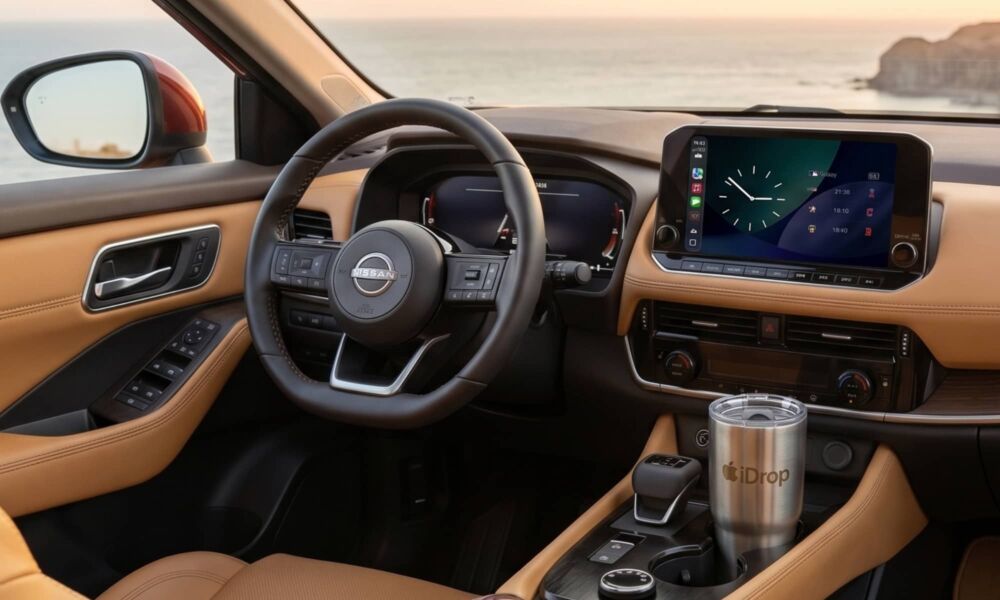
While it’s not quite the full CarPlay experience hinted at last year, Apple has just updated its Sports app to let you keep track of your favorite teams on the dashboard, thanks to two new widgets.
Apple Sports has become a rare gem among first-party apps for the frequency at which it’s updated by the company. Most apps Apple offers for the iPhone are either “built in” and therefore still tied to the iOS release cycle, or they’re optional entries on the App Store that get off to a great start but eventually fade into obscurity.

That’s not the case with Apple Sports. In the two years since its initial release, it’s been updated an average of once per month. While most of the updates are to add new leagues, we’ve also had some solid feature updates, bringing Live Activities, shareable game score cards, and Home Screen widgets over the past two years.
Combined with CarPlay enhancements in iOS 26, Live Activities already allow you to follow the scores for games in progress right from your dashboard, but this week’s update adds another way to follow your favorite teams on the go with two CarPlay widgets for Apple Sports.
These also effectively double as StandBy, since CarPlay in iOS 26 simply adopted the StandBy widgets that have been around since iOS 17 (which is why there were plenty of widgets ready at launch). That means sports fans can also keep an eye on their favorite teams and leagues while their iPhone is docked on a MagSafe charger.
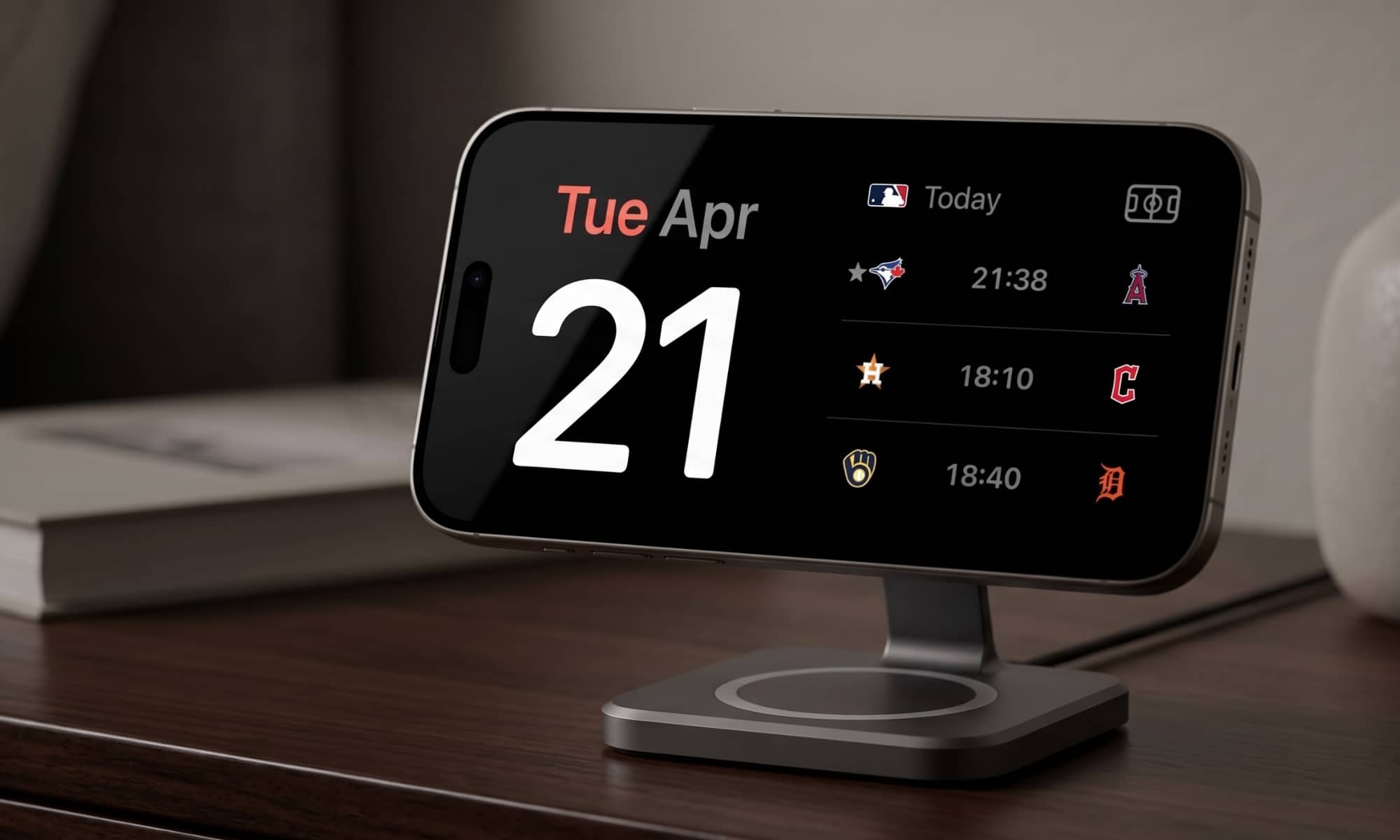
The “My Teams” widget simply shows a list of live scores and schedules for whatever teams you’ve marked as favorites, with no further customization, while a “League” widget will show you the latest standings for a league of your choice, from MLB and NFL to Formula 1 and the PGA Tour. You can stack multiple widgets if you want to follow more than one league, but you will be limited by the maximum number of widgets allowed overall — 10 per side in StandBy or five in CarPlay.
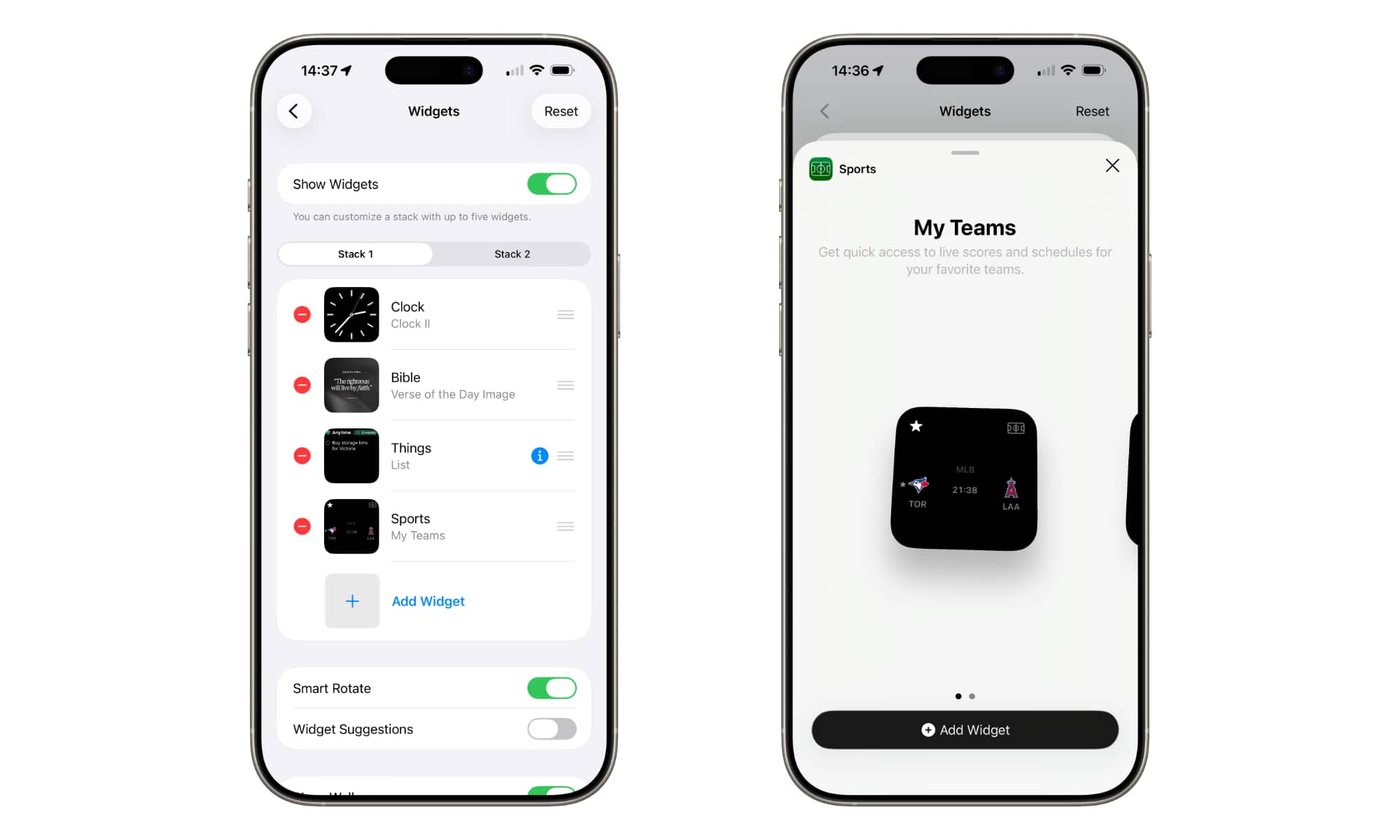
Widgets can be added to StandBy mode by placing your iPhone in landscape mode while charging to enable StandBy mode and then swiping all the way to the widgets screen on the left and tapping and holding to edit the screen in the same way as the Home Screen. CarPlay widgets are added from the iPhone by going to the Settings app and selecting General > CarPlay > [your car name] > Widgets.
The update, Apple Sports 3.10, appears to be a re-release of a version that snuck out earlier this month, as it also officially adds support for World Cup 2026. This update was spotted by MacRumors and confirmed by 9to5Mac on April 1, but disappeared from the App Store a few hours later. Despite this, a search for “World Cup” in version 3.9 showed the list of countries and even allowed them to be marked as favorites — selections which seem to persist into this new update — but lacked the distinct FIFA World Cup 2026 entry.
It’s unclear if that initial release was a mistake on Apple’s part or if it was pulled for another reason, but it’s back now, and in addition to the new StandBy/CarPlay widgets, also adds weather conditions for Formula 1 Grands Prix, letting fans check track temperature, wind speed, and more. Apple Sports is available as free download from the App Store in select countries, including the US, Canada, the UK, Mexico, and most of Europe.






