
iOS 27 Finally Fixes Apple Pay’s Clunky Card Selection
Toggle Dark Mode
During Monday’s Worldwide Developers Conference (WWDC) keynote presentation, Apple revealed many new and interesting features set to come to the iPhone later this year.
As you can expect, Apple focused on the biggest surprises: We saw a glimpse of Siri AI and all the child safety features parents will have access to. However, there’s still a lot of stuff the company’s executives simply didn’t have time to talk about during the presentation.

Now that the developer beta is available, we’re finding all sorts of new things we didn’t know were coming.
One small but notable example is a new way of selecting payment methods in Apple Pay. While this might seem like a minor tweak at first, the more cards you have, the more you’ll love it.
Apple Pay Gets a Much-Needed Design Change
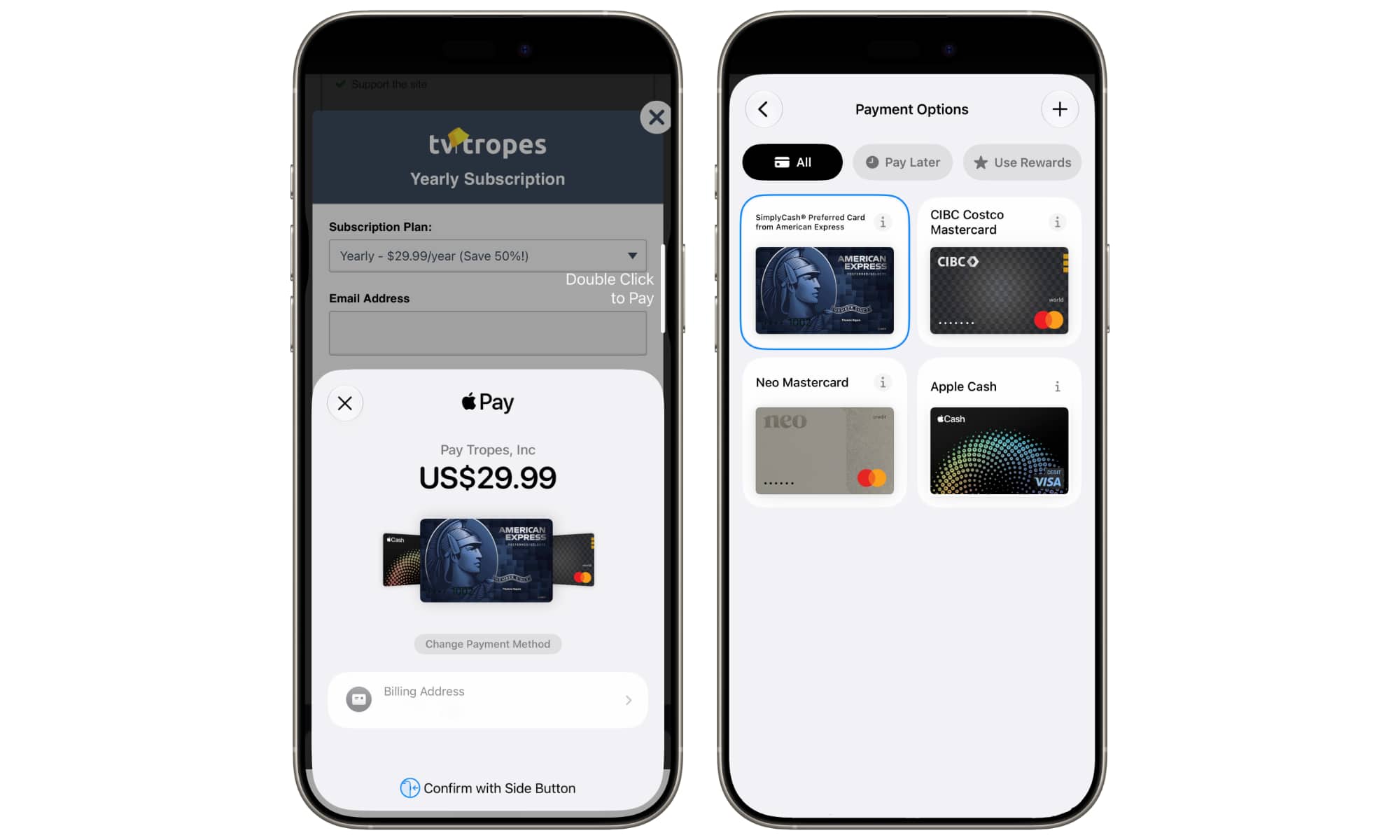
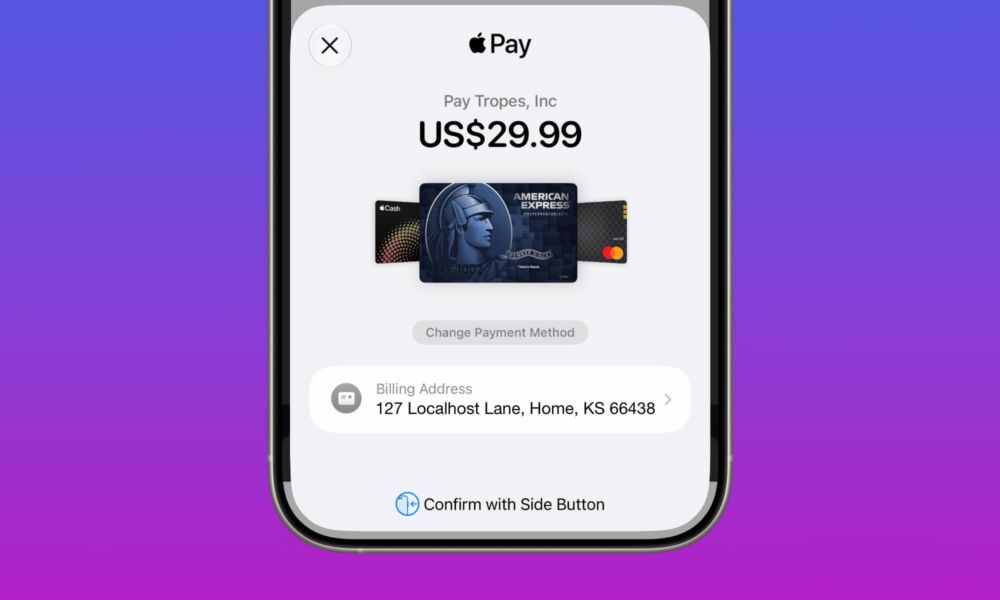
One of the cool enhancements that iOS 27 is bringing to the table is a new look for Apple Pay’s card picker design. As you can see from the screenshot above, this new design features a quicker way to select a new card and a cleaner view of all your cards before you pay.
Currently, Apple Pay in iOS 26 only lets you see your credit or debit cards in a list view, which is not very intuitive. All cards are on top of each other, and you really can’t see the credit card details of most of your cards. Of course, this was probably done by design as a way to protect your information, but it ended up feeling a bit cramped and not very Apple-like.
With iOS 27, though, you’ll get a more fluid design that lets you select a card on the fly simply by swiping left or right through all your credit cards until you find the one you want to use.
Plus, while you’ll still be able to tap “Change Payment Method” to see all your cards, they’re now shown in a grid view with large, tappable targets — making it much easier to choose the card you actually want.
Granted, this is a pretty small change, and you probably won’t even care about it if you only have a couple of cards in Apple Pay. But for those people who have five, eight, or even ten cards, the new design will make it much easier to choose the right card without taking much time.
There’s Much More to Explore
There’s one thing worth noting, though. Based on users’ online experiences and some of our own, not everyone has access to this new design just yet. We don’t know the reason why — it might show up only for those with a larger number of cards (the above screenshot excludes some cards for privacy), but it also could simply be a bug that will be fixed in a later software update. This is just the very first developer beta, after all.
With that said, this is just the surface; iOS 27 brings many more cool new features that everyone is trying as we speak.
As of right now, the developer beta is available for everyone, but you probably shouldn’t install it just yet. The public beta will arrive in July, which should be more stable than the current version. Still, if you do want to install the beta, be sure to create a backup beforehand.






