
4 Fun Surprises from Yesterday’s WWDC26 Keynote

Toggle Dark Mode
Apple’s 2026 WWDC keynote is officially a wrap. Just like every year, the Cupertino company held its own presentation to showcase everything new in the software ecosystem of its most popular products.
We got a glimpse of some of the new features and updates that will come to iPhone, Mac, and the Apple Vision Pro. And while we already knew a couple of things that were going to be announced, thanks to leaks and rumors, there were still a few things that we didn’t expect.
Apple still had a couple of things up its sleeve that surprised us in the best possible way. Here are some of our favorite surprises from yesterday’s presentation.
All iPhones That Support iOS 26 Will Also Support iOS 27
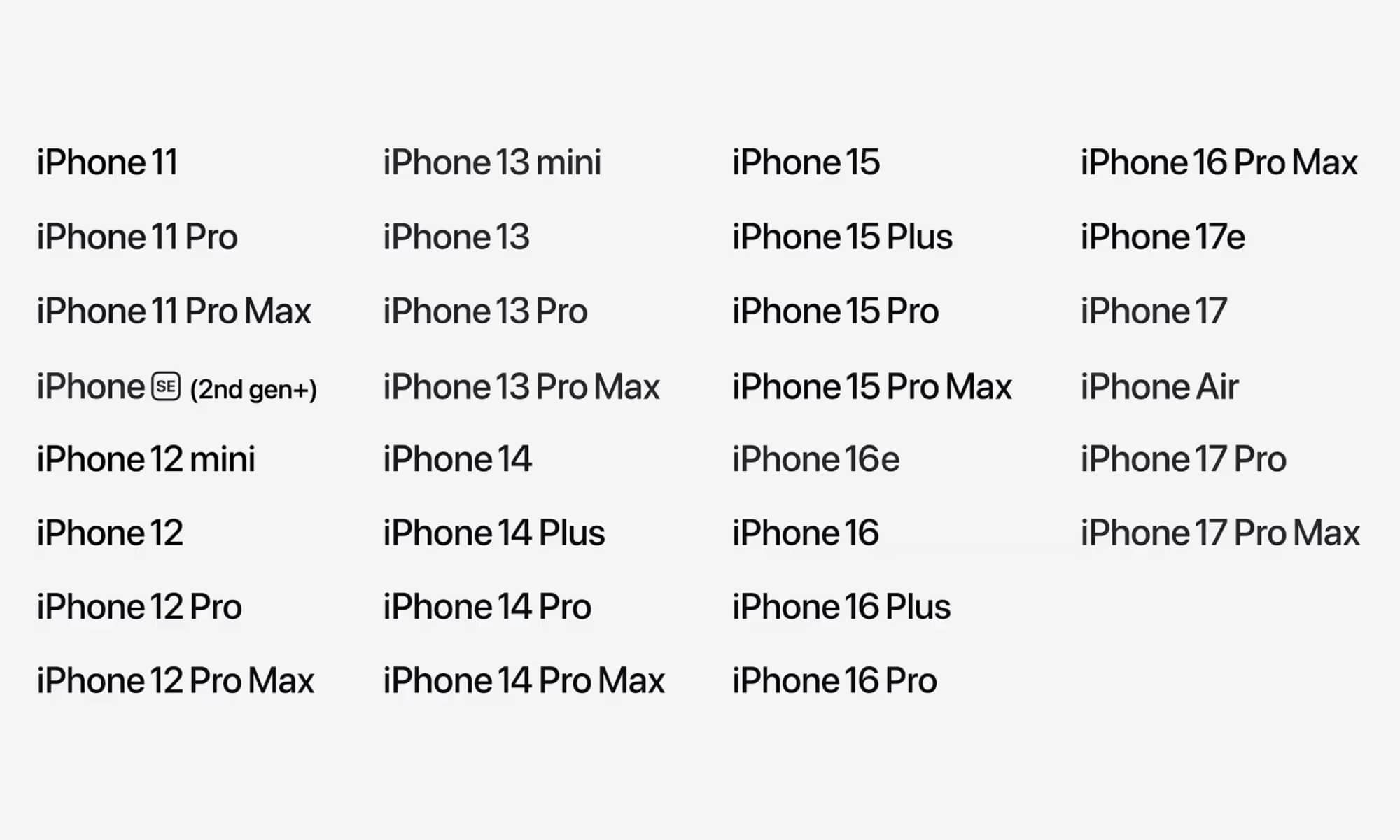
Yes, you read that right. Your iPhone 11 isn’t ready to say goodbye just yet. Apple confirmed during the keynote that all iPhones that currently support iOS 26 will also be able to download iOS 27 without any issues.
This means that the iPhone 11 and later models will get to try the newest features. This includes the second and third-generation iPhone SE as well. Granted, we don’t expect all of the new features to be available on older models. Mainly, you’ll still need an iPhone 15 Pro or newer model to access any of the new AI features, but a few of the most advanced AI features will require an iPhone 17 Pro or iPhone Air.
Still, this is great news for those of us with older iPhones. Not only will you be able to keep your iPhone for one more year, but Apple also confirmed that iOS 27 will boost performance in many different aspects. For instance, Apple confirmed that iOS 27 will launch apps up to 30% faster, and transferring files over AirDrop will be up to 80% quicker as well.
Needless to say, this was a welcome surprise, which sets a precedent for future software updates and the longevity of older iPhone models.

Parental Controls Got a Huge Boost
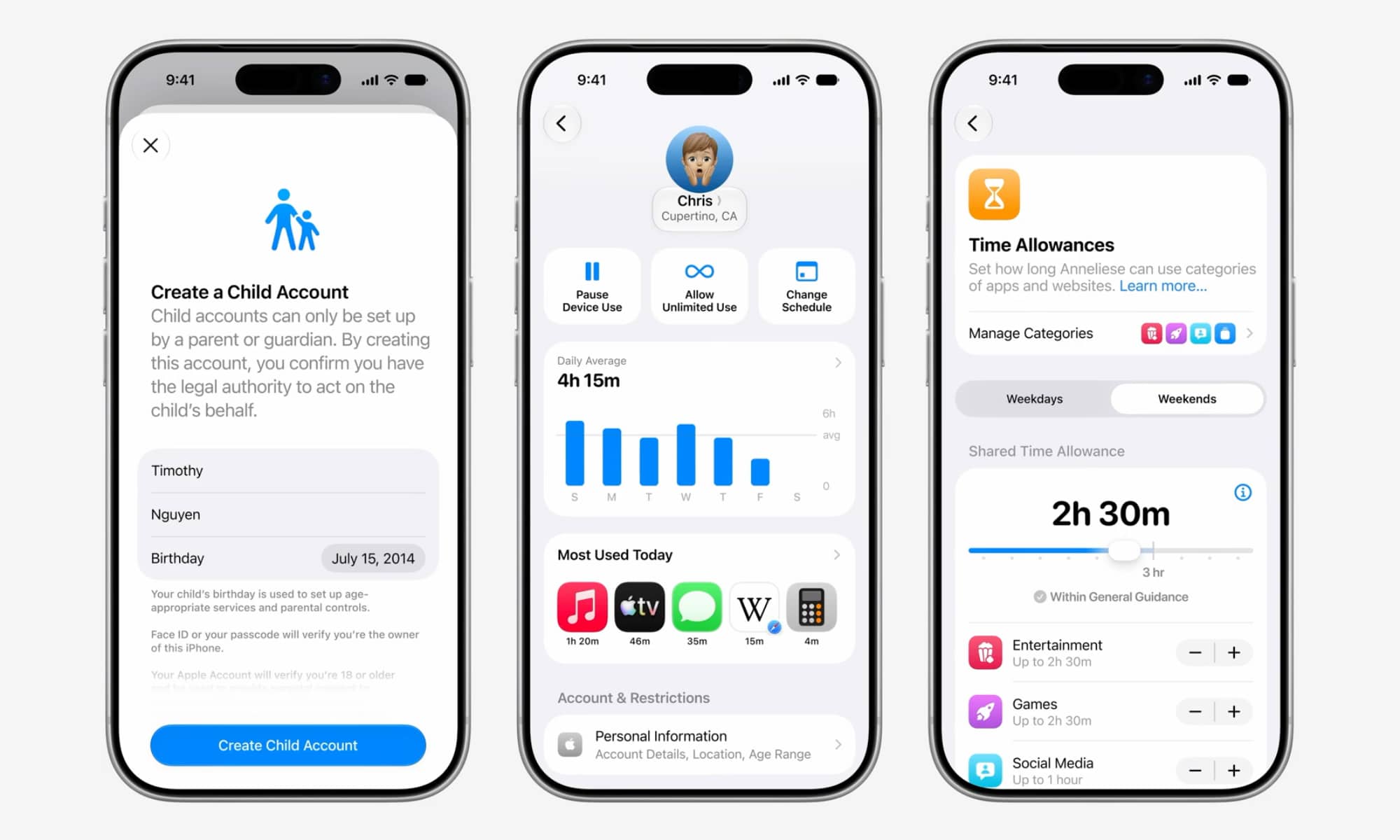
Parents will be happy to know that iOS 27 will allow them to more easily keep tabs on what their children see on their iPhones without constantly looking over their shoulders, thanks to new and improved child safety features.
Apple spent quite some time explaining all the new and more streamlined parental controls coming to the iPhone in iOS 27. For starters, on top of already having the ability to approve the apps your kids download, you’ll also be able to see and control the websites your kids visit. If they go to a new website, you’ll receive an alert so you can check the site and decide if they’re allowed to visit it or not.
Likewise, you can also control who they’re allowed to talk to. Whenever a new conversation is about to start, you’ll get a notification so you can let them chat or not. While it’s been possible to set communication limits like this for a few years now, iOS 27 will simplify the process of approving new contact requests while also extending them beyond iMessage to third-party apps.
Screen Time will also change to feature Time Allowance, which lets you set how long your kids can use specific apps or categories during the day and week. You can customize this by day or create a set schedule for the whole week.
All of these features will let you control what your kids can access, which is great for parents. Kids might not feel the same way, but they’ll learn once they grow up.
Android Users Can Be Part of Shared Albums
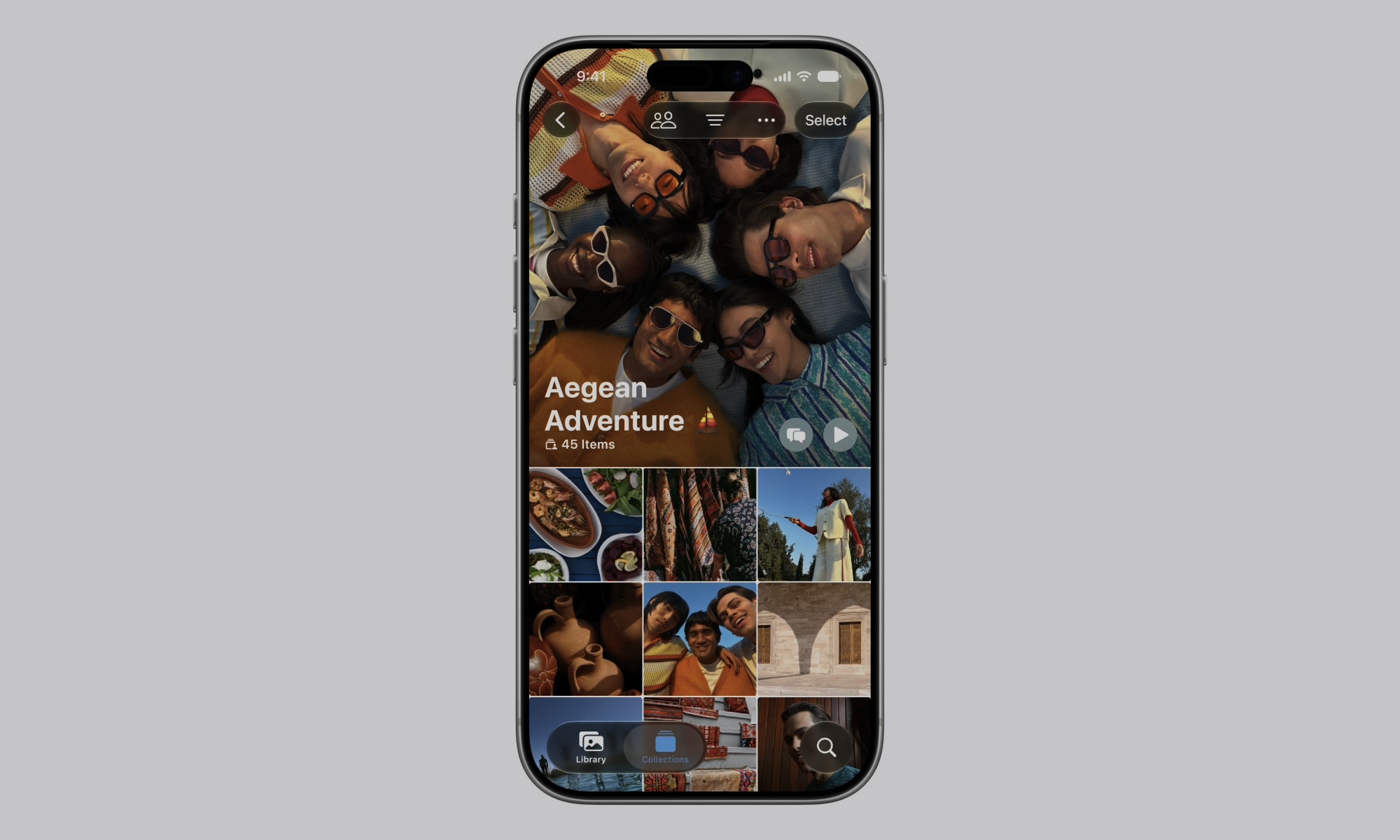
Apple has a cool new change for families or friend groups with people who use Android and Windows. As an iPhone user, you’ll be able to share an album from the Photos app with Android and Windows users.
They’ll be able to see the album and even add their own pictures, which is a really helpful change that should’ve been added long ago.
Granted, Apple didn’t give many details about this, so we don’t know exactly how this will work, but this isn’t the first time that Apple has allowed Android and iPhone users to interact in its first-party apps. Just a few years ago, Apple finally allowed Windows and Android users to join FaceTime calls, and RCS messaging has been slowly but surely rolling out to all iPhone users.
Long gone are the days when Apple pretended they were the only phone company in the world, and it’s great news for people across all operating systems.
You Can Create Extensions and Shortcuts With a Couple of Sentences
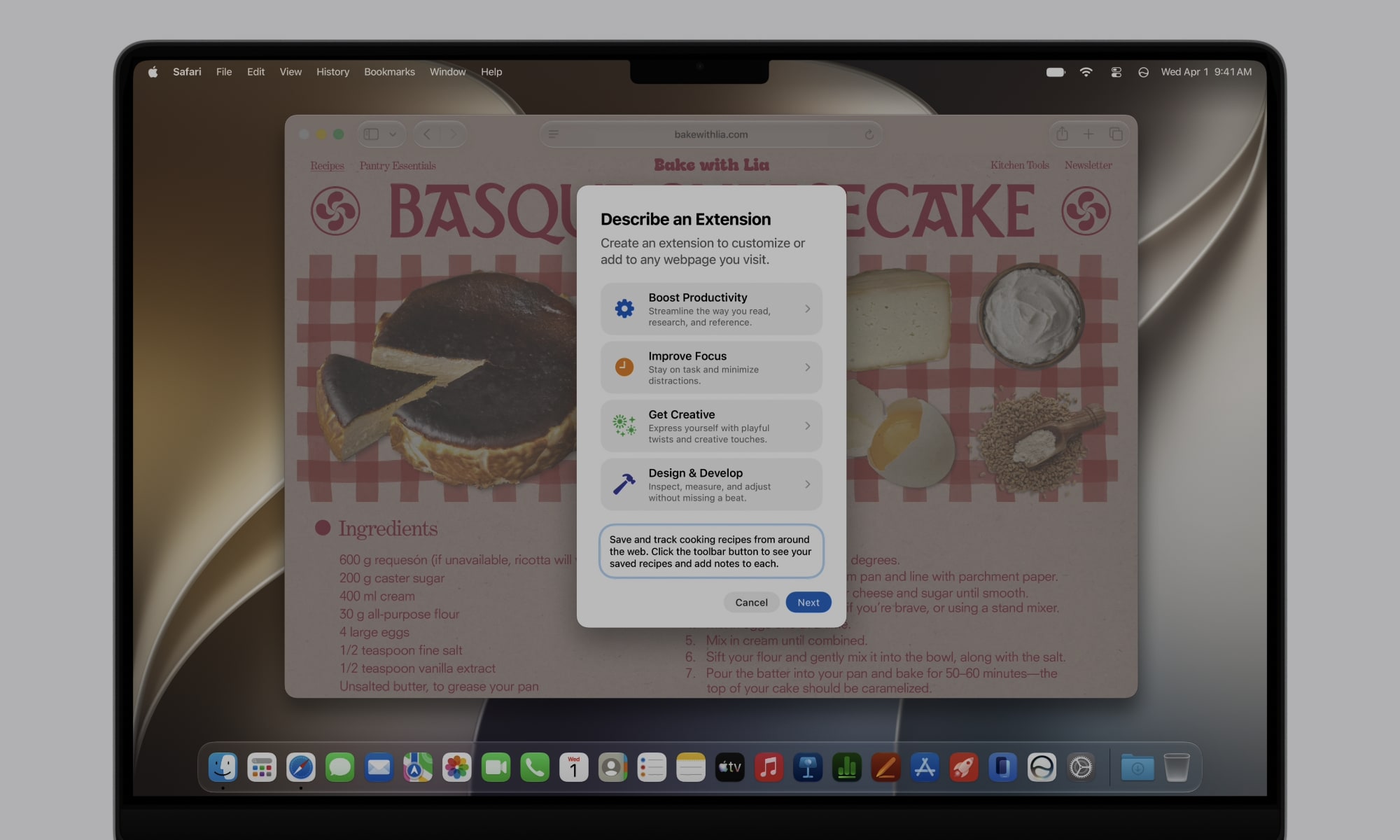
This is one of the coolest surprises Apple had in store for us during its presentation. The company confirmed that thanks to more powerful Apple Intelligence models, you’ll be able to create both extensions and shortcuts simply by describing them using natural language.
In Safari for iOS 27, iPadOS 27, and macOS 27 Golden Gate, you’ll be able to create extensions for specific websites. This feature is called Describe an Extension, and it lets you, well, describe the extension you want.
For instance, you can create a save button so you can store something like cooking recipes. These extensions will go to Safari’s toolbar, and you’ll be able to use them just like regular extensions. Unfortunately, Apple didn’t give many more details, so we’ll have to wait to try it ourselves.
Likewise, the Shortcuts app also got this new update. In the next software updates, there will be a Describe a Shortcut option that will let you create shortcuts with a few sentences. In its example, Apple showcased how you can ask your iPhone to create a shortcut to let your partner know when you’re leaving work, as well as the estimated time when you’ll be home.
You hit the return key, and your iPhone will create both the shortcut and the automation, so it automatically detects when you leave work and sends a message to your partner.
Both of these features are really awesome on paper, and they’ll surely become even more powerful as time goes on.
The Future of Apple Devices Is Here
These surprises are just the tip of the iceberg; Apple revealed a bunch of new features and updates that left us wanting more. Of course, Apple has promised us cool new AI features in the past, only to fall short, so we’ll have to wait until we can actually test these features ourselves.
Still, all of these announcements are huge and will change the way you use and interact with all your Apple devices.






