watchOS 27.3 Will Bring Siri Recap and Live Rewind to Your Wrist
Toggle Dark Mode
The iPhone isn’t the only device getting some big changes in the first iOS 27.3 beta. Earlier today, Apple also released the first developer beta of watchOS 27.3, fulfilling another September promise by bringing Audio Intelligence to Apple’s newest wearables.
When Apple unveiled the Apple Watch Series 12 and Apple Watch Ultra 4 during its fall “Surprise and Shine” event, it showed off two new tentpole feature categories, but when the new Apple Watch models went on sale a few days later, only the Health Sensing System and its related Readiness app were available in watchOS 27.0.

It was clear from the start that the two Audio Intelligence features — Live Rewind and Siri Recap — wouldn’t be coming right away. At the time, Apple said they’d be “available in beta late in 2026.” We had hoped that might mean watchOS 27.1 (or 27.2 after Apple reserved the 27.1 version number for the iPhone Duo), but alas it wasn’t to be found there.
But with the calendar pages now turning toward December, they’ve finally arrived in the first watchOS 27.3 beta — which means there’s every reason to believe they’ll be shipping in the final public release, likely coming in early December.
To be clear, Apple’s “available in beta” undoubtedly means that these features will carry a “beta” label even in the public release, just like Siri AI itself right now.
Per Apple’s guide on Audio Intelligence features:
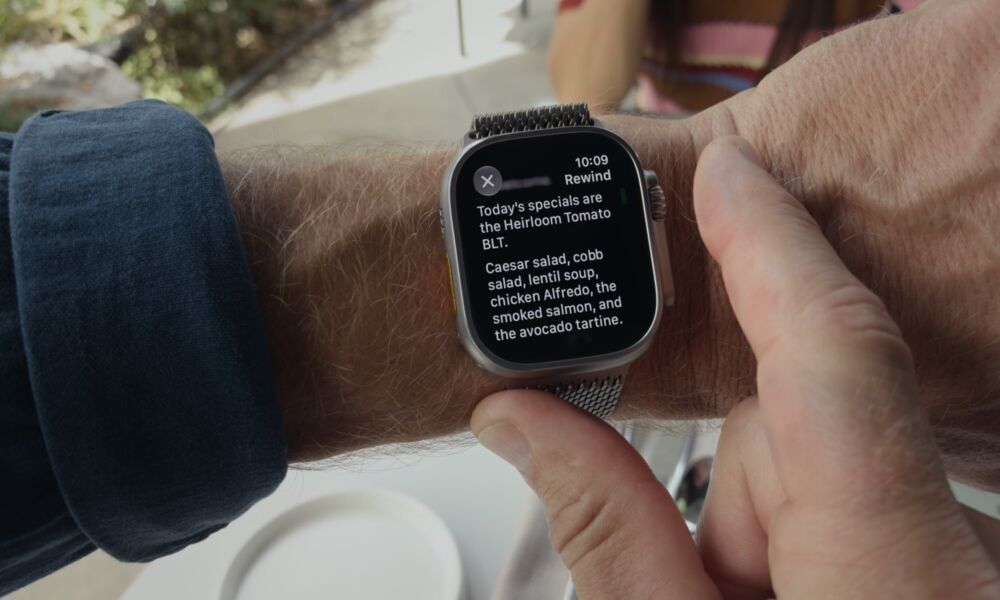
- Live Rewind recalls what was just said in the last 15 seconds by showing a text snippet on your Apple Watch when you double-press the Digital Crown, so you can catch something you missed or are less familiar with. You can ask Siri about the content of the snippet or simply save it to the Siri app.
- Siri Recap ambiently takes notes on your conversations throughout your day and creates high-level Apple Intelligence–generated summaries that you can use later to jog your memory, so you can stay present in the moment. Siri Recaps can be set to automatically delete after a period of up to 7 days unless you choose to explicitly save them.
Both of these features are entirely opt-in, and you can use one without enabling the other. They round out the broader Audio Intelligence suite alongside Music Recognition, which uses Shazam to automatically detect the song playing in the background and shows it in the Smart Stack without the need to call it up manually, and Sound Recognition, which brings the iPhone accessibility feature of the same name to the Apple Watch, letting it work even when your iPhone isn’t with you.
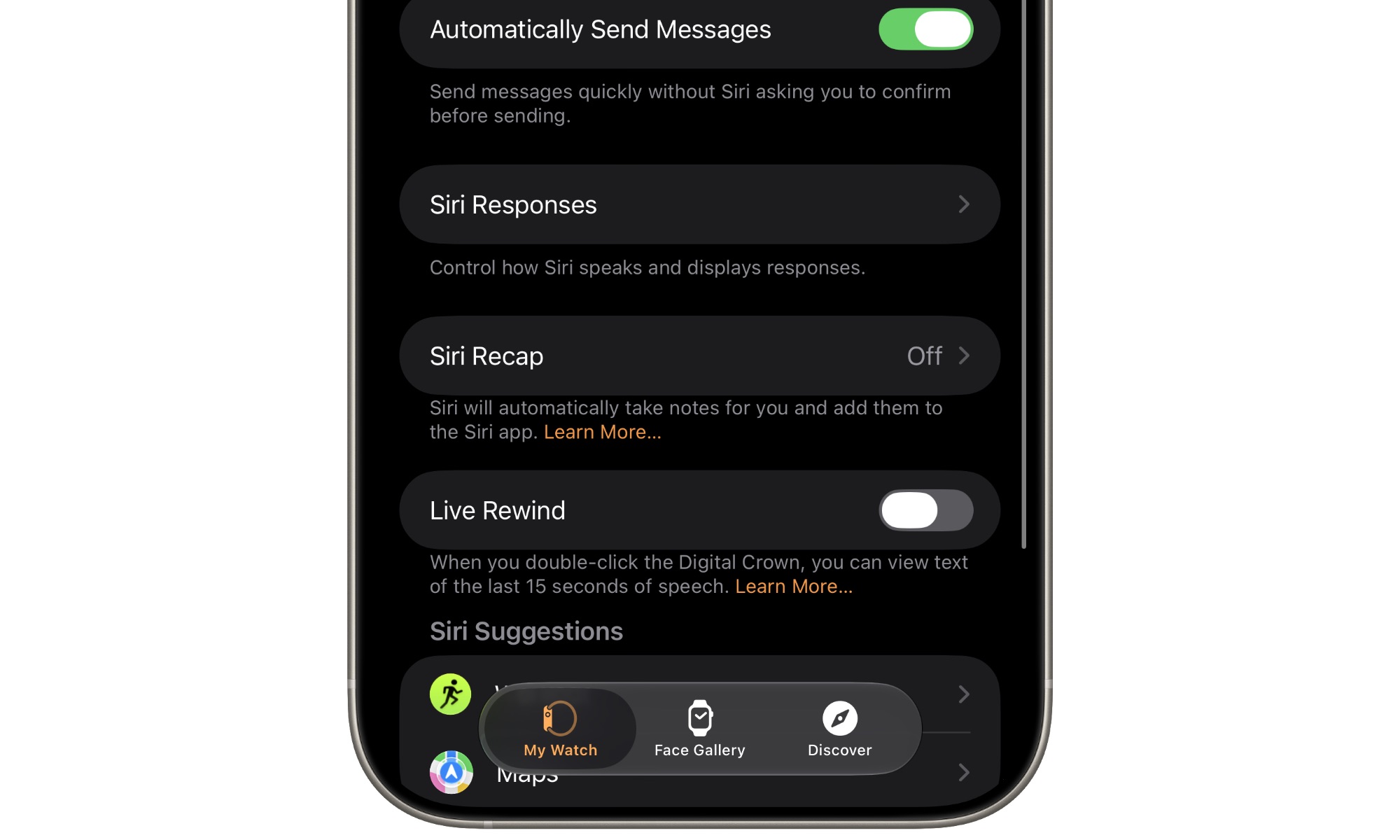
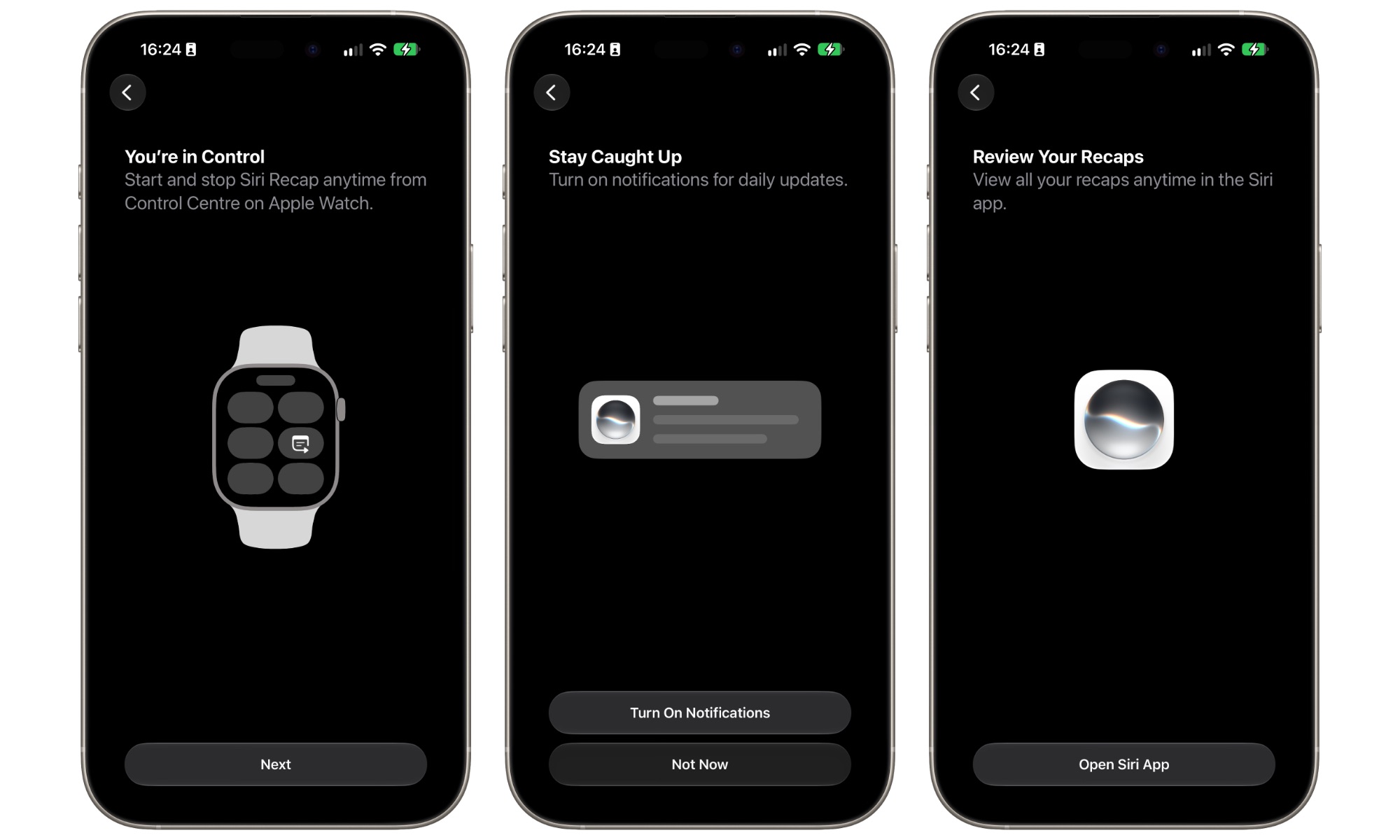
The new features can be switched on from the iPhone Watch app or the Apple Watch Settings app by going into the Siri section. Live Rewind is a simple toggle — it’s either on or it’s off — while Siri Recap will take you to a secondary menu where you can turn it on, add a schedule to choose where and when it will be active, or manually clear all Siri Recap data.
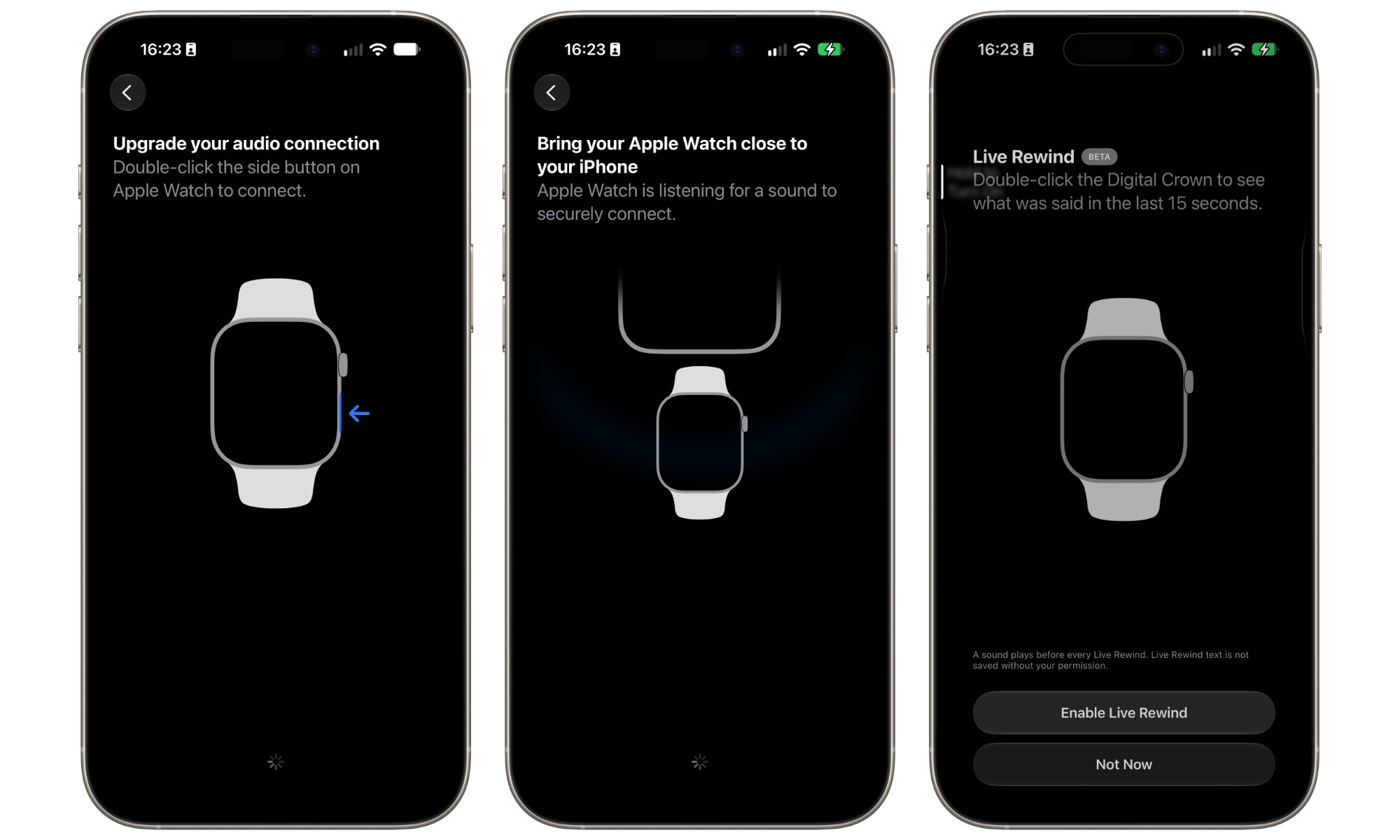
Enabling Siri Recap and Live Rewind also requires a pairing process that involves holding your Apple Watch near your iPhone so it can ensure the two devices are linked together and authorized.
As we explained in September, Apple has worked hard to engineer these features with as much privacy as humanly possible.
For example, while Live Rewind will always be listening whenever it’s enabled, it only stores a rolling 15 seconds or so of audio, automatically flushing everything older out of the queue. The audio is stored entirely on the Apple Watch, using a hardware-isolated Secure Exclave that processes audio data separately from the rest of the system.
Nothing leaves the Secure Exclave until the user double-presses the Digital Crown — the gesture that’s used to activate Live Rewind — and this is a hardwired trigger, much like the iPhone side button is for Apple Pay. There’s no software-level method to read the audio from the Secure Exclave — it’s only released when the Digital Crown is physically pressed.
At that point, the audio is securely transferred to the iPhone’s Secure Exclave, where on-device speech recognition creates a text transcript and sends it back to the Apple Watch for display (this also means that Live Rewind requires your iPhone to be in range to do its thing).
While Apple has also suggested that an audible chime and on-screen animation will make it difficult to use Live Rewind surreptitiously, the sound and animation are still fairly subtle and could be easily missed by someone who isn’t aware of the feature. It will be obvious the person is doing something with their Apple Watch, but not necessarily what they’re doing.
Interestingly, it’s also not possible to screenshot a Live Rewind transcript. You can only read it or save it to Siri, where it will be stored in a new “Recaps” section of the Siri app, alongside actual Siri Recaps — the other Audio Intelligence feature. It will also automatically disappear from the Apple Watch face about 30 seconds after the display dims.
While you can always toggle Live Rewind off in the Settings app, it’s really designed to be something you leave on all the time, ready to call up whenever you missed what someone said. By contrast, Siri Recap is more for those times you’re going into a meeting or a lecture, and can therefore be toggled on or off from the watchOS Control Center, or even set to activate based on a time or a location.
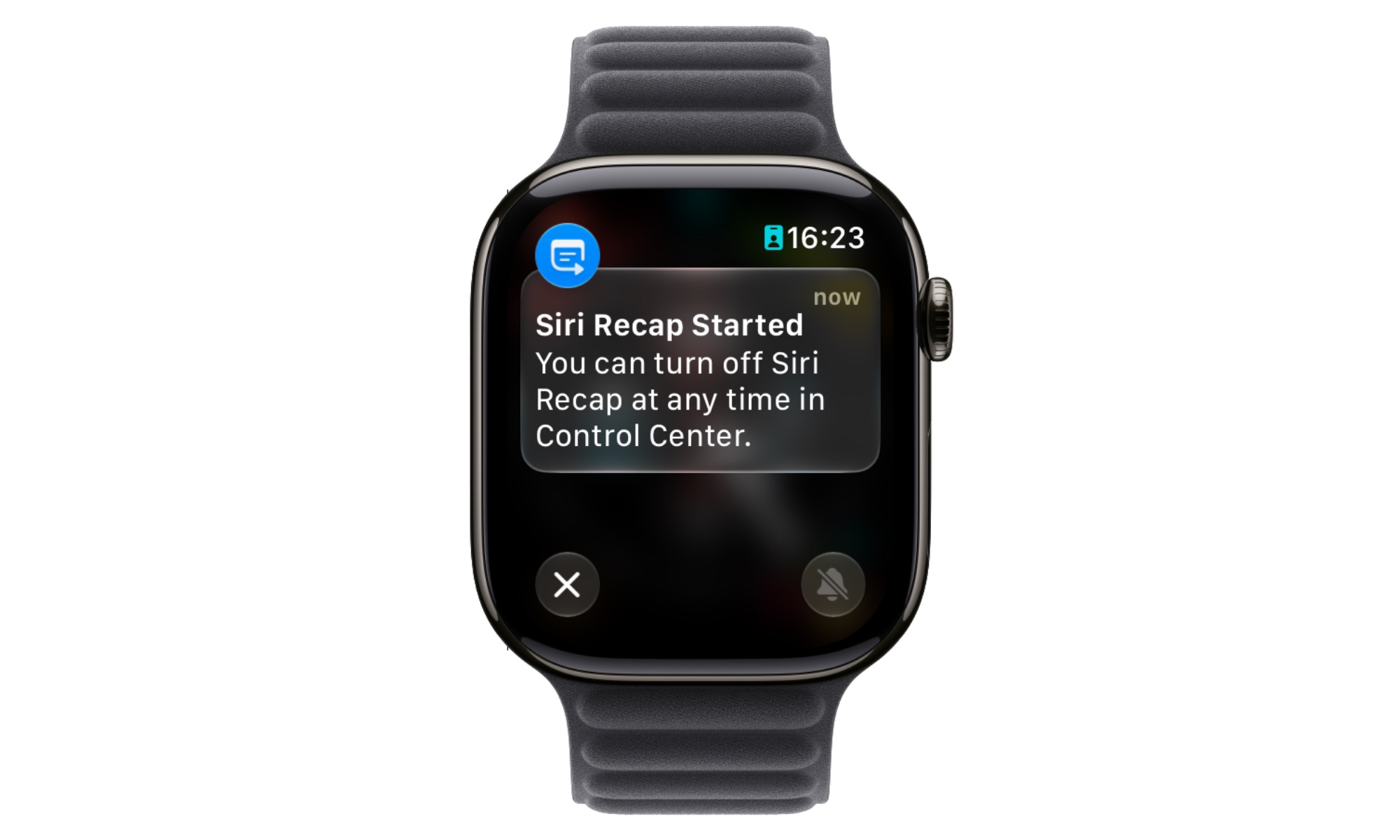
Sadly, there doesn’t appear to be a Shortcut action to control it yet, so it can’t be tied to specific calendar appointments, or activated based on other triggers, but it’s easy enough to toggle on from Control Center as long as you remember to do so.
Where Live Rewind is designed to provide a direct transcript of the last 15 seconds of audio spoken in the vicinity of your Apple Watch, Siri Recap is exclusively about providing summaries. It doesn’t provide actual transcripts, nor does it attribute what’s said to specific people. Data is collected in a protected area of the Secure Exclave chip, but it also uses “a lightweight AI model to determine whether speech is occurring nearby” to decide if there’s anything going on that’s worth recapping.
In my testing so far, this seems to rule out my own speech, at least for testing purposes. Where Live Rewind will absolutely capture me talking to myself, Siri Recap appears to do nothing until there’s more than one person in the room — or perhaps until I’m saying something that’s more insightful than just “Hi, this is a test.”
When Siri Recap does start capturing audio, it routes it to the paired iPhone, clearing it from the Apple Watch’s Secure Exclave immediately. The iPhone decrypts the audio, transcribes it to text behind the scenes so it has something to analyze, feeds it into an on-device language model to condense it, and then deletes the raw audio and the literal transcript.
Only that condensed text leaves the Secure Exclave, and it removes “content suggestive of conversation tone, non-essential language, filler words, and redundancies, while preserving the topics discussed.”
It also applies a “safety model” to omit “potentially harmful terms” or sensitive information “such as financial data, government-assigned identifiers, authentication data, and certain personal identifiers,” and then sends the data to Private Cloud Compute, along with contextual information such as Now Playing data, Calendar appointments, and high-level general location labels (e.g., home, work, school, or city), and point-of-interest categories like “grocery store” or “park” (precise location and specific location names are not included).
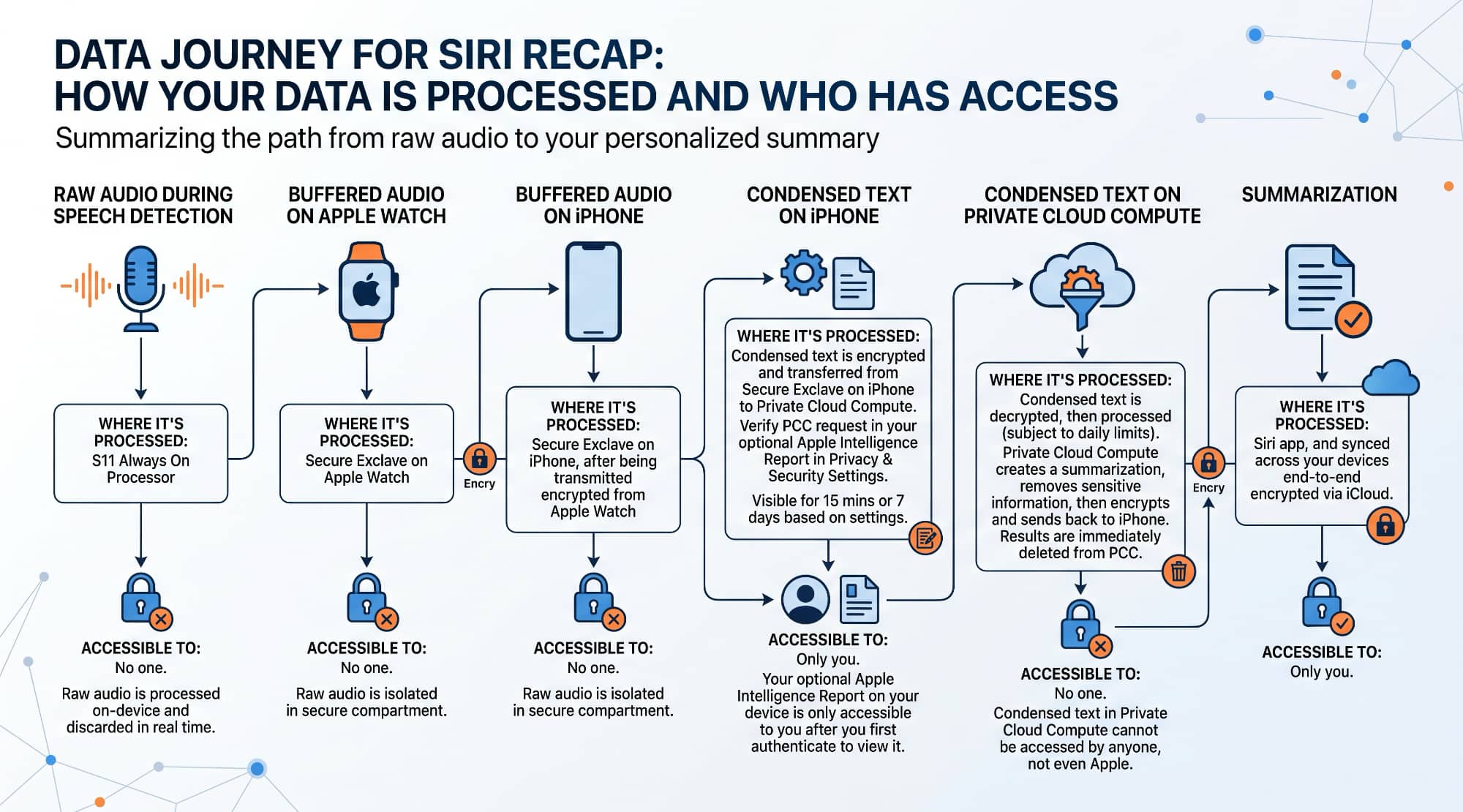
The Apple Foundation Models on Apple’s servers use that contextual information and the condensed data to generate a final title, summary, and key points. “The output is a brief, high-level summary, comparable to notes a person might write after a conversation,” Apple says in the description of the feature.
Siri Recaps will be stored in the Siri app under the new Recaps tab, and synced via iCloud to your other devices using end-to-end encryption — assuming you’re using iCloud with two-factor authentication and have a device passcode set.
Live Rewind and Siri Recap are available exclusively on the Apple Watch Series 12 and Ultra 4, but they also require an Apple Intelligence-capable iPhone with a Secure Exclave — an iPhone 16 or later model, which notably leaves out the iPhone 15 Pro, iPhone 15 Pro Max, and iPhone 16e. For now, they only work in English and aren’t available in the European Union.