
Don’t Fall for this Viral iOS 27 ‘Secret Feature’ Prank
 picsmart / Adobe Stock
Toggle Dark Mode
A fairly obscure bug in iOS 27 is going viral, and while it’s mostly harmless, it’s another good example of why you shouldn’t trust unsolicited advice you find on the internet.
While it’s not impossible to stumble into this glitch accidentally, it’s highly unlikely. However, it’s making the rounds as a prank on social media — both as something people can pull on their friends and as a tip suggesting there’s a secret set of gestures that can unlock a hidden feature in iOS 27.
That “hidden feature” is actually just a way of making your iPhone virtually unresponsive. Thankfully, the results are more annoying than destructive, as all the glitch does is freeze up parts of the user interface, requiring you to force restart your iPhone to restore normal operation.
It’s far from the first time we’ve seen glitches that can lock up an iPhone. This one is a bit easier to trigger than most, but you still really have to be trying.
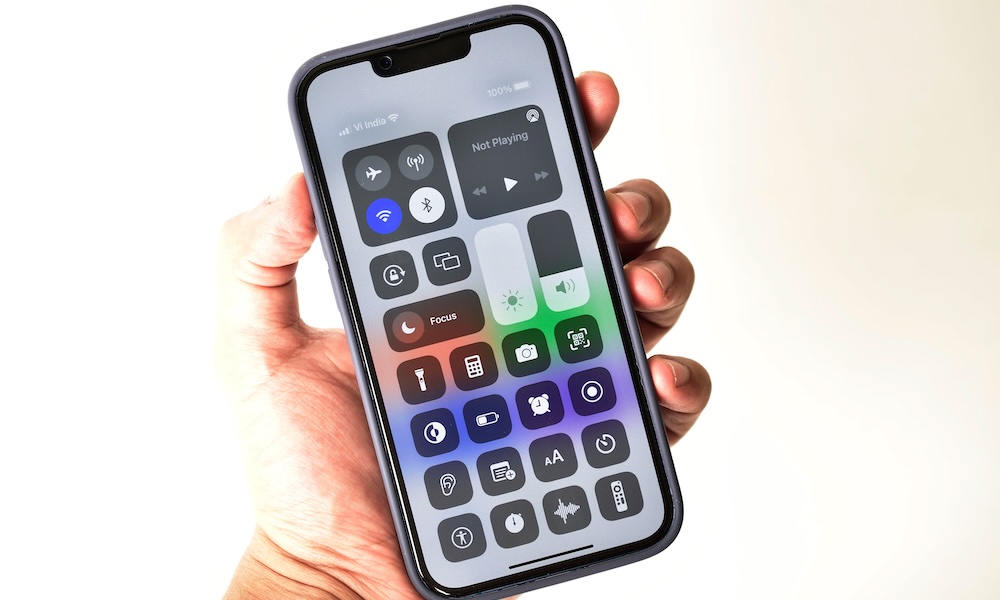
To trigger this glitch, you need to open the Notification Center and the Control Center in quick succession. Specifically, swiping down from the top-left corner to bring up Notification Center and then swiping down from the top-right corner a split second later to open Control Center before the Notification Center has even finished opening.

After swiping up to dismiss Control Center, you may see the bottom part of the Lock Screen remains showing near the top of your Home Screen, almost as if it didn’t swipe all the way back up. This suggests part of the bug may be related to the iPhone thinking it’s still in a semi-locked mode.
Either way, you’ll find that most swipe gestures and taps simply stop working at that point. You can swipe up to bring up the App Switcher, but you won’t be able to select any apps. You can swipe back down from the top-right corner to bring up the Control Center again, but that’s about the only thing that seems to work consistently.
To make things even worse, if you hold down the side button to power off your iPhone — or even tap the power button in the top-right corner of the Control Center — you still won’t be able to activate the power off slider to actually power down your iPhone so you can start up fresh.
At this point, the only way to return to normal operation is to do a force restart:
- Press and release the volume up button.
- Press and release the volume down button.
- Press and hold the side button until the Apple logo appears.
- Release the side button.
At that point, your iPhone will reboot and everything should be back to normal.
This glitch isn’t consistently reproducible. Even when I was actually trying to make it happen, it took me about three attempts, as it seems to come down to opening the Control Center at the exact right time as the Notification Center is still sliding down. However, forewarned is forearmed, so it’s best to avoid moving too quickly between the two until Apple fixes this bug.
As of this writing, the problem also exists in the iOS 27.2 beta that was released yesterday, and a Reddit post from last week suggests it was also present in the final developer beta of iOS 27.0. It’s unclear if anyone ever formally reported it to Apple, but hopefully the company will notice it now that it’s going viral.






