
iOS 27.2 Improves Shared Albums and Stamps AI Edits with SynthID

Toggle Dark Mode
Earlier this week, Apple released iOS 27.2 to the public, and while the update is mostly about Siri AI improvements and security fixes, Apple also snuck in a couple of useful tweaks to the Photos app.
The big iOS 27 release in September came with a significant overhaul to Shared Albums, making them more collaborative than ever. You can now finally invite users on virtually any platform — including Android and Windows — to contribute to a Shared Album via a modern web browser, and everything you add is now shared in its full resolution.

It wasn’t all good news, though, as Apple’s decision to allow original photos and videos to be stored in Shared Albums also comes with the trade-off that items in these new albums now count toward the iCloud storage allotment of whoever creates the album.
When Shared Albums first debuted in 2012 (yes, it was that long ago), Apple gave away the storage for free. Even those who weren’t paying for iCloud and had only a 5 GB allotment could still store up to 5,000 photos and videos in a Shared Album, but images would be rescaled down to 2,048 pixels on the longest side (around 3–3.5 megapixels), while videos were capped at 720p and 15 minutes in length.
That all changed with iOS 27, which sports an entirely new architecture for Shared Albums that not only stores full-resolution photos and videos but also allows for more granular permissions, letting you decide whether those you invite can manage the whole album, only add photos, or only view and comment.
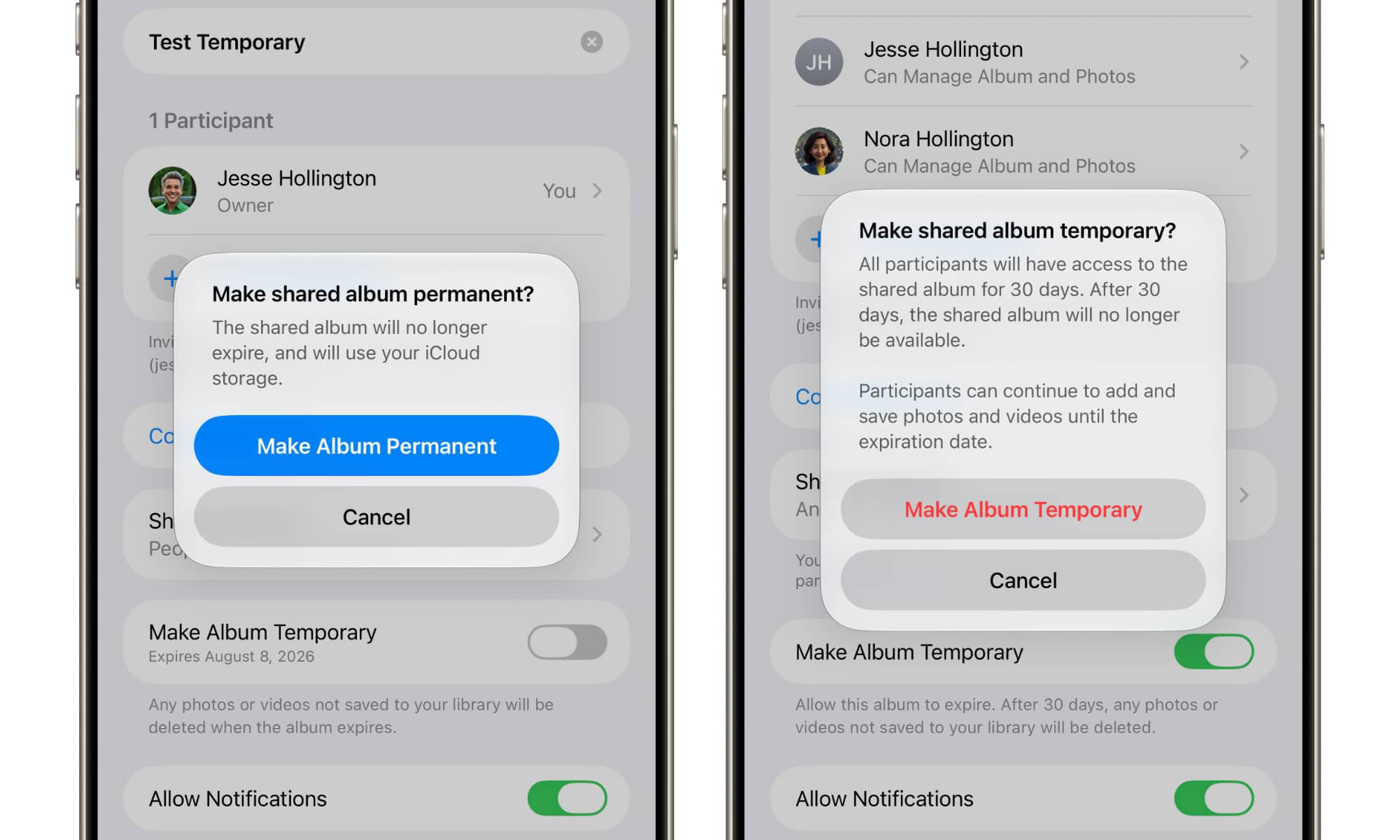
Apple also added support for Temporary Shared Albums, which will automatically expire after 30 days and don’t use anyone’s iCloud storage, regardless of how many items you store in them.
Now, Apple is enhancing these features in iOS 27.2, as per Apple’s release notes:
Shared Albums in Photos adds the ability to edit captions and comments, to avoid adding duplicate photos, and can display a reminder before albums expire so participants can save important photos and videos.
Shared Album members will only be able to edit their own comments, although anyone with permission to manage the album can still delete anyone’s comments. However, the “ability to edit captions” is a bit misleading, as from my own testing, this appears to refer only to the captions in the Activity view — the ones you add when sharing a batch of photos.
Individual photos still can’t be captioned in Shared Albums, and captions from your own photo library won’t carry over when you share them. That’s a good thing; Apple is clearly erring on the side of privacy here.
SynthID Watermarks Come to Photos
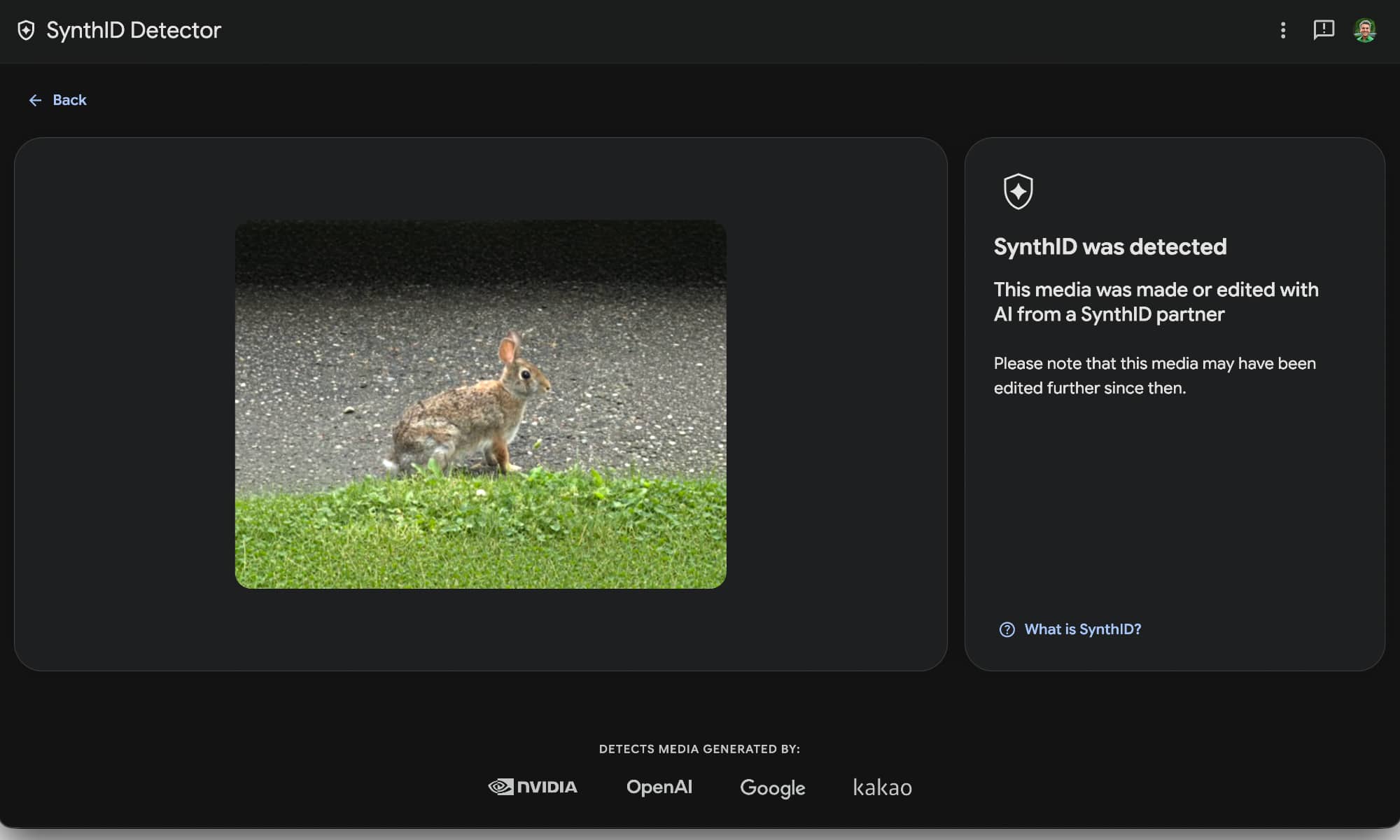
The other noteworthy change in iOS 27.2 is that Apple is adding SynthID watermarks when its generative AI tools are used to create or modify an image.
Support for SynthID watermarking to help identify whether an image was generated or modified with generative tools in Photos and Image Playground.
While this naturally includes anything created from scratch in Image Playground, SynthID watermarking will also be applied when using the new AI editing tools in iOS 27, including Clean Up, Extend, and Reframe.
SynthID watermarks are baked into the pixels, so they’re virtually impossible to remove without either cropping a photo down to a shadow of its former self or regenerating it entirely in a tool that doesn’t support SynthID. Photos can be checked for SynthID watermarks using Google’s SynthID Detector portal.






