Better Late Than Never: Google’s Gemini Is Finally Ready for Apple CarPlay
Toggle Dark Mode
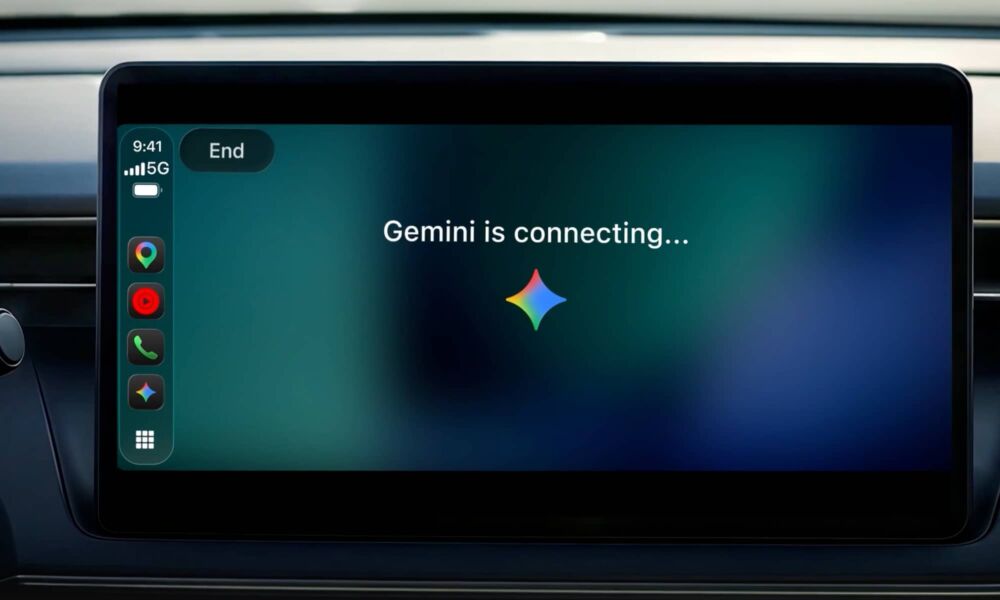
Apple opened up CarPlay to AI chatbots earlier this year in iOS 26.4 via a new category for voice-based conversational apps. This provided the framework for developers to get their apps onto the dashboard, but while ChatGPT was ready right out of the gate, Google has been a bit of a straggler here.
While Gemini is finally coming along for the ride, it’s also arriving in a fairly distant seventh place behind all the rest.
It’s ironic, considering that Siri AI is now effectively powered by models built from Google’s Gemini, but it’s also not entirely surprising. Google is known for taking its time to embrace new iOS features, and it probably doesn’t help that it also has its own Android platform to deal with.
Still, it’s pretty bad when Meta and Microsoft are both beating Google to the punch. While Perplexity and Grok showed up almost right alongside ChatGPT, Meta AI got on board in August, followed by Claude and Microsoft Copilot in September.
This is going to be good news for those who rely on Gemini as their primary AI assistant — and that’s quite a few people, considering that Google bundles Gemini Pro in with Google One and most Google Workspace plans.
While Google offers some Gemini support through Google Maps, that’s generally limited to navigation-related functions, such as finding local businesses and getting directions. By contrast, today’s arrival of the full Gemini app experience will let you engage with Gemini Live from your dashboard, doing pretty much everything you can do directly from the app itself.
For millions of people, the daily commute averages about an hour behind the wheel. While voice assistants have long been great for quick tasks like playing a playlist or getting directions home, all that quiet time on the road is also an opportunity to catch up, prepare for what’s ahead, or simply think out loud.
Karan Daryanani, Google Sr. Product Manager
The Gemini app has already been available for a while on Android Auto and cars with Google built-in (aka Android Automotive), and the car-native version still has a few advantages, as it can be used to handle things like climate control. That’s also the dream of CarPlay Ultra, but far fewer automakers have gotten on board with handing over control to Apple and Siri AI.
The downside to Google built-in is that it only works with personal Google Accounts, which leaves Google Workspace users (like me) in a bit of a lurch. Gemini in CarPlay has no such restrictions; like every other CarPlay app, the dashboard version is just an extension of what’s already running on your iPhone.
This means I can use Gemini to check my Gmail inbox or Google Calendar while I’m on the road. Granted, Siri AI can do that in iOS 27 — sort of — but Gemini has a few more years of experience learning how to do it properly.
The downside is that Gemini in CarPlay still opens Google Maps for directions — even if Apple Maps is otherwise set as your default. Unlike other Google apps like Gmail, Gemini doesn’t offer the option to set a default navigation app even on the iPhone, much less via CarPlay. Of course, that’s fine if you primarily use Google Maps anyway, but I find Apple Maps is much better at helping me get around Toronto without running into unexpected road closures.
Like most other chatbots, including Siri AI, conversations with Gemini Live will sync to the Gemini app on the iPhone — and, by extension, to the web. On the flip side, though, you won’t be able to call up Gemini Live in the car purely with your voice or steering wheel button, as Apple hardwires that into Siri AI.
To get going with Gemini, you’ll have to actually reach for the Gemini icon on your infotainment screen, which will open the app with the ability to start a new conversation or continue an existing one.
Gemini is rolling out globally for CarPlay, but as with most Google rollouts, it may not arrive for everyone right away. Google says to ensure you’ve updated to the latest version of the Gemini app on your iPhone and used Gemini Live on your iPhone at least once. You’ll also need to make sure microphone permissions have been granted to the Gemini app, but you’ll be prompted to do this automatically the first time you trigger Gemini Live.