iOS 27.3 Finally Adds Native Dark Mode to Safari
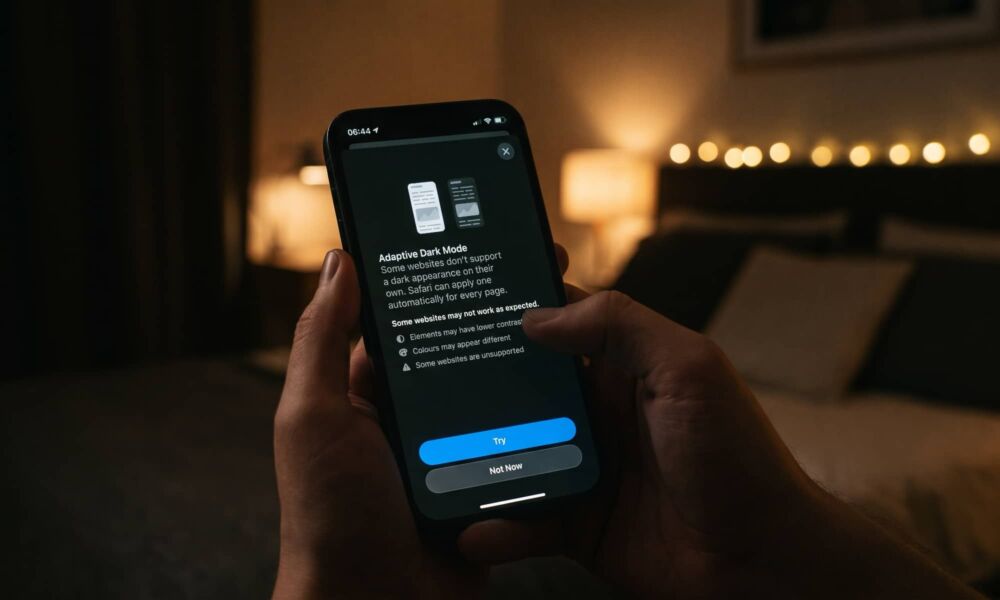
Toggle Dark Mode
The first beta of iOS 27.3 went out this week to both developers and public beta testers, and while some of what’s here is about fulfilling promises made in September and matching up with the iPhone Duo, Apple has also packed in a few fun new features — and some practical ones too.
Although I’d still argue it’s “fun-adjacent,” one feature that fits more into the “practical” category is something that took a surprisingly long time to arrive: a proper dark mode for Safari.

After all, it’s been seven years since Apple brought Dark Mode to the iPhone, and even that was a bit late, considering proper “true black” OLED screens had arrived with the iPhone X two years earlier.
Still, when it finally got here, the response of most iPhone enthusiasts was simply that it was better late than never. But while Safari itself adapted nicely to the darkness, the pages you’d render in the browser? Not so much.
It was arguably up to web developers to give their sites a proper dark mode, and in most cases the iPhone would render the appropriate mode if they had one. Sadly, many sites still hadn’t gotten with the program, and it could be rather jarring when opening a stark white webpage in the middle of the night.
We all just kind of lived with this reality for two years, until iOS 15 gave us Safari Extensions in 2021. Not long after that door opened, Noir appeared as the solution. It wasn’t perfect, but it did a reasonable job.
However, with iOS 27.3, Apple has effectively “Sherlocked” another app by building an Adaptive Dark Mode directly into Safari on the iPhone (and iPad).
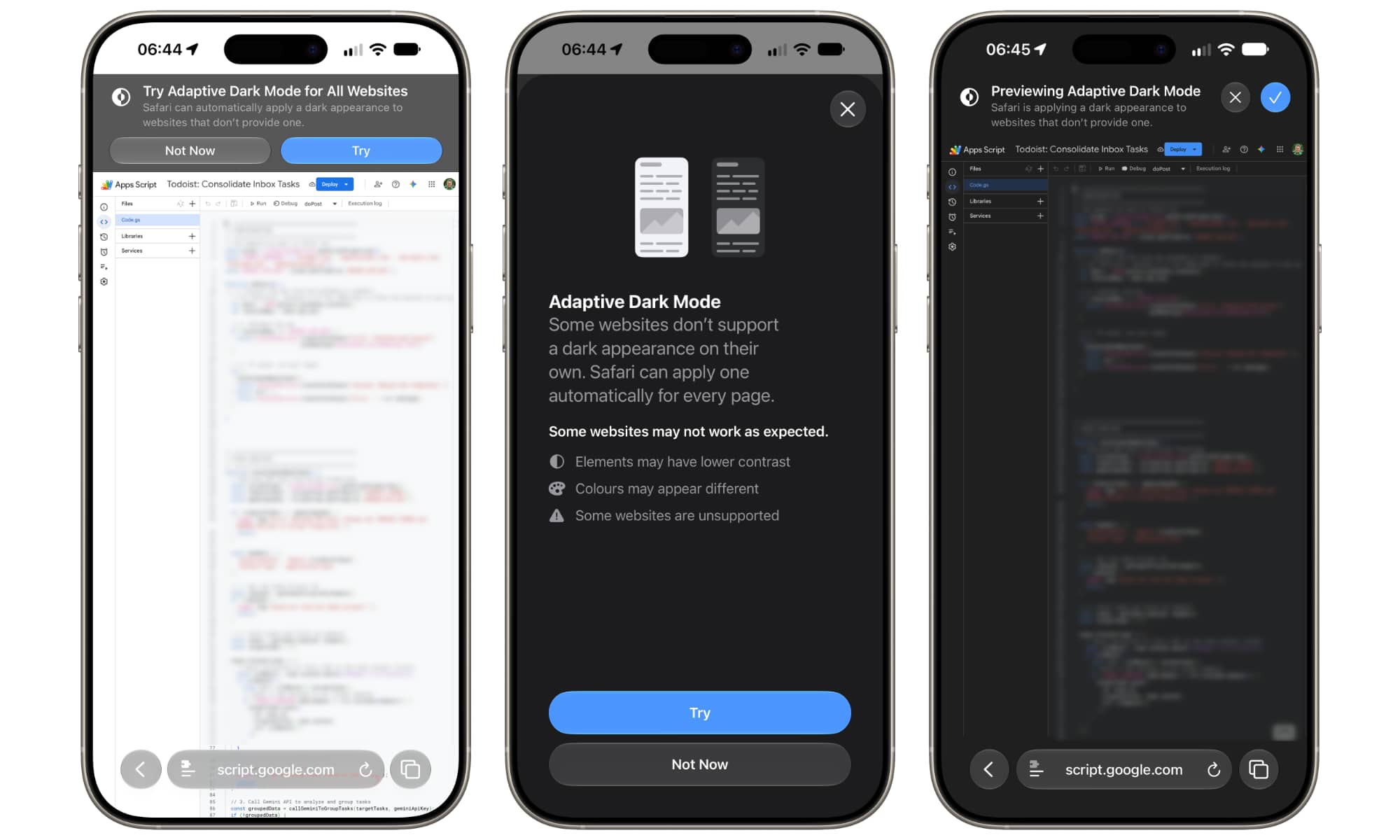
Unlike Noir and other similar browser-based extensions, which can sometimes yield poor results by darkening the wrong things, Apple’s new Adaptive Dark Mode uses intelligent page analysis to determine the content of a webpage, making it more of a scalpel than a hammer.
Obvious light backgrounds are darkened, while logos, graphics, and text colors are appropriately inverted. It even tweaks raised surfaces and shadows so they look as accurate to the original light webpage as possible.
So far, Adaptive Dark Mode is getting it right enough to make every page I’ve visited completely readable. To be fair, Noir had a decent success rate — I’d say maybe only one or two out of every ten sites I visited struggled with it — but there’s just no comparison to the new built-in mode.
That’s not to say it renders every page darkly, but unlike Noir, it seems iOS 27.3 would rather not try at all than get it wrong. There’s also the fact that developers can opt out using specific HTML/CSS tags, although I haven’t dug deep enough yet to determine if some sites are staying bright specifically for that reason; WebKit documentation suggests Safari isn’t honoring this yet, but there could be other CSS properties causing Safari to avoid darkening those pages. Safari is also not supposed to touch websites that already have a native dark mode, which could be confusing it at this point.
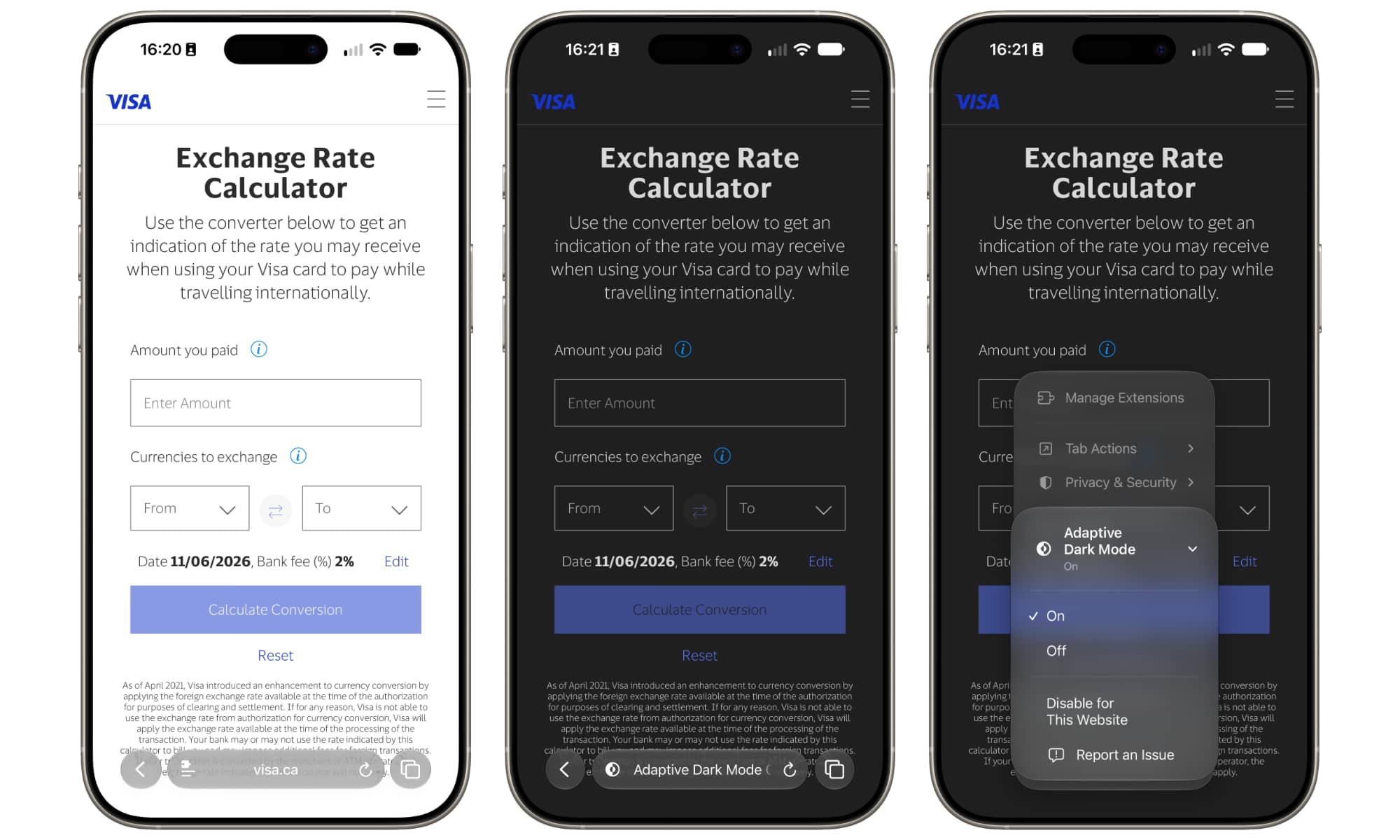
If you’re running the iOS 27.3 beta, you should see a banner come up at the top of Safari as soon as you visit an appropriate website while Dark Mode is enabled on your device. However, you can also find it by tapping on the Page Menu button to the left of the address bar and scrolling down the menu to look for Adaptive Dark Mode. From there, it can be toggled on or off globally, or disabled for specific websites, a list of which can be found in the main Safari Settings.
While Adaptive Dark Mode is probably the biggest quality-of-life change, Safari in iOS 27.3 also adds support for vertical tabs for the iPhone Duo, iPad, and Mac, plus Siri AI improvements that let it organize and take actions on tabs, manage your browsing history for specific sites, and — in a future update — understand entire webpages beyond what’s on your screen.