
Apple Clamps Down on Mac Full Disk Access to Rein in Rogue AI
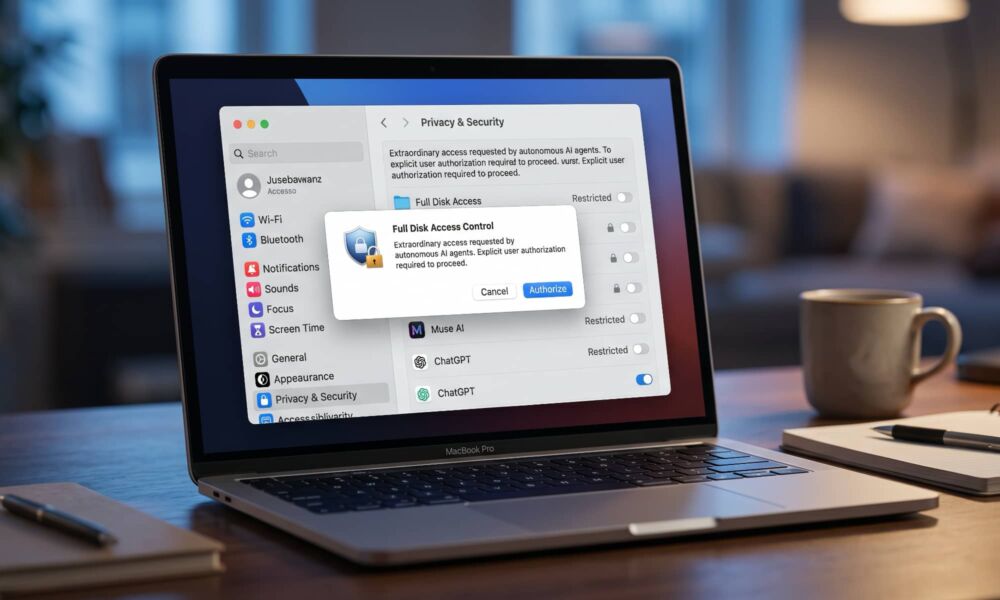 Concept image of macOS Full Disk Access warning [iDrop News / AI]
Toggle Dark Mode
Over the years, Apple has done a good job of locking down macOS in ways that don’t limit its power yet still help protect users from being hurt by malicious apps — or even simply misbehaving ones.
Features like System Integrity Protection (SIP) prevent even a full “root” or administrative level user from modifying critical system files, while sensitive user-facing areas are protected by sandboxing and a robust set of privileges that must be explicitly granted before things like contacts, calendars, or photos can be accessed.

However, since these all came along with macOS 10.14 Mojave in 2018, there’s also been a “master switch” of sorts known as “Full Disk Access.”
Turning this on effectively grants access to everything else at a fundamental level. Contacts, calendars, and photos may not be readable through the standard APIs, but the underlying databases are wide open. In other words, flip this switch for an app, and you’ve effectively given it a green light to access everything on your Mac’s SSD.
While Full Disk Access is a necessary switch for certain apps (backup tools come to mind as an obvious example), it’s not uncommon to see users toggling it on just because it’s the fastest way to deal with apps that are behaving oddly. It’s too easy to use this to turn off all restrictions at once without the more “surgical” approach of figuring out what’s really necessary.
That was dangerous enough in the days when folks were dealing with apps that operated mostly under their control. It’s potentially fatal now that apps like ChatGPT and Muse can install AI agents that could potentially run amok on your Mac.
As a result, Apple recently announced plans to slam the lid down on Full Disk Access to prevent users from hurting themselves with AI agents. It doesn’t help that apps can ask users to give them this permission without fully explaining to users what they’re allowing, as Apple notes:
We give developers powerful APIs to build incredible capabilities into their apps for Apple products, backed by a set of controls designed to protect users’ private data. Full Disk Access largely sidesteps these controls in order to allow backup apps to function properly on the Mac. Some developers are using Full Disk Access in ways that could put users at risk, exposing everything on their systems?—?including files, mail, messages, and even browsing history?—?without users’ full knowledge and understanding. For communication apps, this can also compromise the privacy of the people users are communicating with.
Apple Developer News
While tech-savvy users have a better understanding of the risks, it’s not hard to imagine a significant cohort of Mac users who just blindly toggle whatever switches an app asks them to during the onboarding process.
We already know that Meta isn’t exactly known for playing by the rules, and it seems to constantly be looking for new ways to hoover up as much user data as it can. We can hardly expect Meta’s Muse to go out of its way to tell users why it needs Full Disk Access. That would just be scary.

As Jason Aten explains at Inc., Muse has already been pushing the envelope beyond what anyone would expect — and that was without Aten giving it any explicit or even implicit permissions.
To make a long story short, Muse somehow read all of Aten’s private messages, and even began sending him push notifications about texts he was receiving. He’s still not entirely sure how it pulled this off — and he definitely didn’t have Full Disk Access on.
However, he also notes that “if you give it Full Disk Access on a Mac, it will do things way beyond what you’ve asked it to do,” while adding that Meta isn’t even trying to explain this properly to its users.
If your primary audience does not understand what Full Disk Access means, you should not surprise them with “I’m reading your text messages.” It’s unreasonable to expect them to learn about things like virtual machines, permission architectures, macOS TCC, Sentinel agents, or database synchronization in order to understand what the thing is doing or what is happening with their personal information. Having an agent installed on people’s computers that appears overeager to access their information or take action on their behalf isn’t helpful. It’s terrifying.
Jason Aten
It’s hard to believe the timing of Apple’s announcement is a mere coincidence. In fact, the tone of it is gently reactive; Apple isn’t saying exactly what it’s going to do in terms of clamping down on Full Disk Access, but it’s promising it will at least ensure that users are very well informed of precisely what can happen when they flip this switch.
Going forward, we will introduce additional controls to ensure that users who genuinely wish to grant an app this extraordinary level of access can only do so with very explicit user action. Addressing this is critical. As AI agents become increasingly capable and autonomous, the risks associated with this level of access will grow substantially. We are committed to ensuring users clearly understand these risks before granting such access, so they can make informed decisions about their own data and privacy.
Apple Developer News
It’s an open question whether Apple will go further than this, such as adding recurring prompts to remind users that Full Disk Access is enabled, or possibly even requesting permission each time an app wants to color outside the lines.
It’s also not clear when these changes are coming. They could arrive in macOS 27.2 or they might not show up until macOS 28 arrives next year. In the meantime, however, one thing is clear: you should really try to avoid giving Full Disk Access to any app unless you’re absolutely certain it needs it — and perhaps think twice about installing AI apps that include agentic capabilities. Tools like Gemini and ChatGPT work reasonably well through a browser, where they’ll have a much harder time touching anything on your Mac they’re not supposed to.






