
Never Hit Red: The Best iPhone 17 Charging and Power Gifts

Toggle Dark Mode
There’s nothing worse than seeing a 10% low power alert when you’re halfway through a holiday flight or in the middle of taking family photos around the tree. That’s why it’s important to ensure you’ve packed the proper power for your iPhone, especially in the midst of a busy holiday travel season, where it’s easy to forget those essentials while you’re packing the gifts, kids, and pets into the car.
In Part 3 of our series, I’ve rounded up the power accessories that have actually earned a permanent spot in my family’s travel bags. While there are plenty of basic cables and power bricks that will get the job done, I’m focusing instead on the best on-the-go experiences, MagSafe innovations, and high-speed chargers that make the iPhone 17 experience truly seamless and will be a welcome gift for frequent travelers or anyone who’s nervous about getting through the day on a full charge.
The Last-Minute iPhone Gift Series
- Part 1: Style & Protection
- Part 2: Wallets & Utility Cases
- Part 3: Charging & Power (You Are Here)
- Part 4: Car Mounts & Essentials
Mophie Juice Pack: Power on the Go
The Juice Pack likely needs no introduction to long-time iPhone users — Mophie’s first charging case debuted in 2006, although it wasn’t until the iPhone came along that it became a hit. Since then, it’s become the best-known battery case on the market, and the company continues to release updated versions for each year’s new iPhones.
This year, there’s a Juice Pack for the iPhone 17 Pro and iPhone Air, although Mophie has sadly left the iPhone 17 out for now. That’s unfortunate, as even though the iPhone 17 shares a very similar design to the iPhone 16, the dimensions are just different enough to be incompatible with last year’s Juice Pack model.
The Juice Pack for iPhone Air is easily the most useful, delivering 60% more power to ensure you get through an entire day while adding minimal bulk. I didn’t get to try this one, but based on Mophie’s very solid track record, I’m confident in saying it will be a solid choice for any iPhone Air user out there who needs extended runtimes without the awkwardness of slapping on MagSafe battery packs, although it naturally takes away from the svelte design of Apple’s new model.
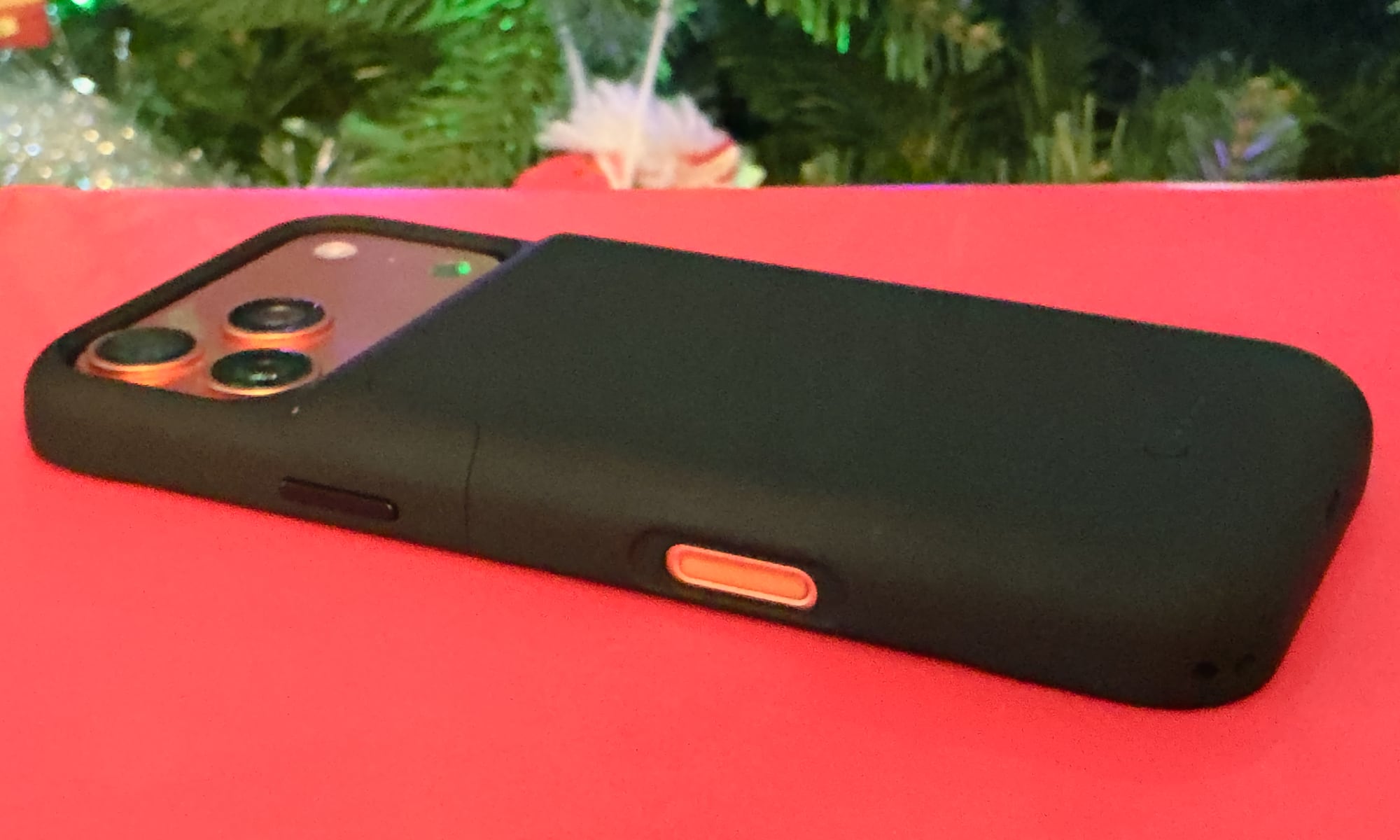
The Juice Pack for iPhone 17 Pro Max, which is the one I’ve been testing and using, is arguably less necessary as an everyday carry considering how large the internal battery already is. However, it’s still a great way to ensure you have power to spare when you know you’ll be away from a charger for an extended period of time — or just don’t feel like dealing with the hassle of topping up your iPhone.
The 3,600 mAh battery pack inside promises 50% additional run time, but as I wrote years ago, it’s worth mentioning that battery cases lean into a different power strategy than external battery packs that can actually help to preserve your battery health.

The Case for Improved Battery Health
Most folks who use MagSafe battery packs tend to only pop them on when their internal battery is getting low, and there’s been a tendency to use battery cases in the same way. However, that doesn’t make a lot of sense when your iPhone is wearing the case all day anyway.
Ten years ago, Apple released its own Smart Battery Case for the iPhone, a short-lived product that distinguished itself from the competition by the lack of an off switch. In that product, Apple showed us the “right” way to use a battery case: slap it on your iPhone at the start of the day and then run from the external battery until it’s dead, using the iPhone’s internal battery as the backup.
While Mophie’s Juice Packs still include a power button, I strongly recommend leaving it on from the start. Like all lithium-ion batteries, the iPhone battery is rated for a set number of charge cycles, after which it begins losing capacity. By running from the case, you avoid using up your internal battery. Plus, it takes more energy to charge a battery than to simply run the phone from an external source, so you’ll get more efficiency out of the Juice Pack this way.
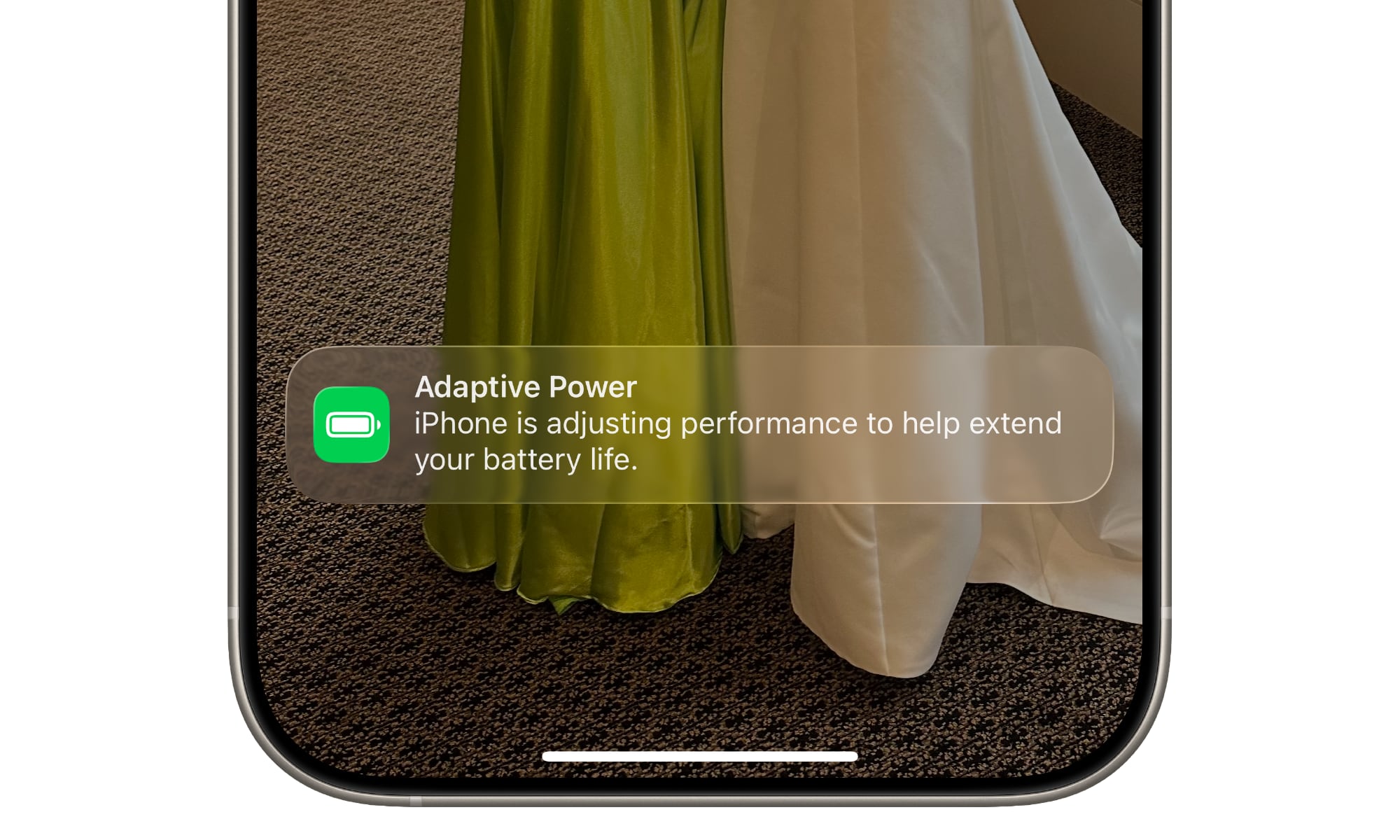
This is where the newer Adaptive Power features in iOS 26 and the classic charging limit toggles become incredibly useful. You can set your charging limit to 80% or 90% in Settings, ensuring the case keeps you at a healthier level all day without stressing the internal cells.
Just keep in mind that you’re still strapping a heat-generating battery to the back of your iPhone, so you should not only turn the case off when you’re engaging in CPU-intensive activities like playing AAA games — you may want to remove it entirely. Apple’s new vapor chamber cooling is great, but it’s not magic; the heat has to go somewhere, and it doesn’t help when it’s fighting to get through a thick case with a 3,600 mAh battery inside.
Design and Features
You’ll be bulking up your iPhone quite a bit with the Juice Pack, but it doubles as a reasonably protective case against the bumps and scrapes of everyday life. It’s rated for six-foot drop protection and includes raised edges to protect the screen and a decent amount of grippiness to help you keep a hold on your iPhone, plus a spot to attach a lanyard.
This year’s models also bring USB-C audio passthrough for the first time, which will be a boon for those who want to plug in wired USB-C headphones for listening to Apple Music in lossless quality.
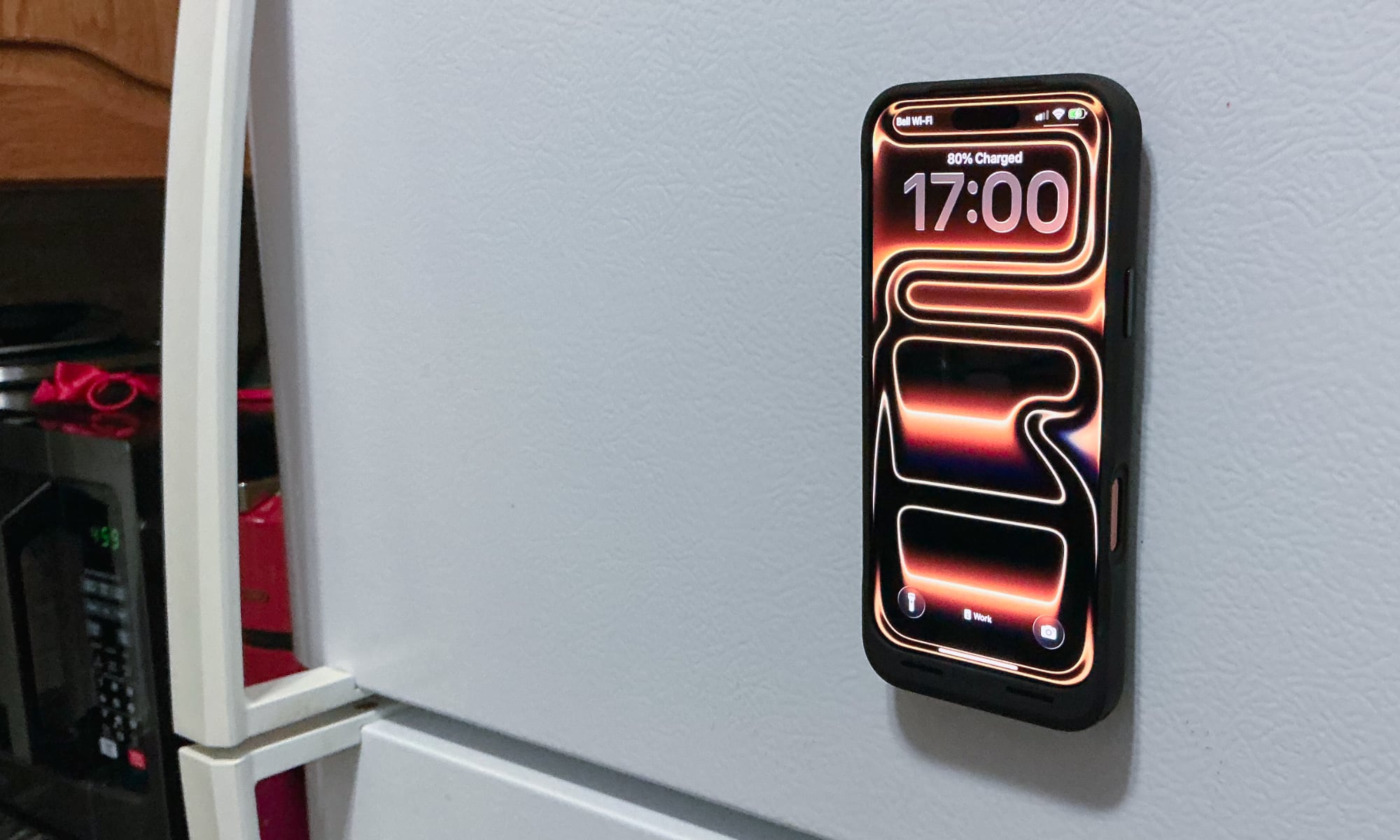
There’s naturally also USB-C passthrough charging, which prioritizes topping up your iPhone battery before the one in the case. While there’s still no MagSafe wireless charging, the Juice Pack does include strong magnets on the back that will attach to MagSafe stands, mounts, accessories and anything else metallic, making it a great way to mount your iPhone on your fridge and keep it at eye level while you’re busy in the kitchen.
The Juice Pack features standard coverage for the volume and side sleep buttons, but it leaves the Camera Control open rather than using a capacitive pass-through button. There’s also the usual button on the back that can be used to power the case on or off or check its approximate battery level using the four LEDs beside it.
TwelveSouth PowerBug: MagSafe Anywhere
TwelveSouth’s PowerBug is an idea that’s so clever we can’t believe it took this long for someone to think of it. At first glance, it looks like an unassuming USB-C power brick, but hidden in the front end is a MagSafe charging ring that lets you effectively plug in your iPhone and dock it anywhere you can find an outlet — no cables required.
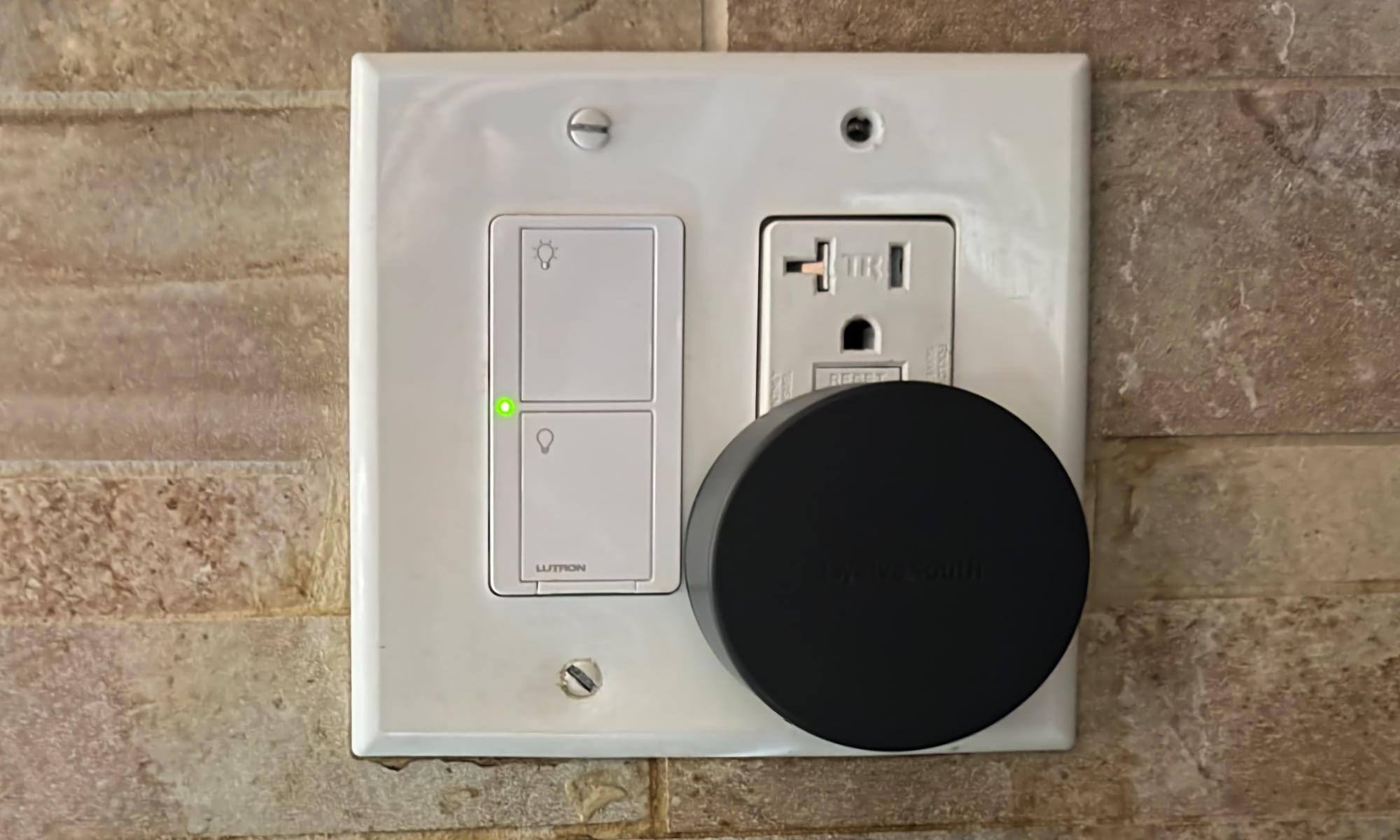
It’s Qi2 and MagSafe-certified, so it delivers a full 15W of wireless charging power, but there’s also a USB-C port on the bottom that can put out up to 35W on its own, or 20W when you’re also charging an iPhone via MagSafe.
There’s not much more to say about PowerBug other than the fact that it works great and is handy for more than just plugging in your iPhone. Not only is it ideal for travel — the prongs fold in for maximum portability — but it also makes a great way to dock and charge an iPhone in places like kitchens, where it can be plugged into a countertop outlet to read recipes, watch videos, or conduct FaceTime calls.
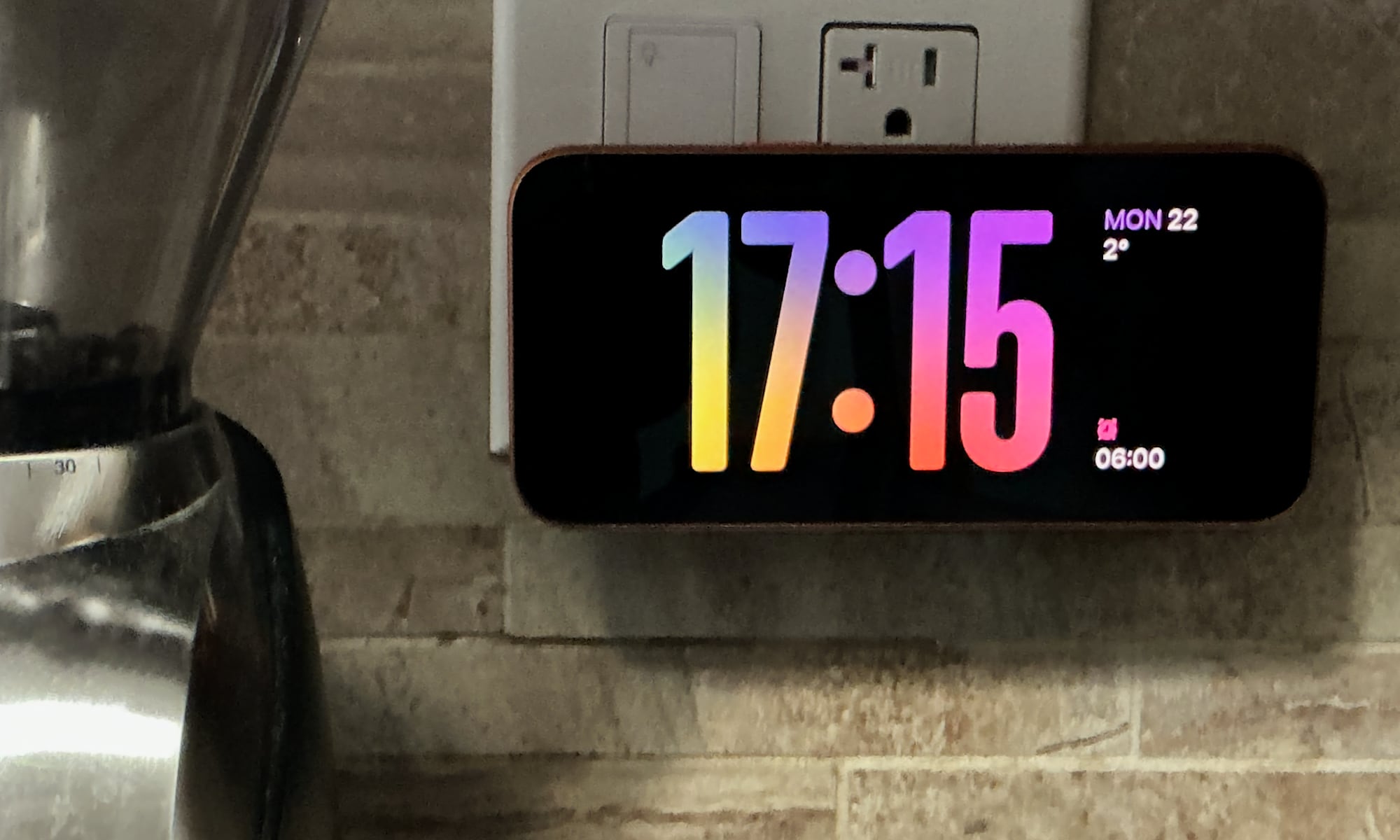
Plus, since the iPhone is powered, StandBy mode will kick in to show you a clock, photo gallery, or series of widgets. That doesn’t happen when you just pop it onto a magnetic mount.
Satechi OntheGo 3-in-1: Compact Travel
Apple fans who travel likely have more than just an iPhone to worry about when they’re on the road. That’s where Satechi’s OntheGo 3-in-1 charger comes in. It’s lightweight at just over 5 ounces and cleverly designed to fold up into a compact enough form to take up minimal space in your luggage, while delivering fast charging for an iPhone, Apple Watch, and set of AirPods.
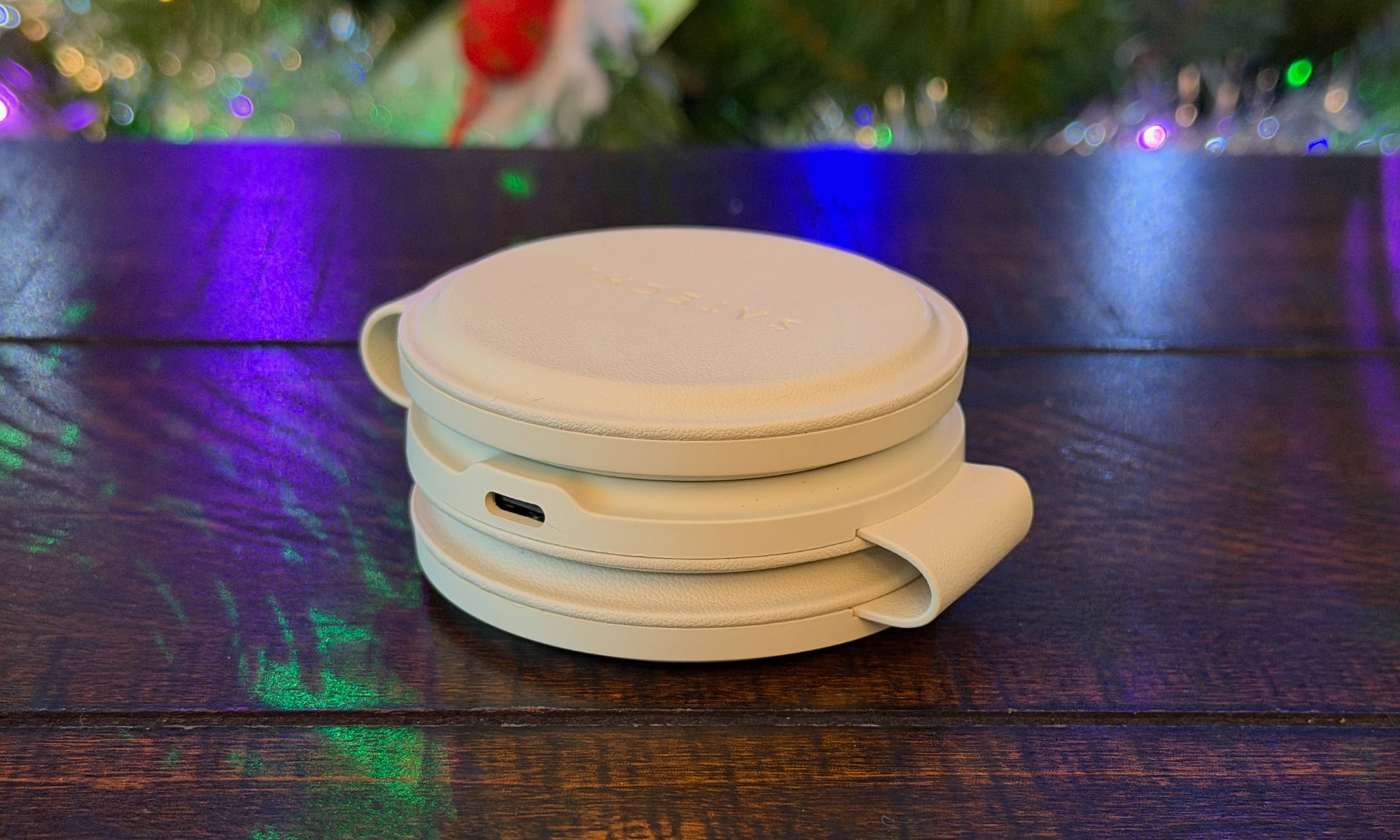
It’s also more stylish than most travel chargers we’ve seen, especially in the sand and desert rose colors. This makes it a great gift for someone who wants something that doesn’t scream “techie” in its design. This one is fully approved by my spouse, who has already taken it on two vacations with her this year — including an extended holiday in Europe — and found it incredibly handy and unobtrusive.
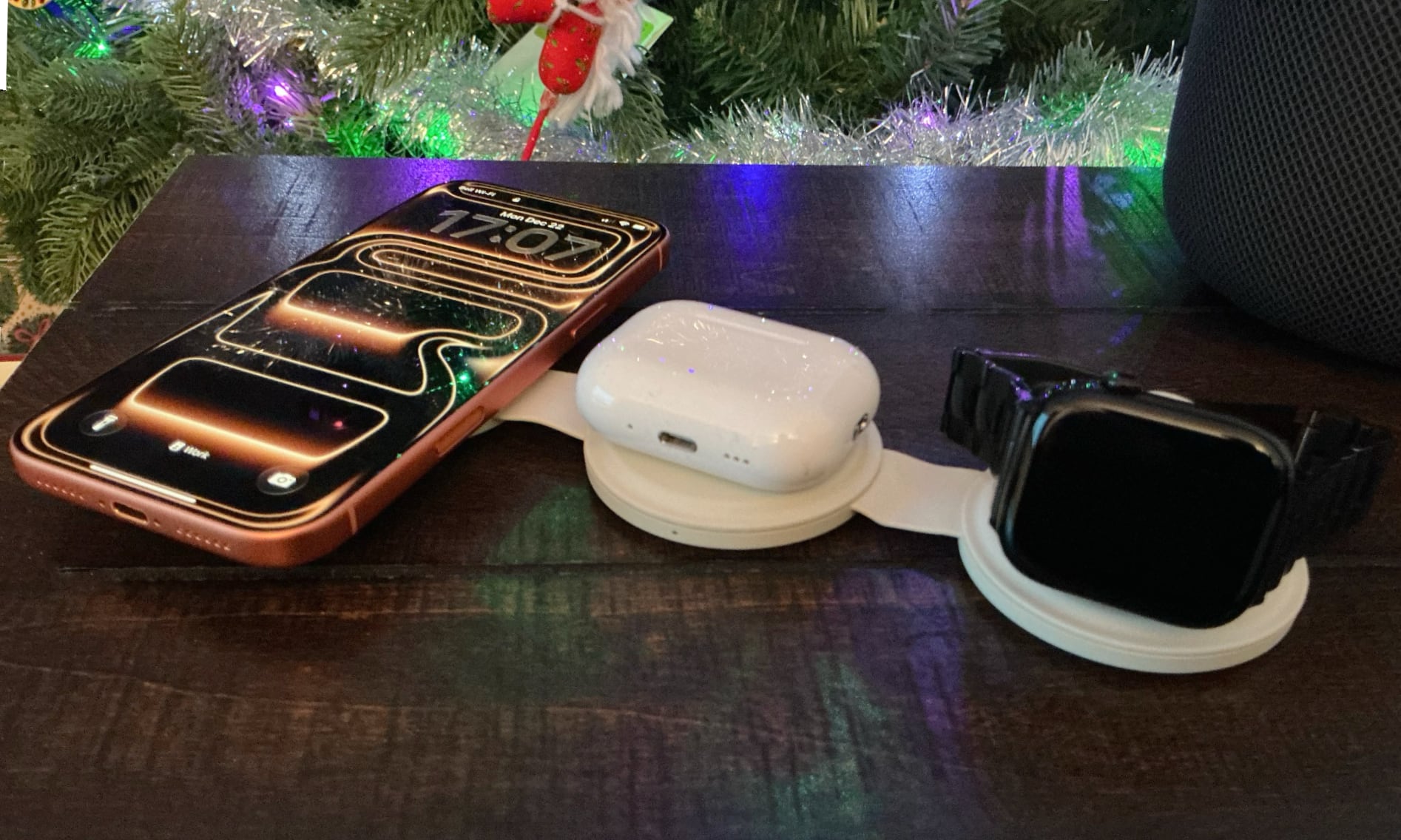
Like most wireless chargers these days, you’ll need to supply your own USB-C power brick (36W or higher recommended), but Satechi not only includes a color-matched USB-C cable, but also a travel pouch to keep it in.
ESR CryoBoost Foldable 3-in-1: Keeping it Cool
ESR’s foldable 3-in-1 magnetic charging station goes in the opposite direction of Satechi’s, with a very tech-forward aesthetic. I quite liked the design, but it’s definitely for the person whose tastes lean more toward utilitarian than fashionable.
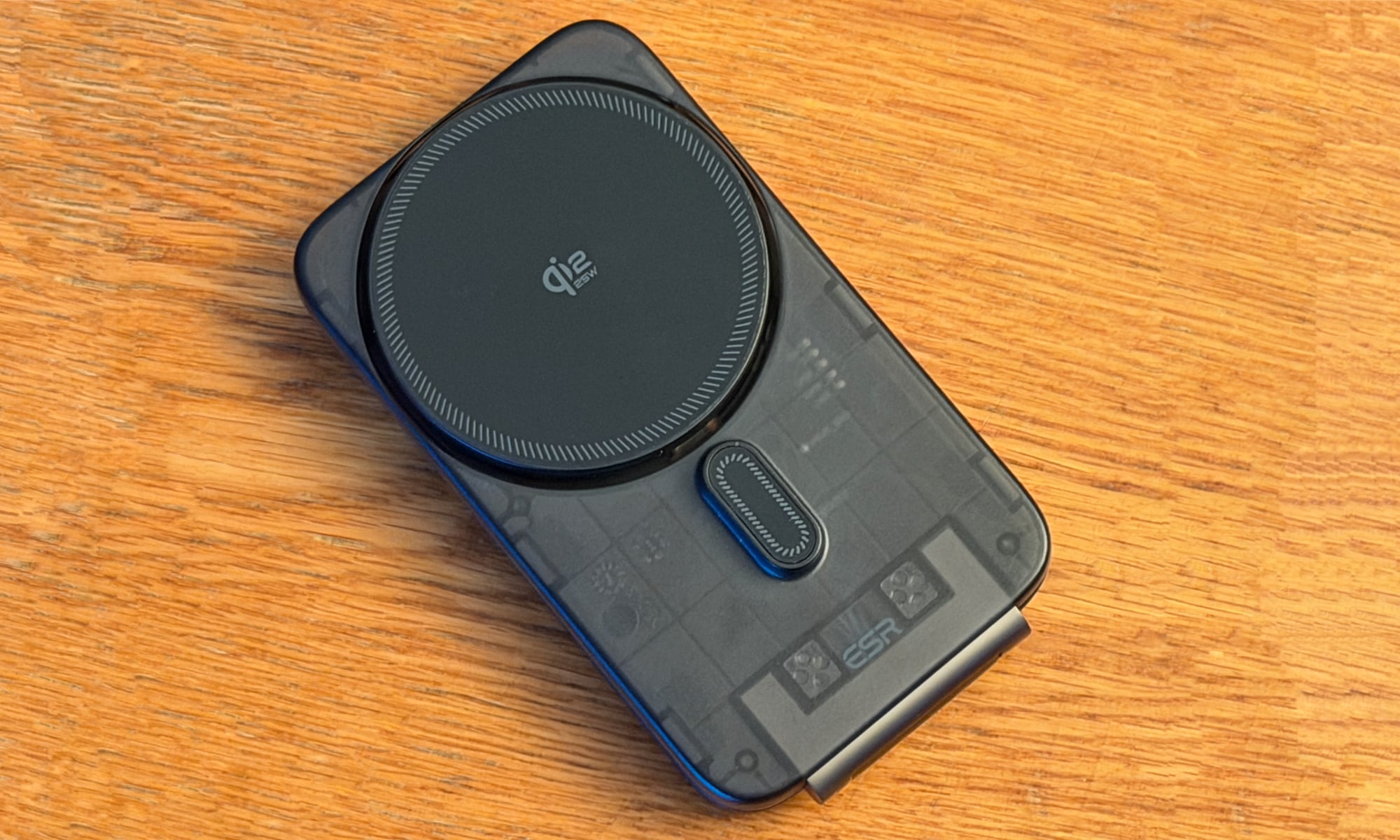
One thing that makes ESR’s charger stand out is firstly, quite literally, the stand. It unfolds to let you prop up your iPhone, letting it double as a nightstand in whatever hotel room or guest room you find yourself in. For that reason alone, this one has become my go-to travel charger. After all, why use the cheap alarm clocks in a hotel room when I can use the same familiar iPhone experience I get on my bedside table at home?
You can also use the charging station laying flat, or even pop it onto the back of your iPhone like a wallet or battery pack, in which case you can also dock your Apple Watch on the back. It’s an awkward configuration, but it works, and could be useful if you want to lay your iPhone face down and still charge both it and your Apple Watch. However, you’ll need to fold it open if you also want to charge a set of AirPods, as the pad for that is on the inside.
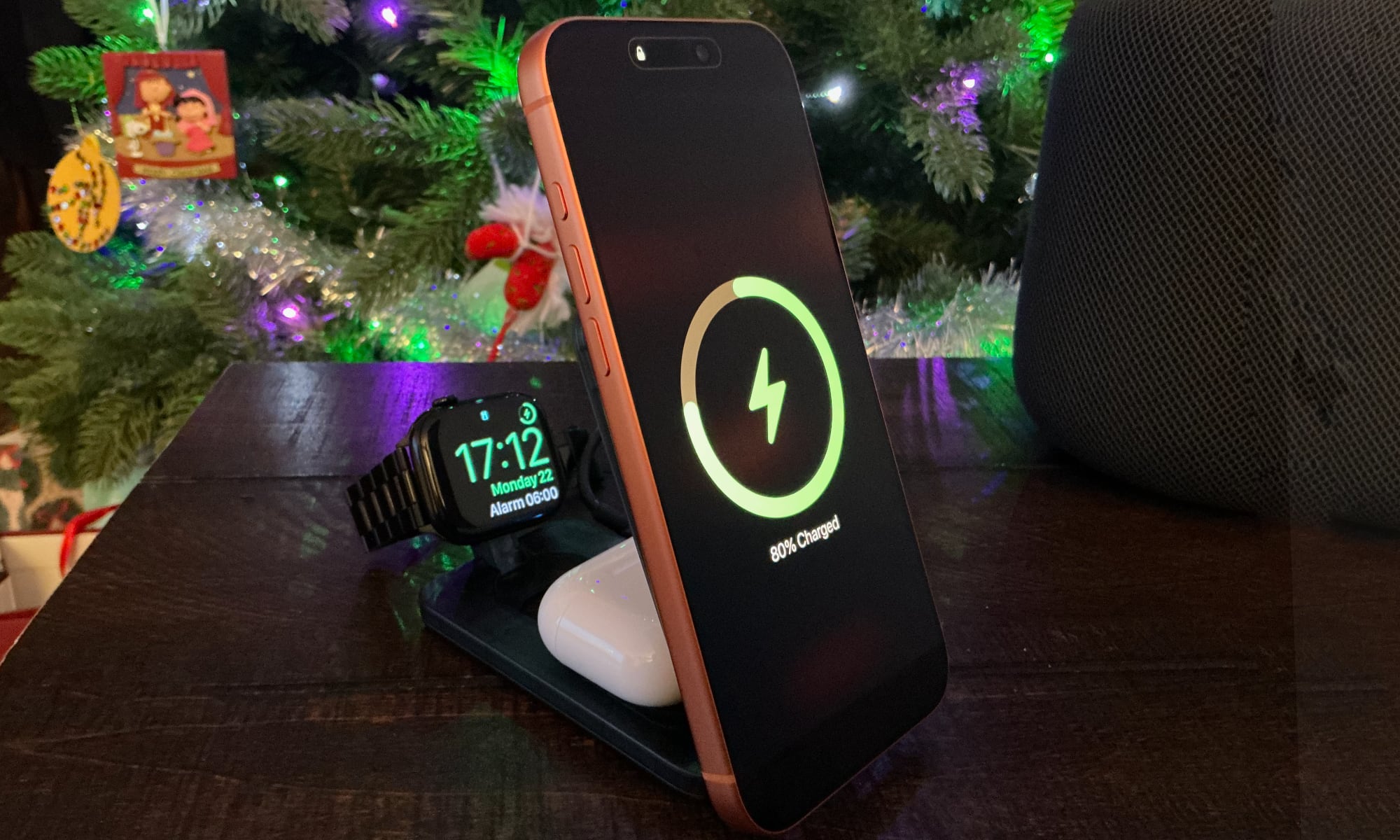
As the “CryoBoost” brand suggests, ESR’s charger has another really handy trick up its sleeve: it will keep your iPhone cool while charging. This both preserves battery health and speeds up charging, since the iPhone will slow down its power intake if it gets too warm. I’ve been using ESR’s CryoBoost charger by my bed for two years, and it noticeably slowed my iPhone 14 Pro’s decline in battery health after I switched to it. After all, as we’ve often said, heat is the number one killer of iPhone batteries. Like most of ESR’s chargers, there’s also a button on the side to turn off the fan if you find it makes too much noise when you’re sleeping, although it’s never bothered me.
ESR’s charger supports the more universal Qi 2.2 standard instead, which actually offers wireless charging rates up to 25W, rather than the usual 15W — speeds that are finally starting to rival a wired connection. You’ll need an iPhone 16 or later running iOS 26 to get those top speeds, and the iPhone Air is still limited to 20W. Older models will get the standard 15W provided by every other Qi2 and MagSafe charger. One nice bonus is the ESR provides both a USB-C cable and an appropriate power brick in the box.
What’s Next?
We’ve covered protection, utility, and power. To wrap up our series tomorrow, we’ll take a look at the “problem solvers” — accessories that fix the small annoyances of daily iPhone life.
In Part 4, I’ll be looking at iPhone mounts for the car and home, plus the essential stocking stuffers — from screen protectors to custom skins and straps — that add the final touches to your iPhone setup.






