
Better Background Sounds
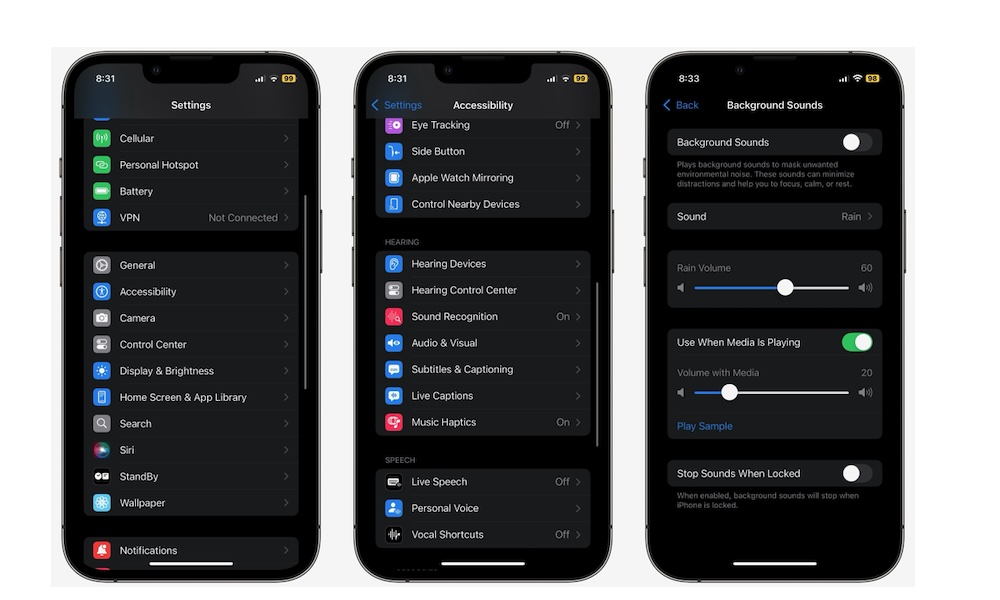
Background Sounds is already one of the more underrated iPhone features, but iOS 26 just improved it even more. Now your iPhone comes with newer sounds and better customization, which makes the feature feel more complete and easier to use as an alternative, instead of treating it as a nice feature that people don’t use because they prefer a white noise app.
After all, if your iPhone can now do a better job without installing anything extra, you don’t have to download another app just to play something calming in the background. All you need to do is go to Settings > Accessibility > Audio & Visual > Background Sounds, and start using this feature.
Or, if you plan to use it a lot, you can add the Background Sounds control to your Control Center. It’s faster to access, and it gives you more control over it (no pun intended).