
iOS 27’s Tiny Lock Screen Change That iPhone Users Are Already Calling Their Favorite
Toggle Dark Mode
Ever since Apple released the first iOS 27 developer beta, iPhone users around the world have been trying out everything they can. And while there are a lot of new features we’ve all been loving so far, there is one small cosmetic change that many people are particularly thrilled about.
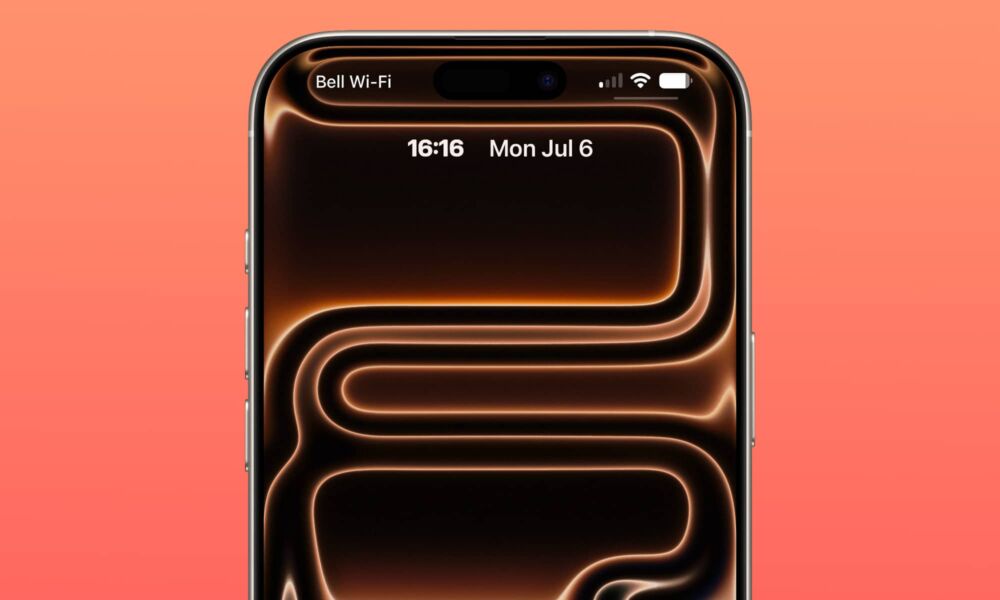
We’re talking, of course, about the size of the Lock Screen’s clock. Now, you can make the clock incredibly tiny and place it in the widget section near the top of your screen. It’s such a small change, but it makes a big difference. Here’s what you need to do if you want to try it out yourself.

How to Change the Clock Size in iOS 27
To start, you’ll obviously need to be running iOS 27 for this. As of this writing, the third developer beta has just arrived — which means a public beta could come as soon as this week.
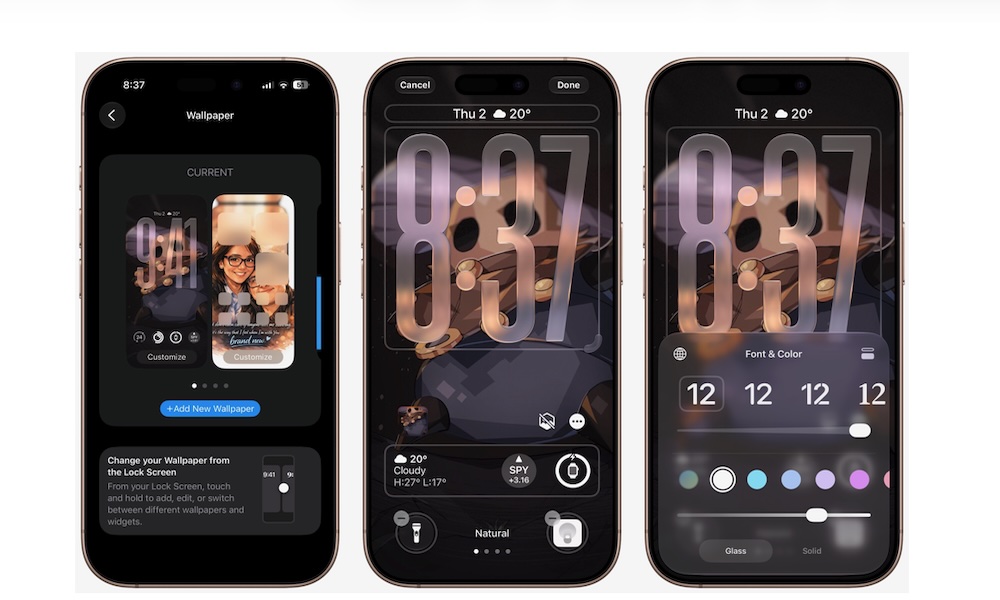
However, once you’ve got iOS 27 installed, changing the size of the Lock Screen’s clock is pretty straightforward; here’s all you need to do:
- Open the Settings app.
- Scroll down and go to Wallpaper.
- Tap Customize under your current Lock Screen preview (or swipe to set up a new layout).
- Tap the clock to open the Font & Color panel.
- Tap the new minimize icon (the small square frame button) in the top-right corner of the panel.
And that’s it! Your clock will shrink to an incredibly small size and move into the widget area by the date at the top of your screen.
Why People Like This Change
It might seem weird that many users across the internet have expressed how great this change has been. After all, you can barely see the time anymore. However, this is the perfect chance to showcase your wallpapers the right way. Before, even the most beautiful pictures would sit behind the time, which no one was a fan of.
Plus, iPhone users have always asked for more customization options. Granted, there’s still a long way to go, but it’s nice to see that Apple lets us customize our Lock Screen in many different ways, even if some of us won’t use those changes.
iOS 27 Has More to Come
This small feature is just the tip of the iceberg; iOS 27 is full of new features and changes that iPhone users will love once they try it. You can test iOS 27 right now, but it’s currently in developer beta and not recommended for the general public. Still, if you want to try it, be sure to create a backup beforehand just in case things go south.






