
Apple Intelligence Wakes HomeKit Secure Video from Its Timeline Nightmare
Toggle Dark Mode
Last week’s Worldwide Developers Conference (WWDC) keynote showed us a set of software updates that will be packed with new AI features — in fact, it was almost all that Apple talked about during the 75-minute presentation. From the end of our long Siri nightmare to photorealistic image generation, the company wanted to make it clear that Apple Intelligence has come of age.
Still, those were simply the most exciting features Apple had to show off. The new Siri AI can not only dig into the data in your apps to provide personal context, but Apple has also added many more small quality-of-life improvements to how we use apps like Calendar, Mail, Messages, Phone, Passwords, and more.

That includes the Home app, the software hub for Apple’s smart home ecosystem. In an update that seems like it was made for Apple’s long-rumored home hub, Apple has just made HomeKit-connected video cameras a lot smarter — and much more useful.
While Apple’s Home app offered basic support for video cameras from the start, it got a major upgrade in 2019, when iOS 13 added HomeKit Secure Video (HKSV) to the mix. This new capability allowed supported cameras to store their video feeds directly in iCloud with end-to-end encryption. An Apple TV or HomePod acted as an intermediary to collect the video streams from the compatible cameras, encrypt them, and transmit them to iCloud.
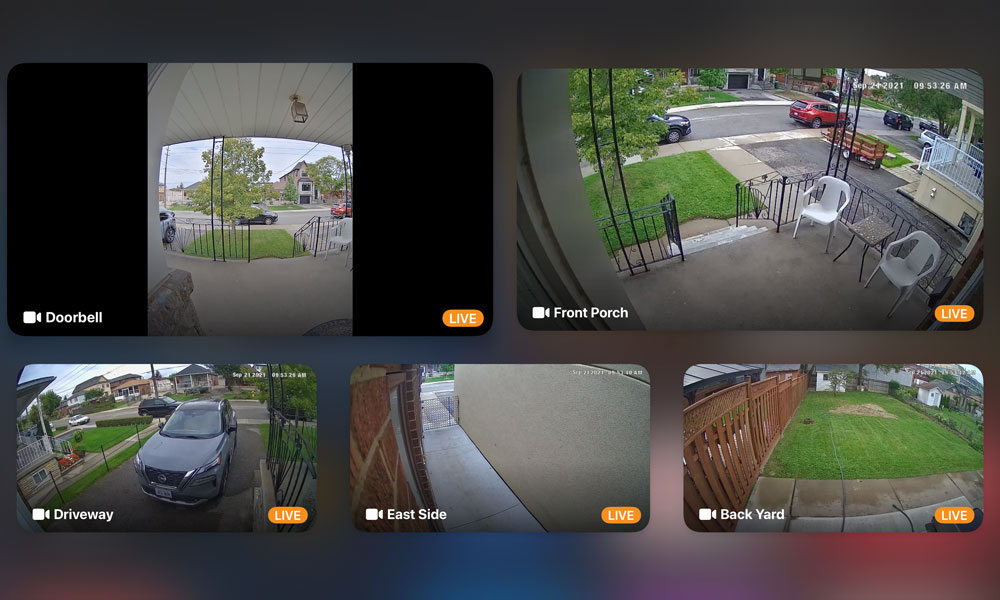
Since Apple didn’t count this 10 days of video storage against users’ iCloud allotments, it chose to limit recording to paid iCloud plans, with the $2.99 plan initially only supporting a single camera, while the $9.99 per month 2 TB plan granted access to up to five cameras. Apple later upped those limits in 2021 when it began denoting all paid iCloud tiers with a plus sign; at that point, it shifted the limits each down a notch, granting single-camera access to those on the cheapest $0.99 plan, five cameras for $2.99 per month, and unlimited cameras for anyone paying $9.99 or more. Saved footage remained capped at 10 days.
That wasn’t too bad, since those ten days of footage weren’t all that useful to begin with. HomeKit Secure Video was designed to record only when cameras detected activity, with some basic AI techniques later added to identify people, pets, parcels, and vehicles. This saved Apple from storing 240 hours of video for every iCloud+ subscriber, and also helped end users avoid needlessly scrolling through hours of footage where nothing much is going on.
Nevertheless, we were still forced to sift through a bunch of timestamped but otherwise unidentifiable video clips, stored separately across multiple cameras. It was better than nothing, but not by much.
Apple Intelligence to the Rescue
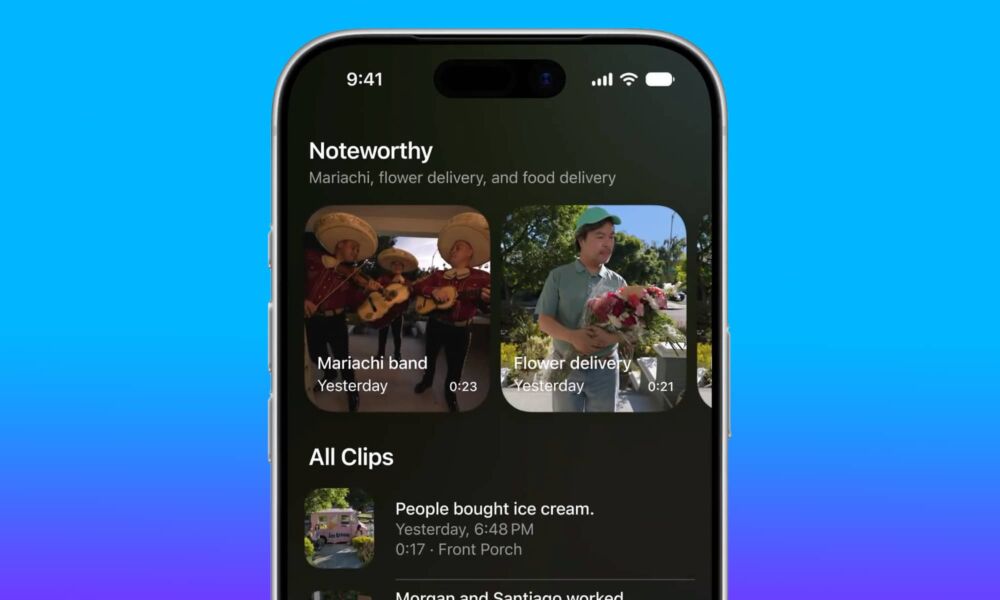
Thankfully, that’s all set to change in iOS 27 and tvOS 27. One of the most exciting features Apple showed off for smart home owners during the WWDC keynote is that HomeKit Secure Video has gotten both crisper and smarter.
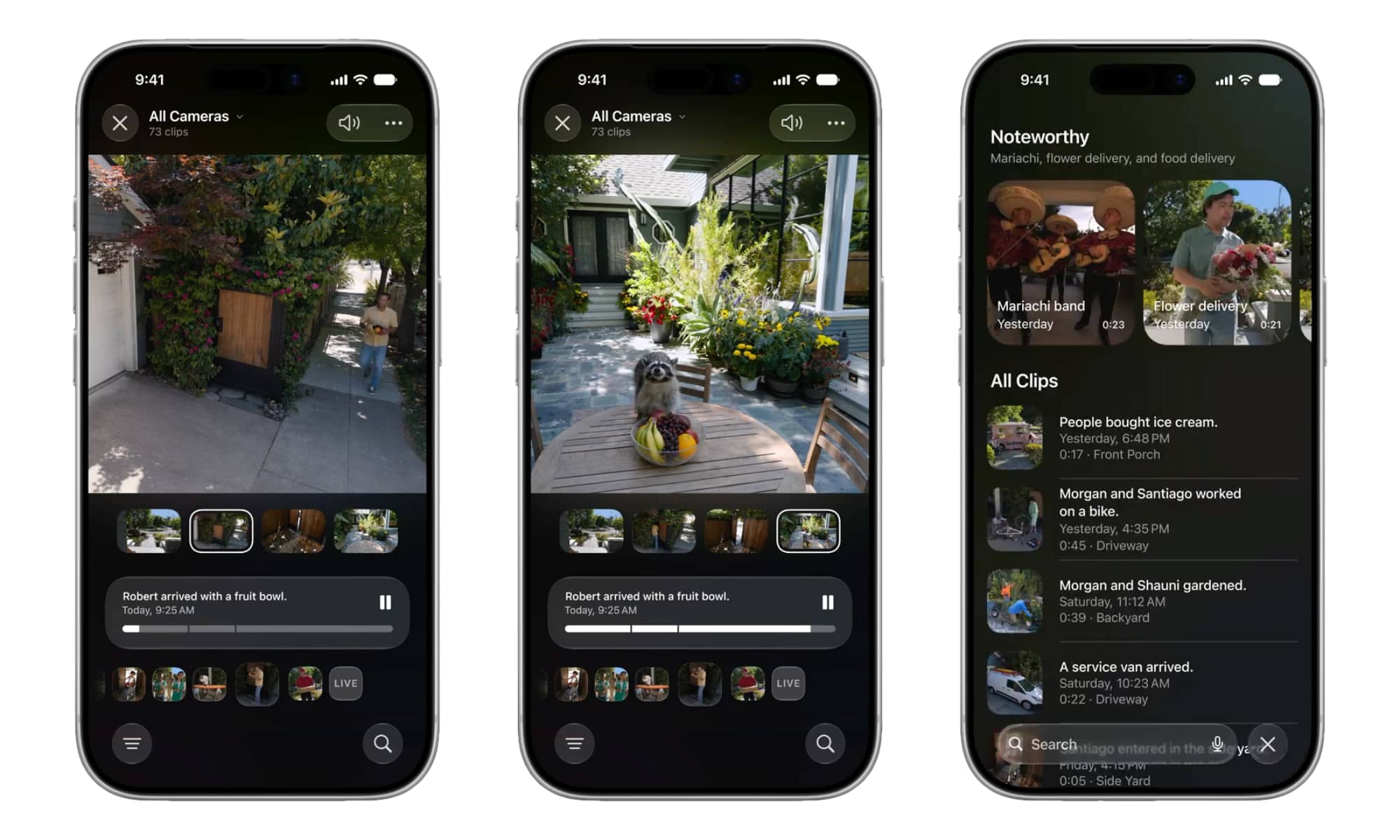
In addition to now supporting 4K video recording for the first time, the HomeKit frameworks will be much more reliable at detecting what’s going on, meaning your cameras are far less likely to miss things because HomeKit failed to identify activity. But it goes much further than that: HomeKit Secure Video will also now use AI to actually describe what’s happening in your videos and even follow the action across multiple cameras.
This is already live in the iOS 27 developer beta, although you’ll need an Apple TV running the tvOS 27 beta to take full advantage of it, since a lot of the analysis is done by that device acting as the home hub. Once your Apple TV is up to speed, you’ll get a splash screen when you open the Home app letting you know what’s new, plus an “Apple Intelligence” section in the Home settings, sandwiched between Activity and Cameras & Doorbells.
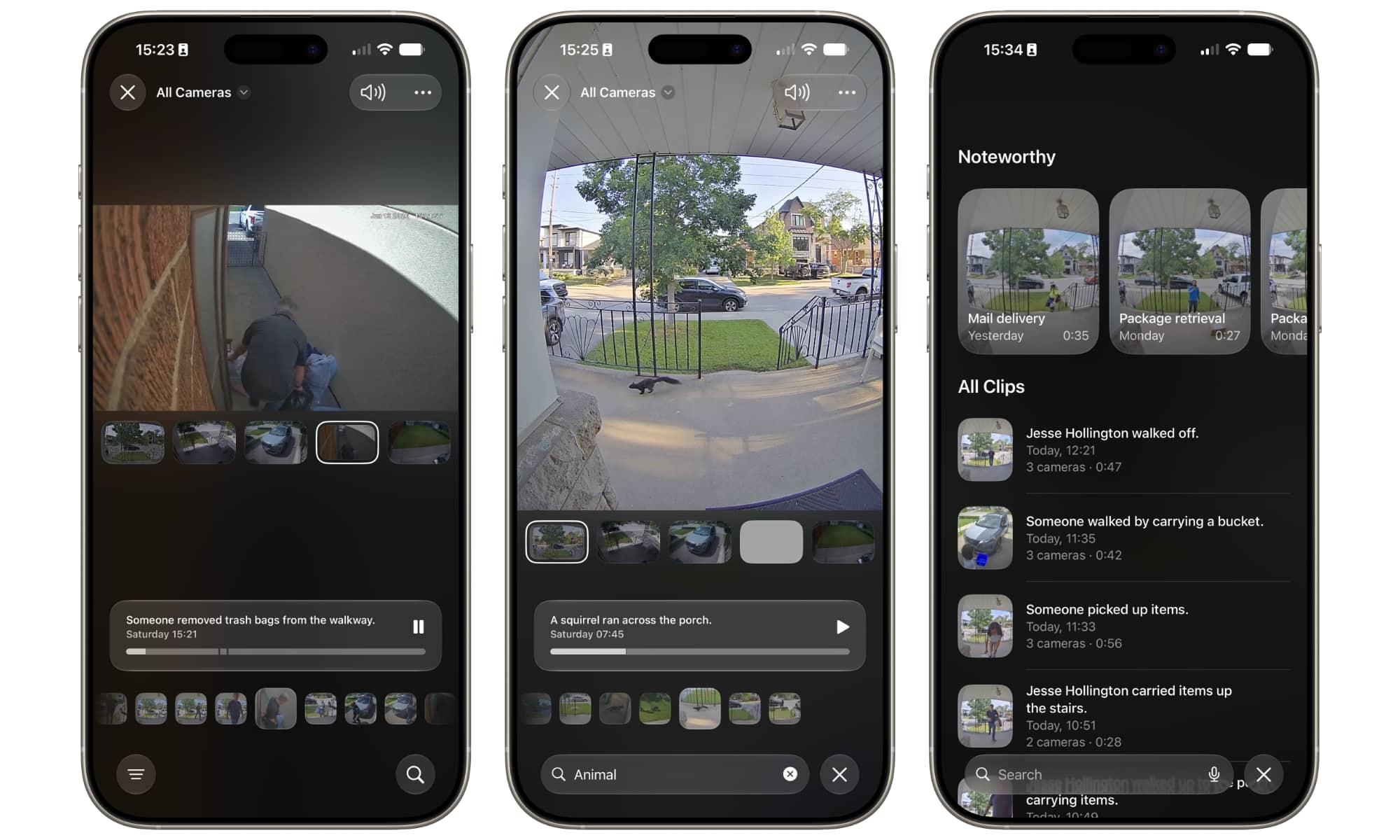
Once you’ve opted in, your HomeKit videos will have much more detailed descriptions. Plus, a new layout in the iOS 27 Home app now provides a single feed for all of your cameras, letting you follow the activity as a person or animal moves between them.
I’ve been running the new iOS 27 and tvOS 27 setup for about a week already with the five cameras around the outside of my home. Here are a few examples of how my videos are now tagged:
- Someone walked by carrying a bucket.
- Jesse Hollington carried three items up the stairs.
- Someone delivered the mail.
- Jesse Hollington entered a truck in the driveway.
- Someone walked a dog on the sidewalk.
- Jesse and Nora Hollington exited a car in the driveway.
- Someone removed trash bags from the walkway.
- Someone mowed the lawn.
- Someone pulled weeds in the yard.
- A squirrel ran across the porch.
- A dog grazed in the yard.
- A cat walked in the driveway.
With these new summaries in place, Apple is also making it much easier to browse and search through your video footage. Tap the Search button in the bottom-right corner while viewing a camera, and you’ll see the most “Noteworthy” recordings at the top, followed by a list of all of your clips, with a thumbnail, description, and timestamp. From there, you can type natural-language queries in the search box to find specific videos, such as “cat in driveway,” “UPS delivery,” or even something broader like “animals” to show cats, dogs, squirrels, and whatever other fauna your cameras have recorded.
To be fair, Apple Intelligence isn’t getting everything right at this point — it seems to have trouble recognizing faces — but it’s remarkably good at figuring out what’s going on in each of the shots, down to identifying the types of animals and the activities people and pets are engaging in. The facial recognition feels like a bit of a downgrade, as iOS 26 did a better job of identifying my family members, but that’s likely because this is an entirely new AI model in iOS 27 and tvOS 27 — and it’s still in the very early beta stages.
Apple admittedly isn’t offering anything revolutionary here. HomeKit Secure Video has long been leapfrogged by competitors like Amazon and Google. However, the pitch for HomeKit Secure Video is the same as for the rest of Apple Intelligence: privacy. Cameras are easily the most sensitive things we can connect to the internet, and many haven’t gotten high marks on the privacy scorecard. Despite the new analysis layer, HomeKit in tvOS 27 still stores everything in iCloud using end-to-end encryption, which means even Apple can’t see what’s happening around your home.






