
PSA: New Apple Account Scam Uses Real Apple Emails
Toggle Dark Mode
It’s not exactly a revelation that scammers are constantly trying to separate us from our hard-earned money, nor should we be surprised that they’re coming up with more sophisticated ways to do so. However, there appears to be a new phishing scam making the rounds that’s particularly dangerous: cybercrooks have figured out how to weaponize legitimate Apple support emails to bypass even the toughest spam filters.
As we highlighted last week, imposter scams are already harder to detect than ever, as the rise of generative AI has allowed even the most illiterate scammers to craft very professional-looking messages. Of course, these still have their “tells” if you look closely, but the days of blatant grammatical and spelling errors are mostly behind us.

But what do you do when the email messages you’re receiving are 100% legitimately generated by Apple or another service provider? That’s what WordPress founder Matt Mullenweg recently wrestled with when he became the target of a phishing scam aimed at gaining access to his Apple account.
Mullenweg posted details on his blog about the attack, which was highlighted by John Gruber at Daring Fireball. The initial phase of the attack used an established “MFA bombing” technique we reported on in 2024, where attackers target an Apple account with multiple password reset attempts to try to overwhelm their victim in the hopes that they’ll tap “Yes” to confirm the request somewhere along the way.
Being an experienced developer, Mullenweg knew something was up and ignored these requests. However, the scammers took it to another “dastardly” level by using a bit of social engineering to get Apple to generate legitimate emails to try to convince him to update his information.
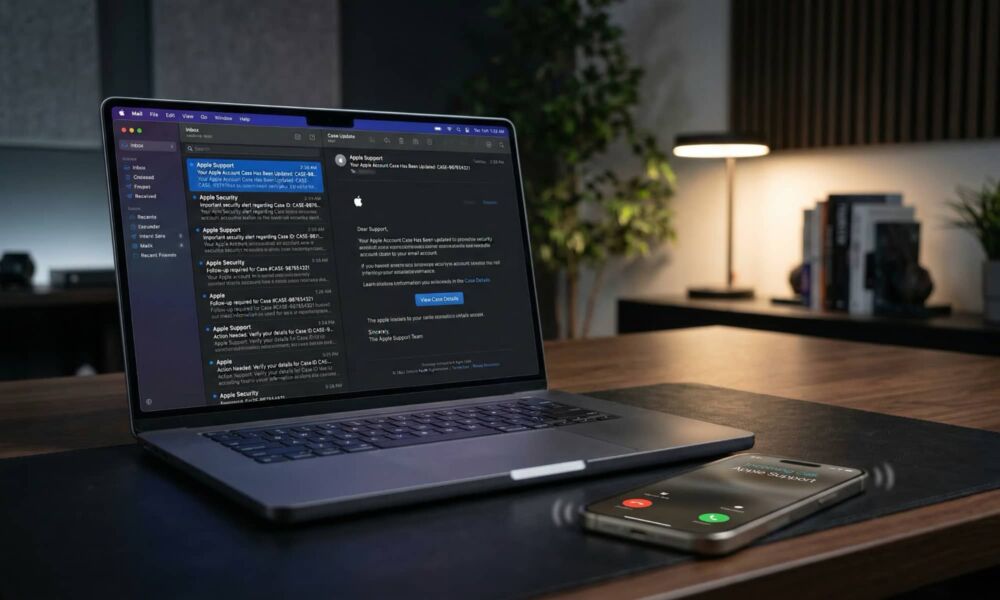
What made the attack impressive was the next move: The scammers actually contacted Apple Support themselves, pretending to be me, and opened a real case claiming I’d lost my phone and needed to update my number. That generated a real case ID, and triggered real Apple emails to my inbox, properly signed, from Apple’s actual servers. These were legitimate; no filter on earth could have caught them.
Matt Mullenweg
Of course, even if Mullenweg had responded to those messages, it wouldn’t have done the scammers any good; he wasn’t likely to update his phone number to anything that would help them. The trick here was to set the stage for the next phase of the attack: a call from “Apple Support” to “help” him resolve all the password reset notifications he’d been getting as a result of an attempt by scammers to break into his account.
This wasn’t some two-bit scammer, either. As Mullenweg notes, he did a very convincing job of following a typical support script which, combined with the early emails, was clearly intended to put the target at ease by legitimizing the whole process.
Then “Alexander from Apple Support” called. He was calm, knowledgeable, and careful. His first moves were solid security advice: check your account, verify nothing’s changed, consider updating your password. He was so good that I actually thanked him for being excellent at his job.
Matt Mullenweg
Once “Alexander” believed Mullenweg’s guard was down (it wasn’t), he texted him a link that would ostensibly be used to review and cancel the ”pending request” for a password reset. The URL, “audit-apple.com” looked reasonably legitimate — especially for someone who doesn’t know how domain names work (more on that in a minute), and the site was “a pixel-perfect Apple replica” with the specific case ID from the legitimate Apple emails. In an ironic and somewhat brazen twist, it even displayed “a fake chat transcript of the scammers’ actual conversation with Apple,” effectively using their own scam against Apple as part of their scam against Mullenweg.
As a founding developer of WordPress, this isn’t Mullenweg’s first rodeo, so his guard was up from the start, but he played along for a bit before finally confronting “Alexander.”
I started poking at the page and noticed I could enter any case ID and get the same result. Nothing was being validated. It was all theater.
“This is really good,” I told Alexander. “This is obviously phishing. So tell me about the scam.”
Silence. Click.Matt Mullenweg
The only silver lining to attacks like these is that they’re typically targeted against specific individuals, rather than broader scattershot phishing attacks. Someone had to go to a fair bit of trouble to not only poke at Mullenweg’s Apple Account, but actually reach out to Apple Support pretending to be him and then make an actual phone call impersonating them. However, that doesn’t mean these attacks are only leveraged against high-profile targets, but they’re also a lot different from the random phishing attacks most of us see every day, where we’re getting spam texts from companies we don’t even do business with.
How to Protect Yourself
Still, forewarned is forearmed, and as Mullenweg points out, there are some obvious red flags here that immediately identify this as a scam — as long as you know about them:
Apple will never call you first
Apple may call you back after you’ve initiated a support incident, but they won’t randomly reach out to you because they “detected something” on your account. Banks and credit card companies tend to be far more proactive about fraud for liability reasons, but Apple has well over a billion Apple Accounts and no motivation to pay support people to monitor them all.
After all, considering how hard it is to get Apple Support on the phone when you have a legitimate problem with your Apple Account, the idea that they’d call you out of the blue is, frankly, laughable.
Ignore Random Prompts for Password Resets and Access Requests
The “MFA Bombing” attacks have been going on for at least a couple of years — you can read more about them from security expert Brian Krebs — to try to trick folks into approving whatever the scammers are doing — usually a password reset or an attempt to log into your account with a stolen password.
Ignore these. Don’t even respond in the negative (if such an option exists), unless you have no other choice to dismiss the notification — but if so, be very careful which button you’re hitting. If they come in via text, mute the thread if they get too annoying, but there’s little you can do to stop them.
Enable Two-Factor Authentication
Ensure your Apple account is secured with two-factor authentication (2FA) and that you’ve set up a recovery key. This won’t necessarily stop password reset requests or other annoyances, but it will make it much harder for scammers to get anywhere without resorting to more sophisticated tactics.
Mullenweg didn’t mention whether he was using 2FA on this Apple account, but it’s a pretty safe bet, considering he did share that all his devices were running in Lockdown Mode.
Use an Unpublished Phone Number or Email Address for Your Accounts
Scammers can’t initiate these attacks without knowing the account name, email address, or phone number used for login, contact, or recovery purposes. If the information you’ve associated with your Apple Account is unpublished and kept relatively confidential, that will often stop them in their tracks.
For email addresses, this can often be as simple as using a plus sign in your primary address if your email provider and the service you’re signing up for allows it. Many popular email services, including Gmail, support “plus addressing” where everything after a “plus” sign is effectively ignored and still delivered to your inbox. However, online services will still see this as a different address, so if you’re using you+bluebird @ gmail.com” as the email address associated with your Apple Account, a scammer won’t be able to find your account by simply using “you @ gmail.com”.
Check Domain Names Carefully
Scammers are also getting smarter about choosing domain names that will more easily pass casual scrutiny. We’re no longer dealing with obscure domain name that raise a red flag as soon as you look at them.
Many folks don’t realize that anyone can register a domain name ending in “apple.com” (or just about anything else), as long as it’s part of a longer name, which can also include dashes. In this case, “audit-apple.com” is an entirely separate domain name, and has no more of a relationship with Apple than “greenapple.com.”
Subcomponents of a domain name use dots, not dashes: “support.apple.com” is legitimate, “support-apple.com” is an entirely separate domain that could be registered or owned by anyone.
Always Maintain a Healthy Dose of Skepticism
While we hate to recommend cynicism, you simply can’t be too careful in today’s digital Wild West. It’s better to assume something is a scam and be proven wrong than to assume it’s not and find your bank accounts emptied out.
If someone calls you, emails you, or texts you out of the blue claiming to be a legitimate representative from a company, the best thing you can do is to hang up and call them back at the officially published number. Don’t answer personal questions or give out passwords or other personal information over the phone. No legitimate support rep will ever ask for your password, and you won’t offend them by being cautious, as they’re all well aware of how many scammers are out there impersonating them.






