
Apple Invites Gets an iMessage App
Toggle Dark Mode
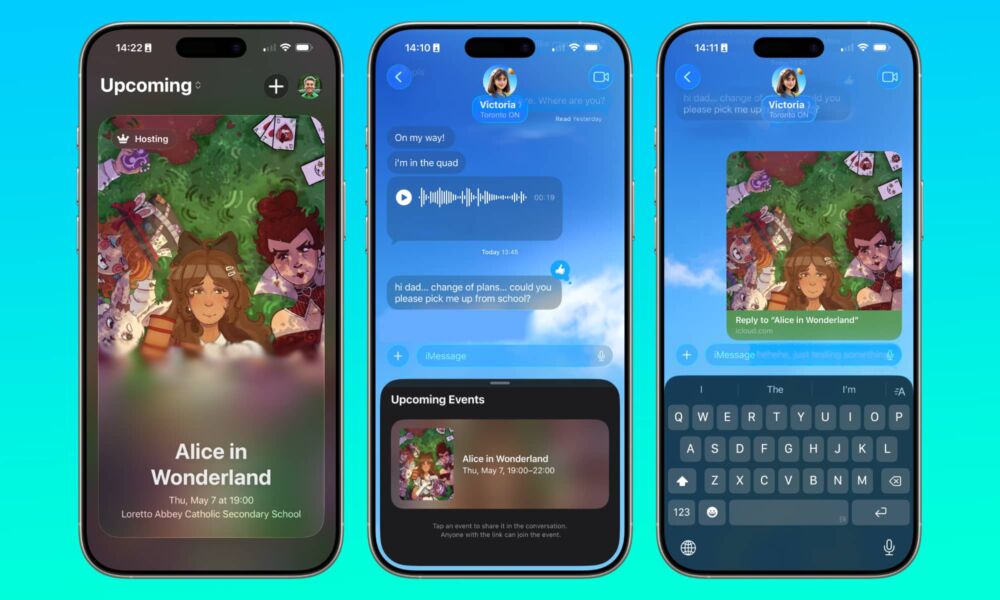
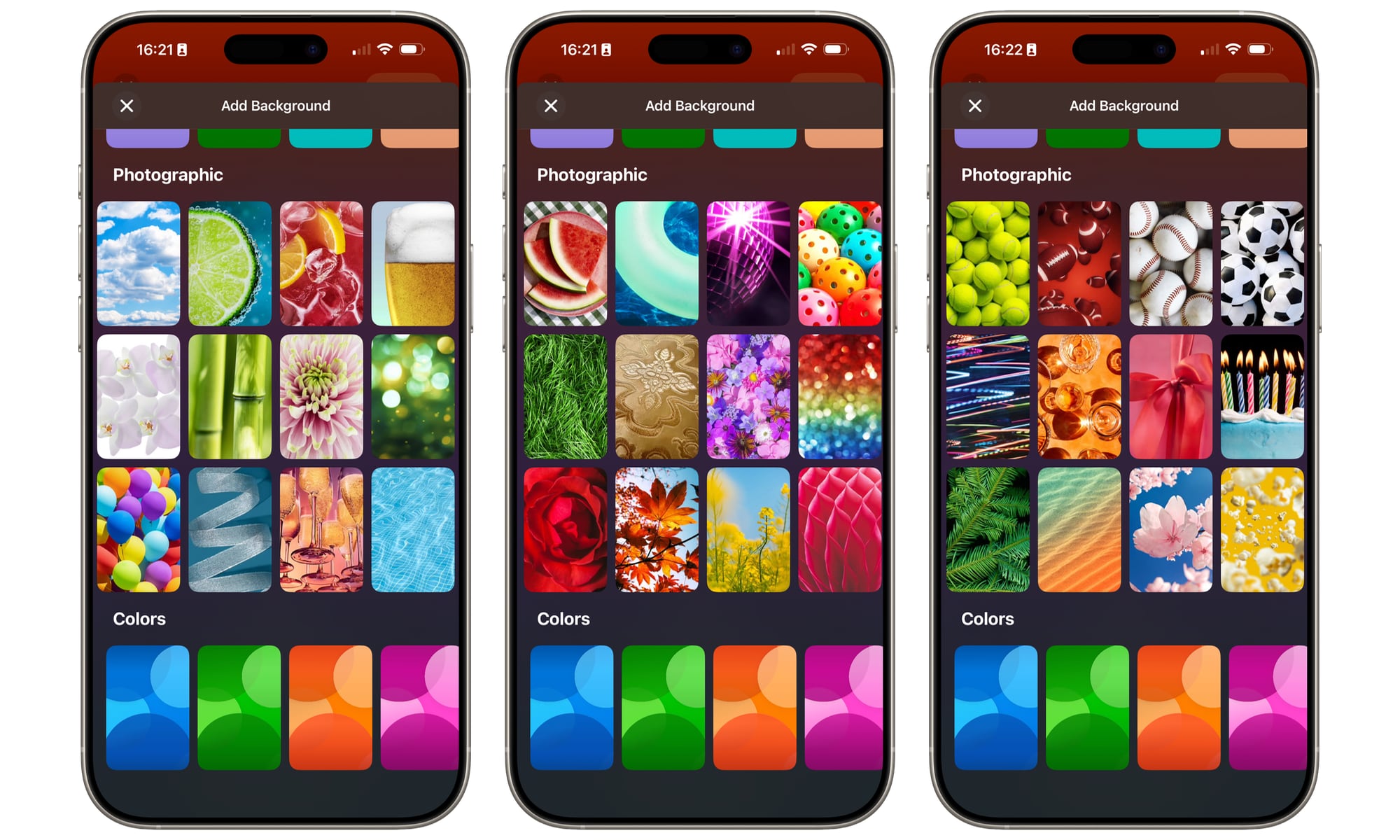
Apple has just pushed out a pretty significant update to Apple Invites, its standalone app for planning social gatherings and other events — and the latest version adds a lot more than just some new backgrounds.
Apple Invites is a relatively new first-party app the company released early last year to provide a fun and seamless way to plan a party right from your iPhone without resorting to mundane calendar appointments or hassling with other third-party services.

Instead, Apple Invites ties into iCloud to manage guest lists and provide a portal that anyone can use to RSVP — even if they don’t have an iPhone. Of course, guests who do can also install the Apple Invites app for a better experience, but that’s entirely optional.
The only catch is that you’ll need an iCloud+ subscription to actually create an event, but since even the $0.99 50 GB plan qualifies, that’s a fairly low bar for most iPhone users.
Since launching Apple Invites in February 2025, Apple has updated it pretty aggressively. While not every point release has added significant new features, the app has expanded to include seasonal themes, Home Screen widgets, and tighter calendar integration — and today’s version 1.8 update is easily the biggest yet.
Perhaps the most significant addition is a new Invites iMessage app, leveraging a feature that we were starting to wonder if Apple had forgotten about. It’s been nearly a decade since Apple introduced applets in iMessage in iOS 10, but it’s fair to say the feature never really gained much traction.
That may simply be that not everything lends itself to an iMessage app — and many developers tried to do strange things like build mini-games into the chat experience. On the other hand, Apple Invites seems like a perfect fit for what this feature was built for: easily sharing event invites while you’re right in the middle of a chat.
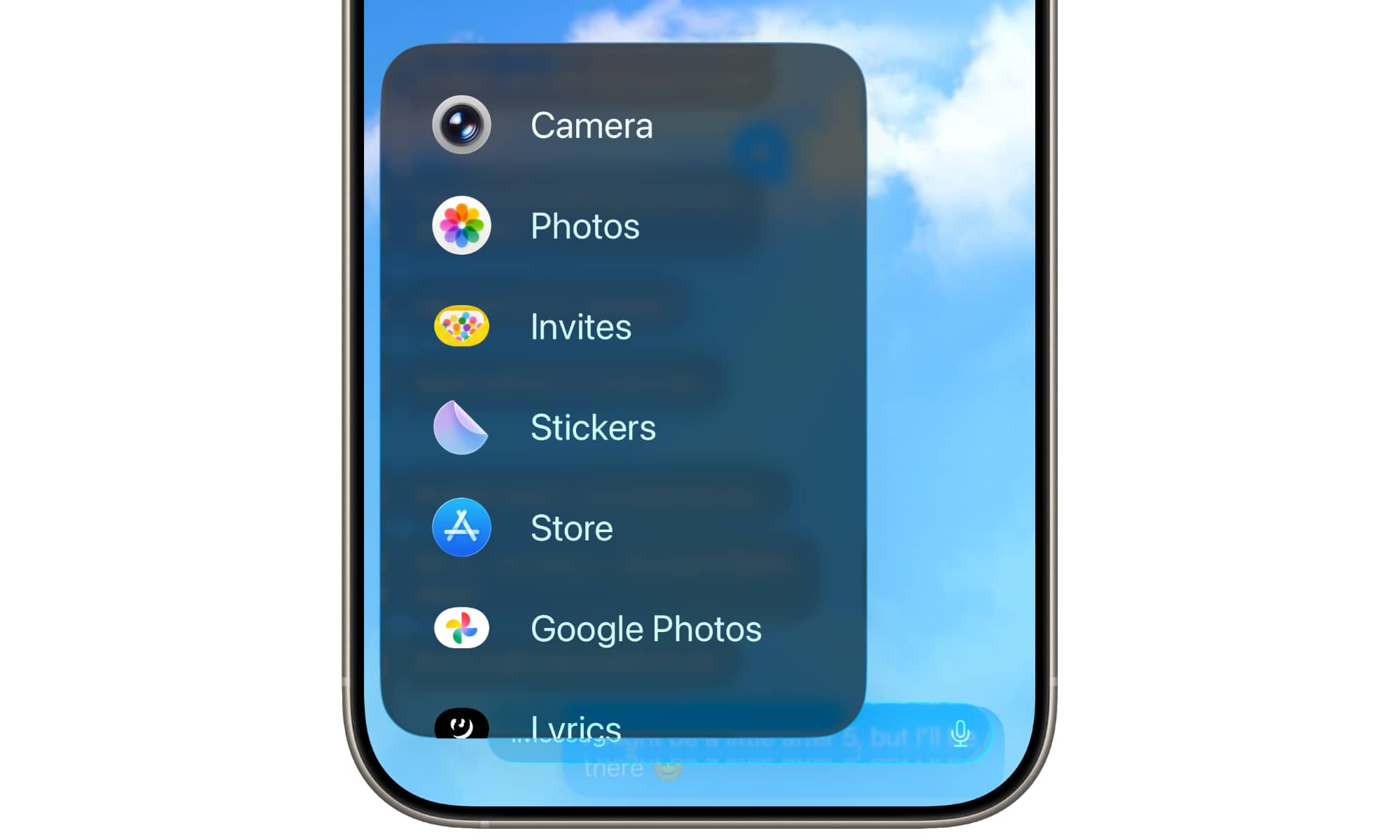
This works precisely as expected. Tapping the plus sign in the Messages app will show “Invites” as an option, and selecting that lets you swipe through your upcoming events and tap one to drop it into the current conversation as a card that includes an RSVP link. These can be shared in both individual and group chats, making it a quick way to invite everyone at once.
Apple Invites 1.8 includes several other improvements to integrate more tightly with other Apple services, including personalized playlist suggestions when creating an Apple Music Shared Playlist and Image Playground themes in the backgrounds gallery, for more creative options to give an event your own personal vibe.
Apple has also added some new host management features, including time zone support for ensuring guests from far and wide get the correct time, the ability for hosts to manually edit the guest list to handle all those times when someone gives you a verbal or more casual response instead of using the RSVP link, and the ability to share an image of the invite card.
Those last two improvements suggest Apple has realized how challenging it can be to get friends and family to get on board with doing everything through Apple Invites. Manual guest list editing and more flexible social media sharing will make it much easier for a host to use Apple Invites to manage an event even in those cases where many of the guests still want to respond in more low-tech ways.
Apple Invites 1.8 is available from the App Store as a free download. An iCloud+ subscription is required to create events, but anyone can use the app to receive invites and RSVP for free. Creating and collaborating on playlists requires an Apple Music subscription.






