
Turn Off Always-On Display During Long Days
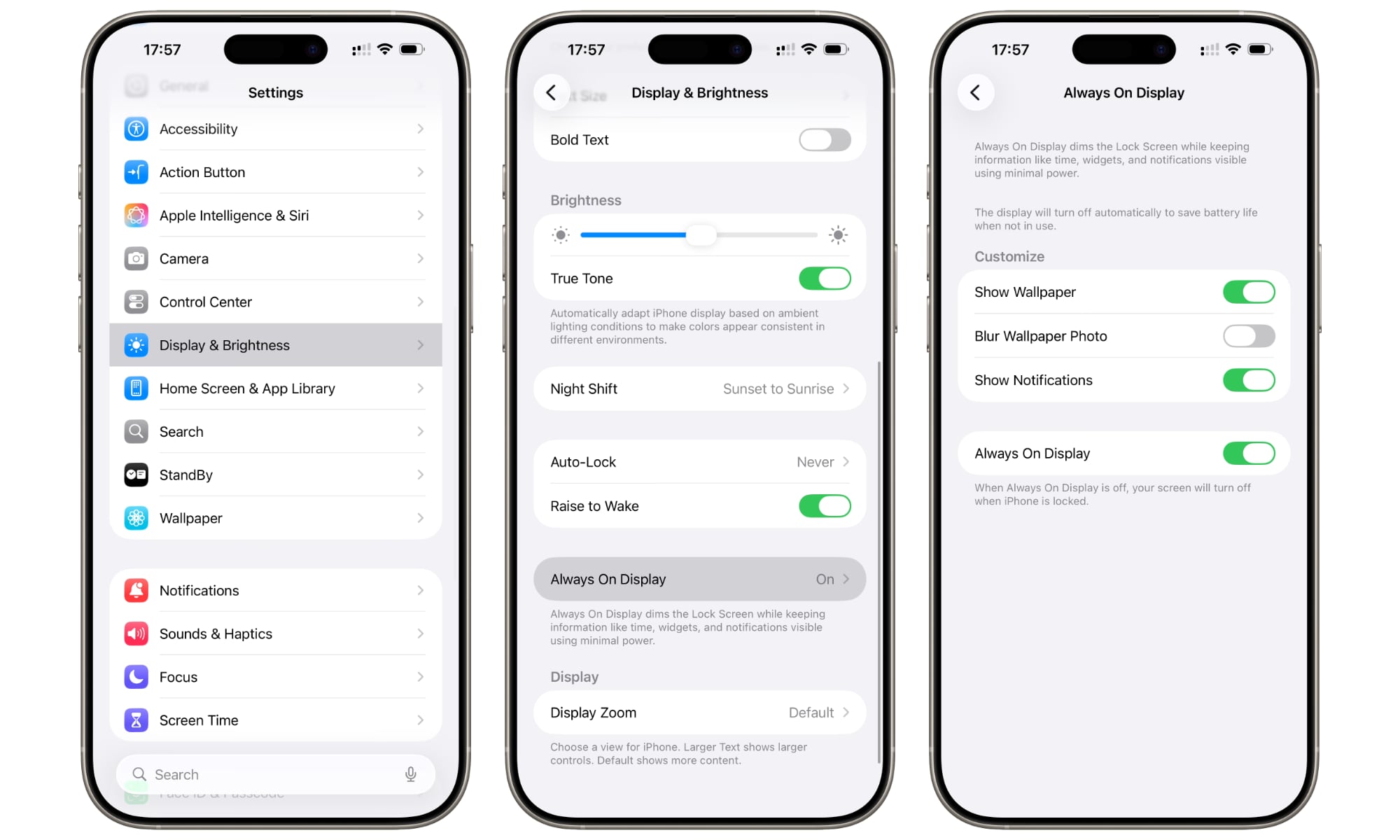
Nearly all current iPhone models and most recent Pro models support Apple’s Always-On display so you can see information at a quick glance. And while this feature doesn’t really consume much battery life, if you’re going to be out for a long time without access to a charger, you might want to turn it off so your battery lasts as long as possible.
There’s a reason why even Low Power Mode turns this feature off. It’s useful, but not as much when your iPhone really needs power. Here’s how you can turn it off manually.
- Open the Settings app.
- Scroll down and tap on Display & Brightness.
- Tap Always On Display.
- Turn off Always On Display.
After you’re back home or can recharge your iPhone, you can follow the same steps and turn the Always On Display back on.