
6 Apps That Make It Easy to Put Down Your iPhone

Spending too much time on your iPhone is never a good thing, but it’s also rarely your own fault. Many popular apps are built to hold your attention for as long as possible. Endless feeds keep producing new posts, while autoplay makes sure another video begins before you’ve decided whether you want to continue watching.
Notifications add another problem. An alert brings you back to an app you weren’t thinking about, and personalized recommendations give you a reason to stay. By the time you close it again, a quick check may have turned into a much longer doomscrolling session.
Fortunately, your iPhone can also help you regain control of your time. Some apps block distracting services during certain hours, while others interrupt automatic behavior before it begins. While you'll find dozens of options in the App Store, picking the right combination makes your iPhone easier to put down without sacrificing the features you rely on daily. To help you get started, read on for 6 of the best apps to reduce your screen time.
Apple’s Own Screen Time
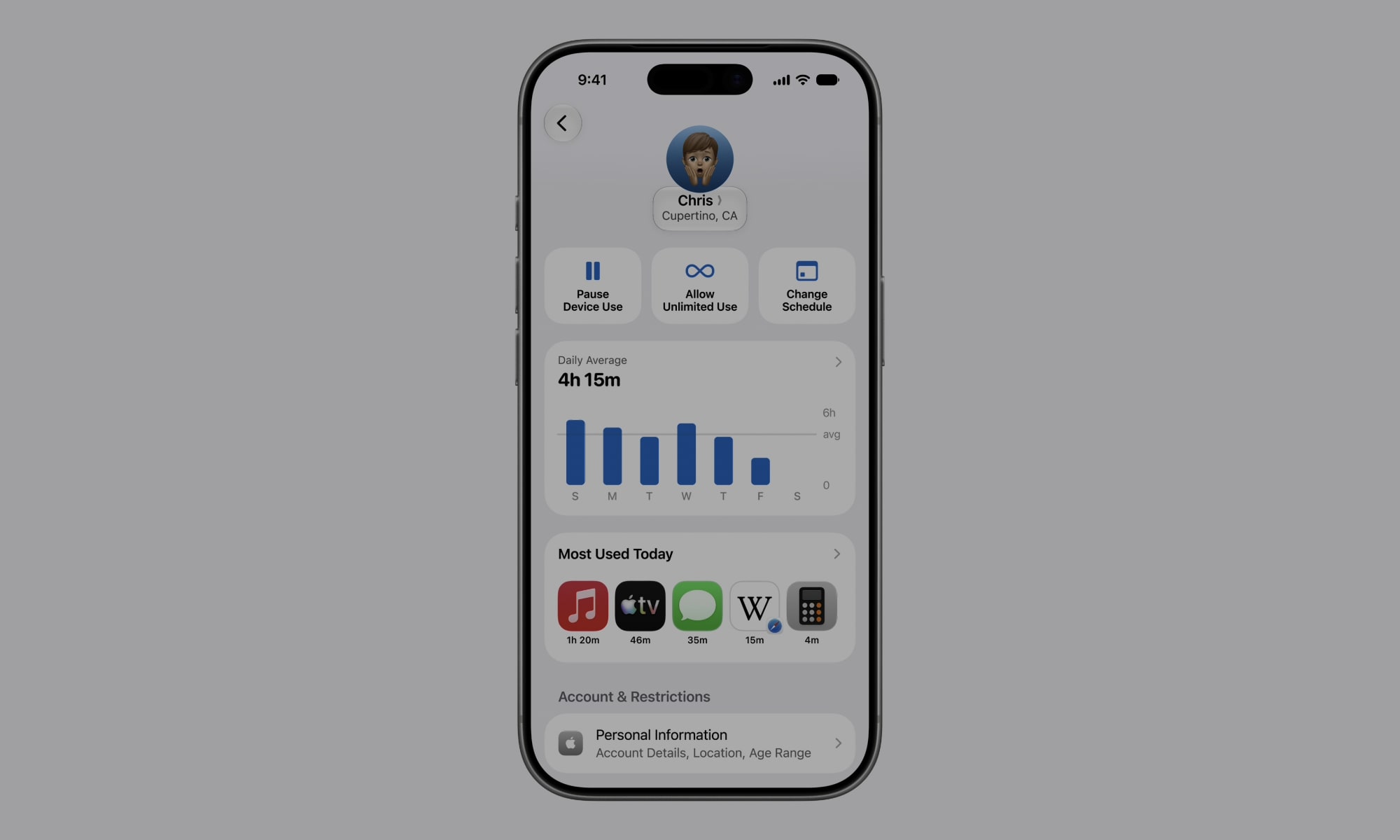
Before downloading anything else, spend some time looking at your iPhone’s Screen Time. This feature gives you a clear view of how much time you spend in individual apps, which is incredibly useful as most estimations tend to be way off when it comes to doomscrolling — and it's expected to get even better in iOS 27.
You also get a weekly report, which is a useful place to begin because, again, most people underestimate their usage. You may think you only check Instagram occasionally, then discover that those short visits add up to several hours. Screen Time also separates usage into categories, which helps you see whether most of your time is going toward social media, video games, or something more productive.
Once you know where the problem is, you can start using built-in features, such as App Limits, to set daily restrictions. You can also use Downtime to make most apps unavailable during certain hours, such as before bed. And Communication Limits give you more control over who can contact you during regular use or Downtime.
You can find all of these controls by opening your Settings app and tapping on Screen Time. Review your weekly report before making any changes, and once you’ve identified the apps that take up the most time, set one or two limits that feel realistic enough to follow.
Forest
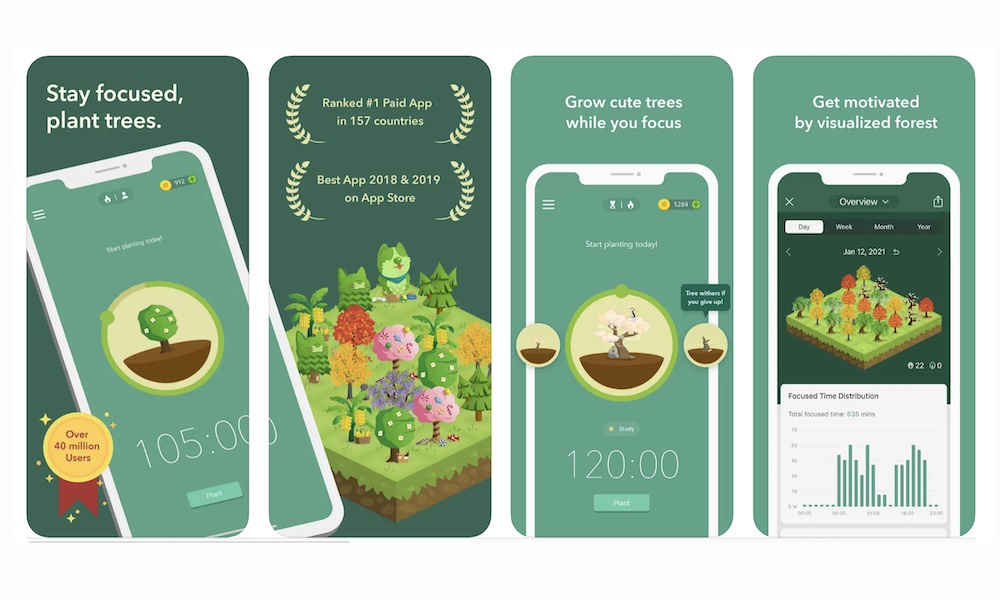
Forest turns focused time into a simple game. When you begin a session, you plant a virtual tree that continues growing while you stay focused. Leaving the session too early can cause the tree to wither.
It’s a small consequence, but it can be surprisingly motivating. You may be less willing to open a distracting app when doing so ruins a tree you’ve been growing for the past 25 minutes. Over time, completed sessions create a virtual forest that represents the hours you spent focused.
Besides a wide variety of trees, the app also includes timers that you can adjust for different types of work. When you turn it on, you’ll see it on your Lock Screen to remind you how much time is left and that you shouldn’t be looking at your phone right now.
Forest is also useful if you like feeling like you’re making progress. Besides the trees and your own personal forest, there are also achievements to keep you motivated, even when you don’t feel like working.
Freedom
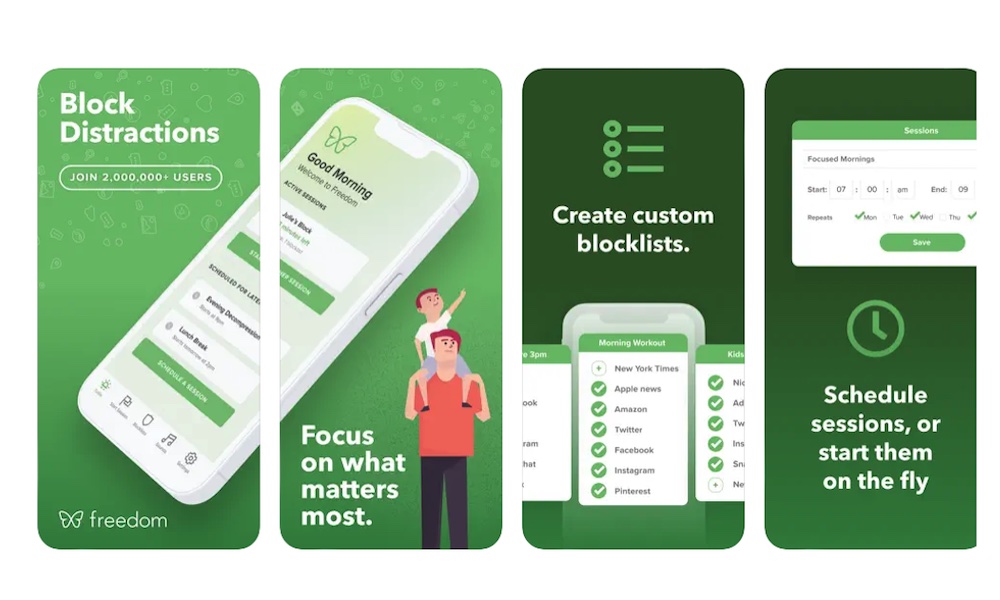
Blocking distractions on your iPhone won’t help much if you immediately open the same websites on your Mac. Fortunately, cross-platform tools like Freedom help you stay focused across all your Apple devices.
You can create blocklists for the apps and websites that tend to distract you. A session can then apply those restrictions across all your supported devices where you’re signed in.
The app also lets you create specific schedules, which makes blocking specific apps or websites completely hands-free. You could block social media during work hours, then restrict news sites during the evening. And since it all happens automatically, you won’t have to worry about forgetting (or pretending to forget) about blocking your most addictive apps.
Additionally, it comes with other useful features. For example, there’s Locked Mode, which makes it even harder to cheat and open an app or website to distract yourself. The app also comes with a timer and Focus Music to help you get in the zone.
You’ve probably been guilty of blocking an app like TikTok on your phone, but visiting it when you’re on your computer completely defeats the purpose. But with Freedom, you can fight the urge to doomscroll before it even happens.
Dumbify
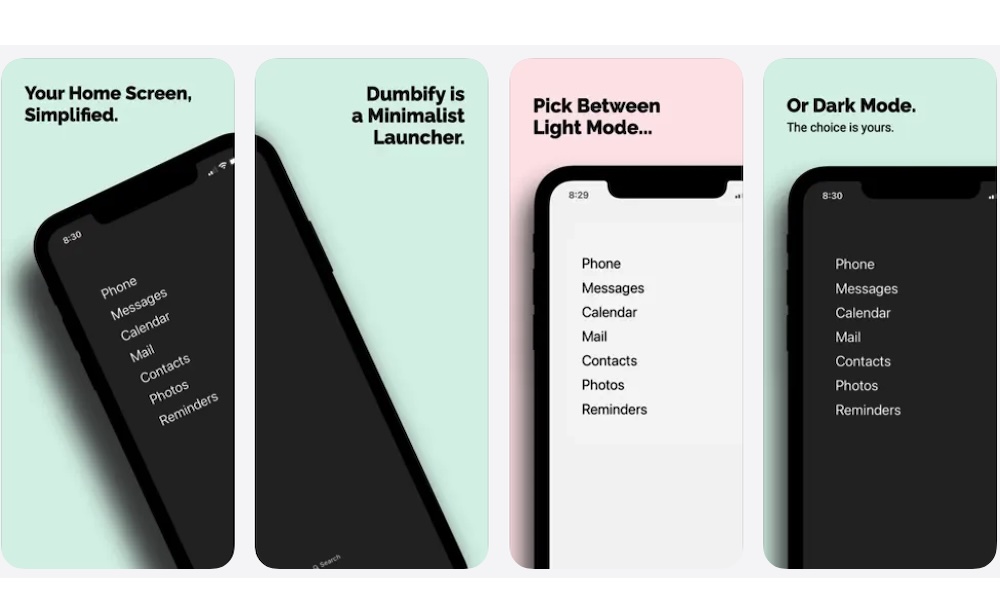
Dumbify is an incredibly simple but useful app that helps simplify your iPhone Home Screen by replacing rows of colorful icons with a cleaner, way more minimalist launcher. You choose the apps that deserve quick access, then place them in a plain text-based widget.
Colorful icons and notification badges make apps easy to notice. How many times have you seen a red bubble on top of an app and opened it just to clear the badge, only to end up doomscrolling for another twenty minutes?
Sure, having a bunch of unique apps on your Home Screen is convenient when you’re looking for something, but it also means distractions are presented to you every time you unlock your iPhone. A minimalist Home Screen removes many of those visual distractions.
Dumbify doesn’t uninstall your apps or turn your iPhone into a true basic phone. Everything remains available through the App Library or Spotlight. The change mainly affects what you see first when you unlock your phone.
You can customize the launcher to include essential tools such as Phone or Maps. Apps that usually lead to long scrolling sessions should stay out of sight. Dark and light appearances are available so the launcher can match the rest of your Home Screen.
This app is useful if you still don’t want to block all of your favorite platforms. Sometimes placing an app a little farther away is enough to prevent you from opening it all the time.
Focus Traveller
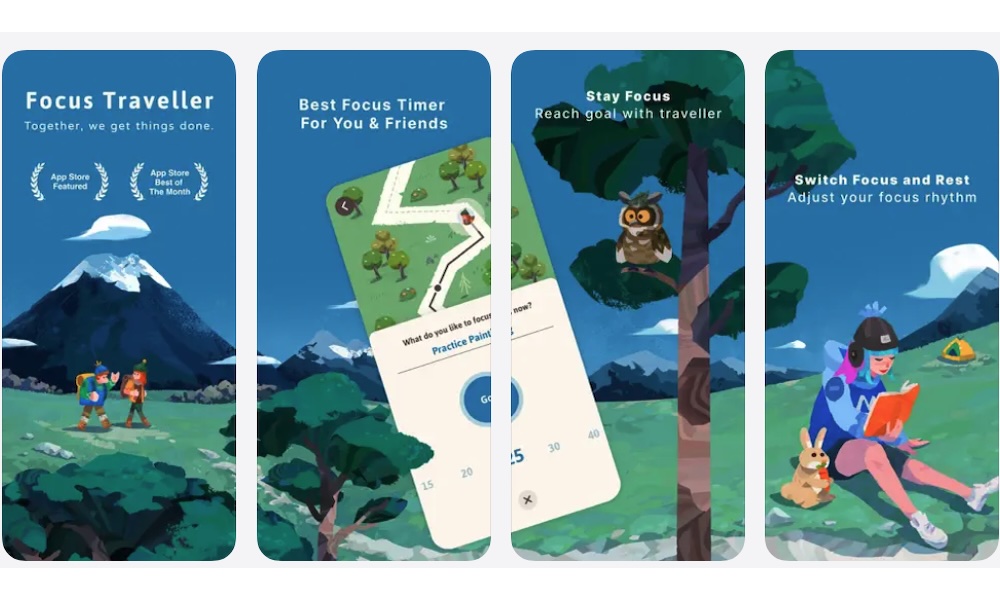
Focus Traveller turns a productivity timer into a small virtual journey to keep things more interesting. As you remain focused, your character travels through illustrated environments. The more work you get done, the farther your character will go.
The visual progress makes timed work feel more engaging. Instead of staring at a basic countdown, you see a destination gradually getting closer. This can help if you enjoy what you’re doing and feel a bit more relaxed even if your job is stressful.
Focus Traveller also tracks completed sessions so you can review your progress. Weekly and monthly stats highlight your total focused time, giving you a tangible sense of accomplishment. The app also comes with a Pomodoro timer and some music to help you stay focused. You can even change your character and the journey they’re taking, albeit some of these things are hidden behind a subscription.
This app won’t aggressively block every distraction in the same way as other options on the list. Its main purpose is giving you a reason to remain focused until the timer ends, which will work best depending on the type of person you are.
BePresent
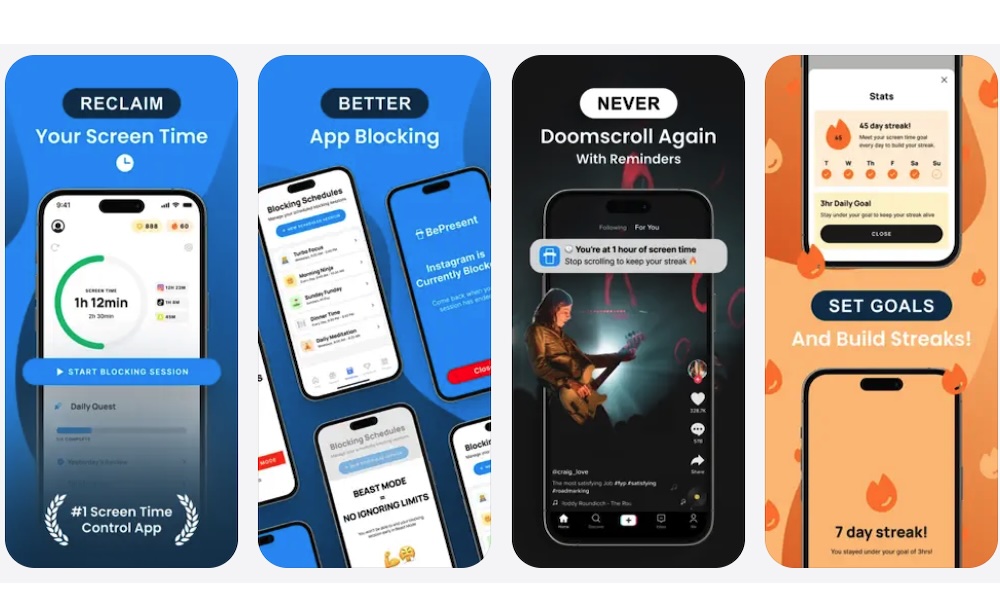
BePresent uses challenges and friendly competition to encourage you to spend less time on your iPhone. You can create goals, build streaks, and compare progress with your family or friends.
Trying to reduce screen time alone can become easy to abandon. Nobody notices if you ignore your own limit for yet another evening. A shared challenge creates a little accountability without requiring someone to monitor every app you open.
BePresent can track how much you use the app and award points when you meet your goals. There are also leaderboards, which turn your productivity time into a friendly competition.
If you’re a very competitive person, or you just love doing challenges with your loved ones, you’re probably going to love this app. You’ll get the same satisfaction as closing a ring on your Apple Watch, and that will make you keep going.
Of course, if you’re someone who doesn’t like to compete with others, you might find that this app isn’t for you. Still, BePresent is worth trying when simple personal goals or self-imposed limits haven’t worked.
Take Some of Your Time Back
Reducing screen time becomes easier once you understand what keeps pulling you back to your iPhone. For some people, the main problem is social media feeds and algorithms, while others struggle with distracting notifications.
Whatever the reason, there’s surely an app for you to try. You can start with something like Screen Time to discover where all your time actually goes. From there, layer in third-party tools that target your specific distractions so you can take back control of your screen time.
That doesn't mean giving up entertainment on your iPhone altogether. By using the right tools at the right times, you’ll be more productive when you have to and have fun when you actually have some free time for yourself.