
Dumbify
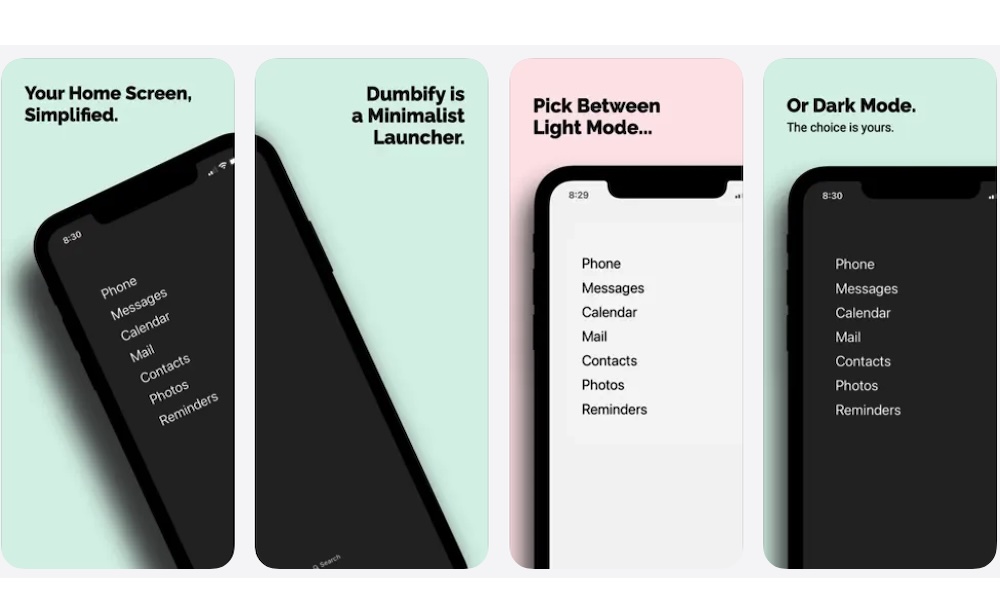
Dumbify is an incredibly simple but useful app that helps simplify your iPhone Home Screen by replacing rows of colorful icons with a cleaner, way more minimalist launcher. You choose the apps that deserve quick access, then place them in a plain text-based widget.
Colorful icons and notification badges make apps easy to notice. How many times have you seen a red bubble on top of an app and opened it just to clear the badge, only to end up doomscrolling for another twenty minutes?
Sure, having a bunch of unique apps on your Home Screen is convenient when you’re looking for something, but it also means distractions are presented to you every time you unlock your iPhone. A minimalist Home Screen removes many of those visual distractions.
Dumbify doesn’t uninstall your apps or turn your iPhone into a true basic phone. Everything remains available through the App Library or Spotlight. The change mainly affects what you see first when you unlock your phone.
You can customize the launcher to include essential tools such as Phone or Maps. Apps that usually lead to long scrolling sessions should stay out of sight. Dark and light appearances are available so the launcher can match the rest of your Home Screen.
This app is useful if you still don’t want to block all of your favorite platforms. Sometimes placing an app a little farther away is enough to prevent you from opening it all the time.