iOS 27.3 Beta 1 Adds ‘Selfie Sing’ Video Karaoke to Apple Music
Toggle Dark Mode
While much of what’s coming in iOS 27.3 and the gang is stuff that’s already on the roadmap, such as the new redesigned Health app for the iPhone and iPad and Siri Recap and Live Rewind for the Apple Watch, Apple has also packed a fun surprise into the first developer beta: Selfie Sing.
As you might be able to guess from the name, this extends Apple Music Sing — the karaoke feature that Apple introduced four years ago alongside the third-generation Apple TV 4K — to the iPhone’s front camera.
The concept of a video karaoke mode for Apple Music Sing isn’t entirely new, although we wouldn’t blame you if you haven’t encountered it. Apple first added this to the Apple TV 4K three years ago in tvOS 17, allowing you to use the Continuity Camera feature to set up your iPhone’s rear camera and see you and your companions on the big screen as you sing along to the lyrics.
By contrast, Selfie Sing is a much more personal and portable solution. You can call it up pretty much anywhere, and it works like a miniaturized version of the big-screen experience — but with a much more useful twist.
The video karaoke mode on the set-top box was largely a party trick that existed purely to show everyone on the screen with a variety of effects. Selfie Sing actually lets you record you and your friends belting out your favorite tunes. The only catch is you’re currently limited to one-minute recordings, which seems a bit odd, although this could just be an early beta limitation.
In fact, recording is the only way this feature works. You can simply delete the recordings if you’d rather just use it to watch yourself sing, but if you choose to keep them, you can also apply one of four specific mic effects — Megaphone, Echo, Concert Hall, and Studio — before saving or sharing them.
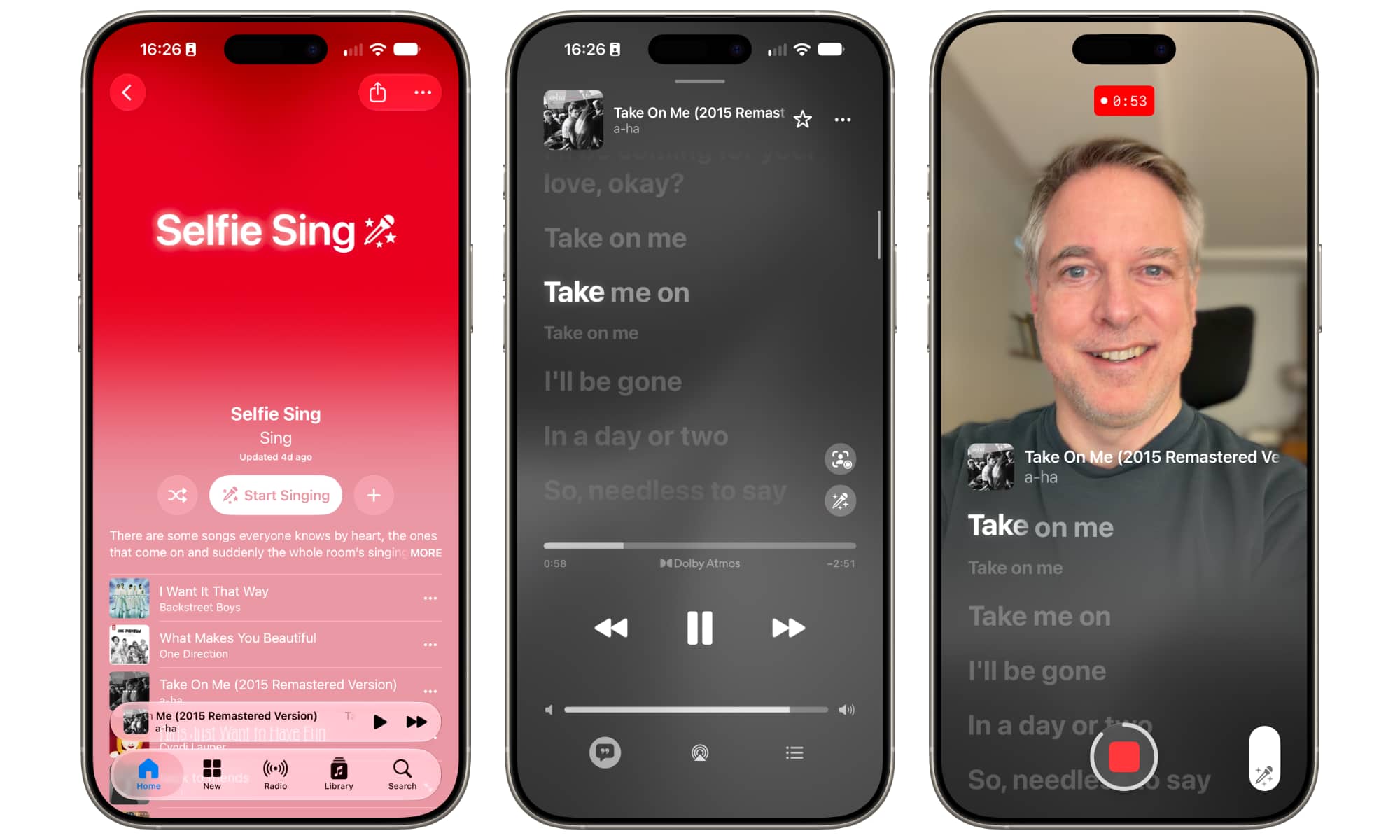
The feature isn’t yet available with every song supported by Apple Music Sing. Those that work with the feature will show a selfie camera button above the Sing volume slider that’s used to duck the vocals.
Apple already has a dedicated Selfie Sing playlist on Apple Music to help folks get started, which includes a broad list of popular tracks, such as “What Makes You Beautiful” by One Direction, “Girls Just Want to Have Fun” by Cyndi Lauper, “Take on Me” by a-ha, “Respect” by Aretha Franklin, “Go Your Own Way” by Fleetwood Mac, “La Bamba” by Los Lobos, and “Like a Virgin” by Madonna, to name just a few.
However, there are some tracks even in that playlist that don’t yet show the selfie camera toggle, including, rather ironically, “I Want It That Way,” which appears at the very top of the playlist. This is clearly still a bit of a work in progress — but it is only developer beta 1, after all.
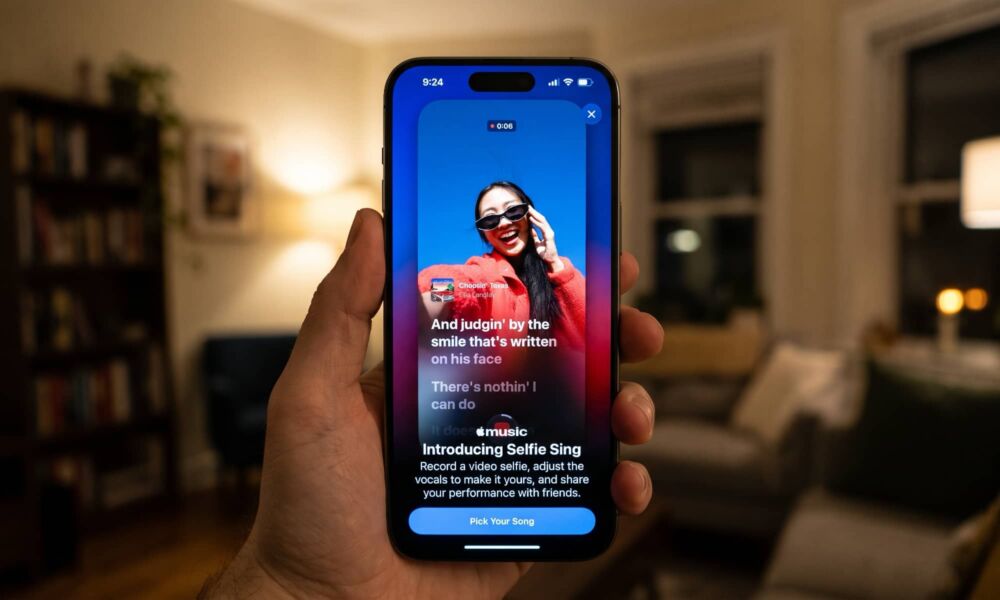
There are some songs everyone knows by heart, the ones that come on and suddenly the whole room’s singing along. This playlist is loaded with them, each one ready to become your next Selfie Sing. Pick your favorite, record a Selfie Sing, add mic effects to your voice, then save or share your video selfie with anyone you like. No pitch-perfect anything required — just you, the song, and the moment. Oh, and make sure you’ve updated to the latest iOS before getting started.
Apple
Some folks have reported seeing a splash screen advertising the feature when opening the Music app in iOS 27.3. That doesn’t seem to be appearing for everyone — it didn’t show up on any of my test devices — but it doesn’t seem to matter. The easiest way to try it out is by going to the Selfie Sing playlist. This may appear in the Home or New tabs, but if it doesn’t, you can simply search for it like any other song or playlist in Apple Music.
Since it’s a standard Apple Music playlist, the Selfie Sing list will appear on older versions of iOS — it’s really nothing more than a list of songs that support the feature — but you won’t be able to access the selfie camera unless you’re running iOS 27.3, which is currently still in developer beta.