
Check Your Old Drives: macOS 28 Set to Drop Encrypted HFS+ Support

Toggle Dark Mode
Over the past year, Apple has been gradually signaling the end for many of its legacy technologies, and this week the company has added another one to the list: With next year’s macOS 28 release, encrypted Mac OS Extended disks will be a thing of the past.
Apple quietly published this change in a support article on Tuesday, which gives folks well over a year of advance warning, since macOS 28 isn’t even expected to arrive as a developer beta for another 11 months:
In macOS 28 and later, the Mac OS Extended file system format will be supported only for volumes (disks and other storage devices) that aren’t encrypted. For future macOS compatibility, either decrypt or reformat any encrypted Mac OS Extended volumes.
While it’s not the most prominent place to post this notice, Apple plans to use other methods to alert folks, including pop-up warnings in current macOS versions, much like it did in macOS 26.4 for legacy Intel apps, which are also slated for the chopping block in macOS 28.
“Starting with macOS 26, your Mac might notify you that you’re using an encrypted Mac OS Extended disk and that it won’t be compatible with macOS 28 or later,” the support document notes. We’re not seeing these warnings in macOS 26.5 or the macOS 27 Golden Gate developer betas yet, but Apple still has plenty of time to add them in future updates.
Meanwhile, macOS 27 is killing off support for Apple’s venerable Time Capsule network-attached storage devices. This should hardly come as a surprise, as these were discontinued in 2018, but the real issue isn’t so much the Time Capsule itself, but the network protocol it used; macOS 27 removes the Apple Filing Protocol (AFP) entirely, following its slow burn into obscurity that began back in 2013 with OS X 10.9 Mavericks.
What This Means For Mac Users

As you might glean from the name “Mac OS Extended file system,” this is another old technology that Apple has decided it would rather not deal with fully supporting anymore — at least not in terms of encryption.
Folks who are relatively new to the Mac ecosystem aren’t likely to be impacted by this change. That’s because Apple has been using the newer Apple File System (APFS) format as the default since macOS High Sierra was released in 2017, as opposed to the older HFS+ format that had been prominent since 1998.
That was, in turn, built on the Classic Mac OS Hierarchical File System (“HFS” sans plus) of the late 1990s, which was also known as “Mac OS Standard.” Hence the name “Extended” for the “plus” version.
Either way, Apple’s legacy file system had a pretty good run. Although Mac OS Standard (original HFS) had stopped being the default format well over a decade ago, it remained supported in read-only mode until macOS 10.15 Catalina phased it out in 2019. Now it’s clearly time for Mac OS Extended to follow its ancestor off into the sunset.
If you bought a new Mac in 2018 or later, you’re almost certainly using APFS by default. However, even though that newer format took over in 2017, folks who upgraded in-place from older versions of macOS (or OS X) may have remained on HFS+ that year, as High Sierra only forced a switch if you were using an SSD; mechanical hard drives and the “Fusion Drives” of the era were left as-is.
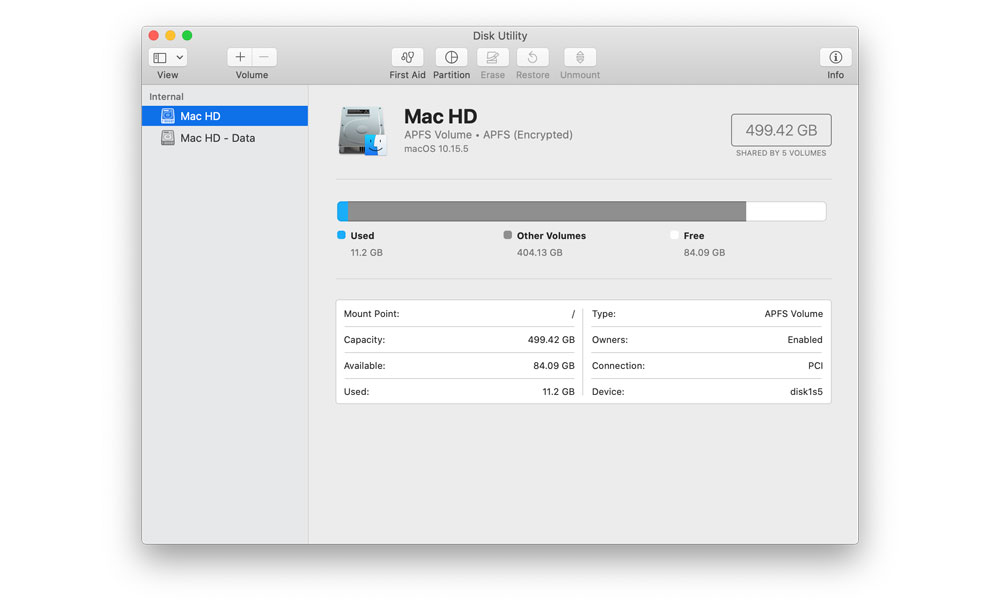
That changed the following year with macOS Mojave, which converted all boot drives to APFS, and by the time Catalina showed up in 2019, HFS+ boot drive support wasn’t an option.
In other words, anyone who still has a Mac with an HFS+ boot drive won’t need to worry, as those Macs won’t even run macOS 26 right now. They’d have to pretty much be stuck behind on macOS High Sierra or an even older version.
Still, HFS+ encryption remains alive and well for external drives in macOS versions up to and including Golden Gate. It’s quite clunky under the hood compared to APFS, which offers native encryption support, but it’s still supported. This means that if you have an old Mac with a FileVault-encrypted drive, you won’t be able to pull that out and plug it into a modern macOS 28 machine for data recovery.
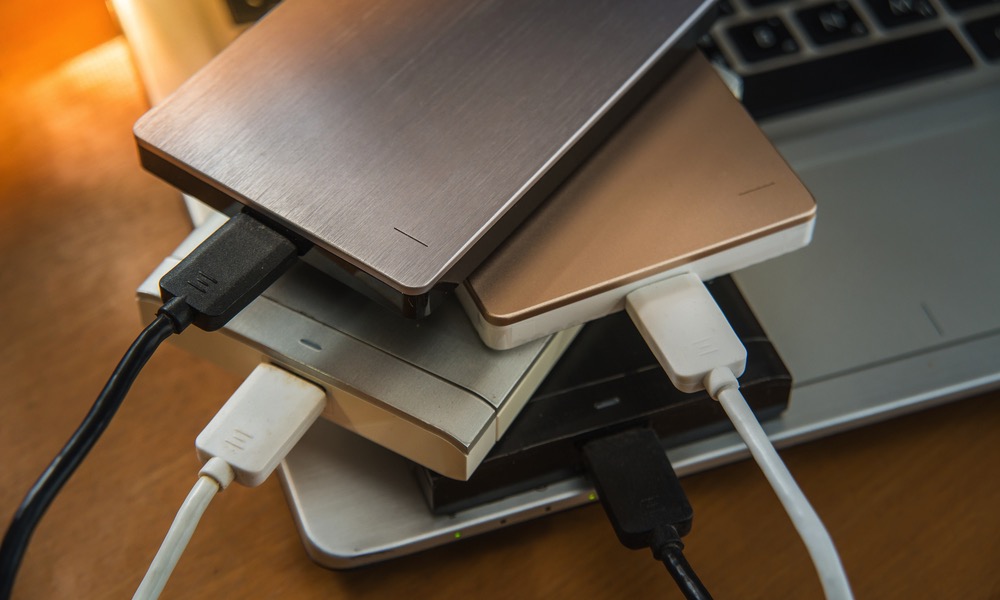
However, the biggest risk for longtime Mac owners is the “shoebox full of drives” scenario: folks who have old cold-storage backups made to encrypted HDDs sitting in a cabinet from years ago. An encrypted drive created in 2015 and put on a shelf was almost certainly using HFS+, and macOS 28 won’t have any way of getting at the data on that should you ever need to dig up old photos or Time Machine backups from that era.
How to Prepare for macOS 28
The good news is that the problem isn’t too hard to address, especially if you’re not terribly concerned about the encryption aspect.
Apple is only deprecating encrypted support for Mac OS Extended disks. You’ll still be able to read the raw format in macOS 28 without any issues. That’s because HFS+ never natively supported encryption — that was an entirely separate “CoreStorage” layer built on top of the base format. This is what Apple is getting rid of in macOS 28.
If you have old hard drives kicking around, the next year will be a good time to plug them into your Mac and check them. In the near future, macOS 26 or macOS 27 will likely warn you as soon as an encrypted HFS+ drive is plugged in, but it’s also a good clue if it asks you for a password as soon as you connect it (don’t rely on this, though — the password may already be saved in your keychain, allowing the drive to be opened without a prompt).
Decrypting the drive is the most straightforward process, and Apple’s support article provides instructions on how to do this. Of course, that means your data won’t be protected, but you’ll have to decide how crucial that is — personal financial data and personal journals are easily things you may not want to leave lying around, but your grandmother’s banana nut loaf recipe probably isn’t the big family secret your mother claims it is.
The good news is that you don’t have to leave it decrypted for long. Once the decryption process is finished, you can convert it to APFS — Apple’s newest format that fully supports encryption — and then re-encrypt it using the tools built into macOS.
You can also just erase and reformat the volume using APFS, but this will destroy everything on the drive, so it should only be used if you have a backup or you’ve inventoried the drive and decide you don’t need it anymore. If the drive is particularly old, you may want to consider migrating everything to a new APFS drive, but that’s a tougher call given the ridiculously high costs of storage these days.
Either way, the end of HFS+ encryption support is well over a year away at this point — and that’s assuming you really need to upgrade to macOS 28 the day it’s released.






