
Apple’s Final Cut Camera Gets a Big iPhone 18 Pro Upgrade
Toggle Dark Mode
While there’s no shortage of third-party apps that let you do more with your iPhone camera, Apple also has its own “pro” camera app for those who want to take their cinematography to the next level — and it’s just gotten an update to help it embrace the new iPhone 18 Pro models.
Apple debuted Final Cut Camera two years ago alongside Final Cut Pro 2.0 for iPad as a way to capture FCP-ready video and tie into more advanced studio setups that put an iPad in the director’s chair while multiple iPhones serve as live cameras.

However, it’s also a remarkably powerful standalone app in its own right, and what’s more, it’s an entirely free download — and you don’t need Final Cut Pro to use it.
Apple has also kept it abreast of new iPhone hardware developments, adding genlock and ProRes RAW support when the iPhone 17 Pro arrived last year. In July, another free update added support for a clean HDMI out mode, which hides informational overlays to let an iPhone 17 Pro or newer model serve as an external camera for just about any HDMI-based recording app or monitor.
Now, with the iPhone 18 Pro and iPhone 18 Pro Max debuting earlier this month, it’s not a big surprise that Apple has announced Final Cut Camera 2.4 to support the new variable aperture and manual shooting modes of the newest models.
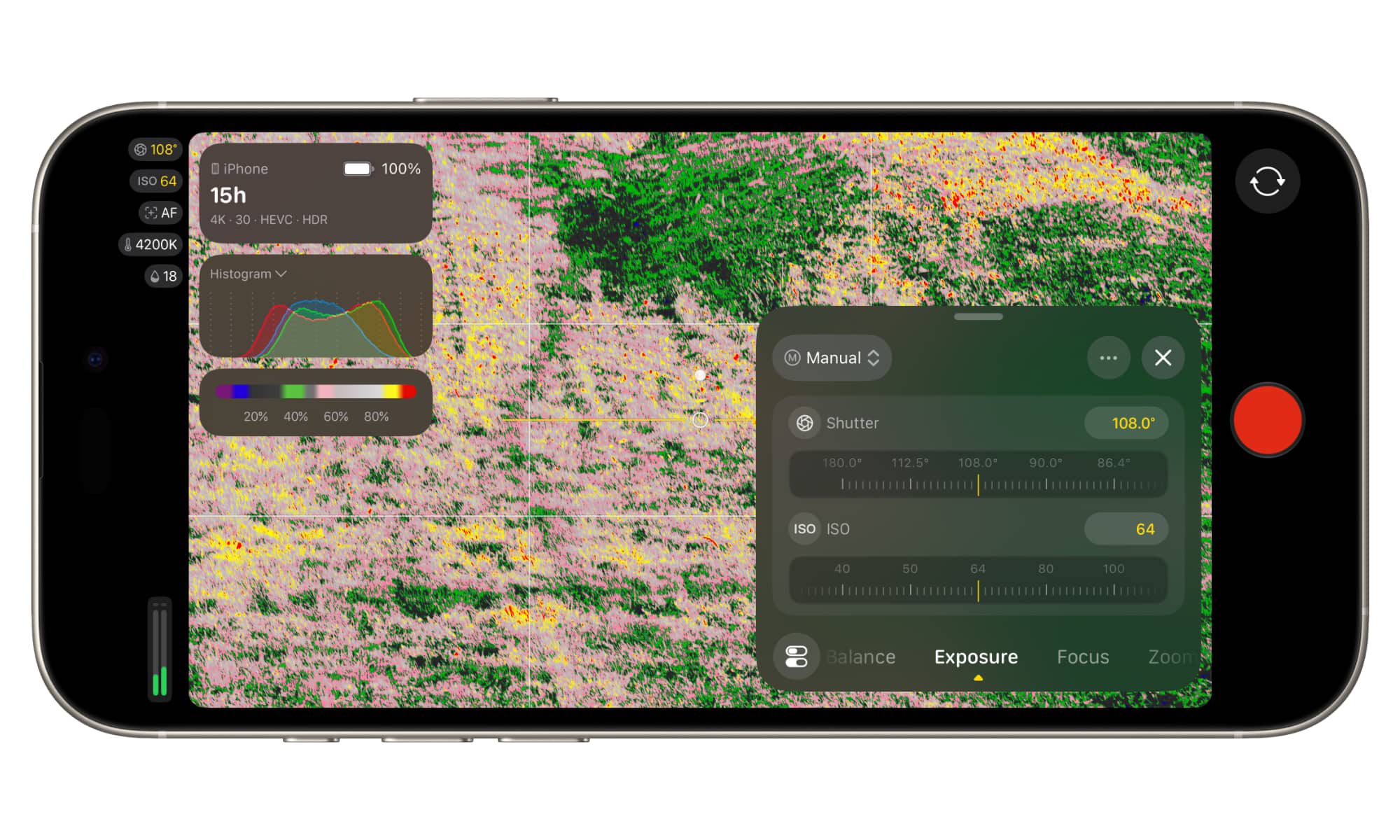
However, this point release belies what appear to be some more significant changes. Apple notes that it’s redesigned the app “from the ground up” to not only provide “even easier access to popular settings like shutter angle, ISO, and white balance,” but also add customizable overlays for proper exposure and false color, and improved focus peaking.
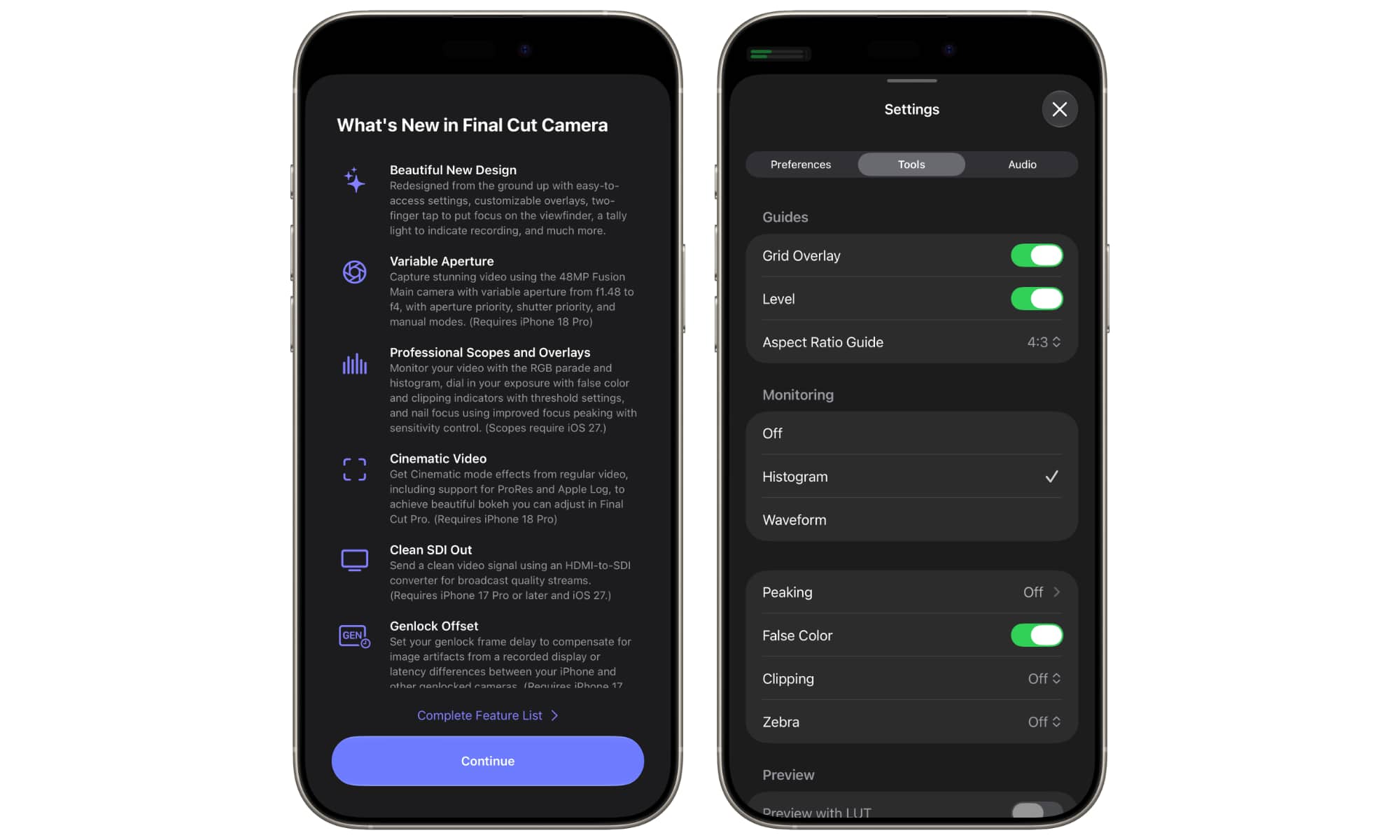
Some of these features already came to the stock Camera app on the iPhone 18 Pro, so it makes sense for Final Cut Camera to get in on the fun. However, Apple notes some additional features will be available for older iPhone models as part of iOS 27.
The redesign is available across the board for all supported iPhone models running iOS 26.6 or later. which is now the minimum version Final Cut Camera runs on — and include more accessible settings. It includes more accessible settings, customizable overlays, a two-finger tap to clear the viewfinder and focus on the shot, and a new tally light to indicate when recording is in progress. iOS 27 adds the RGB parade and histogram overlays, while all devices get false color, clipping indicators, and improved focus peaking.
Users with iOS 27 and at least an iPhone 17 Pro will be able to use an HDMI-to-SDI converter to get clean SDI out, expanding on the clean HDMI out option added in the July update. It’s not entirely clear why this is an iOS 27 feature, as a clean HDMI signal sent to an external converter should remain clean, but perhaps Apple is referring to more specialized SDI hardware. A new genlock offset feature has also been added that remains exclusive to the iPhone 17 Pro or later models, as earlier models don’t support genlock at all.
Meanwhile, iPhone 18 Pro users will be able to take advantage of the variable aperture to control aperture priority, shutter priority, and full manual modes. Additionally, iPhone 18 Pro and iPhone Duo users will be able to use the app to add Cinematic mode effects to regular video, including ProRes and Apple Log formats, which can be adjusted in Final Cut Pro.






