
Keeping Your iPhone’s Storage Completely Full
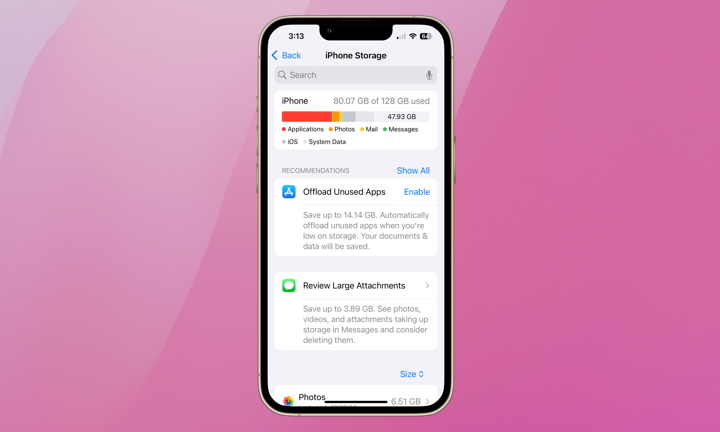
One of the easiest ways to make your iPhone slower is to let its storage fill up until there’s almost no space left. It’s something that can happen without you noticing, especially if you regularly take videos or download Netflix shows to watch offline.
Your iPhone needs some available storage to handle temporary files and other system operations. When there isn’t enough room, some tasks can take longer than usual, and you may have trouble opening apps or saving new files.
Apple recommends keeping at least 1 GB of storage available to avoid slowdowns. However, leaving several gigabytes free is a much better idea, especially if you tend to download large files to your iPhone.
While there are many ways to manage your storage, one of the easiest ways to start is by doing the following:
- Open the Settings app.
- Scroll down and tap General.
- Select iPhone Storage.
- Check how much available storage you have.
Here you’ll see how much free storage you actually have. You’ll also get to review Apple’s recommendations and remove content you no longer need.
Besides checking your storage, you can also enable the Offload Unused Apps setting, which removes apps you rarely open while keeping their data in case you want to use them again.