WhatsApp Finally Catches Up to iMessage with Scheduled Messages
 Eyestetix Studio / Unsplash
Toggle Dark Mode
While WhatsApp actually predates Apple’s iMessage by at least two years, lately it seems to be spending a lot of its time following Apple’s lead more often than the other way around.
Three years ago, WhatsApp added the ability to edit sent messages about eight months after Apple did the same for iMessage in iOS 16. That was a surprise twist, but now it seems that Apple has beat WhatsApp to the punch in another area — the ability to send scheduled messages — and it’s done so by an even wider margin.

Apple added a “Send Later” option to iMessage two years ago in iOS 18, and even then it felt like it was late to the party. But it was far from the last to arrive, as the feature was conspicuously absent from WhatsApp until just this week.
Better late than never, WhatsApp announced today that the option to send messages later is finally coming to the platform as “one of its most requested features.”
Some messages are better sent a little later. You remember at 11pm to wish someone luck for an exam the next morning, or want a birthday message to land at midnight in your friend’s time zone, not yours. You think of it now, but now isn’t the right time.
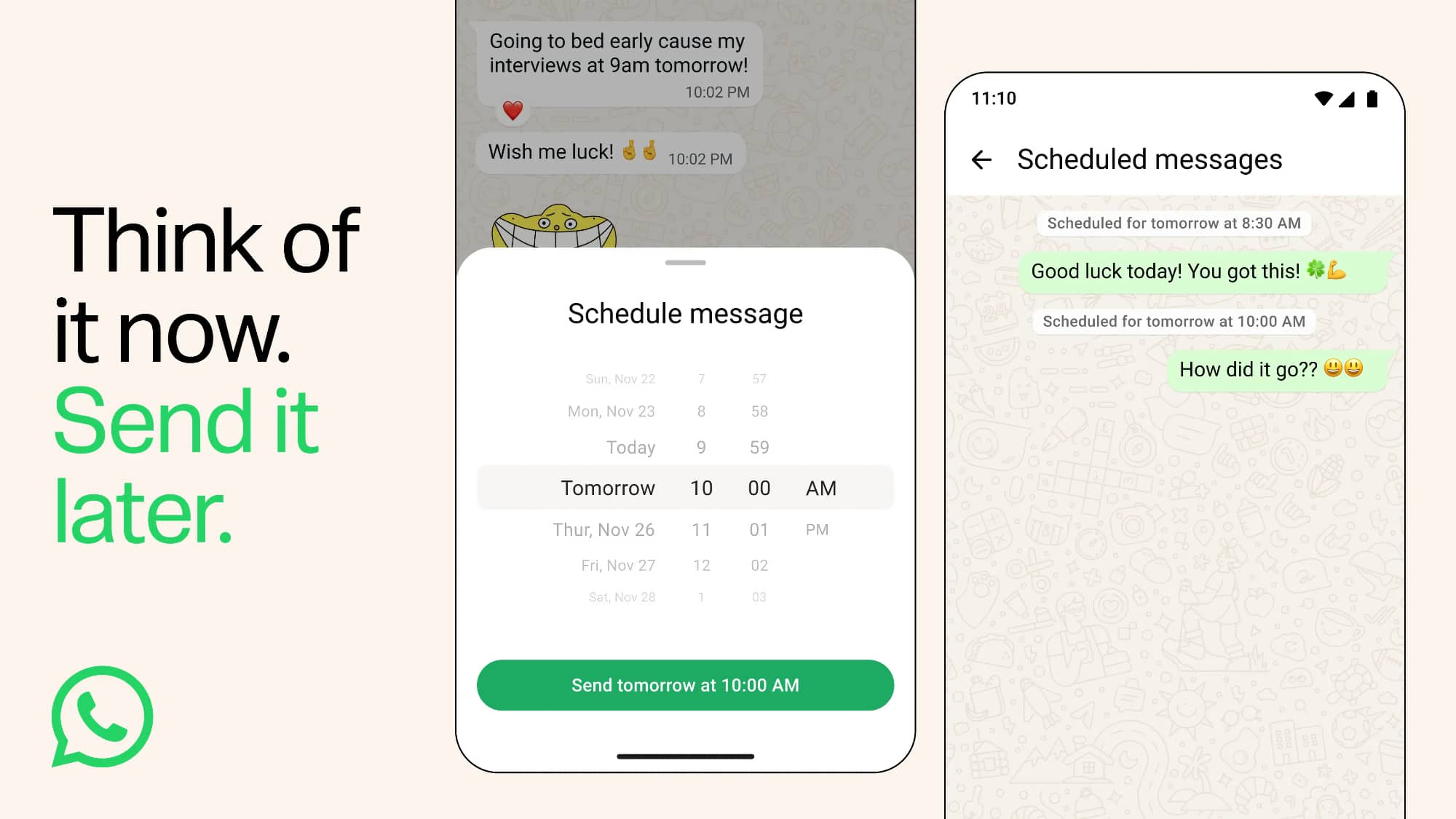
The feature works much like it does in iMessage and other platforms. Scheduled messages can be used with text, photos, and videos, and work in both one-on-one and group chats. However, the feature is rolling out slowly “over the coming weeks,” so not everyone will have it right away.
It’s activated by pressing and holding on the send button. If that isn’t doing anything at all right now, it means the feature hasn’t reached your account or device yet.
Once it does show up, that action will open up a date picker allowing users to schedule delivery for anywhere from 10 minutes to 14 days in the future. That’s similar to the limits in iMessage, although Apple allows for a minimum of 1 minute.
The recipient won’t have any idea the message was scheduled — it will look like any other message — and you’ll be able to see the future messages you have lined up and delete them before they’re sent out if you change your mind.
Messages are scheduled on the server, so they’ll be sent even if your iPhone is offline — out of service, out of battery, or simply shut off — and they’re end-to-end encrypted just like every other message in WhatsApp. However, you will need a data connection to delete them before they go out. Unlike Apple’s iMessage implementation, it’s not clear if you’ll be able to edit or reschedule a pending message, although we imagine you’ll be able to copy the text, delete the original, and then schedule a new one as a replacement.