
Everything You Need to Know About Apple’s First Smart Home Display
Toggle Dark Mode
It’s been a good year for Apple fans across the world. We’ve seen new MacBooks, new iPhones, and now, there are new smart home devices. During today’s Welcome Home event, Apple unveiled several new smart home devices, including a brand-new smart home collection filled with cameras, thermostats, and door locks.
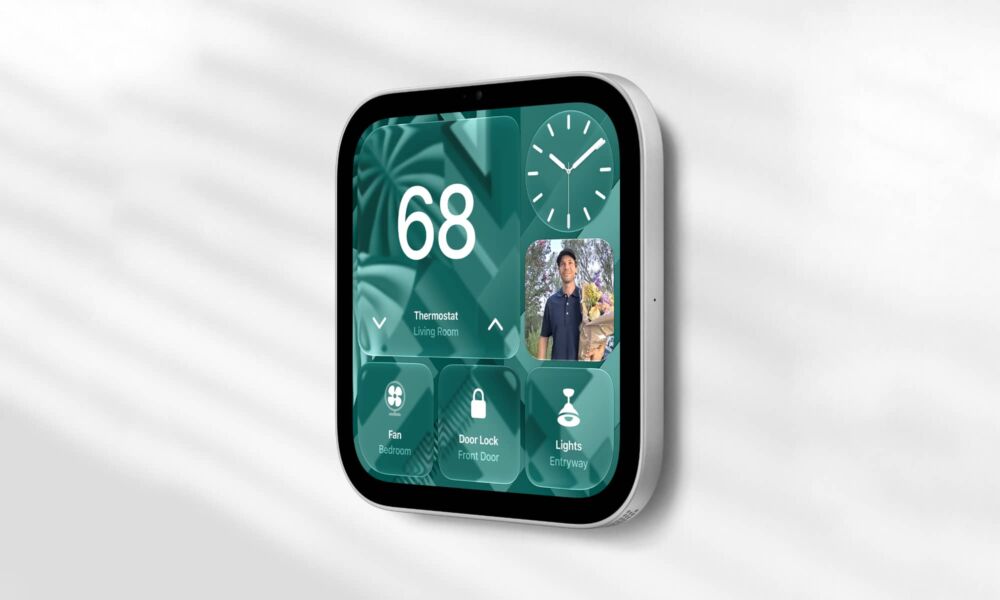
But by far, the most exciting thing is the new HomeView. This is a new smart home display that will let you control your home, call your friends and family, or just listen to some music. It’s new, it’s cool, and it kinda looks like a giant iPod nano from the front. Here’s everything you need to know.
Meet the Apple HomeView
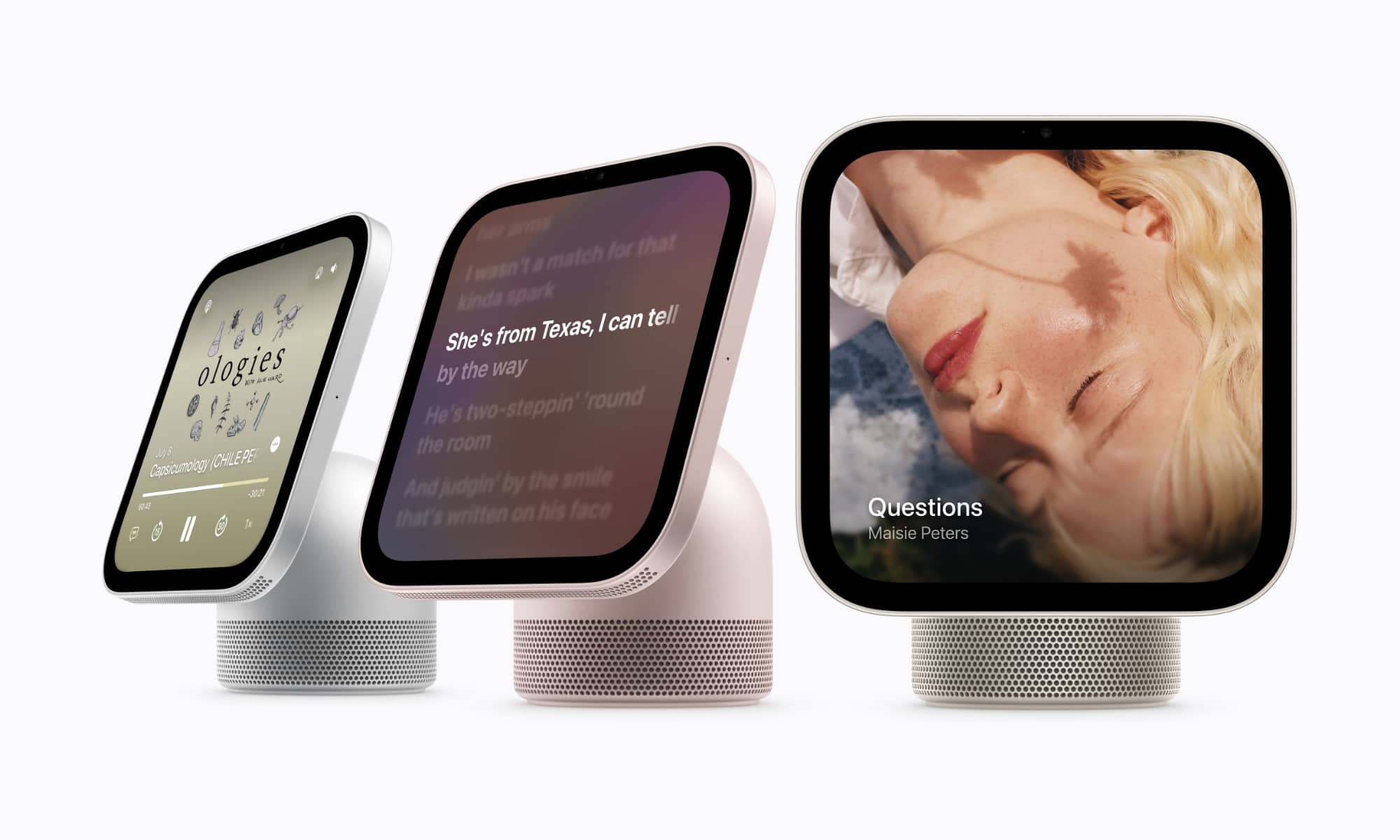
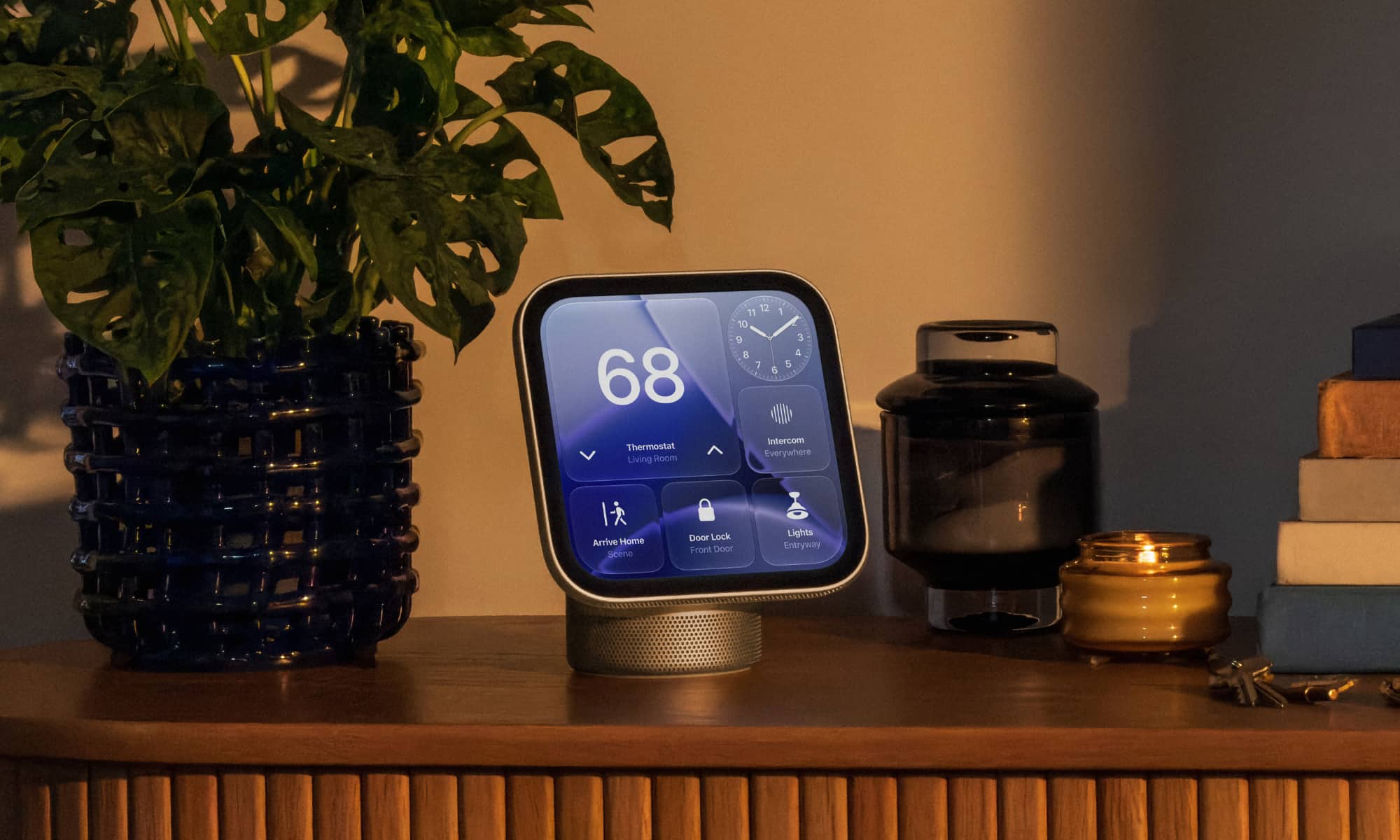
Apple’s new HomeView is a tiny but powerful smart home device. It’s the company’s first-ever display solely dedicated to controlling your home, which is a breath of fresh air and something that fans have been asking for.
The device comes with a 7-inch Liquid Retina display, which guarantees that everything looks crisp from the get-go. It also comes in two different forms and in many different colors. You can get the regular HomeView, which stands by itself with a speaker at the bottom. This model comes in four different colors, including silver, starlight, rose pink, and space gray. There’s also a wall-mounted version, which comes without the base and looks exactly like the last-generation iPod nano. This model only comes in silver or space gray.
Right at the top of the display, the HomeView features a front-facing, 12 MP Center Stage camera that allows you to make FaceTime calls instantly. Right at the bottom, the HomeView has speakers that allow for Spatial Audio when you want to listen to your favorite tunes.
Fun for the Whole Family

Apple claims that the HomeView microphone is strong enough to hear your requests from across the room, but that’s not all it does. The HomeView is also capable of recognizing faces and providing specific data for each person.
This means that as soon as you get close to the HomeView, you’ll only see your data. You can see your Reminders or the events you have in your Calendar app. As soon as someone else steps up to it, they’ll see their own information.
The HomeView will be able to recognize up to six family members, making it easier for everyone to talk to their own friends and family without having to manually change the profile.
HomeView: Powered by AI

As you can expect from any tech company these days, AI is at the center of any tech product, including the HomeView. That’s why Apple powered it with the A18 chip — the same one you can find on the iPhone 16. Yes, a bit older, but it’s more than enough to power Apple Intelligence and Siri AI.
That makes the HomeView capable of handling all your tasks. You can ask it to call your friends or family, ask when you need to leave for work, or set a reminder. And of course, you can also control other smart home devices around your house, and even communicate with people in other rooms by reaching them on their iPhone, iPad, or Apple Watch.
There’s a Very Limited Selection of Apps
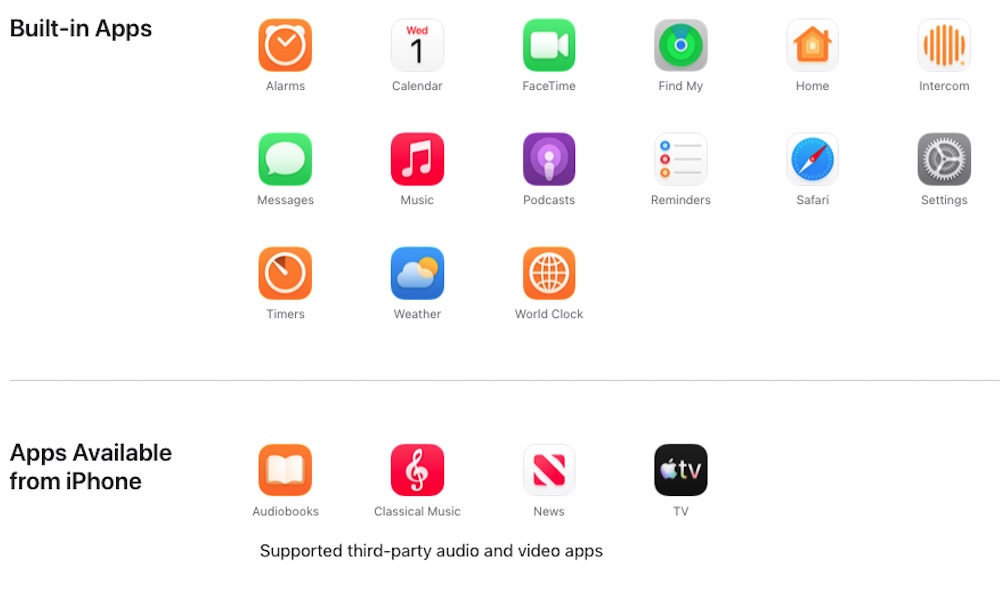
The HomeView doesn’t come with a ton of apps right off the bat, but that’s not necessarily a bad thing.
Apple lists 15 built-in apps that come by default in HomeView, including Safari, Apple Music, and Messages. Additionally, you can add apps like Apple Books (for audiobooks), Apple News, and Apple TV from your iPhone.
Other third-party video and audio apps are also available, but they’ll be very limited. So we’ll have to see if apps like Spotify or YouTube make their way into Apple’s new product.
This might be one of the biggest downsides of the HomeView. From the get-go, you won’t be able to do things like watch a show on Prime Video while you’re cooking, or even listen to Spotify while you’re cleaning your home — at least not without streaming it from another device via AirPlay.
Of course, that might not be a bad thing. After all, you can already do all those things if you have an iPhone or an iPad. A smart home hub is supposed to control your smart home. Still, for the price (which we’ll talk about in a moment), you’ll probably want to be able to do more with it.
HomeView Price
With every new premium product from Apple, you should also expect a premium price.
Both the tabletop HomeView and the wall-mounted model cost $299. However, you’ll probably have to pay a bit extra if you want to mount it to your wall.
The tabletop HomeView includes a USB-C charging cable and a 30W power adapter. However, the wall-mounted model only gives you the HomeView itself. You’ll need to pay an extra $59.95 for a Power Mount USB-C wall connector, or $79.95 for a hardwired AC mount.
Of course, both devices are pretty expensive, and paying extra for the wall-mounted model makes it an even tougher sell. Of course, this hub is mainly for die-hard Apple fans who already choose Apple TV and Apple Music over every other app available.
However, if you prefer other streaming services or want something cheaper, Amazon and Google offer options for a fraction of the price.
Will You Get the New Apple HomeView?
Apple’s HomeView is available to preorder right now, and it’ll be available on November 13. And while this is a great step in the right direction for Apple, we’ll have to wait and see if the HomeView will be a success or if it’s going to be yet another Apple product that’s just too late (and too pricey) to the party.






