
The iPhone’s Lockdown Mode Is Still a Hacker’s Worst Nightmare
Toggle Dark Mode
Four years ago, faced with frighteningly effective mercenary-grade spyware like Pegasus, Apple debuted Lockdown Mode in iOS 16. The new feature promised to harden iPhone security to unprecedented levels, ensuring that even those being targeted by shadowy government agencies could be safe against not only known forms of industrial spyware, but even new attacks that hadn’t yet been conceived.
While it’s long been anybody’s guess how effective Lockdown Mode was, it certainly seemed like a good way to bar the front door from the most common
“zero-day” exploits these tools use to compromise users’ iPhones. However, we can also stop guessing, as Apple says no spyware has ever successfully attacked an iPhone using Lockdown Mode.

Apple shared the details withTechCrunch on Friday, although it’s fair to say the company hedged a bit. Spokesperson Sarah O’Rourke could only say “We are not aware of any successful mercenary spyware attacks against a Lockdown Mode-enabled Apple device” — a fair statement since you can’t prove an unknown.
Nevertheless, we’ve already had other real-world evidence that Lockdown Mode seriously ups your iPhone’s security game. In February, the FBI tacitly revealed that it couldn’t unlock a suspect’s iPhone specifically because it was in Lockdown Mode.
Similarly, although the latest iOS versions have patched the security holes used by hacking toolkits like DarkSword, security researchers have said from the start that Lockdown Mode is also enough to defend against the hacks.
What Is Lockdown Mode and Should I Use It?
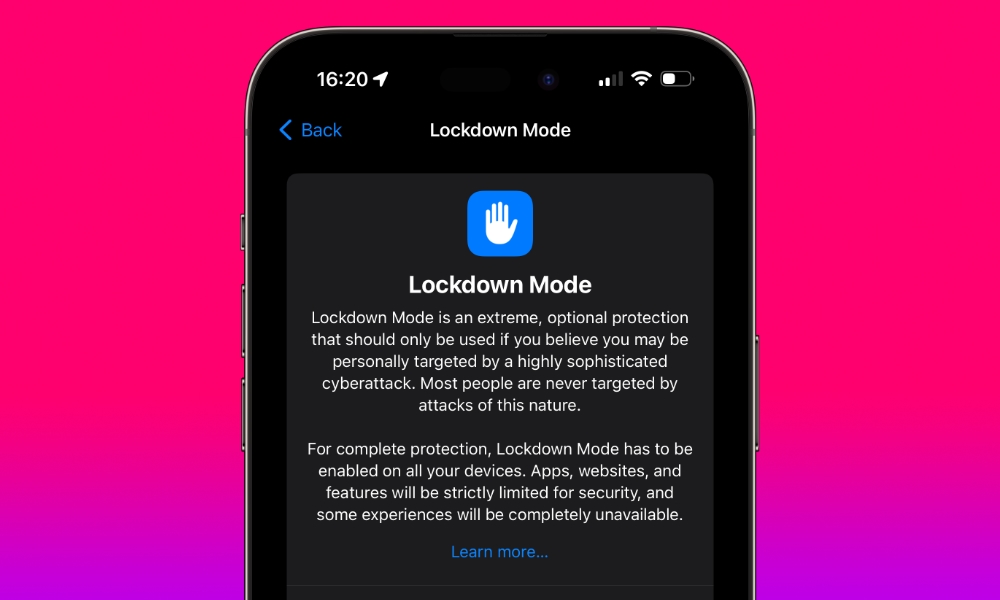
With all that in mind, Lockdown Mode seems like a pretty great idea. Shouldn’t everyone be using it? Well, the answer to that question is slightly more nuanced.
In the same way you can prevent a computer from being hacked by never connecting it to the internet — a technique known in the security business as “air gapping” — Lockdown Mode disables many convenient features that normal iPhone users rely on every day. Essentially, you’re trading off usability for security.
Apple designed Lockdown Mode for people who are likely to be attacked by the mercenary-grade spyware we mentioned earlier. Pegasus, Predator, and other tools like them aren’t the sort of things you’ll come across on a random website. These are expensive tools typically only available to government agencies, and while they’re intended to be sold for law enforcement and counter-terrorism purposes, not every country shares the same definitions of “criminal” and “terrorist.”
Either way, they’re used in targeted attacks. Someone with one of these tools has to have a reason to use them against your iPhone, which, let’s face it, is unlikely for the average person. Most of us really aren’t that important.
Still, the ability of Lockdown Mode to defend against other hacking tools like DarkSword has raised new concerns, especially now that some of these tools are out in the wild for any amateur hacker to play with. While Apple works to release security patches to defend against these threats, there’s always going to be a window of time between the threat being discovered and it being patched during which iPhone users are vulnerable.
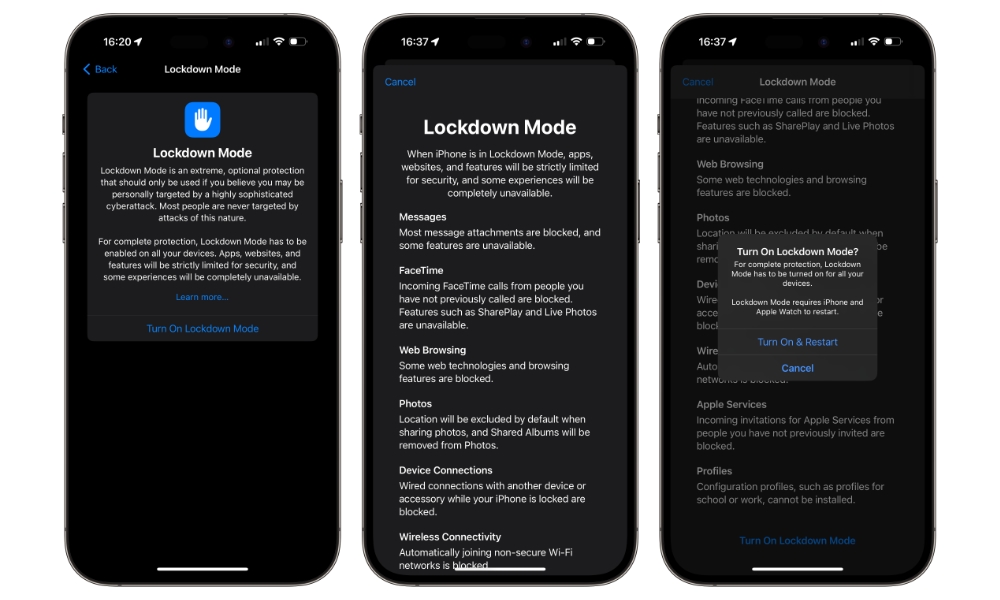
That could make it tempting to turn on Lockdown Mode, as it’s proven effective against all these hacking tools and malware. Any iPhone user running iOS 16 or later can certainly do that, but you should be aware of what you’ll be giving up in the process. Here’s a quick rundown of what your iPhone won’t be able to do in Lockdown Mode:
- Most attachments will be blocked in Messages. Certain images, videos, and audio will be let through, depending on their format.
- You’ll no longer see link previews in Messages, since this requires loading data from a remote website to generate the preview — a common attack vector for zero-click spyware tools.
- You’ll be left with a more basic web browsing experience. Most JavaScript won’t work, some web fonts won’t be displayed, and images may not be loaded, depending on the site’s design. You can mark individual sites as “Trusted” to bypass some of this, but it will still feel like a hampered browsing experience.
- Incoming FaceTime calls are blocked unless you’ve called that person or contact within the past 30 days.
- SharePlay and Live Photos are turned off.
- Incoming Invitations for Apple Services like Home Sharing are blocked.
- Some Focus Mode features are disabled.
- Game Center is disabled.
- Shared Albums are removed from the Photos app.
- The iPhone will never connect to a computer or accessory when locked.
- You won’t be able to connect to non-secure Wi-Fi networks, which means getting onto public Wi-Fi is out of the question. 2G and 3G cellular support is also disabled. Although we can’t imagine that matters for most folks these days, it prevents “cell site simulators” (Stingrays) from forcing a phone onto an older, unencrypted protocol.
- Incoming Calls won’t ring on your Apple Watch.
- Configuration Profiles and Mobile Device Management Profiles can’t be installed. This doesn’t just impact company-owned devices, but can also affect things like using a VPN on your iPhone, since these typically rely on configuration profiles. You’ll need to ensure these are set up before enabling Lockdown Mode, and that your particular VPN app doesn’t ever want to modify the configuration profile on the fly.
If you’re willing to live with all these limitations, turning on Lockdown Mode could be worth it for the extra security it offers. It’s also not hard to try it out for yourself if you’re curious. You’ll need to reboot your iPhone (and paired Apple Watch) to enable it, but it’s also completely reversible so you can always toggle it off again if you change your mind.






