
Found an Apple Gift Card Under the Tree? Here’s How to Spend It
Toggle Dark Mode
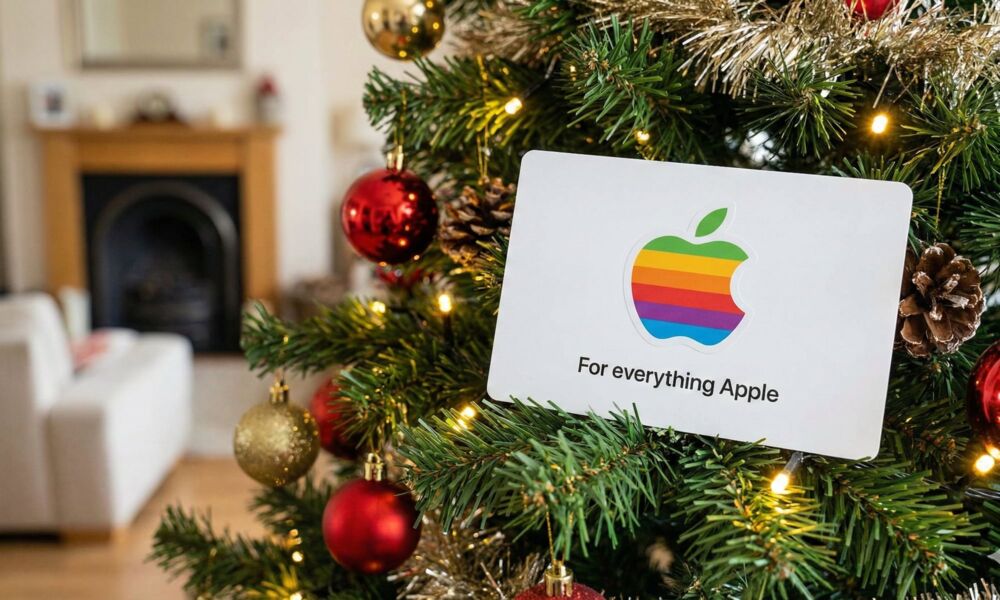
Getting a gift card can sometimes feel underwhelming compared to a shiny new set of AirPods, but it’s actually one of the most thoughtful gifts someone can buy. After all, it can be tricky to pick a good gift for an Apple fan. An Apple gift card lets the people in your life who aren’t sure how you want to accessorize your iPhone or whether you want to upgrade your AirPods give you the option to decide for yourself.
Unlike most retail gift cards, Apple’s is also incredibly versatile. If you’ve been in the Apple ecosystem for a long time but haven’t used an Apple gift card in a while, you may remember the days when Apple had separate “store” gift cards for buying hardware products and “iTunes” or “App Store” gift cards for digital purchases.

However, that era ended five years ago, and today’s gift cards are “for everything Apple” — from physical in-store purchases to music and movies, subscriptions, and even in-app purchases.
The best part is that you don’t even need to commit your gift card balance to a single category, and — unlike one well-known online retailer — it’s ridiculously easy to combine gift cards. This means you can take a large gift card and divvy it up between digital goods and physical accessories or save up your gift cards for a big purchase like an iPhone or iPad.
What Can I Buy With an Apple Gift Card?

An Apple Gift Card can be used for nearly anything Apple sells, including third-party physical and digital goods. For example:
- Any product sold in an Apple Store, whether at a physical location or online.
- Apps and games on the App Store, including in-app purchases and subscriptions in those apps.
- Digital media from the Apple Books, iTunes, and TV stores, such as e-books, movies, and TV shows. This includes movie rentals as well as purchases.
- Subscriptions to any Apple service, such as Apple Music, Apple TV, iCloud+ storage, Apple One.
Note that some subscriptions, such as AppleCare+ and AppleCare One will require that you also have a credit or debit card on file to kick things off. You can still pay for these with an Apple Gift Card in many countries, but Apple wants to ensure another payment method is available to charge when the gift card balance runs out.
Pro Tip: Your balance is also valid for third-party subscriptions billed through the App Store (like Disney+), which can save you “real” money on your monthly bills.
Apple Gift Cards can’t be used at other retailers — even if you’re purchasing an Apple product. They also can’t be used to purchase more gift cards.
One really important caveat is that Apple Gift Cards also don’t work across international borders. Gift Cards have to be used in the country where they’re purchased. So if you’re in the US and a Canadian friend sends you a gift card, you’ll need to do some cross-border shopping to use it. It’s also important to remember this when travelling, as you may be tempted to pick up gift cards to take back with you, only to later discover they won’t work in your home country.
For greater certainty, you can check outApple’s full list of what an Apple Gift Card can be used for.
How to Use an Apple Gift Card
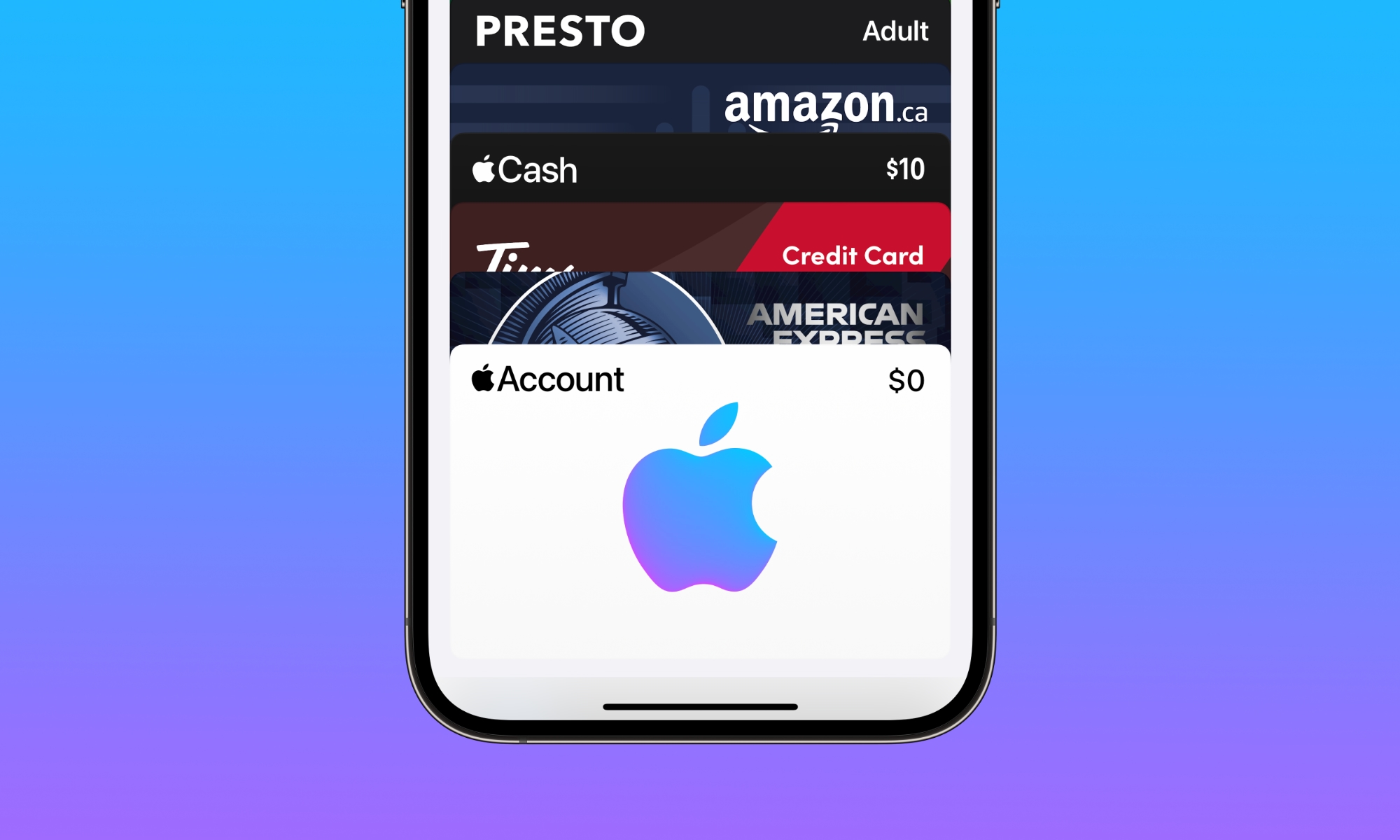
One of the things that makes an Apple Gift Card so versatile is that you don’t just show up at an Apple Store and swipe it or enter the redemption code online like you would with most retail gift cards. While you can do those things if you’re using it for a single purchase, if you plan to save the gift card it’s best to add it to your Apple Account, where it will sit as a credit balance until you’re ready to use it.
Adding multiple gift cards to your Apple Account will just increase that balance, so if you’re saving up for a big purchase you don’t need to juggle a bunch of gift cards — you can just pay directly from your Apple Account balance when you’re ready to take the plunge.
Your Apple Account balance will be used by default for digital purchases, with any leftover amounts being billed to your credit or debit card, if you have one on file. For physical purchases from the Apple online store, you can choose to use your Apple Account balance at checkout as long as you’re signed in.
For in-person purchases at a retail store, Apple has added a clever trick in the form of the Apple Account Card — a digital card that you can add to your Apple Wallet just like any other payment card that lets you spend from your Apple Account balance at an Apple Store. It works like any other Apple Pay card, except that it can only be used in Apple Stores.
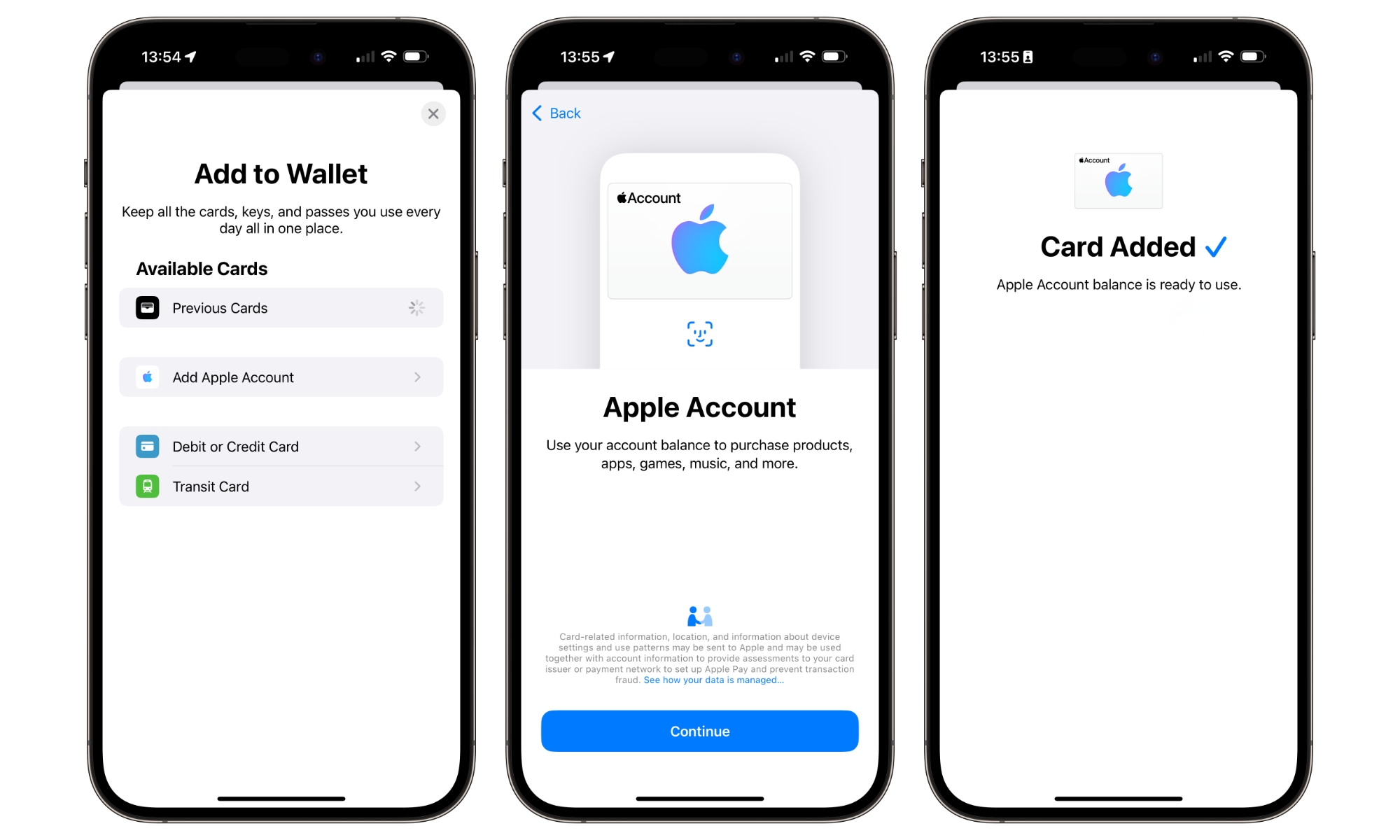
Here’s how to add the Apple Account card and add an Apple Gift Card to your Apple Account balance:
- Open the Wallet app on your iPhone.
- Tap the Plus button in the top-right corner.
- Choose Add Apple Account and follow the instructions.
- Find and tap the Apple Account card in Apple Wallet.
- Tap the More (three-dot) button in the top-right corner and choose Redeem.
- Select Use Camera to scan the 16-digit gift card code from the back of your gift card. You might need to peel or scratch off the label to see this. If you’re having trouble getting the camera to pick it up, you can also choose Enter Code Manually to type it in instead.
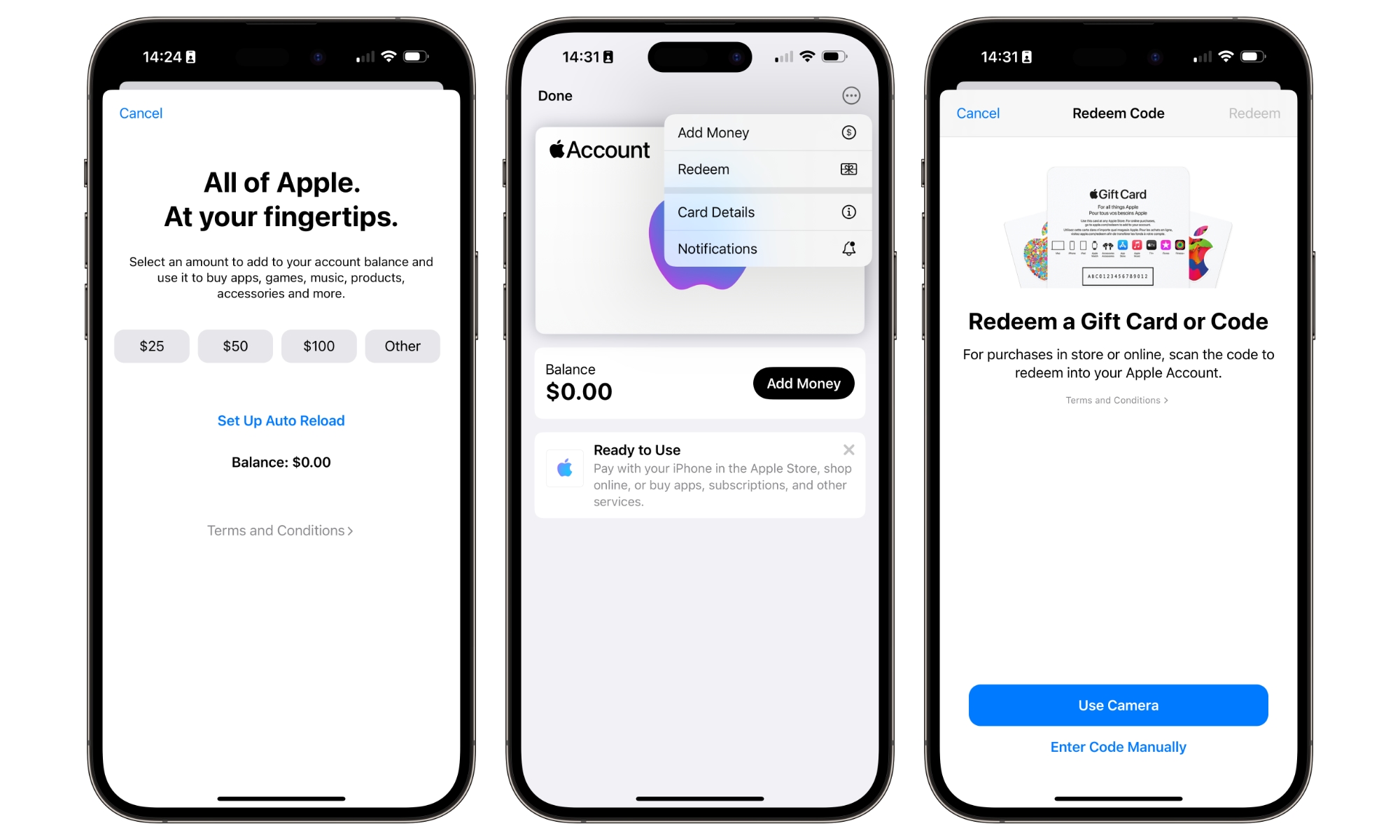
The balance from the gift card will be added to your Apple Account, where it should show on the Apple Account card in the Wallet app. You can use this card to make purchases at an Apple retail store, but the balance will also be available for any digital purchases made through the Apple’s online stores and services.
It’s worth mentioning that you don’t have to add the Apple Account card to Wallet to redeem an Apple Gift Card; you can also redeem it through the App Store on your iPhone, iPad, or Mac; the Apple Account Card is only strictly necessary if you want to use it at an Apple Store, but it’s also a great way to see your balance in Apple Wallet.
Important Note for Savers
Money in your Apple Account will be used for recurring subscriptions before your standard payment method is charged. If you have $200 in your account and you’re saving for a new iPad, Apple will automatically deduct payments for things like iCloud+ or Apple One from that balance each month. This means that if you’re trying to save gift cards up for a larger purchase, you should wait to add them to your Apple Account until you’re ready to use them.
Frequently Asked Questions
Does my Apple Gift Card balance ever expire? No. Apple Gift Cards do not have an expiration date. However, once you redeem the card to your Apple Account, the funds are tied to that specific account and cannot be transferred to someone else.
Can I use my balance for the iPhone Upgrade Program? Not directly. The iPhone Upgrade Program requires a valid US credit or debit card for the monthly instalment loan through Citizens One. While you can’t use a gift card for the monthly payments, you can use it to pay for the initial “upfront” costs or accessories at the time of purchase.
Can I spend my balance on Apple Vision Pro? Sure. The Apple Account balance can be used for any hardware at the Apple Store, so you can apply your gift card credit toward an Apple Vision Pro or any of its accessories (like the travel case or extra battery packs).
Can I use my Apple Gift Card at Best Buy or Target? No. Apple Gift Cards can only be used at Apple’s own storefronts (Apple Store, App Store, iTunes, etc.). If you want to buy an Apple product at a third-party retailer, you would need a gift card specifically for that retailer.
What if I have an old “iTunes” or “Apple Store” card from years ago? The good news is that those old cards are not only still valid, but they also work with Apple’s new unified system, where they can also be used to purchase physical goods. You can to redeem older “iTunes” or “App Store” specific cards directly into your Apple Account balance in the same way as newer gift cards.
Can I share my balance with family members through Family Sharing? No. While Family Sharing allows you to share purchases and subscriptions, it does not share Apple Account balances. If you have $50 in your account, your family members can’t use it; however, the family organizer’s payment method won’t be billed for a family member’s purchase until their own gift card balance is exhausted.






