
Google Meet Finally Hits CarPlay — and Leaves Android Fans Stuck in the Driveway
Toggle Dark Mode
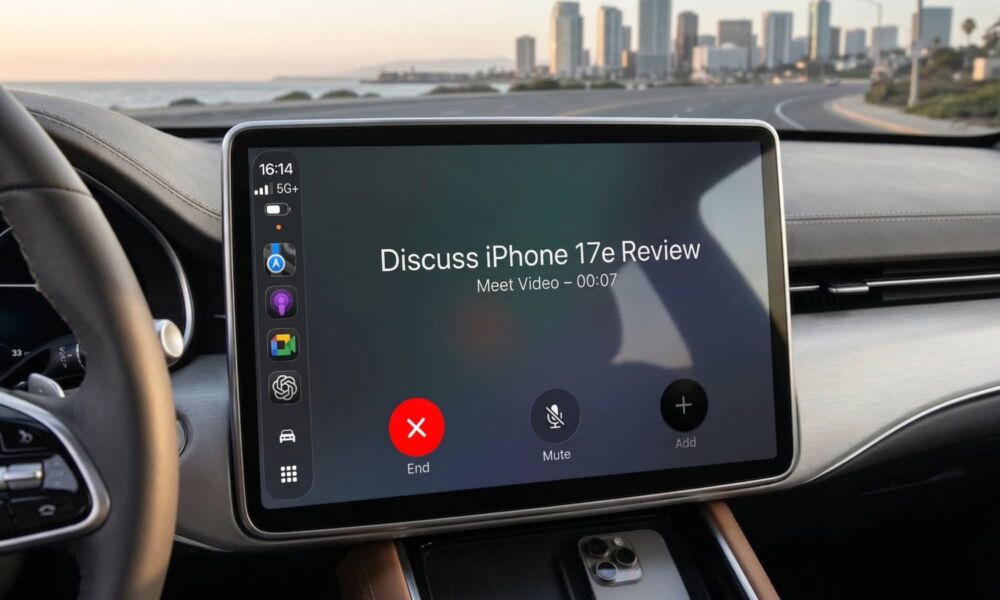
Google has just extended its Google Meet conferencing app to the dashboard, but in an ironic twist, it’s launching first not for Android Auto, but for iPhone users via CarPlay.
It’s the second pleasant surprise for CarPlay users this week, following the arrival of ChatGPT for in-car infotainment systems on Tuesday. However, while OpenAI had to take advantage of an API that didn’t exist before iOS 26.4, Google Meet is seemingly more about the tech giant taking its time.

After all, rival conferencing apps like Zoom and Microsoft Teams have been available via CarPlay for years, making Google Meet a conspicuous holdout. It’s not entirely clear if it’s taking advantage of some feature in iOS 26.4 to provide a better experience, but we’re going to guess not as the Google Meet app only requires a minimum of iOS 17.0, and there’s no indication that the feature requires a newer iOS version than that.
Google announced the feature yesterday on its Google Workspace blog, but it notes that it will be available to all users with personal Google accounts in addition to all Google Workspace customer and Workspace Individual subscribers.
We’re excited to announce Google Meet for Apple CarPlay, allowing on-the-go professionals to stay connected hands-free and join meetings safely while on the road.
The new capability is limited to iPhone CarPlay users for now, but the company notes that “Android Auto users can expect a version of Meet for Android Auto soon.”
Joining Meetings on the Road
Anyone who has previously used another app like Zoom or Teams via CarPlay won’t find any surprises from Google Meet, as it offers roughly the same experience. Despite reports of video in CarPlay, which likely won’t work the way many folks think anyway, Google Meet won’t let you conduct video meetings while driving — at least not not through the CarPlay interface.
Instead, your camera will be turned off, and you won’t see the incoming video content. It effectively becomes an audio-only experience, letting you participate in the conversation like you would by dialing in over the phone.
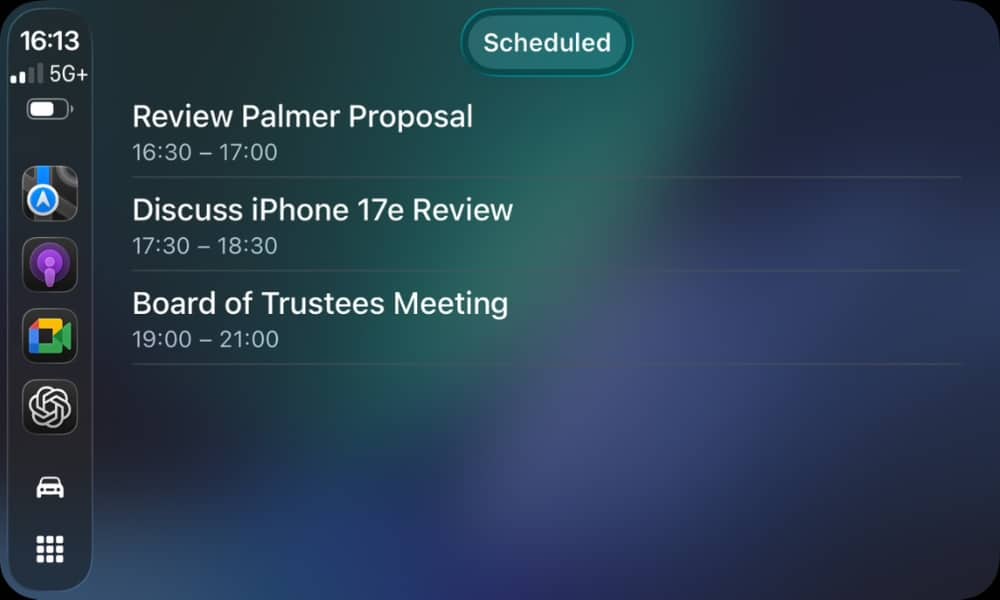
Still, it differs from simply calling the meeting’s dial-in number by offering an easy way to find a list of ongoing and scheduled meetings and join in with a tap. This will save you from hunting for invite links, although this listing will only work if the invitation was sent directly to your Google account, rather than shared through a third-party messaging or social media app.
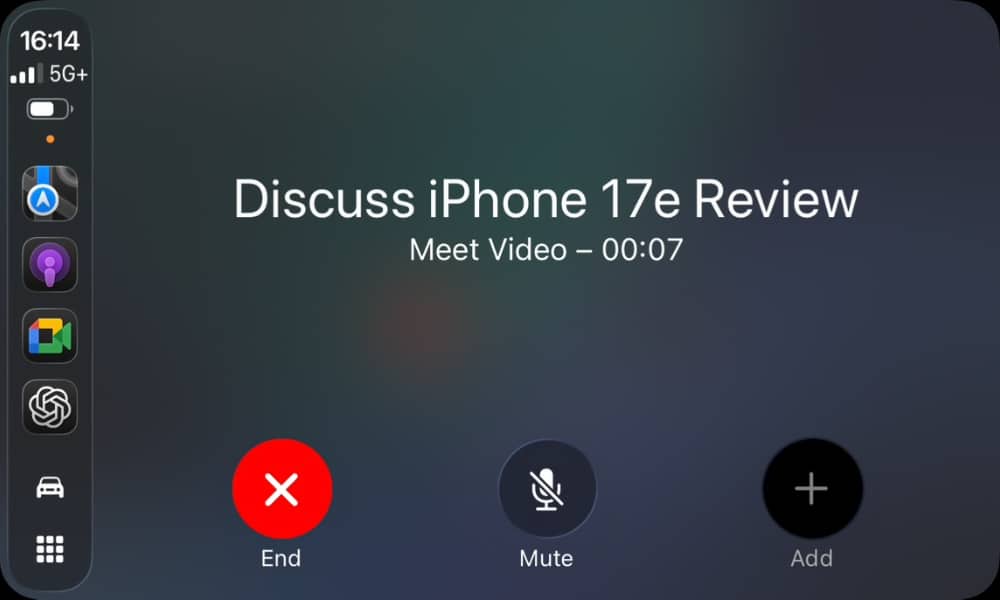
While you’re in a meeting, on-screen controls allow you to mute, unmute, or leave the meeting with a single tap. Like video, other interactive features like raising a hand, chatting, or responding to polls won’t be available while using CarPlay, so you’ll have to park your car and use your iPhone for those. You’ll automatically join any breakout rooms you’re assigned to, and automatically return to the main session when those breakout sessions end.
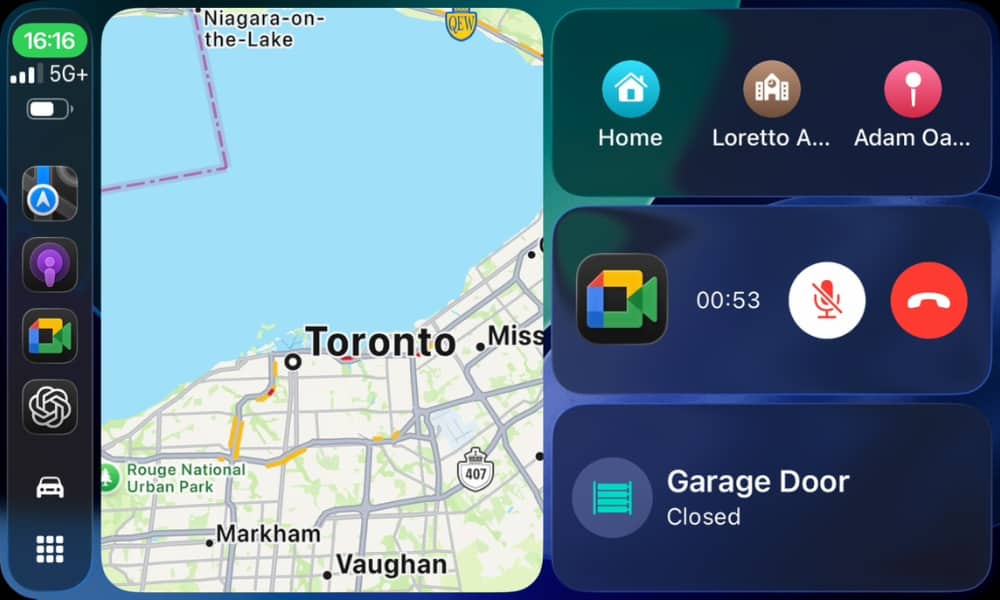
When a meeting is in progress, Google Meet will also appear in a widget in the CarPlay dashboard view that fills the “Now Playing” slot like many other calling and conferencing apps. This lets you keep an eye on your navigation and any other relevant information such as Live Activities and Calendar appointments.
You can also seamlessly transition an ongoing meeting between your iPhone and your CarPlay dashboard when getting into your car, and vice-versa when you’re about to jump out and head into the office. When getting into the car, the Meet app will switch to Meet’s standard On-the-Go mode — the same mode that’s used if you’re walking using AirPods while your iPhone is in your pocket.
Note that while you can participate in Google Meet meetings via the Gmail app, CarPlay support is specific to the Google Meet app, so you’ll need to download and install that on your iPhone if you’re not already using it. Many folks, myself included, haven’t bothered with the standalone app as the Gmail app does a good enough job on its own — but not in this case.






