
Apple Quietly Doubles Wi-Fi Speeds for Newer Macs and iPads
Toggle Dark Mode
Although the most notable user-facing improvement in last month’s macOS 26.2 Tahoe Update was a virtual edge light, it turns out that Apple has packed a quiet but significant performance improvement under the hood in its latest software releases.
Yesterday, a reader tipped off MacRumors that macOS 26.2 and iPadOS 26.2 contain a change that will improve the Wi-Fi speeds for the latest MacBook and iPad models — those that support Wi-Fi 6E. The tipster, Johnie, pointed out a December 17 update to Apple’s Platform Deployment guide revealing that Wi-Fi 6E Macs and iPads now support wider 160 MHz channels when using the 5 GHz band, doubling the 80 MHz channels of OS 26.1 and prior software releases.

In practical terms, this means that MacBooks and iPads that support Wi-Fi 6E can now achieve twice the bandwidth in a much broader variety of conditions. While 160 MHz channels were previously supported when using the 6 GHz bands, the 5 GHz band is used much more frequently due to its greater range and more ubiquitous support.
For instance, only Wi-Fi 6E routers support a third 6 GHz band — that’s actually all the “E” suffix means, as the underlying protocol is still Wi-Fi 6. Standard Wi-Fi 6 routers are limited to 2.4 GHz and 5 GHz; tri-band Wi-Fi 6 routers simply add a second 5 GHz channel. Even if you’ve upgraded to a Wi-Fi 6E or Wi-Fi 7 router at home, you’re still more likely to find yourself using the 5 GHz band when connecting to public, school, and business Wi-Fi networks.
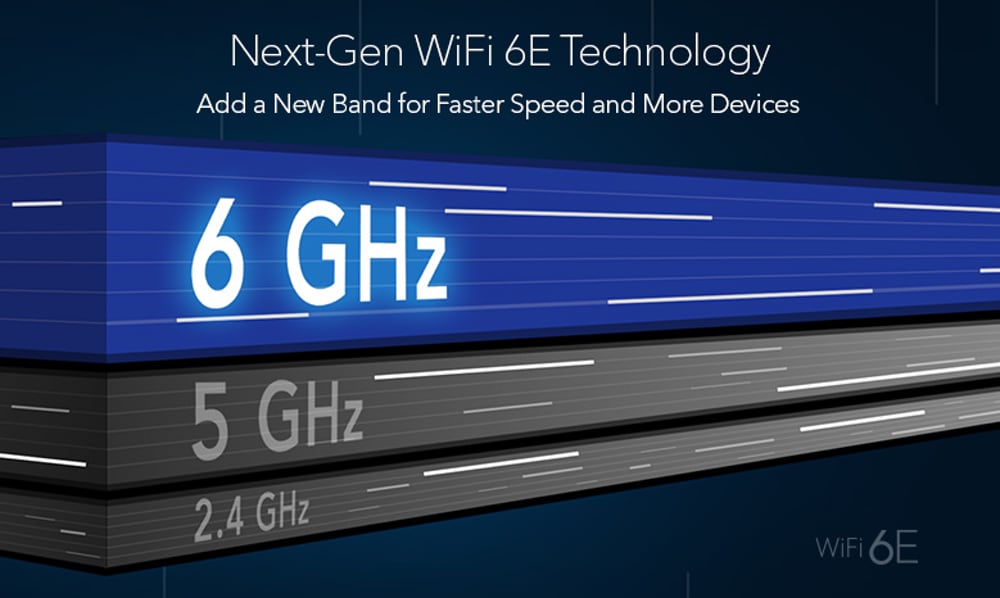
As with all radio waves, higher frequencies have shorter range and are less able to penetrate solid objects like walls, which will often leave you on the 5 GHz band even in your own home as you stray farther away from the nearest router or mesh access point.
The move to a 160 MHz channel width doubles the maximum physical (PHY) data rate to 2,400 Mbps (2.4 Gbps) when operating over Wi-Fi 6 on the more common 5 GHz band. To be clear, you’re unlikely to see these numbers on speed tests, as the PHY speed refers the raw maximum number of bits the radios can push across the airwaves, and network protocols need to use some of that for handshaking and error correction — effectively the “envelope” in which your data is wrapped up before it’s sent out.
This latest change only applies to Wi-Fi 6E Macs and iPads when they’re using 5GHz Wi-Fi 6 networks. Specifically, that covers all sizes of the following models:
Supported iPad Models:
- iPad Pro (M2, 2022 / M4, 2024)
- iPad Air (M2, 2024 / M3, 2025)
- iPad mini (A17 Pro, 2025)
Supported Mac Models:
- MacBook Pro (M2, 2023 / M4, 2024 / M5, 2025)
- MacBook Air (M3, 2024 / M4, 2025)
- iMac (M3, 2024/ M4, 2025)
- Mac mini (M2 & M2 Pro, 2023 / M4, 2024)
- Mac Studio (M2 Max & M2 Ultra, 2023 / M3 Ultra & M4 Max, 2025)
- Mac Pro (M2 Ultra, 2023)
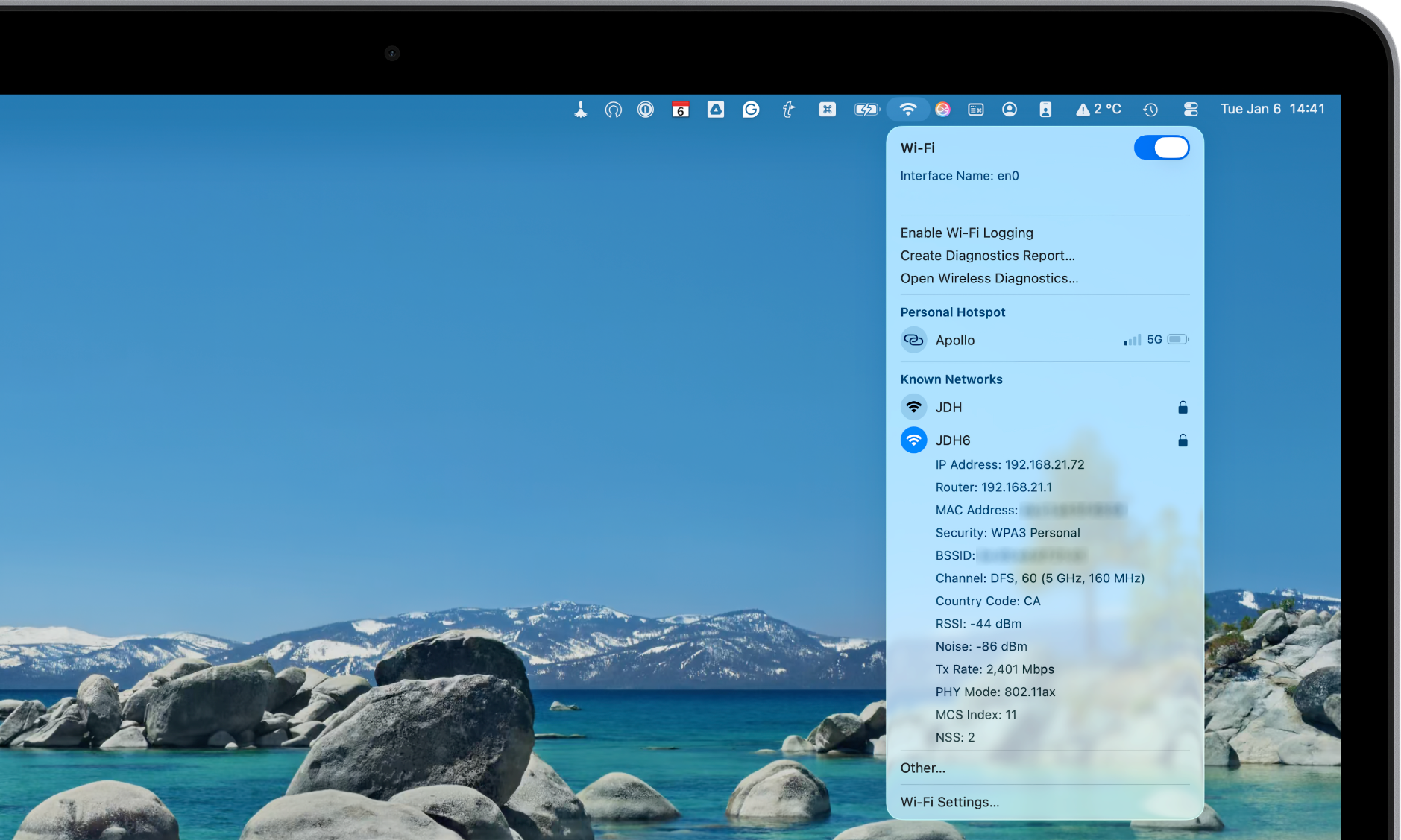
How to check your current Wi-Fi speed on a Mac: If you want to see if you’re actually getting that 160 MHz boost, hold down the Option key and click the Wi-Fi icon in your Menu Bar. Look for the “Channel” and “Tx Rate” lines. If you see a three-digit channel (like 36, 100, etc.) paired with a “2400 Mbps” Tx rate, you’ve officially hit the 160 MHz jackpot.
Apple hasn’t brought this change to Wi-Fi 6 devices, which remain limited to 80 MHz channels. That includes the iPhone 11 through iPhone 14, Apple silicon Macs released from 2020 to 2022, and even the latest A16 iPad.
This is likely due to the older non-E Wi-Fi 6 radio modules in those devices, which lack the hardware capability to bond enough 5 GHz channels for a 160 MHz wide signal. By contrast, the Wi-Fi 6E chipsets have always supported 160 MHz channels over 6 GHz, making it relatively simple for Apple to bring that same high-speed capability to the 5 GHz band via software.
Notably, the iPhone 15 Pro and iPhone 15 Pro Max — the only iPhones Apple released with Wi-Fi 6E — received support for 160 MHz on 5 GHz channels when iOS 18 was released in 2024.
Apple’s Wi-Fi 7 devices have offered support for 160 MHz channels over 5 GHz Wi-Fi 6 from the start, although those only include the iPhone 16 and iPhone 17 series (excluding the iPhone 16e), the iPhone Air, and the M5 iPad Pro.
While these improvements are a nice boost on the iPad and Mac side, you’ll still need a Wi-Fi 6 or better router that supports 160 MHz channels. You’ll also need to ensure they’re enabled on the router, as many ISP-provided routers default to 80 MHz or an “Auto” setting that avoids 160 MHz when selecting channels using Dynamic Frequency Selection (DFS). This can vary widely depending on where you live.
Pro Tip: Because 160 MHz channels almost always utilize DFS frequencies, you might notice your Mac or iPad takes a minute (or up to ten) to “find” your Wi-Fi network after a router reboot. This isn’t a bug — it’s your router performing a mandatory scan to ensure it isn’t interfering with local airport or weather radar. In regions like Europe or Canada, these “quiet periods” are strictly enforced by law.






