
Photos
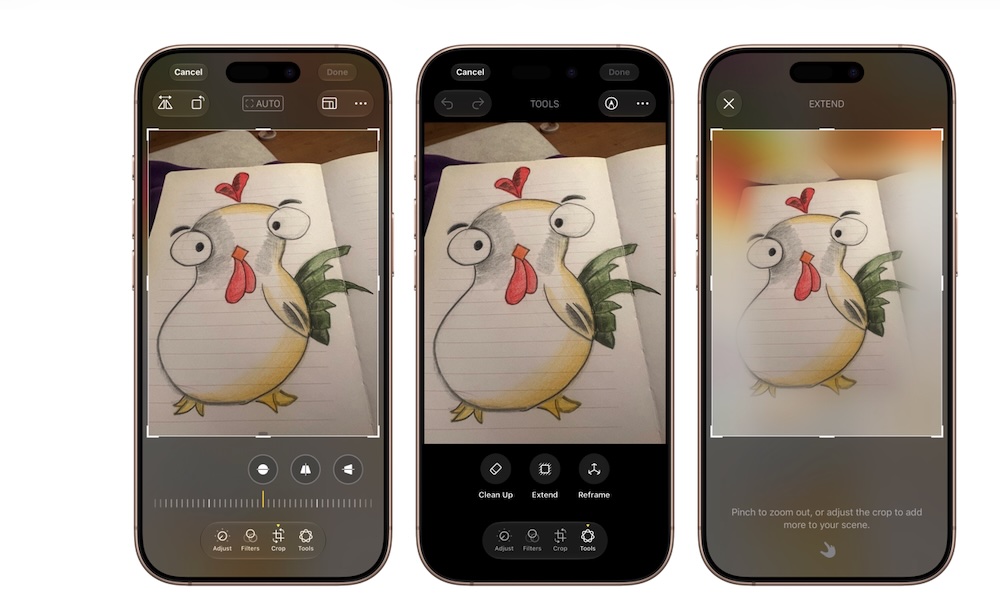
Apple’s Photos app is receiving a couple of extra editing tools thanks to Apple Intelligence, and they’re pretty impressive.
For starters, there’s Spatial Reframing, which lets you shift the perspective of an image. You’ll be able to touch and drag the photo while previewing how the composition changes. Basically, it’ll look like you took the photo from a different angle, while still looking completely natural.
Apple says the effect should feel similar to repositioning the original camera, with new content generated only where the altered perspective requires it.
The Extend tool addresses a different problem. If you captured an image too tightly, Extend can generate additional images around its edges. It may also help you straighten a crooked horizon without cutting out part of the original photograph.
You’ll be able to use Extend when you need a different aspect ratio too. If you want to make a photo wider, you can simply adjust the image to whatever size you want in just a few seconds. Your iPhone will then try to match the background so the generated area looks pretty much the same as the real deal.
Clean Up is also becoming more capable. The current tool, which was introduced in iOS 18.1, can remove smaller distractions, but iOS 27 is designed to handle larger objects and more complicated backgrounds. This could help remove a person who walked into the frame or an unwanted object distracting the real subject from your photo.
All of these features are available in the public beta of iOS 27, and they all work pretty well under the right circumstances. They’ll definitely improve over time, though, which is great news for both casual and professional photographers.