
Can the MacBook Neo Run Windows?
Toggle Dark Mode
There’s little doubt that Apple’s new MacBook Neo promises to be a game-changer for budget laptops. It delivers remarkable performance for its $599 price tag, and sports a premium aluminum aesthetic that most rival Windows laptops can only aspire to.
For some, that’s raising an obvious question: Can I buy a MacBook Neo and use it to run Windows instead of settling for a plasticky discount laptop? It turns out the answer to this is a bit more complicated than a simple yes.

One of the most significant corners that Apple cut to get the MacBook Neo down to its budget price tag was powering it not with one of its M-series Mac chips, but rather an iPhone chip — specifically the A18 Pro from the iPhone 16 Pro and iPhone 16 Pro Max. The chip in the MacBook Neo has one less GPU core than its iPhone counterpart, but otherwise provides the same raw performance, plus five GPU cores that should let it punch above its price class in gaming.
However, that chip comes with an interesting wrinkle: the jury is still out on whether virtualization tools like Parallels will be able to run on it in the same way they do on an M-series chip.
Last week, the folks at Parallels published a support article warning customers not to get their hopes up just yet. It’s not a flat-out “no,” but their engineers have yet to get their hands on the new MacBook Neo and put it through its paces.
At the time of publication, MacBook Neo compatibility with Parallels Desktop has not yet been officially confirmed.
In other words, we simply don’t yet know for certain if MacBook Neo users will be able to fire up Windows 11 on their new laptops. The odds are somewhat in favor of it, but there is at least one thing that could present a roadblock: whether or not the A18 Pro chip supports virtualization.
Running Windows on Apple Silicon Macs
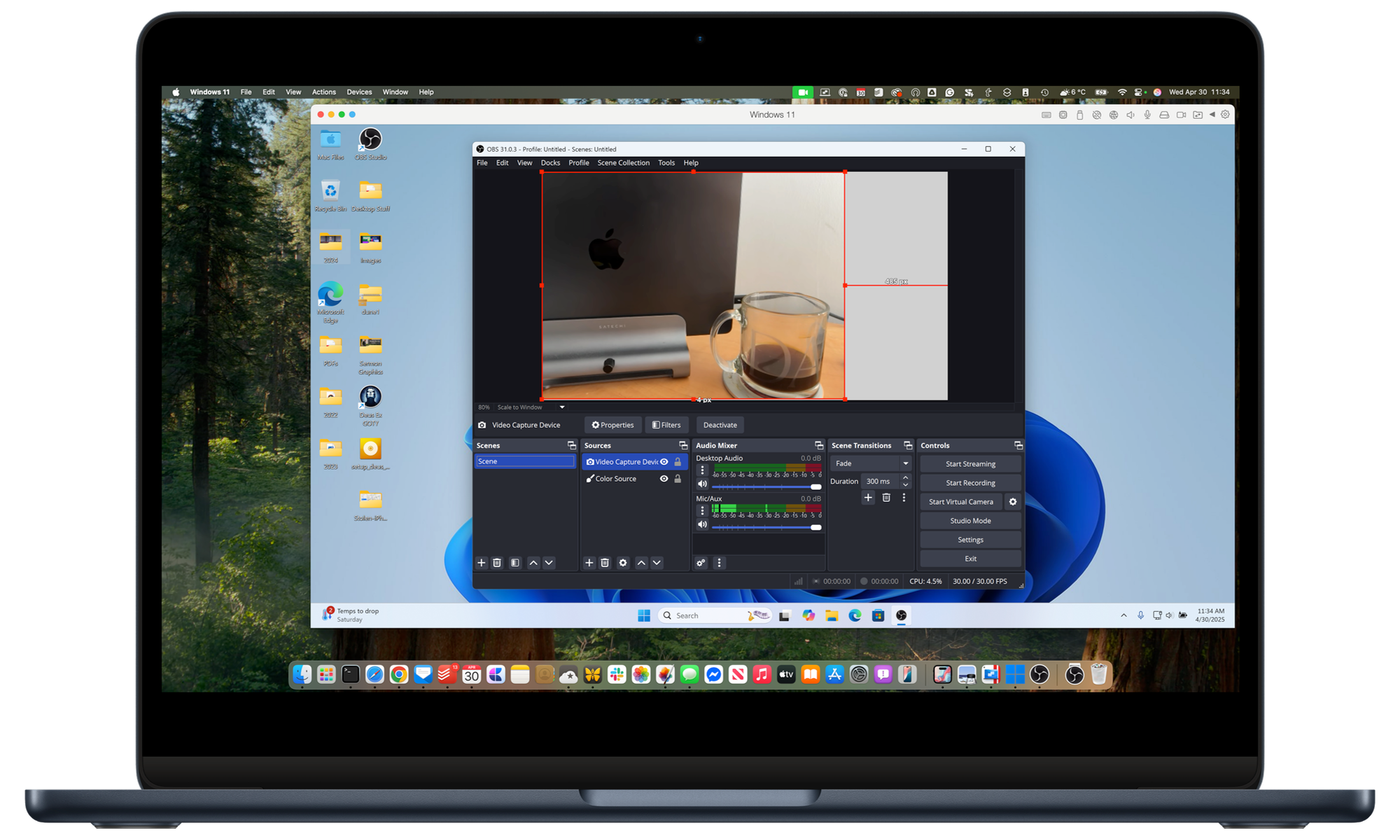
To get one thing clear right off the bat, the only way to run Windows on an Apple silicon Mac is through virtualization software. The days of dual-booting Windows and macOS using Boot Camp were swept away with the Intel Macs. With Apple silicon’s new ARM-based architecture, Windows has to run within macOS, not separately from it.
Apple’s M-series chips have fully supported virtualization from the start, which is why apps like Parallels and VMware Fusion have been able to do their thing, letting users run the ARM-based versions of Windows and other operating systems on the MacBook Pro and other Macs.
Although the A18 Pro and other A-series chips use the same ARM architecture as the M-series, it may not offer hardware virtualization support. Parallels is in uncharted territory here, and it seems that Apple isn’t offering any documentation or support guidance to map it out, so they’ll have to test it for themselves.
Until Parallels publishes updated documentation covering the A18 Pro, we recommend treating MacBook Neo as not yet officially supported.
Parallels Knowledge Base
There’s also another catch, however. The Parallels team notes that even if the A18 Pro chip does support virtualization, it may not be able to offer the same Windows experience as more powerful M-series chips. It may be acceptable for light, occasional Windows use of utilities or legacy business tools, but CPU- or GPU-intensive Windows applications will almost certainly push it up to or even beyond its limits.
First up is the fact that the MacBook Neo only has 8 GB of RAM. That’s more than enough for casual use in a purely macOS environment, but with virtualization you’re carving out at least half of that to run Windows, and 4 GB doesn’t exactly provide an optimal experience on either side.
This isn’t an impossible situation, as I was able to run Windows 10 effectively under Parallels on a 2020-era 8 GB M1 MacBook Pro, although that was for pretty light-duty use. However, the 13-inch MacBook Pro had another advantage that Apple’s more affordable MacBook are missing: active cooling.

Like the MacBook Air before it, the MacBook Neo is fanless. It relies on passive cooling to dissipate heat through the aluminum enclosure. As the Parallel’s support article points out, the A18 Pro chip was designed to run in an iPhone, and while it did support AAA console games, anyone who ever tried Assassin’s Creed Mirage on an iPhone 16 Pro Max can attest to the fact that it heats up like a summer grill plate. The MacBook Neo offers more room for heat dissipation, but there’s still a point at which heat equals throttling, resulting in slower performance.
The bottom line is that compatibility depends entirely on whether the A18 Pro chip supports Apple’s hypervisor framework for virtualization. If that’s the case, Parallels should technically run fine on the MacBook Neo, thereby allowing the ARM version — not the Intel version — of Windows 11 to be installed, although most Intel x86-based Windows applications will run fine, as that’s the same version of Windows used on Microsoft’s Surface laptops.
Still, even if running Windows 11 on a MacBook Neo is possible, you should expect a pretty bare bones configuration. If Windows compatibility is important, you’ll be far better off opting for the MacBook Air, which now uses an M5 chip and comes with a minimum of 16 GB, both of which provide plenty of breathing room for Windows and other virtualized operating systems.






